Travel connectivity guide
2degrees eSIM in New Zealand: What to Check
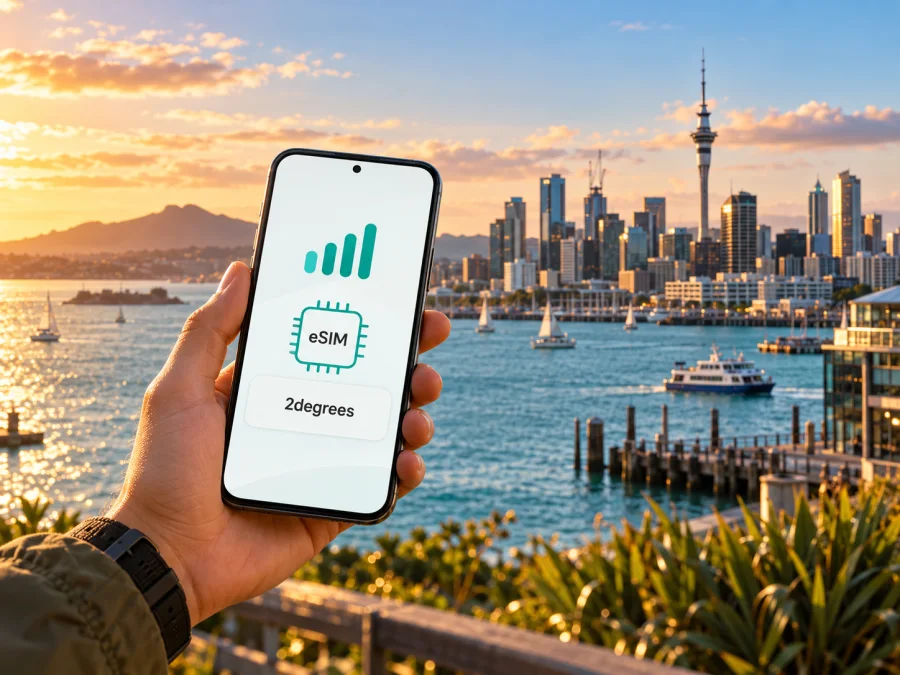
2degrees eSIM in New Zealand: setup, compatibility and travel checks
For a New Zealand trip, check device compatibility, activation steps, the service you need and coverage along your route. 2degrees offers eSIM for eligible devices and customers in the New Zealand market. Your setup depends on whether you are an existing customer, joining locally or arranging data for a visit.
This guide covers 2degrees eSIM, setup and visitor checks. Coverage maps, device eligibility and service conditions can change; confirm details with 2degrees before travel. Public operator pages checked 17 October 2026.
What 2degrees eSIM means in New Zealand
2degrees is a mobile and broadband operator serving the New Zealand market. Its official help pages describe eSIM as a digital profile downloaded to a compatible device, instead of a removable SIM card. Once activated, that profile is linked to a mobile number and a mobile plan. The profile can be useful if you prefer not to handle a physical SIM or want to keep more than one mobile line available on a compatible phone.
An eSIM is the format used to provision a line on a device; it does not determine plan eligibility, included services or geographic reach. Check 2degrees’ current product information to confirm that the chosen service suits your intended use.
As checked on 17 October 2026, 2degrees’ “Help with eSIM” page says that customers joining on a Prepay plan can select eSIM during online checkout, while a customer can also arrange a profile through a 2degrees store or Customer Care. The same help page describes eSIM availability for active Pay Monthly customers and says new customers may choose eSIM when signing up online. These are operator-issued instructions for 2degrees services in New Zealand, not a guarantee that every visitor or every device is eligible. The available customer path may depend on the plan, account status, device and current order flow.
2degrees also publishes information about a visitor-focused travel SIM. Its public travel SIM page describes a physical SIM product for use in New Zealand and says that it works within New Zealand rather than at other international destinations. That product is distinct from the eSIM enrolment routes described for 2degrees mobile customers. Do not assume that “travel SIM” in the operator’s product name means the product is an eSIM, or that a local eSIM customer route and a visitor SIM route have identical eligibility or setup. Confirm the current visitor options directly with the operator.
Check whether your device can use the service
There are two compatibility questions to consider. First, does the phone have eSIM hardware and software support? Second, does the exact device version work with 2degrees and the service you intend to use? A model name alone may not answer both questions. Regional variants of the same phone can differ, and a device bought in one country may have a different SIM configuration from a similarly named version sold elsewhere.
2degrees’ eSIM help page lists selected Apple, Samsung, OPPO and Google devices, and explicitly warns that not all devices are enabled for eSIM. The list includes selected recent iPhone, iPad, Samsung Galaxy, OPPO Find and Google Pixel products, with exclusions and model-specific notes. Because device families and regional versions vary, treat the operator’s current compatibility checker and its live list as the decisive source rather than relying on a broad statement such as “all recent phones support eSIM.” The operator also suggests checking the device settings for an “Add eSIM” option if a device is not listed. That setting is a useful clue, but it does not independently confirm that a particular device is unlocked or compatible with every service.
Before buying or activating anything, check the exact model number in the device settings or on the manufacturer’s support page. Compare that identifier with the operator’s current eligibility information. If your phone was purchased through a carrier, ask whether it is network-locked. An eSIM profile cannot remove a carrier lock. Also check that the operating system is up to date, that the device has space for another profile, and that you can access the account or email used to receive setup information.
The official 2degrees “Help with eSIM” page gives the following broad examples of device support, subject to the model and listed exclusions:
| Device family | What to verify |
|---|---|
| Apple iPhone or iPad | Confirm the exact generation and regional version in the current 2degrees list; some regional iPhone variants are excluded. |
| Samsung Galaxy | Check the precise series and model suffix; selected generations and versions are supported, while some variants are excluded. |
| OPPO Find | Confirm the exact Find model against the operator’s current compatibility information. |
| Google Pixel | Check the model generation and its regional eSIM configuration. |
This table is only a guide to where to check. It is not a complete compatibility list and does not establish support for a particular device. If the current 2degrees checker and the phone’s settings appear to disagree, ask 2degrees before ordering. For a separate travel eSIM, check that provider’s compatibility guidance as well; device support can differ between services.
How 2degrees eSIM setup works
The 2degrees help pages describe downloading a profile with a QR code or activation details. A stable Wi-Fi or mobile-data connection is needed during setup. Keep the QR email or activation details available on another screen or printed copy if you plan to scan the code using the phone that will receive the profile. If the device has only one screen, follow the operator’s current manual-entry instructions where offered, or use another trusted screen to display the code.
A typical setup sequence is:
- Confirm the order and eligibility. Check that the account or signup route supports eSIM and that your exact phone version is compatible.
- Connect to reliable internet. Use Wi-Fi or another available data connection so the phone can download the profile.
- Open the mobile settings. On an iPhone, the menu is generally under Settings and Mobile Service or Cellular; on Android, the names vary by manufacturer and software version. Use the current 2degrees setup instructions for your device.
- Add the eSIM profile. Scan the QR code provided by 2degrees or enter activation details if the operator’s instructions support that method.
- Choose the line settings. If you keep another SIM active, select which line should handle mobile data, calls and messages. Review each choice carefully before leaving the setup screen.
- Wait for network registration. Follow the on-screen prompts and the operator’s instructions. If the phone does not connect, check that the profile is switched on and restart or refresh the connection as the official troubleshooting guide recommends.
Screens differ by operating system and manufacturer. Follow the current 2degrees instructions rather than deleting profiles or resetting settings when a menu differs. Contact the operator if a code has already been used, a profile will not download, or you are transferring service. Some transfers may require store assistance; Apple Quick Transfer applies only to eligible device pairs.
Before selecting a plan for another provider, check device compatibility. The operator’s own activation instructions remain the authority for a 2degrees profile.
New Zealand coverage and network technology
2degrees’ public help material states that it operates 4G and 5G services and directs customers to its coverage map for local availability. Its 5G information says that access depends on a compatible device and being in an area where 2degrees currently has 5G coverage. This means a 5G-capable phone does not guarantee a 5G connection at every address or along every road. The available signal can vary with location, terrain, buildings, congestion, device support and temporary network conditions.
Check the coverage map for accommodation, roads and remote stops. Save offline maps; actual signal can differ from a published estimate.
The operator’s “Device compatibility with 2degrees frequency bands” page is relevant if you are bringing a phone from overseas. A phone may support eSIM yet lack a locally used band; a band match also does not promise coverage at every location. Compare the exact model with the operator’s current technical information and map.
The operator describes 5G as available in selected areas. Neither a 5G device nor the presence of 4G or 5G guarantees a particular speed or uninterrupted service. In remote areas, plan for gaps and do not rely on mobile service as the only source of directions or emergency information.
Local 2degrees service or a travel eSIM?
A local 2degrees service may suit someone who needs a New Zealand number or an ongoing local account; inclusions and signup requirements depend on the current plan. Visitors who mainly need data may consider a separate travel eSIM. Its functions depend on its terms; data services may not include a local number or ordinary voice and SMS.
A travel eSIM does not automatically connect to 2degrees. Check its destination, network access, tethering, activation and validity terms; do not infer a local network from the destination alone.
Kaspersky eSIM Store is an app and website that helps travellers choose, arrange and activate an eSIM plan for mobile data abroad. It is not a New Zealand mobile operator, does not own a mobile network and does not itself provide mobile connectivity. The service information available on the Kaspersky eSIM Store site identifies a technology partner and local telecommunications providers; travellers should review the destination page and current plan terms to see what applies to their purchase. A destination listing is not a 2degrees product and should not be described as such.
If you want to compare a separate travel-data option for the same destination, browse the New Zealand eSIM destination page. Check the current availability and details displayed there before purchase. The page is for browsing Kaspersky eSIM Store destination options; it is not a statement that a specific 2degrees plan or network is included. Whether a travel eSIM is appropriate depends on your phone, itinerary, need for a local number and the current terms of the chosen service.
A practical checklist before departure
Use this checklist whether you are considering 2degrees service or another eSIM for travel:
- Identify your goal. Decide whether you need a New Zealand phone number, local calls and texts, mobile data only, or a way to keep your home line available.
- Check the exact device version. Confirm eSIM capability, regional variant, carrier unlock status and compatibility with the specific service.
- Review current eligibility. Ask 2degrees whether your customer type and intended signup route can use eSIM. If you are visiting, confirm whether the relevant product is an eSIM or a physical visitor SIM.
- Check the route. Use the operator’s current coverage map for your accommodation and travel path. Save offline navigation for remote sections.
- Read current terms. Confirm eligibility, included services, account requirements and restrictions that matter to you.
- Prepare activation access. Keep a reliable internet connection available for downloading the profile, and make sure you can retrieve the QR code or activation details.
- Set your default lines. Decide which SIM should handle mobile data and which should handle calls or texts. Confirm the data line before enabling data roaming on any profile.
- Keep support details handy. Save the official support route for offline access.
eSIM hardware alone does not establish eligibility: check the exact variant and the signup rules for the service you intend to use.
Using two SIMs while travelling
Some compatible phones can keep more than one line available, but supported combinations vary by device. Label the lines clearly, choose which one handles mobile data, and review the roaming settings for your home SIM. Your home provider may charge for use on that line. For a travel data eSIM, follow its setup directions; some profiles require data roaming to be enabled on that profile. Confirm the selected data line in settings after setup.
Troubleshooting common setup issues
The phone has no “Add eSIM” option. Check the exact model and regional variant, update the operating system, and consult the manufacturer’s documentation. Then confirm the model with 2degrees or the travel eSIM provider. Do not rely only on a family-level model name.
The QR code will not scan. Increase screen brightness, clean the camera lens, and ensure the code is displayed on a separate screen. If the operator provided manual activation details, follow its instructions for entering them. If the code may already have been used, contact the issuer rather than repeatedly trying an old code.
The profile installs but has no service. Confirm that the profile is enabled, the device has selected the intended line, and the phone is in an area shown on the current coverage map. Refresh the connection or restart the device if the operator recommends it. Check for a network outage using 2degrees’ current network status information.
Mobile data works on the wrong SIM. Review the default data line and disable automatic mobile-data switching if that feature could move data to a different line. Check the home SIM’s roaming settings and your home provider’s charges before changing them.
You are moving an eSIM to a new phone. Do not erase the old device until the new profile is working and you know how the operator handles transfer. 2degrees publishes different transfer instructions for Apple Quick Transfer and other transfers; some cases require assistance from a store. Ask the provider what happens to the old profile before initiating a transfer.
When contacting support, note your phone model, software version and the point where setup stopped. This can help identify whether the issue concerns compatibility, eligibility, an activation code, coverage or line settings.
Frequently asked questions
Does 2degrees support eSIM in New Zealand?
Yes. Its “Help with eSIM” and “Help with SIM cards” pages describe eSIM for selected devices and explain signup and activation. Eligibility depends on the customer route, plan and exact device. Pages checked 17 October 2026; verify current instructions before signup.
Can a visitor get a 2degrees eSIM online?
2degrees confirms online eSIM selection for customers joining local services, including Prepay, but this does not establish eligibility for every short-term visitor. Its visitor travel SIM is described as a physical SIM. Ask which option fits your status and needs.
Does 2degrees eSIM work on every eSIM phone?
No. 2degrees supports selected models. Regional variants, carrier locks and network-band support can matter. Check your exact model with the current operator list and checker.
Will 5G be available everywhere in New Zealand?
No. 2degrees describes 5G in selected areas and directs customers to its coverage map. Check your route and plan for possible service gaps.
Is a travel eSIM the same as 2degrees eSIM?
No. A travel eSIM is a separate service arranged through its own provider and plan terms. Do not assume it is a 2degrees product or uses a particular New Zealand network.
Does Kaspersky eSIM Store provide 2degrees service?
No. Kaspersky eSIM Store is an app and website for choosing, arranging and activating travel eSIM plans. It is not an operator or network owner. Its New Zealand destination page is a separate place to review travel options and current terms.
Choosing the right next step
If you need a local New Zealand number or want to join 2degrees, start with the operator’s current signup information and confirm that your exact phone is supported. If you are visiting mainly for data, compare the local operator’s visitor options with travel eSIM services that clearly state their destination, network arrangements and limitations. A data-only travel service may not replace a local number, while a local plan may involve account or signup requirements that matter for a short visit.
Before activating, confirm your device compatibility, keep a stable internet connection available, and check the network coverage for the places you will go. Read current service conditions directly from the provider. For a separate travel-data option, you can review New Zealand destination availability through Kaspersky eSIM Store and decide whether the terms match your route and device.
2degrees and its services are mentioned for informational purposes. This article is independent and is not affiliated with, endorsed by or sponsored by 2degrees. Network coverage, device eligibility and service conditions may change; confirm current details with the relevant provider before travelling.


