Travel connectivity guide
3 eSIM in Denmark: activation and travel guide
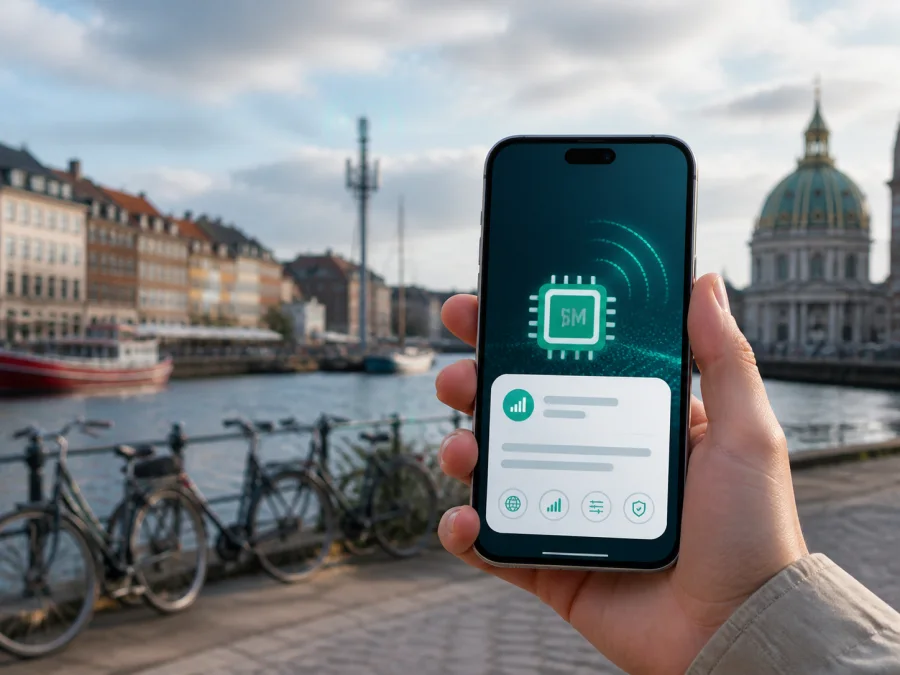
3 in Denmark: eSIM, activation and mobile internet for travel
At a glance
If you are looking for a 3 eSIM in Denmark, separate two use cases: a local 3 mobile line and a travel eSIM prepared for data during a visit. A local eSIM follows a 3 customer relationship; a travel eSIM helps a visitor arrange mobile internet without replacing the main SIM.
The current 3.dk eSIM guide, checked on September 1, 2026, confirms eSIM for existing customers and new customers choosing an eSIM-compatible service. It describes Mit 3 download on supported iPhones or QR-code installation from self-service on another device. Menus depend on the model and operating system.
3 in the Danish market
3 is a Danish mobile operator with consumer and business services, direct sales channels, support and network information for Denmark. Its current website presents mobile subscriptions, mobile internet and travel use in one local service environment.
A local operator’s eSIM is an electronic version of a local subscription, not a universal visitor pass. The 3 Help Center page checked on September 1, 2026, says self-service eSIM ordering requires MitID and that the legal owner handles store or support routes, with photo ID requested in a store. Visitors should confirm eligibility before relying on a local 3 route. Someone who only needs data can keep the regular SIM and add a travel eSIM if the phone supports dual-SIM use.
Does 3 support eSIM in Denmark?
Yes. The current eSIM page on 3.dk says that both current and new customers can obtain an eSIM. It explains that the profile can be downloaded in the Mit 3 app or installed from a QR code in Mit 3 self-service, depending on the phone. The page also suggests checking for an EID number through the phone’s identification screen. Treat that as a first check and verify the exact model and regional version before activation.
The instructions are written around a 3 subscription. They do not say that every traveler can activate a local line without meeting customer and sales requirements. For an existing 3 customer, switching from a physical SIM is the clearest use case. A new customer can choose eSIM when obtaining a new service, subject to the current 3 process.
3 also warns that the activation QR code can be scanned only once. Treat it as an activation credential: do not test it repeatedly or begin without a compatible phone and stable internet access. If it was already used or the phone changes, contact 3 through its current support route instead of assuming that the same code can be installed again.
“3 eSIM Denmark” is not one universal product label. A search can lead to a replacement eSIM, a new local service, mobile internet for another device or a travel arrangement from a separate provider. Read the eligibility and activation information before changing your primary SIM.
Local 3 eSIM or travel eSIM?
A local 3 eSIM follows 3’s Danish customer process. It can be appropriate if you are moving to Denmark, staying for a longer period, joining 3 as a new customer, or managing an existing 3 line. It may also suit a resident who wants to replace a physical SIM on a supported phone. Check account eligibility, registration, number use, billing arrangements and the service conditions shown by 3 when you apply.
A travel eSIM normally focuses on mobile data for a journey. Kaspersky eSIM Store is an app and website for choosing, arranging and activating an eSIM data plan for an overseas trip. It is not a mobile operator, does not own 3’s network or supply 3’s coverage.
The current Kaspersky eSIM Store Denmark page, checked on September 1, 2026, lists Denmark as a destination and describes an online workflow: check compatibility, choose a destination and data option, confirm the purchase, and activate the digital SIM. Kaspersky’s official product article, published June 17, 2025, describes the same role. These facts do not make Kaspersky a Danish network operator.
Someone who needs a Danish number or local account should investigate 3 directly. Someone whose priority is data during a short trip may prefer the digital travel-eSIM workflow.
Prepaid and tourist availability
“Prepaid eSIM Denmark” and “tourist SIM from 3” can describe a local prepaid product, a regular service used during a holiday, or a data-only travel eSIM purchased online. These labels are not interchangeable.
For 3 specifically, the live official pages checked in this run clearly document eSIM for existing and new customers and describe travel-oriented consumer use. They do not establish a separate 3 tourist-prepaid eSIM route guaranteed for every foreign visitor. If you want a local prepaid service, ask 3 about registration, identification, non-resident eligibility, purchase channels and whether activation before arrival is possible.
That limitation prevents a traveler from assuming that any local eSIM can be purchased and activated without an account or eligibility check. Prepaid and tourist availability can change with distribution, regulation and commercial policy. Confirm current terms directly with 3 when a local service is essential.
If you only need data, a travel eSIM may avoid the question of whether a local visitor account is available. Check supported devices, data-only limitations, activation timing, network selection and post-installation rules before purchase.
Coverage and mobile technologies
The current 3.dk coverage map, checked on September 1, 2026, publishes 4G and 5G coverage information for Denmark and provides an address-based view. 3 says that the map is indicative and based on an industry calculation model. It concerns expected outdoor conditions and cannot capture every local circumstance. Terrain, buildings, distance to a mast, the number of active users and phone hardware can affect the result.
For a traveler, a national coverage statement is not a guarantee for a basement, ferry, rural road, wooded area, thick-walled building or busy event. Check the specific places where you will work, navigate or make bookings. Treat broad coverage information as orientation when an address-level result is unavailable.
3.dk also states that its 3G network was shut down in November 2025 and that 3G devices have not been supported since December 1, 2025. The current technology path is therefore centered on 4G and 5G, subject to the device and local radio conditions. A phone that supports eSIM is not automatically compatible with every network band. Check eSIM support and the model’s cellular capabilities.
3’s coverage material includes expected-speed information and technical explanations, but those figures are not a service guarantee. The neutral point is that 3 publishes a map, labels it indicative, and explains why actual service can vary.
For a travel eSIM, the relevant network can be selected through the underlying local-provider arrangement rather than through a Danish 3 account. Follow the destination service’s instructions. If the travel profile does not connect, check the mobile-data line, data roaming setting where required, network selection and device lock before concluding that the destination has no service.
Requirements before choosing 3 eSIM
Use this checklist before adding or replacing a profile:
- Confirm that the exact phone model supports eSIM; regional versions can differ.
- Check that the phone is not locked to another operator.
- Keep Wi-Fi or another internet connection available during download and activation.
- Decide which line will handle mobile data after arrival.
- Check roaming settings and possible charges on the home line before enabling it abroad.
- Keep the QR code or activation profile available and treat it as single-use if stated.
- Review current identity, account and visitor requirements with 3 for a local service.
- Save the relevant support route before travel and keep the old SIM available during a replacement.
If you are converting a physical 3 SIM that carries your normal number, plan the change carefully. 3’s instructions warn that activation timing can matter during a number transfer or when replacing an existing SIM. Do not activate a replacement profile immediately before a boarding pass, hotel check-in or transfer if losing the old connection would cause a problem. Follow the current account-specific instructions.
How to activate a local 3 eSIM
The following short sequence summarizes the current 3.dk guidance; use the live device-specific instructions in Mit 3 for the final details.
1. Check and prepare
Confirm that the exact phone model has eSIM support, an EID and no operator lock. Connect to Wi-Fi before downloading. If self-service displays a QR code, open the account on another screen so the phone can scan it.
2. Add the profile
For supported iPhones, use the Mit 3 app as directed. For other phones, sign in to Mit 3 self-service on another device, choose the phone option for adding an eSIM and scan the QR code once. If it was already used, contact 3.
3. Choose data and test
Label the line, select the intended mobile-data line and review automatic data switching if another SIM remains active. Restart if requested, then test a web page or map before leaving Wi-Fi. If service is unavailable, check line status, network selection, data settings and activation status; do not delete a new profile while troubleshooting unless support advises it.
How a travel eSIM changes the setup
The travel sequence is similar, but the account logic is different. Check compatibility, select Denmark as the destination in the travel service, complete the online order and install the profile while you have a stable connection. Decide whether to use the travel line for data immediately or keep the home line selected until arrival, according to the current service instructions.
The Kaspersky eSIM Store iOS installation guide checked during this run instructs the user to open Settings and Cellular, add an eSIM, scan the QR code from another screen, choose the line for cellular data and enable data roaming for the travel profile when required. It also advises turning off automatic cellular-data switching. Android menus differ by manufacturer, so use the phone’s “Add eSIM” or equivalent path and follow the current prompts.
The destination page describes the service as data-focused. Do not assume that it includes a regular local phone number, ordinary voice calls or SMS. Keep the home SIM active only when you understand its roaming implications, and use internet messaging where appropriate. A data-only eSIM prepares mobile internet for a trip; it is not a replacement for every function of a local operator.
If you want to review device support first, use the eSIM device compatibility check in the service flow. Compatibility is only one part of the decision: also check that the phone is unlocked, Denmark is covered and the phone can keep the home SIM and travel eSIM available as expected.
Common questions
Can I get a 3 eSIM in Denmark as a visitor?
3’s current public eSIM page confirms availability for existing and new customers, but it does not guarantee that every visitor can open a local service on arrival. Ask 3 about registration, eligibility and sales requirements. A travel eSIM is a separate data-focused route for a short stay.
Does 3 offer a tourist prepaid eSIM?
The pages checked in this run confirm 3 eSIM and travel-oriented consumer use, but they do not establish a separate tourist-prepaid route for every foreign visitor. Check current Danish sales and support information directly with 3. Do not infer availability from eSIM support alone.
Does an eSIM work on any phone?
No. The phone must support eSIM, be compatible with the relevant technologies and normally be free of an operator lock. Regional model differences matter. Check the exact device before activation.
Does Kaspersky eSIM Store provide 3 network coverage?
No. Kaspersky eSIM Store is an app and website that helps the user choose, arrange and activate an eSIM data plan for a trip. It is not an operator, network owner or coverage provider. Available networks are described in the current destination conditions.
What should I do if the QR code does not work?
Confirm compatibility, internet access, unlock status and whether the activation code was already used. If the profile is stuck, contact the relevant provider’s support team and do not repeat the scan without guidance.
A calm choice for the trip
3 eSIM in Denmark is a documented option within 3’s Danish customer and self-service environment. It can suit an existing or new 3 customer, while a visitor must confirm eligibility and local registration. 3’s current coverage page provides an indicative 4G and 5G map and records the retirement of 3G.
For a short data-focused visit, Kaspersky eSIM Store helps the user choose, arrange and activate an eSIM data plan through its app or website. It does not operate 3’s network or replace a local operator. Choose according to whether you need a Danish account and number or prepared mobile data.
Before departure, verify the exact phone model, unlock status, activation route, data line, roaming settings and current conditions. Then choose the path that matches the trip. Choose an eSIM plan for Denmark when a travel-focused data setup fits your needs.
Kaspersky eSIM Store and 3 are independent services, and this article is not sponsored by, endorsed by or affiliated with 3. Operator conditions, device support, coverage and travel-service availability can change, so confirm the latest details with the relevant provider before activation.


