Travel connectivity guide
3 eSIM in Hong Kong: what to check
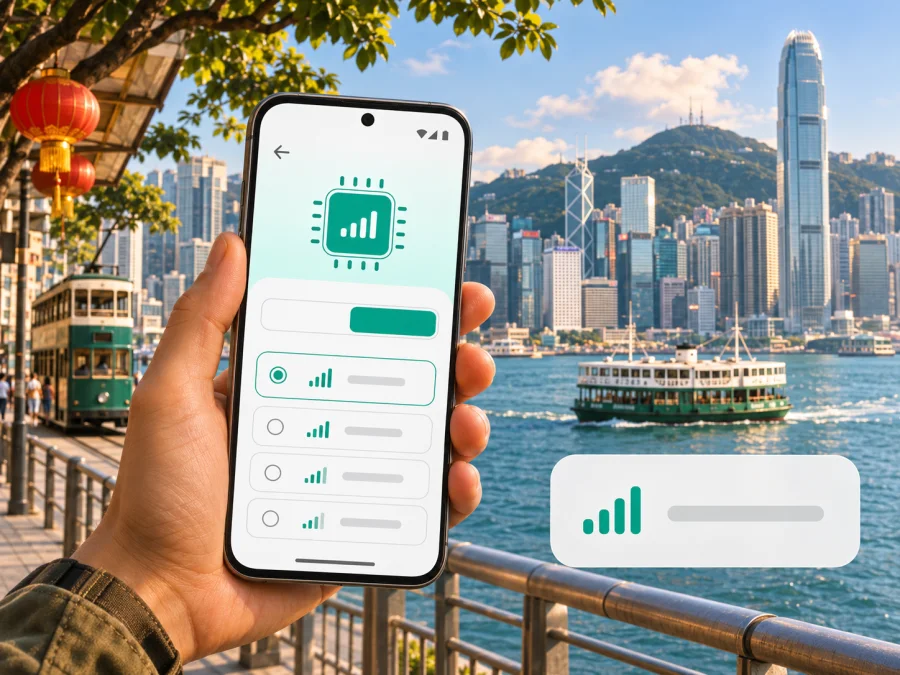
3 eSIM in Hong Kong: activation, travel options and what to check
Hong Kong visitors can choose between keeping a home SIM active, arranging a local connection, or using a travel eSIM for mobile data. If you are researching 3 eSIM in Hong Kong, the key distinction is between 3 Hong Kong’s regular mobile service and the prepaid products it lists for local and travel use. 3 Hong Kong publishes eSIM application, installation and transfer guidance for its mobile customers. Its travel SIM pages also describe prepaid options, but the public overview does not establish that every travel product is available as an eSIM or that every visitor can register for every service. Check the exact product, identity requirements and device variant with 3 Hong Kong before you rely on it.
This guide explains what is confirmed, what needs a direct check, and how to prepare an eSIM for a visit. It does not list or compare named tariff plans. Operator services, eligibility and terms can change; the facts below were checked against official 3 Hong Kong and Hong Kong regulator pages on 4 November 2026.
What “3” means in Hong Kong
The operator named in this guide is 3, the consumer-facing name used by 3 Hong Kong. The local operator is Hutchison Telephone Company Limited, which the Office of the Communications Authority (OFCA) identifies among Hong Kong’s four major mobile network operators in its Telecommunications report for 2024/25. This is a market description, not a ranking of network quality or a claim about service in every location.
3 Hong Kong serves customers through mobile services and associated digital channels, including the My3 app and 3Shop support. Its official information pages cover eSIM application, QR-code installation, device transfer and activation assistance. These are useful starting points for existing customers and people considering a local connection. They do not by themselves confirm the eligibility of a short-term visitor, the availability of a particular prepaid option as eSIM, or the terms that will apply to a newly issued connection.
Hong Kong is a Special Administrative Region of China with a distinct telecommunications market. A Hong Kong service should not be assumed to include service in mainland China, Macau or another destination just because a local or roaming option refers to more than one place. Coverage areas, roaming permissions and product terms depend on the specific service. Before crossing a border or taking a ferry to another destination, check the applicable service area and roaming settings.
Is 3 eSIM available in Hong Kong?
Yes: 3 Hong Kong currently documents eSIM for its mobile customers. Its official eSIM information describes applying for eSIM, receiving an installation QR code by email, scanning it to install, and using the My3 app for online transfer steps. The operator also describes Apple eSIM Quick Transfer for supported iPhones and directs customers to a 3Shop if they need help. The general online subscription information likewise presents eSIM as a SIM option and says an installation code is sent electronically.
That confirms the operator offers eSIM in its customer services; it does not guarantee that a visitor can buy a particular eSIM product without an existing account, local identity document, or other registration. The answer may differ between a monthly mobile subscription, a prepaid SIM and a roaming-data product. The dedicated “Local & Travel SIM” section confirms that 3 Hong Kong has prepaid products intended for local and travel use, but it does not make the eSIM form or traveler eligibility clear for every listed product. Ask 3 Hong Kong which current option is suitable for your situation and whether it is issued as an eSIM before you pay.
For an existing 3 customer, conversion or replacement may be available through the My3 app or at a 3Shop. For a new customer, check the live sign-up flow for accepted application details, number-registration steps, payment and delivery or QR-code process. Do not assume a QR code from one product can be used for another, or that an existing profile can be reinstalled after deletion.
eSIM, prepaid and travel SIM: keep the product types separate
A local mobile subscription is designed around the operator’s customer account and service terms. It may be a good fit if you need a local number, local voice and messaging, or a longer-term Hong Kong connection. A prepaid product can make spending easier to control, while travel-oriented products may be designed for visitors or for use across destinations. These descriptions are broad categories; they do not establish the exact inclusions, registration rules or validity of any current offer.
3 Hong Kong’s official prepaid page presents both local and travel SIM choices. The visible page describes prepaid service in general, but the format of each product must be checked separately. If you specifically want an eSIM, ask whether the selected prepaid or travel option is delivered digitally, which identity documents are required and how long the code remains usable. If the product is physical-SIM only, you will need a compatible device with a SIM tray or another connectivity arrangement.
A travel eSIM from Kaspersky eSIM Store is a separate way to prepare mobile data for a trip. The site and app let a user select, arrange and activate a travel eSIM; they are not a mobile operator, network owner or provider of radio coverage. A travel data eSIM can be useful when the main goal is internet access and you want to prepare before arrival. It should not be treated as a replacement for a local phone number, and the available destinations and conditions should be checked on the product page before purchase.
Coverage, technology and device differences
OFCA explains that Hong Kong mobile services use multiple frequency bands and technical standards, and that operators can have different network designs and coverage areas. Its public guidance identifies FDD-LTE and TD-LTE as 4G technologies and NR FDD and NR TDD as 5G technologies. OFCA’s 2024/25 telecommunications report says the four major mobile network operators launched 5G services using New Radio. 3 Hong Kong publishes information about its 5G service. These sources establish that 4G and 5G are part of the local market; they do not guarantee speed or reception at a particular place.
Signal can vary between buildings, underground stations, transport routes, outlying islands and indoor venues. Check the operator’s current coverage information for your itinerary, but treat it as a guide rather than a promise for a room or specific handset. Keep offline maps and essential travel details if you may need them without data.
Device version matters. Phones in the same family may differ by region and exact model number, including eSIM capability and supported bands. Confirm the full model or part number with the manufacturer and 3 Hong Kong, and check that the device is unlocked. Tablets and watches may support eSIM but have separate service restrictions; do not assume that compatibility with one type of plan means compatibility with another.
If you want to review the current Hong Kong destination page in Kaspersky eSIM Store, browse Hong Kong eSIM options. This is a destination page for the Store’s own travel eSIM selection, not a 3 Hong Kong tariff page and not a statement that a particular 3 product is available there.
Before choosing a local 3 connection
Use this checklist before applying:
- Define the need: local number and voice/SMS, data only, or use across several destinations.
- Confirm product format: ask if the specific prepaid or travel option is actually delivered as eSIM.
- Check visitor eligibility: ask about accepted identity documents and SIM registration for your intended use.
- Verify the device: provide the exact model number; confirm eSIM support, carrier-unlocked status and relevant bands.
- Check the service area: ask whether it covers Hong Kong only or includes other destinations, and whether roaming must be enabled.
- Understand installation: confirm when to scan the code, whether it is single-use, and how to recover if installation fails.
- Protect your home line: check dual-SIM behavior and possible roaming charges for calls, texts or data.
The OFCA and 3 Hong Kong pages do not settle every tourist’s eligibility. Product rules can differ, so ask the operator directly before relying on a particular service, especially if you need a local number or will travel beyond Hong Kong.
How to prepare a 3 Hong Kong eSIM
For an eligible 3 customer, official guidance describes a QR-code installation route and online account actions. Screen labels can change, so follow the latest instructions that arrive with the profile. A practical preparation sequence is:
- Check eligibility and device support. Confirm eSIM capability for your exact variant, account eligibility and current OS requirements. Update the device before departure if practical. You can also check device compatibility.
- Request through an official channel. Use the My3 app or the application route that applies to your account. New customers should verify registration requirements first. Avoid codes from unofficial sellers.
- Use stable internet. Profile download normally requires a connection. Connect to reliable Wi-Fi, keep the phone charged and follow the supplied steps.
- Scan only when ready. 3 Hong Kong says its installation QR code may be used once and cannot be reused after scanning. Keep the confirmation email and do not share the code.
- Set the correct line. Label the profile and select which SIM handles data, calls and messages. If keeping a home SIM, confirm its settings. Follow product-specific instructions for data roaming.
- Test the connection. Follow the operator’s activation steps. If needed, 3 Hong Kong suggests restarting or toggling airplane mode; it also directs customers to a 3Shop for help.
On iPhone, mobile plans are managed in Settings under Cellular or Mobile Service. Android labels vary, often under Network & Internet, Connections or SIM manager. Use the manufacturer’s guide for the exact handset and the operator’s instructions for the profile.
If the QR code fails, first check internet access, whether the code was already scanned and whether the device has room for another profile. Do not repeatedly delete and reinstall it. Contact 3 Hong Kong or visit a 3Shop if advised; removing a profile can make recovery harder, and a replacement may require a new application.
If you need mobile internet without a local subscription
A separate travel eSIM may suit a visitor who mainly needs data and does not need a new Hong Kong phone number. Kaspersky eSIM Store is an app and website for selecting, arranging and activating a travel eSIM with data for supported destinations. It is not affiliated with 3 Hong Kong and does not operate a Hong Kong mobile network. The mobile service itself depends on the underlying network and the conditions displayed for the selected travel eSIM.
Before choosing, check that Hong Kong is included in the selected destination, review the current data and activation conditions, and confirm that your phone is unlocked and eSIM-compatible. A regional option can be useful on a multi-stop trip, but do not assume it includes every nearby territory or mainland China. Check each destination and the plan’s stated coverage area. Travel data eSIMs generally do not provide a conventional local phone number, so keep your main number or use internet messaging when you need voice or chat services.
If you already have a home SIM, you may keep it available for calls and verification messages while selecting the travel eSIM for mobile data. This depends on your handset’s dual-SIM support and your home operator’s roaming terms. Set the data line deliberately, switch off data roaming on the home SIM if you do not want it used, and check whether the travel eSIM requires data roaming to be enabled on its own line. The right setting depends on the eSIM instructions.
Common travel scenarios
Short visit, data only
Compare the current Hong Kong travel eSIM selection with 3 Hong Kong’s visitor products. If choosing the operator, confirm eSIM format, eligibility and registration. If choosing a travel eSIM, check its destination list, activation conditions and compatibility before departure. Download maps and travel details before leaving Wi-Fi.
Existing 3 customer changing phones
Use 3 Hong Kong’s current replacement or transfer instructions. The operator documents online transfer and Apple Quick Transfer, with requirements for supported devices. Do not assume an installed profile will migrate automatically or that its original code can be scanned again.
Travelling onward from Hong Kong
A Hong Kong connection does not automatically include another destination. Check the exact roaming area for a 3 service or every country listed for a regional travel eSIM. Keep itinerary information offline in case you need to change networks in transit.
Calls, texts and verification messages
Ask whether the selected local service includes a number and conventional voice or SMS. Data-only travel eSIMs are for internet access; internet messaging apps may work over data, subject to their account requirements. Keep your home line available if you need verification texts, and check its roaming terms.
Troubleshooting after installation
If the phone shows no service, check that the eSIM line is enabled, mobile data is assigned to the intended line, airplane mode is off and the phone has restarted. Move to another location and allow the device to register. Check the activation email or account status; do not change APN settings unless the service provider instructs you to.
If the profile is missing or cannot be downloaded again, keep the order confirmation and contact the provider before removing anything else. The code may be single-use. For 3 Hong Kong activation issues, the operator lists a 3Shop as an assistance option. For a travel eSIM arranged through Kaspersky eSIM Store, use the support details in the account or confirmation message.
Frequently asked questions
Can a visitor buy a 3 Hong Kong eSIM?
3 Hong Kong publishes eSIM application and activation guidance for mobile customers, but that alone does not confirm that every visitor is eligible for every service. Ask the operator whether the particular subscription or prepaid product accepts a non-resident and what registration documents are needed.
Does every 3 prepaid travel product come as an eSIM?
The public “Local & Travel SIM” overview confirms prepaid travel products in general but does not establish eSIM delivery for every product. Confirm the format for the exact product before applying. Do not assume the words “travel SIM” mean a downloadable profile.
Can I use a 3 Hong Kong eSIM outside Hong Kong?
That depends on the service and its roaming terms. The presence of a roaming or travel product does not mean all destinations are covered by every eSIM. Check the service area and any required roaming settings with 3 Hong Kong before crossing a border.
Will any eSIM-compatible phone work?
No. The device needs eSIM capability for its specific regional variant, must meet the provider’s technical requirements and must not be locked in a way that prevents use of another service. Confirm the full model number with the device manufacturer and operator.
Can I use a local eSIM and my home SIM together?
Many recent phones support multiple lines, but available combinations vary by device. You may be able to keep the home line for calls or messages and assign data to the travel line. Check the exact handset settings and remember that your home operator may charge for roaming.
Does Kaspersky eSIM Store provide 3 Hong Kong service?
No such relationship is implied. Kaspersky eSIM Store is an app and website for choosing and activating travel eSIM data for supported destinations. It is not 3 Hong Kong, a mobile network operator or a network owner. The service and network used depend on the eSIM conditions shown for the destination.
A practical decision
Choose a 3 Hong Kong service when you need a local operator relationship or local-number features and the operator confirms that you meet the requirements. Consider a travel eSIM when your priority is mobile data during a visit and you want to arrange it separately from your home line. Either way, check the current destination coverage, exact device variant, activation process, identity requirements and roaming settings before depending on the connection.
To review the available travel eSIM selection for this destination, see Hong Kong in Kaspersky eSIM Store. Availability and conditions may change, so use the destination page and your chosen product’s current terms when planning.
This independent guide is not affiliated with 3 Hong Kong. Operator names are used only to identify the service discussed. Information checked on 4 November 2026 against 3 Hong Kong’s “eSIM Online Transfer” and eSIM application guidance, its “Local & Travel SIM” page, the Hong Kong Basic Law (Chapter II, Article 12), and OFCA’s “Frequency Bands and Standards for Mobile Services” and 2024/25 telecommunications report.


