Travel connectivity guide
7acht eSIM in Liechtenstein: setup guide
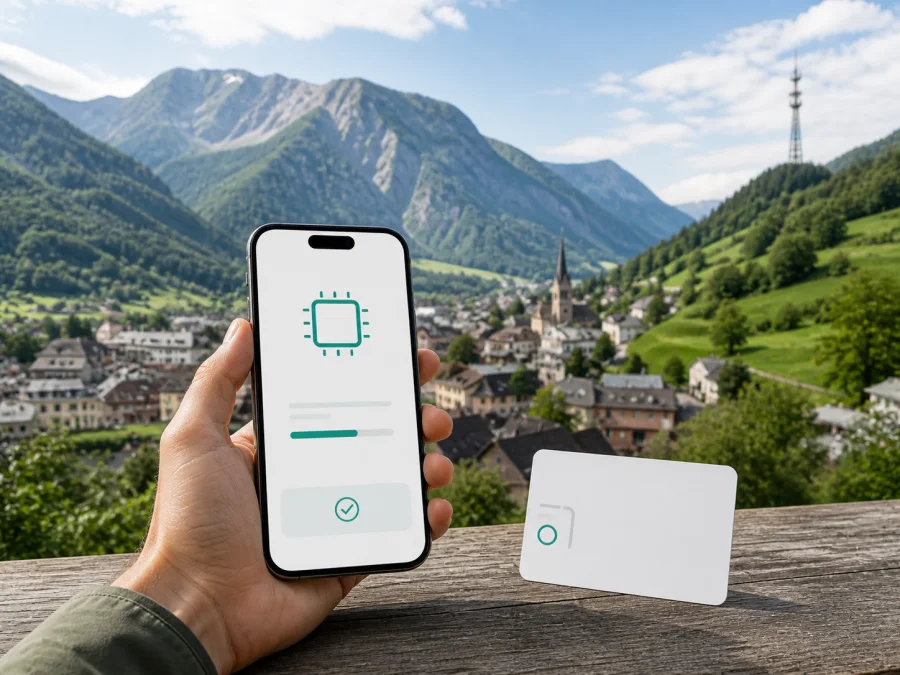
7acht eSIM in Liechtenstein: connection and travel guide
Travelers in Liechtenstein may need mobile data immediately after arrival, while local customers may want to replace a plastic SIM without changing their number. 7acht supports an eSIM route for compatible devices. The suitable setup depends on whether you need a local 7acht service, roaming on an existing line, or a separate travel eSIM prepared online.
Quick answer: does 7acht support eSIM in Liechtenstein?
Yes. The official 7acht eSIM page checked on 2 September 2026 explains activation on a phone and says that eSIM vouchers are available at 7acht sales points. It describes a profile containing the customer’s service and telephone number, loaded to a compatible device. The page also says that a customer can move from a physical nano-SIM to eSIM and keep the number when the device supports eSIM.
This is presented as a local mobile-service process, not as a dedicated tourist product. A visitor should confirm whether the service can be issued in their circumstances, which documents are required, where the voucher can be collected and whether a local customer relationship is needed. The public instructions do not promise a separate visitor activation route.
7acht’s public mobile page describes its home-market service for Liechtenstein and Switzerland and provides a link to a coverage map. That makes the operator relevant to residents, frequent visitors and existing customers. A short-term traveler should compare the local process with an online travel eSIM rather than assume they are interchangeable.
How 7acht eSIM works
An eSIM is a SIM profile built into the device instead of a removable plastic card. A compatible smartphone may retain more than one profile, depending on the model and software, and lets the user select which line handles mobile data. For 7acht, the published setup uses an eSIM voucher with a QR code.
The local benefit is continuity. A customer changing from a physical 7acht SIM can keep the number, subject to the operator’s process. The boundaries are just as important: a 7acht eSIM profile is not a universal travel pass, and roaming, account conditions, device compatibility and local availability still apply. A phone locked to another operator may not accept it, and regional versions of one device model can differ.
7acht’s position in the local market
7acht’s website presents mobile service alongside its other communications offerings and identifies Liechtenstein as its home market. On the mobile page checked on 2 September 2026, the operator describes service for Liechtenstein and Switzerland and links to a coverage map. This is a local offer with cross-border relevance, not a worldwide travel-eSIM catalogue.
The University of Liechtenstein's 2025 guide, checked on 2 September 2026, lists 7acht among providers offering prepaid SIM plans. This supports the general presence of prepaid connectivity in the market, but current operator conditions still need checking. The official 7acht pages reviewed here do not present a separate tourist product page. Ask 7acht or an authorized sales point whether a prepaid or visitor option is available for the intended stay.
Prepaid and tourist eSIM are not automatically the same. Prepaid describes a way to pay for and manage a local service; a tourist eSIM usually describes an online setup for a temporary trip and often focuses on data. The official 7acht eSIM page confirms eSIM support, but does not establish a special tourist offer.
Local eSIM or physical SIM?
If you already have a 7acht number, eSIM can remove the need to handle a plastic card and preserve that number on a compatible phone. If you arrive without a local customer relationship, first confirm eligibility, identification rules, sales-point availability and the activation process.
For an itinerary across borders, distinguish home use from roaming. 7acht describes Liechtenstein and Switzerland together on its mobile page, while its roaming information separates other destinations and lists partner technologies. Check each country on the route instead of extending one domestic description to the whole trip.
Coverage and supported technologies
Coverage should be assessed by location. Reception can vary between a valley, a building, a hillside road, a border area and an indoor space, even in a small country. Use the coverage map linked from the official 7acht mobile page for the places you plan to visit.
The official 7acht help page checked on 2 September 2026 says that 7acht Mobile customers have Wi‑Fi Calling and VoLTE. It explains that VoLTE uses the 4G network for calls and that Wi‑Fi Calling uses a Wi‑Fi connection. These are technical capabilities, not a promise of the same experience at every location; device settings and local conditions matter.
The help page also warns that emergency calls cannot be placed through Wi‑Fi Calling when the location cannot be identified reliably. Move to an area with mobile reception for an emergency call. The current 7acht roaming-partner table lists combinations of 2G, 3G, 4G, 5G and VoLTE by partner and destination. Roaming technology varies by destination.
| Check before travel | Practical reason |
|---|---|
| 7acht coverage map | Country-level information cannot describe every indoor or rural location. |
| eSIM and 4G support | Device capabilities and regional versions can affect setup. |
| Wi‑Fi Calling and VoLTE settings | They may need activation and have emergency-call limitations. |
| Every country on the route | Liechtenstein, Switzerland and other destinations can follow different rules. |
| Current operator instructions | Activation and sales-point procedures may change. |
What a traveler should prepare
- Compatible, unlocked device. Check eSIM support in the phone settings and with the manufacturer. If the device is locked, ask the original provider whether another profile can be added.
- Stable internet. 7acht says an active connection, usually Wi‑Fi, is needed to download the profile.
- Voucher and QR code. Keep the voucher accessible but private; it may be required for a later device change.
- Correct customer route. If you are not already a 7acht customer, ask about visitor eligibility, documents, issuance and sales-point availability.
- Data-line plan. Decide which line will handle mobile data and disable automatic data switching if you do not want the home line to connect.
Do not delete the old profile or reset the phone until the replacement line is ready. A QR code is part of the activation process, not a code to share publicly or install on every phone.
Activating a 7acht eSIM
The following sequence follows the current official 7acht instructions.
1. Connect to the internet
Use Wi‑Fi or another working connection before downloading the profile. If you are converting a physical SIM abroad, do not remove it until you understand the conversion step and know that the new profile is ready.
2. Open mobile-network settings
On iPhone, open the mobile-service settings and choose the option to add an eSIM or mobile plan. On Android, wording varies; look for SIM manager, mobile network or add-mobile-plan. Follow the prompts shown by the device.
3. Scan the QR code
Use the camera or the device’s QR-scanning option. 7acht’s instructions say to scan the QR code and follow the on-screen steps. If the code is displayed on the same phone, use a second screen or the device’s supported installation method.
4. Wait for the download
Keep the connection stable. If the phone says that the code has already been used, stop repeating the scan and contact 7acht or the issuing sales point. Do not guess at a manual code unless the operator provides one.
5. Choose the data line
When two lines are installed, select the intended mobile-data line. Keep the home line for calls or messages only if that matches your needs, and review data switching and roaming. A 7acht local eSIM and a travel eSIM from Kaspersky eSIM Store do not necessarily offer the same services.
6. Test the connection
Open a simple webpage or messaging app and check which line is being used. If there is no data, confirm that the profile is enabled, the correct line is selected and the phone has registered with the intended network before changing several settings at once.
Moving an eSIM to a new phone
The 7acht eSIM page says both phones should have an internet connection. Remove the eSIM from the old phone, then scan the voucher’s QR code on the new phone and follow its instructions. This is a transfer sequence, not an invitation to use one profile on several phones simultaneously.
Keep the voucher until the new phone works. If the old device is lost or damaged, contact 7acht through its current support channel and ask what recovery process applies. When changing from nano-SIM to eSIM, remove the deactivated physical SIM as instructed; leaving it in the phone can make the device try the inactive line first.
A travel eSIM as a separate option
If the main need is mobile internet for a short visit, a travel eSIM provides a different purchase path. Kaspersky eSIM Store is an app and website for choosing, ordering and activating an eSIM tariff for a foreign trip. It is not a mobile operator, does not own 7acht’s network and does not provide radio coverage itself; the connection depends on the local telecommunications arrangements associated with the selected travel product.
The Kaspersky eSIM Store page for Liechtenstein was available during the current check. Kaspersky’s official travel article, published 17 June 2025, describes online purchase and activation. The current Google Play listing, updated 3 April 2026, describes the app as a way to find eSIM connectivity for travel. These sources support the service’s general role, but they do not change the conditions of 7acht’s local offer.
For an online travel setup, see eSIM for Liechtenstein. Check device compatibility and the conditions displayed at the time of purchase. A local 7acht service is the relevant path when you need a local number or operator-managed line; a travel eSIM may suit a visitor who wants to arrange data online.
FAQ
Can I use a 7acht eSIM in Liechtenstein?
Yes. The current official eSIM page documents activation on a compatible phone and says that vouchers are available through 7acht sales points. Confirm the issuance process before traveling, especially if you do not already have a 7acht service.
Can I keep my 7acht number?
Yes, the official instructions say that a customer can change from a physical SIM to eSIM and keep the number when the device supports eSIM. Follow the current conversion procedure and wait until the replacement profile is ready before removing the working SIM.
Can setup be completed without internet?
No. 7acht says the phone needs an active internet connection to download the eSIM profile. Wi‑Fi is the practical setup method before arrival.
Can a visitor buy 7acht eSIM entirely online?
The public eSIM page describes vouchers at 7acht sales points and does not present a separate tourist-only online route. Ask 7acht or an authorized point about eligibility, documents and availability instead of assuming that the process matches a travel eSIM checkout.
Is 7acht eSIM data-only?
The 7acht page describes a profile containing the service and telephone number, so it is presented as part of a local mobile service rather than only as a data pass. Exact services depend on the customer’s conditions. A Kaspersky eSIM Store travel eSIM is a separate data-oriented option and should not be treated as a local number.
Does 7acht guarantee 5G everywhere?
No blanket guarantee should be inferred. The roaming table lists different technologies by partner and country, and the mobile page points to a coverage map. Check the map, destination and phone capabilities for the places you will visit.
Can I use Wi‑Fi Calling for emergency calls?
The 7acht help page warns that emergency calls cannot be placed through Wi‑Fi Calling when the location cannot be identified reliably. Move to an area with mobile reception and use the appropriate emergency procedure.
What should I check before a travel eSIM purchase?
Check eSIM compatibility, unlocked status, countries covered, service type and activation instructions. Decide which line will handle data so the home line does not connect unintentionally.
Final checklist
- Decide whether you need a local number or only mobile internet.
- Check eSIM compatibility and that the phone is not operator-locked.
- Ask 7acht about local issuance, visitor eligibility and current sales-point requirements.
- Keep the QR voucher private and arrange reliable Wi‑Fi for setup.
- Select the correct data line and review roaming for each country.
- Use the 7acht coverage map and current roaming information for the route.
- If online travel setup is more suitable, review the Liechtenstein destination in Kaspersky eSIM Store and run the compatibility check.
7acht eSIM is a documented local connectivity option in Liechtenstein with QR-based activation and support for compatible devices. Its public information is most useful to existing customers and visitors who can complete the operator’s local process. Kaspersky eSIM Store provides a separate app-and-website route for choosing, ordering and activating a travel eSIM for mobile internet. Evaluate the options by your need for a local number, the route, the device and the current conditions shown by the relevant service.
This article is independent editorial information and is not affiliated with, sponsored by or endorsed by 7acht. Product availability, activation procedures, coverage and service conditions may change; verify them with the relevant provider before purchase or activation.


