Travel connectivity guide
A-Mobile eSIM in Georgia: what to check
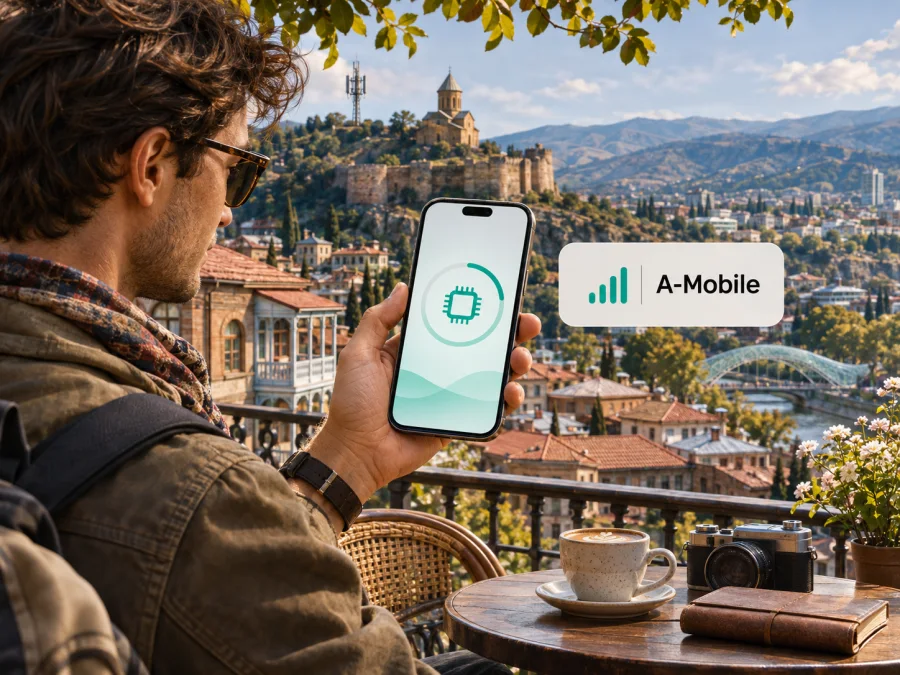
A-Mobile eSIM in Georgia: what travellers should check
A-Mobile’s official website describes the company as a mobile operator serving Abkhazia and provides online SIM/eSIM ordering. That is useful information for a traveller researching the wider Caucasus region, but it does not establish A-Mobile as a mobile network for Georgia as a whole. Abkhazia is an internationally recognized part of Georgia whose territory is outside the control of the Georgian government; its status and travel arrangements are sensitive and can affect whether and how a visitor may enter. A-Mobile eSIM should therefore not be treated as a confirmed Georgian-market eSIM or as a way to connect throughout Georgia.
The distinction matters before buying a digital SIM. A destination labelled “Georgia” normally means the territory administered by Georgia’s government. An operator’s offer associated with Abkhazia has a different geographic scope. Check the actual service area, registration rules, activation process and roaming conditions directly with A-Mobile before relying on it for any itinerary. This guide keeps those two contexts separate and explains what can be verified for A-Mobile, what remains uncertain for Georgia, and what to check when planning mobile data.
This independent guide is not affiliated with A-Mobile. Brand names belong to their respective owners.
What A-Mobile’s eSIM offer confirms
On 4 November 2026, A-Mobile’s official website and online order pages showed an eSIM option alongside its SIM ordering flow. The operator presents itself in Russian-language materials as a mobile operator of Abkhazia, and its visitor information is specifically framed around visiting Abkhazia. Its order process describes choosing a number and service, completing verification, and confirming an order. This supports the limited conclusion that A-Mobile offers eSIM ordering for its own service in the market it serves.
The public pages reviewed do not establish that the eSIM is available for visitors who are only travelling in the Georgian-administered territory, or that an A-Mobile profile will register on Georgian networks. They also do not provide a current, clear public statement that defines cross-border use in Georgia for this product. Treat compatibility with a phone and geographic service availability as separate questions: an eSIM-capable handset can still be unable to use a given operator’s network in a particular place.
The operator’s ordering information includes a verification step. The website does not make it safe to assume that every traveller can complete that step remotely or with any particular identity document. Requirements may depend on the customer’s situation and the current process. Before placing an order, ask A-Mobile what documents it accepts, whether non-residents can register, whether remote identity checks are supported, how the eSIM profile is delivered, and what to do if verification fails. Avoid sending identity documents through a channel unless the operator confirms that it is an official and appropriate method.
The central distinction is straightforward: A-Mobile’s official website shows an eSIM order option, but its materials associate the service with Abkhazia. They do not establish direct service throughout Georgia, nor do they settle every visitor’s eligibility. The operator’s online flow includes verification, so confirm accepted documents and remote registration before starting an order. A compatible phone alone cannot resolve geographic coverage or account eligibility.
Georgia and Abkhazia: why destination labels need care
Country pages, mobile networks and travel itineraries do not always use geographic labels in the same way. Georgia is a sovereign state internationally recognized within its borders. Abkhazia is a region claimed by Georgia and internationally recognized by most countries as part of Georgia, while it is outside the Georgian government’s effective control. A-Mobile’s official materials associate the operator with Abkhazia. That does not make its service interchangeable with a mobile service sold for Georgia, nor does a retail page titled for Georgia automatically say anything about A-Mobile’s network footprint.
Travel guidance is also separate from telecom availability. For example, the UK Foreign, Commonwealth & Development Office’s Georgia advice, checked on 4 November 2026, describes Abkhazia and South Ossetia as areas with specific travel restrictions and warns about travel near administrative boundary lines. The Australian Government’s Smartraveller advice for Georgia says that entering Georgia via Abkhazia or South Ossetia is illegal under Georgian law. Travellers should check current advice from their own government and relevant authorities before planning movement through or into the region. A mobile signal, SIM order page or map pin cannot establish that a route is lawful, open, safe or suitable.
For an itinerary that stays within Georgia administered by its government, do not choose A-Mobile on the assumption that it is the local network for that trip. Ask a provider serving the exact destination whether its eSIM is intended for use there, and verify the destination in the product details before purchase. For travel specifically involving Abkhazia, research entry requirements, official travel advisories, legal restrictions and local conditions independently before considering a telecom purchase. Connectivity is a practical detail, not a substitute for checking whether travel is permitted.
How A-Mobile’s local service differs from a travel eSIM
A local operator subscription is issued under that operator’s registration, service and support rules. A-Mobile’s public website presents service for its own market and an online route to request SIM or eSIM. Ask the company what number, voice, messaging and data features apply to the exact product you are eligible to order.
A travel eSIM in Kaspersky eSIM Store helps a traveller choose, arrange and activate an eSIM plan for mobile data during an overseas trip. The Georgia destination page reviewed on 4 November 2026 displayed options for that destination and identified local telecommunications providers as the source of service. Its FAQ describes the travel eSIM as data-only, without a phone number for conventional calls and SMS. This is not A-Mobile service or a local A-Mobile subscription.
Check these points before choosing:
- Geographic scope: A-Mobile’s materials associate its service with Abkhazia. Check the travel product’s live destination and coverage terms separately.
- Registration: A-Mobile’s order flow includes verification; confirm visitor eligibility and accepted documents.
- Features: Verify whether the exact product includes data, a number, voice calls or SMS.
- Setup: Confirm device compatibility, activation timing and internet access needed during installation.
- Support: Know which provider handles registration, profile installation and network issues.
These options serve different needs. Someone who needs a local number or account should ask a local operator about a local subscription. Someone who mainly needs mobile data in places explicitly listed by a travel eSIM may arrange a travel-data profile in advance.
What to verify with A-Mobile before ordering
A-Mobile’s official website is the primary source for its current sales and service conditions. If a detail is unclear, ask the operator directly through a contact method shown on its site. Do not rely on old travel posts where current eligibility or coverage matters.
Before ordering, confirm:
- Service area: Give A-Mobile your planned locations and ask whether they have direct service or depend on roaming.
- Visitor eligibility: Ask whether non-residents can register, which identity documents are accepted, and whether verification can be completed remotely.
- Profile delivery: Check whether the eSIM is issued in an account, by QR code or another method, and what support can do if installation fails.
- Included features: Confirm data, phone number, voice and SMS separately; eSIM alone does not guarantee each feature.
- Device requirements: Check whether the handset must be unlocked and whether the exact regional model is accepted.
- Roaming and terms: Ask about any use outside the stated service area and read the final order terms before payment.
This guide does not reproduce A-Mobile plan names or parameters. If the operator cannot confirm use at your Georgian destinations, treat coverage as unresolved and arrange another option for those locations. Save essential travel details and maps offline in case service is unavailable.
A destination page in Kaspersky eSIM Store can help a traveller review options for Georgia and check the current conditions. Browse eSIM options for Georgia. This country page is not an A-Mobile tariff page and does not establish that A-Mobile serves Georgia. Review the listed coverage and product details; a travel eSIM may be for mobile data rather than ordinary calls or SMS.
Coverage and network technology: avoid assumptions
Coverage is a location-specific property of a network and the connection available to a particular device. A statement that an operator offers mobile service in a region cannot prove indoor reception in a hotel, data availability on a mountain road, or service at a border crossing. The official A-Mobile pages reviewed confirm the eSIM ordering route and the operator’s Abkhazia positioning; they do not provide enough current, independently verifiable detail to describe a Georgia-wide coverage footprint or promise any particular radio technology throughout the requested country.
For this reason, this article does not assign A-Mobile a nationwide coverage rating, claim that 4G or 5G is available throughout Georgia, or estimate signal quality. If a particular technology matters to you, ask A-Mobile whether it is available at each relevant location and whether your exact handset variant supports the bands and services used there. The same check applies to voice over LTE, tethering, roaming, and emergency calling: availability may depend on the device, account, local network and regulatory conditions.
A coverage map, if offered by a provider, is a planning aid rather than a guarantee for every street or building. Terrain, construction, congestion, maintenance and device settings can affect the experience. For a short urban stay, your practical questions may be whether data works at your hotel, airport and main transport route. For rural or mountain travel, ask about the exact corridor, prepare offline information and consider a backup connection. A map should never be used as confirmation of a travel route’s legal or safety status.
Check your phone before choosing an eSIM
A phone may support eSIM in one hardware variant and not in another. Regional versions of the same model can differ, and devices sold through some carriers may be locked. Confirm eSIM support for the exact model number and sales region using the manufacturer’s support materials. Then check that the phone is unlocked and that it can retain your home SIM while adding a second profile if you need both lines.
Before purchase, check the following:
- The manufacturer lists eSIM support for the exact device variant, not merely the model family.
- The device is not restricted to one carrier, and any carrier lock has been removed.
- The operating system is up to date and the phone can connect to Wi-Fi during profile setup.
- You have access to the email, app account or QR code through which the eSIM will be delivered.
- You know which line will be used for mobile data and whether data roaming must be enabled for that profile.
- You understand how to switch lines and how to avoid unintended data use on your home SIM.
For a step-by-step device check, review eSIM compatibility. The compatibility modal can help with a general device check; confirm regional variants with the device maker and confirm A-Mobile-specific requirements with A-Mobile. A result showing that a handset supports eSIM does not establish that A-Mobile accepts that handset, that an order can be registered for a visitor, or that the network is available at a destination.
Installation and activation: prepare before departure
Follow the instructions for the eSIM you actually purchased. A profile from one provider will not activate another provider’s service. Keep the QR code or order details secure, and ask whether the profile can be installed again before deleting or resetting it.
General setup checklist for iPhone
- Confirm that the exact iPhone variant supports eSIM and is unlocked.
- Connect to Wi-Fi and open cellular settings.
- Choose the option to add an eSIM.
- Scan the supplied QR code or follow the issuer’s app instructions.
- Label the line and select the intended mobile-data line.
- Set roaming only as directed by the provider.
- Wait for registration and test data before relying on the profile.
General setup checklist for Android
- Check eSIM support for the regional model and confirm that the phone is unlocked.
- Connect to Wi-Fi and open network or SIM settings.
- Choose “Add eSIM” or “Download a SIM.”
- Scan the correct QR code or follow the app instructions.
- Set line preferences for data, calls and messages where available.
- Set roaming only if the provider’s instructions require it.
- Follow the issuer’s activation timing and test the connection.
Menu labels vary by manufacturer and software version. If installation fails, save the error text and contact the provider that issued the profile. Do not remove an installed profile unless support confirms it can be restored.
If you want to activate later
Installation and activation may happen at different times. Ask when service begins, whether installation starts any service period, and what to do after arrival. Keep instructions available offline. If the provider allows it, leave the profile installed and disable its mobile data until needed.
Choosing a practical connectivity plan for a Georgia trip
Start with the route. List arrival points, accommodation, transport hubs and day-trip locations, then decide whether you need data only or also a local number, ordinary calls and SMS. Compare those needs with the service area and registration rules confirmed by the provider.
For travel within Georgia administered by its government, choose a product explicitly intended for Georgia; do not assume A-Mobile’s Abkhazia service applies. A Kaspersky eSIM Store destination page can help browse current travel eSIM options and their displayed conditions. Service providers and coverage can vary, so read the live listing before purchase. Kaspersky eSIM Store is an app and website that helps travellers select, arrange and activate an eSIM for overseas mobile data; it is not a mobile network operator and does not own the underlying network.
If a route includes Abkhazia, check whether travel is lawful and appropriate for your circumstances before considering connectivity. Consult current travel advice from your government and relevant authorities, then confirm the precise service area and visitor process with A-Mobile. Do not assume a Georgia-labelled travel eSIM works in Abkhazia, or that an A-Mobile profile works in the rest of Georgia.
For multi-country trips, check each destination individually. A country eSIM may exclude neighbouring territory. Save instructions and support details, label installed profiles clearly, and verify the active data line after crossing a border.
Frequently asked questions
Does A-Mobile eSIM work throughout Georgia?
The public A-Mobile pages reviewed do not verify service throughout Georgia. They associate the operator with Abkhazia and show an eSIM ordering option. Confirm service area, roaming and visitor eligibility for your exact itinerary with A-Mobile.
Can tourists order online?
A-Mobile’s official order flow includes eSIM and identity verification. The reviewed public information does not settle every visitor’s eligibility or accepted documents, so ask the operator whether non-residents can register remotely.
Does an eSIM include calls and SMS?
The eSIM label alone does not answer that. Confirm the selected product’s features with the issuing provider. The Kaspersky eSIM Store Georgia FAQ describes its travel eSIM as data-only, unlike a local operator subscription that may have different features.
Is phone compatibility enough?
No. Check eSIM support for the exact regional variant and that the handset is unlocked, then verify provider acceptance and coverage at your destination.
A-Mobile’s eSIM ordering option is verifiable, but the evidence reviewed ties its service to Abkhazia and does not establish that it serves Georgia as a whole. That distinction should guide the next step: confirm the territory and eligibility directly with A-Mobile, check travel rules independently, and select a separate Georgia destination eSIM if your itinerary requires mobile data in the Georgian-administered market. Kaspersky eSIM Store can help you browse and arrange a travel eSIM for that destination; its live listing should be checked for current coverage and conditions before purchase. Explore eSIM options for Georgia.
Information checked on 4 November 2026 against A-Mobile’s official website, its online SIM/eSIM ordering page and its visitor information; the Kaspersky eSIM Store Georgia destination page and FAQ; and government travel advice from the UK FCDO and Australia’s Smartraveller. Conditions can change; confirm details before departure.


