Travel connectivity guide
A1 eSIM in Belarus: setup and eligibility
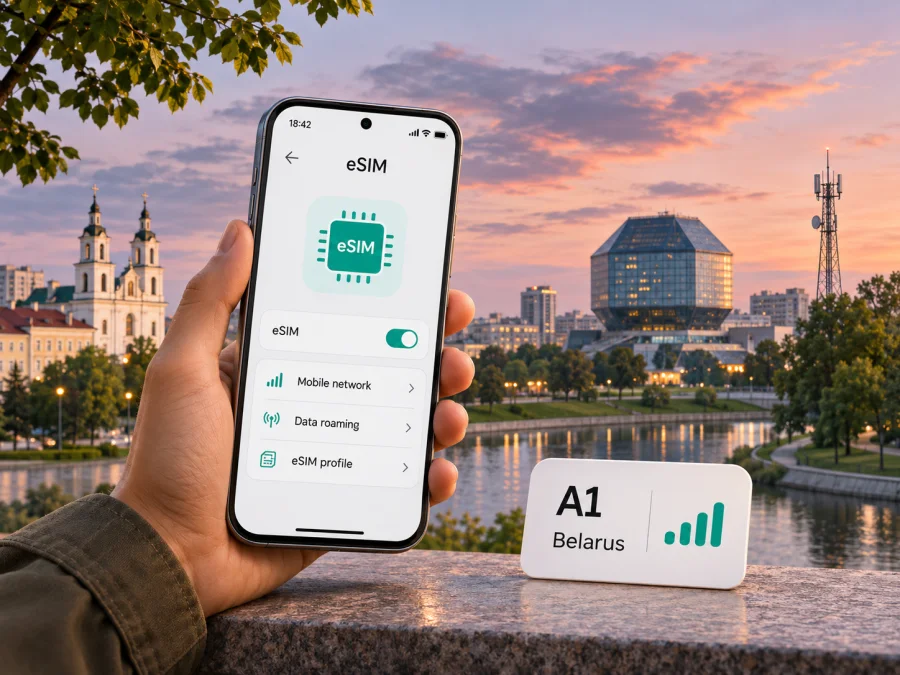
A1 eSIM in Belarus: how to connect and what travelers should check
A1 is an established telecommunications provider in Belarus, and its official website describes eSIM as an option for compatible devices. That does not mean every traveler can sign up through the same process: eligibility depends on the route you choose, your customer status, the device and the service terms. This guide explains what A1’s current public information says, where a visitor should pause and confirm details, and how to prepare mobile data before or during a trip to Belarus.
In brief: A1 documents eSIM installation using a QR code in an A1 shop and remote setup through the My A1 app. The app’s new-number flow is described for adult Belarusian citizens, while A1’s general eSIM page excludes customers on prepaid plans from its stated eligibility. If you are visiting Belarus and are not an eligible citizen or an existing A1 customer, ask A1 directly which current connection options apply to you before relying on a local eSIM. A compatible, unlocked phone and internet access during installation are also essential.
A1 in the Belarusian mobile market
A1 provides mobile telecommunications in Belarus. A1 Group’s corporate profile, “A1 in Belarus,” describes A1 Belarus as the country’s second-largest private provider of telecommunications, ICT and content services (checked 5 November 2026). This is the company’s market description, not an independent assessment of mobile network quality or a recommendation for a particular route.
An A1 eSIM is a digital profile for an A1 mobile subscription, subject to the operator’s customer and service conditions. It does not remove eligibility rules, identity checks or restrictions attached to a subscription type. For visitors, this differs from a travel eSIM intended for mobile data in a destination; availability and terms depend on the specific product.
Does A1 offer eSIM in Belarus?
Yes. A1’s Belarus eSIM information page explains how to request a new number with eSIM at an A1 shop, replace a physical SIM with an eSIM, and use My A1 for remote setup. The page says that installation requires a compatible device and an internet connection, and describes scanning a QR code for the shop route. The My A1 route guides the user through the app.
However, A1’s published eligibility notes matter. Its general eSIM page says that eSIM is available to the company’s individual and business customers except customers on prepaid plans. Separately, the My A1 page describes remote activation of a new number as available to an individual who is a citizen of Belarus and at least 18 years old. These statements refer to different service paths, so they should not be combined into a promise that every customer can order any eSIM through the app.
If you are not a Belarusian citizen, A1’s described remote new-number route may not be available. Its shop page does not confirm which documents a foreign visitor can use or whether every visitor can register. Ask A1 or an A1 shop about eligibility, documents, payment and intended use before relying on a local line.
A1 also says that international roaming for a new number connected in My A1 can be enabled only at an A1 shop in person with identification. Confirm roaming for your line and destination before traveling onward. Eligibility and setup details can change; ask A1 if its published guidance does not resolve your case.
Installation routes and what each one involves
A1 describes two main ways to obtain or install its eSIM profile. The exact screens and requirements can vary with the device, software version, account and current A1 process.
| Route | What A1 describes | What to check first |
|---|---|---|
| A1 shop | Request a new eSIM line or replace a physical SIM; receive a QR code and install the profile over an internet connection. | Shop availability, identity documents, customer eligibility and whether the line suits your intended use. |
| My A1 app | Follow the app’s remote connection steps to request a new number or move a number to A1, then install the profile. | The published new-number flow is for eligible adult Belarusian citizens; app, identity and payment steps may apply. |
| Existing A1 service | A1’s general eSIM page describes replacing a physical SIM with an eSIM through the operator’s channels, including the app or a shop. | Whether your specific subscription type is eligible; A1’s page excludes prepaid customers from its general eSIM eligibility. |
The table summarizes connection routes, not a promise that every route is available to every customer. A1’s official pages provide the controlling details. In particular, a prepaid customer should not infer eligibility from the presence of an eSIM option elsewhere on the site, and a visitor should not infer eligibility for remote onboarding from the fact that the app is available.
At an A1 shop
A1’s shop route is to check device compatibility, request a new number or SIM replacement, receive a QR code, connect to the internet and complete installation. Keep the code until the profile works. If it fails, ask staff to check the code. Bring documents requested by A1 and confirm that your customer category and subscription type are eligible. The public page does not establish every foreign visitor’s requirements.
Through My A1
A1’s official “Connect a number with eSIM in My A1” page describes selecting new SIM activation or number transfer, choosing eSIM, completing remote onboarding and installing the profile (checked 5 November 2026). Its new-number process includes identity-document scanning and face verification, so eligibility and onboarding checks apply.
A1 currently describes this remote new-number flow for an individual who is a Belarusian citizen and at least 18 years old. If you do not meet those conditions, do not assume that selecting another country in an app store or changing the app language will make the onboarding route available. Ask A1 about a shop-based route or another current option. If your goal is to transfer an existing number, confirm separately that your number and current provider are supported in the transfer flow.
Device compatibility and regional variants
An eSIM-enabled phone is necessary, but the feature name alone is not a guarantee. A device can have different hardware or software configurations by model and sales market. Some models sold in particular markets may not include eSIM support, and a phone can also be restricted by a carrier lock. Check the exact model number and sales region in the manufacturer’s specifications, then confirm that the phone is unlocked and that it can add a mobile plan or eSIM profile.
A1 says it guarantees eSIM operation for device models that support the technology and are officially represented in Belarus. That wording is specific to the company’s support statement; it should not be expanded into a guarantee for every imported model. If your phone was bought in another country, check with A1 and the device maker before arranging an installation. Also check whether the phone can keep your home line active while using an additional eSIM, if you need both lines.
Before leaving home, open the phone’s cellular settings and look for an option to add an eSIM or mobile plan. This is only a preliminary check: it does not prove that A1 will accept your subscription or that the device is unlocked. Keep the operating system current, back up important information, and make sure you can access Wi-Fi or another internet connection during setup. For a device-specific walkthrough, see the eSIM device compatibility guide.
A1 network access and coverage context
A1’s market is Belarus. A1 Group’s “A1 in Belarus” profile reports 4G coverage through a partner network and identifies the coverage figure as partner-network coverage. The disclosure uses 2024 data (profile checked 5 November 2026), so it is a dated company statement rather than a live coverage check for a particular town, road or building. The reference confirms that 4G is part of the market context, but it is not a guarantee of signal at every point on a traveler’s route.
Mobile service depends on the device, its supported radio bands, the local network, indoor conditions and the specific place and time. A phone that supports eSIM may still lack a band or configuration relevant to a particular network. Check the device’s regional specifications and consult A1’s current coverage information for the areas you will visit. For rail journeys, rural locations, basements and large buildings, plan for possible changes in reception and keep essential reservations or maps available offline.
Do not read an operator’s coverage map or a national coverage statement as a promise of a specific data speed. Congestion, terrain, building materials, weather, device capability and network arrangements can affect the experience. If reliable access is critical for work or travel logistics, prepare an alternative such as Wi-Fi where available and save key information for offline use.
A local A1 line or a travel eSIM?
The choice depends on what you need and whether you can qualify for the relevant service. A local A1 subscription can be useful if you need a local mobile number or local operator service and meet A1’s eligibility requirements. Its eSIM is tied to an A1 customer relationship and the applicable service conditions. A traveler should confirm whether they can register and what documents are accepted before planning on a local line.
A travel eSIM is designed for a different trip scenario: selecting and installing a digital profile for mobile data in a destination, without first obtaining a local physical SIM. A travel eSIM may be a more practical route for a visitor who only needs mobile data, but the buyer must check that the destination is covered, the device is compatible and unlocked, and the product’s current conditions suit the itinerary. Do not assume that a travel data eSIM includes a regular local phone number, voice calls or SMS; check the actual product description.
Kaspersky eSIM Store is an app and website that helps users choose, arrange and activate an eSIM with a suitable plan for mobile internet while traveling abroad. It is not a mobile operator, does not own a network and does not provide mobile connectivity itself. The Belarus destination page on Kaspersky eSIM Store, checked on 5 November 2026, lists travel eSIM options and says related services are supplied by local telecommunications providers; A1 appears among the providers named on that page at the time of checking. The page’s current availability and conditions should be reviewed directly before purchase. This is not an A1 local subscription or a specific A1 domestic offer.
If a travel eSIM better fits your needs, check the current eSIM options for Belarus. Review the live destination and product information before purchasing. A destination page can change, and its presence does not guarantee that a particular option will fit every route, device or travel date.
A practical checklist before traveling
Use this checklist before deciding whether an A1 eSIM is the right path:
- Confirm the customer route. Are you an existing A1 customer, requesting a new local number, replacing a SIM, or transferring a number? Those are different workflows.
- Check eligibility. A1’s published general eSIM information excludes prepaid subscribers; its My A1 remote new-number flow is described for adult Belarusian citizens. Ask A1 which current route applies to you.
- Ask about visitor documents. If you are not a Belarusian citizen, confirm directly with A1 whether you can register in a shop and which identification documents are accepted. Do this before relying on a local line.
- Clarify roaming separately. If you need the A1 line outside Belarus, ask whether roaming can be enabled for your account and when. A1 says new numbers connected through the app require an in-person shop visit to enable international roaming.
- Check the exact phone. Verify the precise model and sales region, eSIM capability and carrier-unlock status. Do not rely only on the device family name.
- Prepare for installation. Keep the phone charged and connected to Wi-Fi; have access to the app or QR code and the account information required by the chosen route.
- Protect your existing number. Before changing a physical SIM to eSIM or moving a number, ask whether the old profile will stop working and how to recover service if installation fails.
- Plan for data use. Confirm which line is selected for mobile data, whether data roaming is needed for a travel profile, and that roaming is not inadvertently enabled on a home SIM if you do not intend to use it.
- Keep an alternative. Save booking details and maps offline and identify Wi-Fi for setup or troubleshooting.
Device support, operator eligibility and network access are separate checks; confirming one does not settle the others.
Installing and using an eSIM while traveling
A1’s published instructions include a QR-code flow. Menu labels vary by phone, so follow the current prompts and the order-specific guidance from the profile issuer. A common setup sequence is:
- Connect the phone to Wi-Fi or another working internet connection.
- Open cellular or mobile network settings and choose the option to add an eSIM or mobile plan.
- Scan the A1 QR code, or follow the My A1 app flow if that is how the profile was issued.
- Label the new line and choose how it should be used. Keep your existing line enabled for calls or messages if needed.
- Follow A1’s activation instructions and wait for the phone to register on a network.
- For a travel data eSIM, select it for mobile data and enable data roaming only if the product instructions require it.
This is a general device workflow, not a substitute for A1’s order requirements. A QR code or app process may be tied to a particular phone or account, and transfer rules can differ. Do not delete an installed profile unless the issuer confirms that it can be downloaded again. If the line does not connect, check that the profile is enabled, the phone is unlocked, the correct line is selected and the device has signal; then contact the provider that issued the profile.
Before setup, understand when service becomes active and whether installation itself could begin use. A1’s general page does not answer every trip-specific question about activation timing or roaming. Ask A1 about a local line and consult a travel profile’s current product information. Note your original cellular settings before changing them so that you can restore them if needed.
Common questions
Can a foreign visitor order A1 eSIM online?
A1 describes its remote new-number flow for adult Belarusian citizens. Its shop page does not confirm every foreign visitor’s eligibility or document requirements. Ask A1 directly which route and documents apply to you.
Can I use eSIM on an A1 prepaid plan?
A1’s general eSIM information excludes prepaid customers. Check current eligibility with A1 before changing or requesting a subscription.
Will an A1 eSIM work on any phone, or outside Belarus?
No universal guarantee applies. Confirm the exact model and sales region, eSIM support and carrier-unlock status. Roaming is separate: A1 says new numbers connected through My A1 require an in-person shop visit to enable international roaming.
Choosing a reliable setup for your trip
If you meet the conditions A1 states for its app flow, My A1 may provide a remote route to a new eSIM line, subject to the operator’s checks and current terms. Existing customers should confirm their subscription type before converting a physical SIM. Visitors outside the stated remote-flow eligibility should ask A1 whether a shop route is available and confirm identification requirements in advance.
If you need data for a trip but not a local A1 number, compare setup requirements and verify destination availability, device compatibility, carrier lock, activation timing and roaming settings. Save installation instructions while you have a stable connection.
A1’s official “eSIM in Belarus” and “Connect a number with eSIM in My A1” pages, and A1 Group’s “A1 in Belarus” profile, were checked on 5 November 2026. The profile uses a 2024 data reference. Eligibility, app flows, roaming rules and coverage information can change; confirm current requirements with A1 before purchase or travel. A1 is a third-party operator. Kaspersky eSIM Store is not affiliated with A1 and is not its official partner or distributor. Names and marks belong to their respective owners.


