Travel connectivity guide
A1 eSIM in Slovenia: activation and coverage
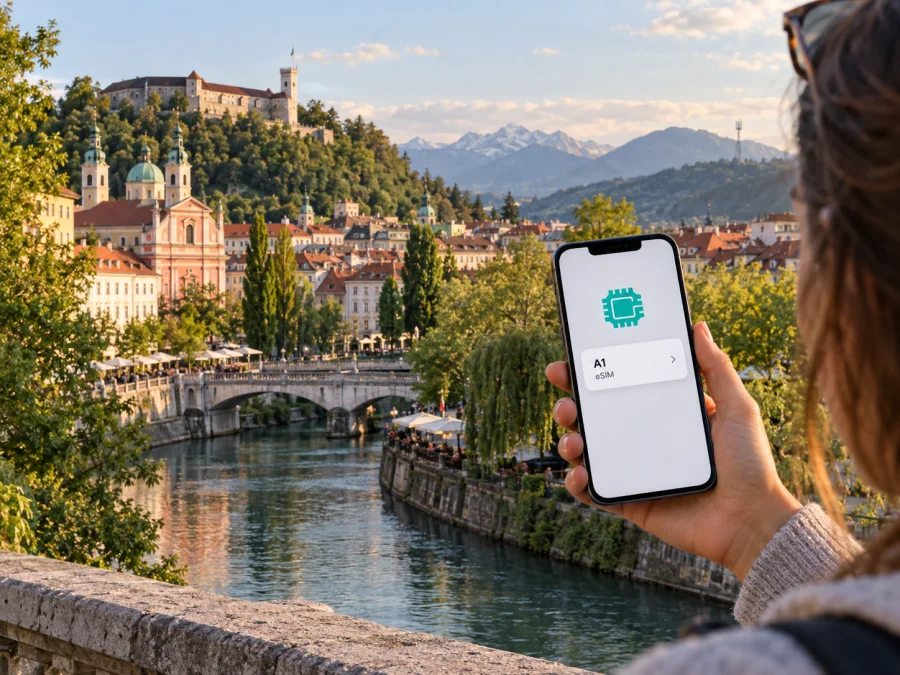
A1 eSIM in Slovenia: activation, coverage and travel options
A1 and Slovenia are names and marks belonging to their respective owners. Kaspersky eSIM Store is not affiliated with A1, and is not its official partner or distributor.
If you are planning a trip to Slovenia, an eSIM can provide mobile service without inserting a physical SIM card. A1’s official eSIM support page confirms eSIM for its customers: new subscribers receive a QR code when taking out a subscription, while existing customers can convert a physical SIM or transfer an eSIM through the phone’s operating system. The page was checked on 26 September 2026. These are subscriber activation routes; they do not establish that every visitor can sign up without meeting A1’s account requirements.
A1’s English-language visitor page and prepaid guidance (both checked 26 September 2026) present prepaid mobile service for people visiting Slovenia on holiday or business and describe activation through an initial call, message or internet use. The visitor page does not clearly confirm that this prepaid service is issued as eSIM. If you specifically need an A1 eSIM for a short stay, check eligibility and the available activation route directly with A1 before travelling.
What A1 eSIM means for a trip
An eSIM is a digital SIM profile installed on a compatible device. It performs the subscriber-identification role of a physical SIM, but the phone stores the profile electronically. The device must support eSIM, and the provider must provision a profile for the chosen account and phone. A1 describes eSIM as an alternative to a physical SIM and outlines QR installation and device-side conversion on its “eSIM” support page (checked 26 September 2026).
A1 is a mobile operator in Slovenia. A1 Group’s “A1 in Slovenia” country profile (checked 26 September 2026) describes its local mobile operations and market position. Travelers should check account eligibility, phone support and destination coverage separately: eSIM availability does not mean every visitor account qualifies or that a compatible phone will have signal everywhere.
A1’s public instructions focus on subscription customers. A new subscriber receives a QR code when taking out an A1 subscription. An existing customer can activate eSIM on a current phone or transfer the line to a new phone through the device operating system, with mobile or Wi-Fi connectivity available during transfer. A1 also lists conversion from physical SIM for Apple devices and selected Samsung models. Supported models and menu steps may change, so check A1’s current device list before relying on a specific route.
A QR code is not confirmation that a visitor can open an A1 subscription. The public eSIM and visitor-prepaid pages do not explain eligibility for every foreign visitor or confirm prepaid visitor eSIM. Ask A1 whether a non-customer can subscribe, whether an in-person visit is required, which identity or registration documents are needed, and how the profile is supplied.
A1 eSIM, prepaid service and visitor access
A1’s English-language website has a section for people visiting Slovenia and points to prepaid voice and data service. Its guidance says a prepaid SIM is activated with an initial call, sent message or internet browsing. This confirms that A1 generally markets prepaid service to visitors, but it does not establish that a particular store has stock or that this visitor service is available in digital SIM form.
Keep the eSIM and prepaid questions separate. A1’s eSIM page explains QR-code activation for new subscribers and an operating-system route for existing subscribers. The English visitor page describes prepaid service without clearly saying it is eSIM. If the digital format is essential, ask A1 specifically whether a visitor can receive a new eSIM profile, whether a subscription is required, and whether the process can be completed online or in person.
The pages reviewed do not state a universal passport rule. Requirements can depend on account type, so ask what identification is accepted and whether a local address, payment method, account login or store visit is needed. These are questions to verify, not claims that A1 always requires a particular document. Confirm current requirements before visiting a sales point.
Prepaid service may be useful to a visitor who wants a local account without a monthly subscription. Its suitability depends on the current terms, how you obtain and activate the SIM, and whether you will use service only in Slovenia or travel elsewhere. Do not assume domestic service and roaming abroad have identical conditions. If you expect to cross a border, check the roaming rules for the exact A1 account before relying on it.
Check device compatibility before departure
Check the exact model number and regional version rather than the phone family alone; capabilities can differ between markets. Consult the manufacturer’s specifications and A1’s supported-device information, then look in settings for an option to add a mobile plan. General eSIM support does not guarantee that A1 supports every conversion workflow.
Before travel, confirm eSIM support, carrier-lock status and software compatibility. Ensure internet access during setup. Keep the A1 account details, QR code and security information available, and treat the code as private activation information.
A1’s QR instructions ask customers to scan the code, choose the detected mobile plan and follow the on-screen setup. Its page also explains the profile PIN and where customers can find the original PIN details. Keep those details available if the phone asks for them. If you are converting an existing physical SIM, A1 documents an on-device route for Apple and selected Samsung devices; that changes how your existing line is stored and is not the same as ordering a separate travel-data eSIM.
For a transfer, keep the old phone working and internet available until the new phone registers. Confirm the line works before resetting the old device. If a phone is lost or reset, follow A1’s recovery instructions rather than assuming the QR code can be reused.
Activation: a practical sequence
The procedure depends on whether you are a new A1 subscriber, transferring an existing eSIM or converting a physical SIM. Follow A1’s current instructions for your device and account. These general preparation steps can help avoid arriving without a working connection:
- Confirm eligibility and format. Ask A1 whether the account is available to you and whether your visitor route is eSIM.
- Check the phone. Confirm exact-model support and A1’s supported installation or transfer method.
- Connect to the internet. Use reliable Wi-Fi or a working mobile line to download or transfer the profile.
- Secure the activation details. Keep the QR code and any PIN available and private.
- Follow the device prompts. Add the profile, label the line and select the correct default line for data and calls.
- Test and check roaming. Verify the account and connection before relying on it; check destination terms separately if leaving Slovenia.
A1 describes conversion through mobile-service settings on Apple devices and SIM-card management on selected Samsung devices. Menu labels vary by software and language. If the option is missing, check A1’s device list or contact support before resetting the phone or removing an active SIM.
A profile in settings does not necessarily mean the account is active or selected for data. If it does not connect, check the account, data line, roaming if relevant and A1 network notices. Ask before deleting a profile, since reinstallation may require a new code.
Network technologies and coverage
A1’s “Network” page and service-quality information (checked 26 September 2026) describe 4G/LTE and 5G and also list GSM/2G among the technologies relevant to mobile service. AKOS, Slovenia’s communications regulator, publishes mobile-technology coverage reports based on operator data; its radio-spectrum page (checked 26 September 2026) listed a January 2026 report. Together, these sources confirm the technologies A1 describes and the availability of coverage information, not universal service at every address or indoors.
Use A1’s coverage checker for the places and route that matter to your trip. A national description is too broad for an individual travel plan: a signal inside a building, underground, on a mountain road or near a border may differ from an outdoor map estimate. Terrain, walls, distance from a base station, device capabilities, temporary maintenance and network load can affect access. A1’s own service-quality information identifies these as factors that influence actual performance.
Check your accommodation and planned stops; if hiking or driving in rural areas, review the route as well. Valleys, forest and elevation can change radio conditions. Download maps and essential travel information as a backup.
A1’s network page provides a 5G map and an estimated population coverage figure, which is not a guarantee of service at a specific point. A compatible 5G phone and local signal are both needed; otherwise, the device may use another supported technology if available. Check the map shortly before travel.
If your itinerary includes a neighboring country, check roaming separately. A domestic A1 connection does not confirm roaming availability or terms across the borders. Verify your account conditions before leaving Slovenia.
Local A1 service or a travel eSIM?
A local operator account and a travel eSIM serve different needs. A1 may suit someone who needs an A1 number, ordinary calls and messages, or an ongoing customer relationship, subject to the current account conditions. A visitor should confirm eligibility and whether the service is available as eSIM. Registration, activation and roaming may require separate checks.
A travel eSIM is generally intended to add mobile data for a destination or region and may not include a local number or ordinary calls and texts. It can help prepare data access before departure or keep a home SIM in the phone, subject to device compatibility, destination support and service terms. It is not an A1 subscription unless A1 confirms that arrangement.
Kaspersky eSIM Store is an app for iOS and Android and a website that helps travelers choose, purchase and activate an eSIM for mobile internet abroad. It is not a mobile operator, network owner or provider of the underlying mobile internet. Kaspersky eSIM Store’s official Slovenia page (checked 26 September 2026) identifies local telecommunications providers for its service, while Kaspersky’s product article (published 17 June 2025; checked 26 September 2026) describes the service as a travel-data option. This is separate from opening an A1 customer account. It does not remove the need to check device compatibility, destination coverage and current terms.
To choose between the approaches, ask yourself whether you need a Slovenian number or only mobile data; whether A1 confirms that you can open the intended account; whether the visitor option is actually an eSIM; whether you will cross borders; and whether your phone can use the profile. If you keep your home number active while using another SIM for data, check the phone’s dual-SIM instructions and choose the data line deliberately. Calls, text messages and data may use different lines, depending on your settings and device.
Choose according to the role you need the connection to play, rather than a general claim that one type is always better. If you need a local number and local account support, ask A1 what it can provide based on your visitor status. If you primarily need data during a trip, compare a travel eSIM with your existing roaming option. Recheck conditions shortly before departure because operator procedures, device support and roaming rules can change.
Before you go
- Confirm whether you qualify for A1’s subscription eSIM, prepaid SIM or another supported route.
- Ask about visitor eligibility, accepted identification and whether the relevant service is available in eSIM form.
- Check your exact phone model, regional version, carrier-lock status and eSIM settings.
- Download the profile while connected to reliable internet and keep activation details secure.
- Test the line before you depend on it, then select the correct default data SIM.
- Review A1’s location map and current network notices for your destination and route.
- Check roaming if you will cross Slovenia’s borders or use a foreign home SIM.
- Keep offline navigation and essential travel information available in case coverage changes.
For device setup, see Android eSIM installation and iPhone eSIM installation, then confirm the current steps with your provider. If you want a separate travel-data option, explore eSIM options for Slovenia and check compatibility and terms before purchase.
Final considerations
A1’s current public information confirms eSIM for subscriber activation routes and separately describes prepaid service for visitors to Slovenia. It does not clearly establish that every short-stay traveler can obtain the visitor prepaid service as an eSIM. If you need a local A1 line, contact the operator before travelling to confirm account eligibility, registration, device support and activation. For network planning, check A1’s location-based map and treat coverage as site-specific.
Kaspersky eSIM Store can help you choose, arrange and activate a travel eSIM for mobile internet abroad through its app or website. It is separate from A1 and does not operate Slovenia’s mobile network. Compare the kind of connection you need, confirm the phone supports it and review current conditions before departure. Prepare a connection and keep a practical backup for the trip.


