Travel connectivity guide
Abha eSIM: Mobile Internet for Your Trip
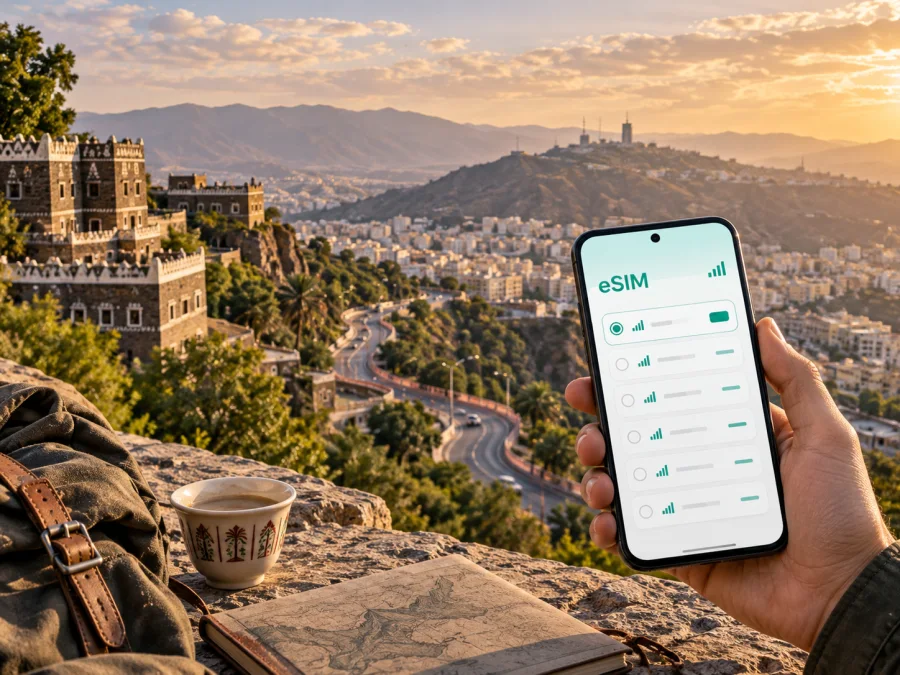
Abha eSIM: mobile connection and internet for a trip to Saudi Arabia
Abha is a mountain city in southwestern Saudi Arabia and a practical base for exploring the Asir region. A trip here may include an arrival at Abha International Airport, a hotel transfer, drives between viewpoints and city neighborhoods, time outdoors around the highlands, and a return journey that starts early. In each of these situations, mobile internet helps you read a map, contact a driver, confirm a booking, translate a message, or let family know that you have arrived.
An eSIM can make that preparation easier because it is a digital SIM profile rather than a plastic card. With Kaspersky eSIM Store, you can use the app or website to choose, arrange, and activate an eSIM with a suitable mobile-data plan for an overseas trip. The plan itself is selected for the destination and its stated conditions; Kaspersky eSIM Store is the interface that helps you manage that choice.
Why mobile internet matters in Abha
Abha travel is rarely limited to one compact walking route. The city sits among hills and elevated landscapes, while many visits combine a central stay with drives to viewpoints, parks, mountain roads, or nearby parts of Asir. A connection is therefore useful between major stops, not only inside a hotel or café.
The first hours after landing are a good example. You may need to:
- open the address of your accommodation while leaving the airport;
- send the driver a precise arrival message;
- check a reservation, opening information, or a change to your plan;
- use a translation tool or share an update with a travelling companion.
Arrival at Abha International Airport: prepare before you leave
The airport is often the first place where a visitor needs a reliable route to the city. Even when the transfer has been arranged in advance, mobile internet can help you identify the correct pickup instructions, read a message from the driver, or update a hotel if your arrival takes longer than expected.
Before departure, prepare a simple arrival folder on your phone:
- Save the name and address of the accommodation in English and, where useful, in the format supplied by the hotel.
- Keep the booking confirmation available offline.
- Screenshot the meeting point and the transfer contact details.
- Store the first route in your preferred map application.
- Check that your phone can use eSIM and is not locked to another operator.
- Install the travel eSIM while you still have a dependable internet connection, unless the plan instructions say to activate it later.
This separates installing the profile from choosing the line for mobile data. Complete the setup before flying when practical, then select the travel line after landing. Review the regular line’s data-roaming setting so it is not used accidentally.
Moving around Abha: where a connection saves time
Abha is best approached as a city with several short travel scenarios rather than as one single tourist zone. Your connection needs can change between the airport, a hotel in the built-up area, a business meeting, a viewpoint, and a longer road excursion.
Central streets and older neighbourhoods
Central Abha may combine restaurants, shops, cultural stops, and short walks. Save the hotel pin and a meeting point before leaving; maps and messaging are useful when a group separates or a driver needs a clearer pickup location.
The highlands and Soudah-area drives
The elevated landscapes around Abha are a reason many travellers choose the city. A drive towards the Soudah area can involve changing weather, winding roads, and longer gaps between planned stops. The exact route and access conditions should be checked close to the day of travel, because outdoor plans can depend on weather, local guidance, and current availability.
For a mountain day, download or screenshot the key parts of your itinerary before leaving. Keep live data available for messages and route adjustments, but do not assume that a phone signal will be identical on every section of a mountain road. Tell someone your broad plan, carry water, and keep the hotel address available offline.
Choosing an eSIM plan for an Abha itinerary
The right plan depends on your actual schedule, not on the city name alone. Start with four questions:
| Question | Why it matters in Abha |
|---|---|
| How long will you stay? | The validity period should cover the full visit, including arrival and departure days. |
| Will you stay in Abha only? | A country plan may suit a city stay; a broader route needs conditions that match every planned destination. |
| What will use data? | Maps, messaging, work calls, photo backup, video, and hotspot use consume data differently. |
| When will the eSIM be activated? | Some plans begin validity at activation, while others may follow different conditions shown at selection. |
For a short stopover, a modest data allowance may be enough for maps, messages, booking pages, and occasional browsing. For a business trip, allow for email attachments, document access, video meetings, and repeated route checks. For a longer holiday, compare the validity period and data amount with the days spent on the road.
Before you confirm a choice, read the plan information in the app or website:
- destination or regional coverage stated for the plan;
- included data volume;
- validity period and the point at which it begins;
- whether tethering or hotspot use is permitted;
- any activation or setup instructions;
- the conditions that apply after the included data is used.
Kaspersky eSIM Store helps you see and select these details. Choose the option whose destination, period, and data allowance fit your Abha schedule, and rely on the current plan information rather than a general assumption about every eSIM.
Choose an eSIM plan for a trip to Saudi Arabia
Three useful Abha travel scenarios
A short stopover
You arrive, travel to a hotel, spend part of a day in the city, and continue your journey. Save the arrival route, departure route, and transfer contact details. An eSIM can reduce tasks after landing because you do not need to find a physical SIM card before checking directions. Keep the plan period in mind and understand when validity starts.
A business visit
For a meeting in Abha, the connection should support more than a map. You may need to receive a revised agenda, open a document, send a location, join a call, or coordinate a pickup between the hotel and office.
Estimate data use conservatively if your work depends on video. Download large documents before departure when possible, and save the meeting address in a note rather than only in an email.
A city-and-mountains itinerary
You stay in Abha and make several excursions during the visit. The travel line is useful for route changes, messages, and navigation between the hotel, city stops, and highland areas. The plan should match the entire Saudi Arabia portion of your route if you will continue to another city. Pack a charger, keep a route backup, and check the evening return plan.
Install the eSIM before departure or after arrival
Install an eSIM when the phone has a stable internet connection and enough battery, whether at home, before boarding, or at the hotel. Follow the selected plan’s instructions because device menus and activation conditions differ.
Use this sequence as a practical checklist:
1. Check the phone
Confirm that the device supports eSIM and is not restricted by an operator. Models can vary by market, so check the exact model and regional version. You can check your device compatibility before completing the purchase.
2. Keep the activation details ready
Have the QR code or profile details available, connect to a dependable Wi‑Fi network if needed, and charge the phone. Do not delete your regular line while adding the travel eSIM.
3. Add the eSIM profile
Open the mobile-network settings, choose the option to add an eSIM, and scan the QR code or follow the supplied profile instructions. Complete one action at a time so that you can see which line has been added.
4. Label the lines clearly
Name the new line something recognisable, such as “Saudi Arabia travel”. This makes it easier to select the right line for mobile data after landing and reduces the chance of changing the wrong setting.
5. Select mobile data and review roaming
Choose the travel eSIM for mobile data when you are ready to use it. Keep data roaming disabled on your regular line unless you intentionally need it and understand its conditions. Some eSIM plans may require data roaming to be enabled on the travel line; follow the plan and device instructions.
6. Test the setup
When the travel line is active, open a simple webpage or send a message. If the connection does not appear immediately, wait a few minutes, review the selected data line, and check the activation instructions before changing several settings at once.
For more detailed device steps, use the Android eSIM installation instructions or the iOS eSIM installation instructions. The wording of menus may differ by device version, but the basic logic remains the same: add the profile, choose the data line, and verify the connection.
Device and data checklist before leaving for Abha
Complete this short check the day before departure:
- [ ] The phone supports eSIM and is not operator-locked.
- [ ] The phone has enough free storage for normal operation and offline maps.
- [ ] The selected destination and validity period match the itinerary.
- [ ] The QR code or activation profile is available in the app or account.
- [ ] The phone is charged and a charging cable or power bank is packed.
- [ ] Hotel addresses, airport details, and key meeting points are saved.
- [ ] The regular line’s data roaming setting has been reviewed.
- [ ] The travel eSIM is labelled clearly in the mobile-network settings.
- [ ] Important documents and reservations are available offline.
Compatibility deserves special attention. An eSIM-ready phone can still have restrictions based on its market or operator status. If the device is shared, work-managed, or purchased in another country, check it before travelling rather than discovering the limitation at the airport.
Practical ways to manage data in the city
Maps and messaging usually have different patterns of use from video and automatic photo backup. To make a plan last longer in Abha:
- Download essential map areas or save route screenshots before a long drive.
- Set photo and video backup to Wi‑Fi only if mobile data is limited.
- Use lower data quality for video calls when the meeting allows it.
- Turn off automatic updates until you have a suitable Wi‑Fi connection.
- Check which apps are using background data.
- Keep one navigation route and the hotel address available offline.
What eSIM can and cannot replace
An eSIM is useful for mobile data, but unless the selected plan states otherwise, it does not include a separate local phone number, ordinary voice calls, or SMS. Internet-based messaging and calling apps can be used when suitable for your contacts and plan conditions.
The eSIM does not replace local travel information, hotel instructions, or transport arrangements. Treat it as one part of a prepared setup, alongside offline details, a charged phone, and sensible route planning.
FAQ for an Abha trip
Is an eSIM useful if I stay in Abha for only one day?
Yes, when the visit includes an airport transfer, a hotel change, navigation, or onward travel. Choose a plan whose destination and validity fit the stopover.
Should I install the eSIM before flying?
Installing it before departure can be convenient because you have stable internet and time to read the instructions. You can also install it after arrival with a dependable connection. Check when validity starts so installation and first use match the plan conditions.
Can I keep my usual number active?
Usually, a phone with dual-SIM support can keep the regular line and add a travel eSIM, but behaviour depends on the device and operator. Select the travel line for mobile data and review roaming settings for the regular line.
Do I need an eSIM for every city in Saudi Arabia?
Not necessarily. If your selected plan covers the country and its validity matches the full route, it may be suitable for Abha and other planned stops. Read the destination and conditions shown for that particular plan before relying on it for a multi-city itinerary.
What if the phone shows no data after landing?
First confirm that the travel eSIM is enabled and selected for mobile data. Then check the plan instructions, signal indicator, and any required data-roaming setting. Change one setting at a time and keep the activation details available.
Does Kaspersky eSIM Store provide the mobile network?
No. Kaspersky eSIM Store is an app and website that helps you choose, arrange, and activate an eSIM with a suitable plan for mobile internet during an overseas trip. The connectivity conditions belong to the selected eSIM plan and its underlying service arrangement.
Final preparation for Abha
The most useful Abha setup is simple: choose a plan for the full itinerary, check the phone before leaving, save airport and hotel details, install the eSIM with time to spare, and select the correct line for mobile data after arrival. Keep a route backup for mountain drives and review your data use during the trip.
When you are ready, choose an eSIM plan for your Abha trip, review its current conditions, and prepare the travel line before you need the first map or message in Saudi Arabia.


