Travel connectivity guide
Abidjan eSIM: Mobile Internet for Your Trip
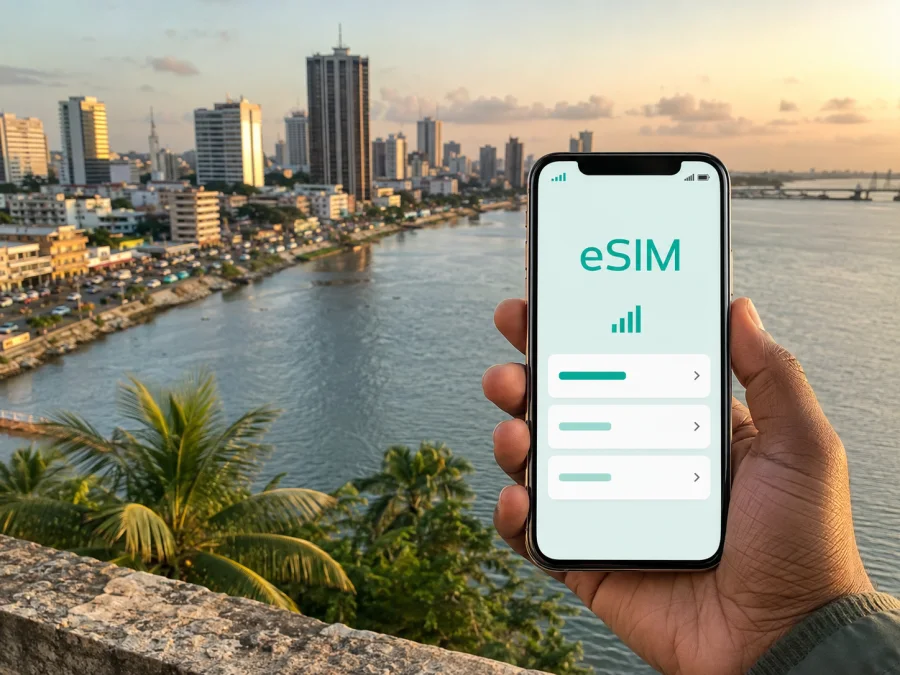
Abidjan eSIM: Mobile Connection and Internet for Your Trip
Arriving in Abidjan is easier when your phone is ready for the practical tasks that begin before you leave the airport: checking a transfer message, opening a map, confirming a hotel address or telling a colleague that you have landed. An eSIM, or digital SIM, lets you use mobile internet in Ivory Coast without removing the physical SIM you use at home.
Abidjan is a large, busy city built around the Ébrié Lagoon and connected to the Gulf of Guinea. Its northern and southern areas are linked by bridges, roads and lagoon transport, while Plateau, Cocody, Treichville, Marcory and Port-Bouët create different travel patterns. That geography matters when you choose data: you may use your connection at the airport, on the road to a hotel, during a meeting across the lagoon and later while navigating back to your accommodation.
Why mobile internet is useful in Abidjan
The first hours in a new city are often the least convenient time to solve a connectivity problem. You may have luggage, a tired phone and an unfamiliar address. A working data connection helps you keep the arrival sequence simple:
- Open the accommodation details and check the exact location.
- Message the person meeting you, driver or travel companion.
- Compare the route to your hotel with the traffic conditions you can see.
- Save the address, booking details and meeting information for later.
The lagoon and the city’s spread can make a short-looking journey more complicated than it appears on a static map. The quickest route for a meeting in Plateau may not be the route you would use to reach Cocody, Treichville or Port-Bouët. Live navigation and the ability to update a plan while travelling are more useful than relying on one printed route. For a short city break, expect to use data for maps, messages, translation, transport coordination and bookings; a business trip may add calls, documents and hotspot use.
An eSIM can reduce dependence on finding public Wi‑Fi in an airport, café or hotel. Wi‑Fi can still be useful, but mobile data gives you another way to check a map or send a message between places. The experience depends on the tariff, device and local network conditions.
Abidjan by district: plan for the way you will move
Abidjan is not one compact visitor zone. The district where you sleep, the district where you work and the places you want to visit may all be different. Use the city’s main areas as a planning framework, not as a promise of a fixed journey time.
| Area | Common travel purpose | Where data helps |
|---|---|---|
| Plateau | Offices, institutions, central business meetings and waterfront walks | Checking meeting locations, sharing arrival updates and navigating between appointments |
| Cocody | Hotels, restaurants, residential areas, universities and diplomatic activity | Finding entrances, confirming reservations and coordinating cross-city journeys |
| Treichville | Markets, food, cultural stops and lagoon transport | Locating a meeting point and checking the return route |
| Marcory and Zone 4 | Dining, accommodation and business visits | Confirming a ride, viewing addresses and keeping work messages moving |
| Port-Bouët | Félix-Houphouët-Boigny International Airport, the coast and Vridi | Managing the first transfer and messages after landing |
| Yopougon | A large western part of the metropolitan area | Planning a route that may cross the lagoon and allowing for road changes |
If your hotel is in Cocody but your first meeting is in Plateau, keep both locations in your notes and allow navigation to recalculate. The lagoon setting is also a reminder to verify the mode of transport, not just the destination: a road route, bridge crossing and boat-bus connection can produce different arrival points.
Arrival at Félix-Houphouët-Boigny International Airport
The international airport serving Abidjan is in Port-Bouët, south of the central districts. After landing, you may need data before reaching your hotel: to contact a transfer, review an address, translate a message or tell someone which part of the terminal you have left. Preparing an eSIM in advance can make that first transition more predictable.
Before the flight, keep this information on your phone:
- the full accommodation name and address;
- a local contact or travel companion’s details;
- the destination district, such as Plateau, Cocody, Treichville or Marcory;
- your booking confirmation and meeting time;
- a note explaining which line is used for data after arrival.
Do not make your arrival plan depend on finding an airport connection, hotel network or shop. A prepared eSIM helps you work through the checklist while moving through the city; it does not replace a transfer booking or guarantee a journey time.
Moving around the city
Traffic can make distance an unreliable guide to travel time in Abidjan. The same cross-city route may feel different depending on the hour, weather, roadworks or an event. Live maps help you check the route shortly before leaving and share an updated arrival estimate if the journey changes.
The city is served by roads, taxis and public transport. SOTRA also operates boat-bus services linking areas including Plateau, Treichville, Abobodoumé in Yopougon and Cocody Blockhauss. Check current details locally before relying on a departure. Data helps confirm the landing point and the walk to your next destination.
Use this movement routine:
- Check the destination name and district, not only the pin.
- Look at the route shortly before departure.
- Save the meeting address and the nearest recognisable place.
- Send your expected arrival time before entering a taxi, boat-bus or other connection.
- Recheck the route after each transfer.
Choosing an eSIM plan for an Abidjan trip
Start with the route, then estimate data use. If you will remain in Abidjan, a country plan for Ivory Coast may be the direct place to compare options. For a wider route, check whether a regional option matches every destination. The choice depends on the route, not the city name alone.
Consider four questions:
How long will you need data?
Match validity to the time when you expect to use the eSIM. Include arrival, departure and any overnight connection. Check when validity starts and whether it begins at installation, activation or the first connection, because this depends on the selected tariff.
What will you do online?
Navigation, messaging and light browsing use a different amount of data from video calls, frequent photo uploads or hotspot use. List the actions you expect to repeat each day and add room for route changes, work documents and unexpected coordination.
Will the route leave Abidjan?
A visit to Banco National Park at the edge of the city, a day around Bingerville or a coastal excursion changes the route you are planning even if Abidjan remains your base. If you travel farther from the city or across a border, review the coverage area and tariff conditions for every destination. Do not assume that a plan selected for one city fits an entire regional itinerary.
What are the tariff conditions?
Review data amount, validity, supported destination, activation rules, top-up options and any limits on tethering. Check whether calls and SMS are included. In the travel eSIM context, the main purpose is mobile internet; a tariff does not automatically include a regular phone number, voice calls or SMS unless its conditions say so.
After considering your route and data habits, you can choose an eSIM plan for a trip to Abidjan through Kaspersky eSIM Store. The app and website help you compare available destination plans and tariff details, complete the order and prepare the eSIM for installation. Your result still depends on the tariff, device settings and local network conditions.
Practical scenarios in Abidjan
A business visit to Plateau
Save the office name, street address and contact details before leaving the hotel. If you are in Cocody or Marcory, check the route near departure and send an arrival estimate. During the day, data can support messages, maps, calendar pages and a short work call. Keep a local copy of the meeting address in case you need to conserve data or battery.
A short stopover
With only a few hours, build a chain from the airport to one realistic destination and back. Prepare the return plan first, allow time for the transfer and keep your documents accessible. Use data for the live route, a booking message and communication with your driver or companion. Choosing one district leaves more margin for traffic than filling a stopover with locations across the metropolitan area.
How to install and activate an eSIM
Install the profile with a stable internet connection and enough battery. You can do this before departure or after arrival, depending on the tariff’s conditions. Before purchase, check whether your phone supports eSIM and is not restricted by its current operator. Use check your device compatibility before committing to a plan; regional versions of the same model can differ.
The general sequence is:
- Select Ivory Coast or the appropriate region and review the tariff conditions.
- Complete the order in Kaspersky eSIM Store.
- Open the installation details in your profile or use the QR code provided for the eSIM.
- Add the cellular plan in your phone’s settings while connected to the internet.
- Label the new line, for example “Abidjan data”, so it is easy to identify.
- Keep your home line available for calls or SMS if needed, and select the travel eSIM for mobile data when ready.
- If required, enable data roaming for the eSIM and check the access-point settings in the installation information.
- Open a simple webpage or message service and confirm that the intended line is using data.
Menu names vary by device and operating-system version. For detailed steps, use the Android installation instructions or the iOS installation instructions. If the first connection takes a moment, check the selected data line, roaming setting, signal and tariff conditions before deleting the profile. If the issue continues, contact support with the device model, operating-system version and steps already tried.
Settings that prevent common mistakes
Keep these points in mind:
- the eSIM is a digital profile, so there is no physical card to remove;
- the travel eSIM is intended for data unless voice and SMS are explicitly included;
- messaging and calls through internet applications use the data allowance;
- data roaming may need to be enabled for the travel profile;
- an eSIM profile may not be transferable after activation if its conditions do not allow it;
- refunds depend on purchase and usage conditions, so review them before payment;
- hotspot use can consume data faster than maps and text messages.
Abidjan travel checklist
Before leaving home
- Confirm the dates and destinations in your itinerary.
- Check phone support for eSIM and operator-unlock status.
- Choose an Ivory Coast or regional tariff matching the route.
- Read data, validity, activation and top-up rules.
- Install the eSIM on a reliable connection if the conditions permit.
- Save the hotel address, airport details and first transfer information.
- Note which line will be used for mobile data after landing.
At the airport and during the stay
- Confirm that the eSIM profile is present in the phone settings.
- Select the travel line for data when you intend to start using it.
- Check roaming for the eSIM if required.
- Send the arrival message and confirm the destination district.
- Keep the accommodation address available offline as well as online.
- Check routes shortly before leaving the hotel.
- Allow extra time when crossing the lagoon or changing transport.
- Watch the balance if you use video, hotspot or large uploads.
Frequently asked questions
Is an eSIM useful if I stay only in Abidjan?
It can be. Even a short stay may include an airport transfer, several districts and a last-minute change to a hotel, meeting or restaurant plan. Choose the destination and validity that match your actual trip.
Does the travel eSIM include a local phone number?
Not automatically. In this context, the eSIM is primarily for mobile internet. Regular calls, SMS and a separate phone number are included only when the selected tariff specifically says so. Internet messaging and calling services can use the data connection when appropriate.
What should I do if data does not work?
Check that the travel eSIM is on, selected for mobile data, allowed to use roaming when required, and receiving a signal. Review activation and destination conditions, then restart the phone after a settings change. If the problem remains, contact support and provide device details without deleting the profile first.
Stay ready for Abidjan
The most useful travel setup fits the city you will actually move through. Keep the airport, hotel district, work address, lagoon crossings and return route in one plan. Choose data for your real habits, read the activation conditions and leave room for a changed route.
When your device and tariff are ready, Kaspersky eSIM Store helps you select, order and activate an eSIM for mobile internet during your trip. Choose an eSIM plan for Ivory Coast and prepare your Abidjan connection before travelling, then manage the profile and balance through the app or website as your journey develops.


