Travel connectivity guide
Access eSIM in Malawi: what to check
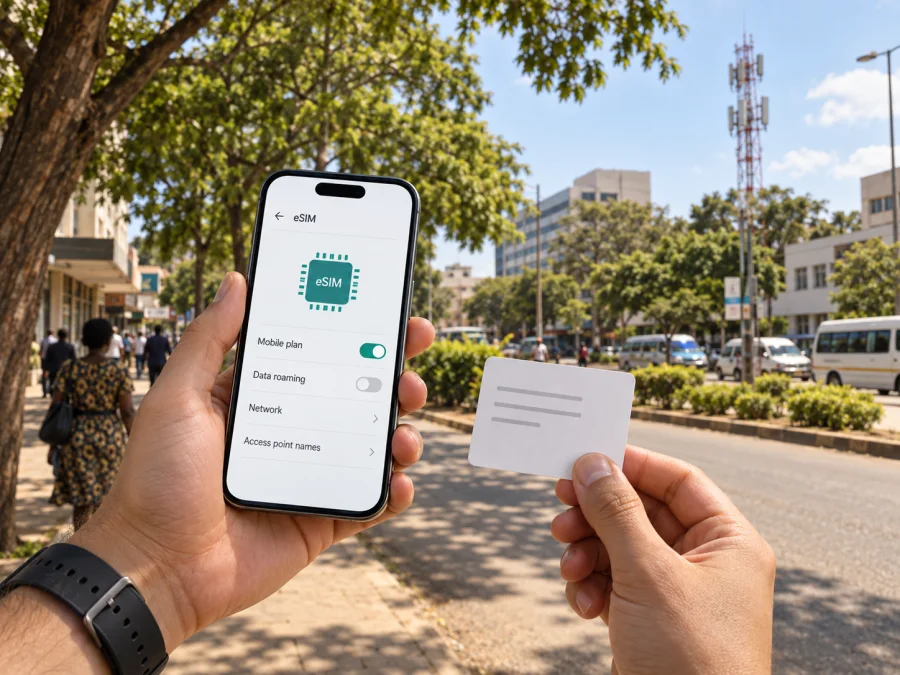
Access eSIM in Malawi: availability, setup and travel options
Travelers planning a visit to Malawi may consider Access when choosing between local mobile service and a travel eSIM. Malawi’s communications regulator identifies Access Communications Limited as a licensed provider, and the company’s public website describes mobile account, top-up and data services. The current public Access pages reviewed for this article do not confirm that Access offers eSIM. As of 27 September 2026, confirmation was not found. Contact Access before relying on an eSIM from the company; a compatible phone does not mean that a particular operator will issue an eSIM profile.
This guide sets out what a visitor can verify, how to prepare a phone and how a local connection differs in general from a travel eSIM. It avoids individual offers and their conditions because these can change. The purpose is to help you ask the right questions before departure and choose based on confirmed information.
What is confirmed about Access in Malawi?
MACRA’s First Quarter Quality of Service Report, covering January–March 2025 and checked on 27 September 2026, lists Access Communications Limited (ACL) among Malawi’s providers. The ITU’s Malawi National Emergency Telecommunications Plan (May 2023) also identifies Access as a mobile operator. Neither confirms current eSIM availability.
Access’s public website, on access.mw, describes prepaid top-up, voice and data services, online account access and customer support. The pages reviewed did not include an eSIM activation guide, a compatible-device list or visitor instructions. Prepaid mobile service does not by itself establish eSIM support.
| Question | Verified public information |
|---|---|
| Is Access a mobile provider in Malawi? | MACRA’s 2025 review names Access Communications Limited. |
| Does Access currently offer eSIM? | No current public confirmation found on 27 September 2026. |
| Are prepaid services described? | Access’s website describes top-up, account access and mobile services generally. |
| Which technologies are relevant? | An ITU plan from 2023 describes LTE, 3G and CDMA at that time; check with Access for current support. |
The table is a reference, not a product catalogue. No public confirmation does not prove a service is impossible; it means a traveler should ask Access before relying on it.
Is Access eSIM available for travelers?
Availability is unconfirmed in current public information. The Access pages reviewed show mobile services and account functions, but no eSIM issuance or support instructions. No current official eSIM page was located during the search on 27 September 2026. Therefore, this article does not state that Access eSIM can be purchased or activated in Malawi.
Contact Access and ask whether it currently issues eSIM profiles, whether new customers and international visitors are eligible, what identity documents are accepted, and whether registration is remote or in person. Confirm the exact handset requirements, installation steps, activation timing, reinstallation rules and the support channel for visitors. Use an official Access contact channel and save its response.
If Access confirms support, follow its current instructions rather than another operator’s guide. If it does not, consider a physical local SIM or a travel eSIM that lists Malawi and explains its conditions. A home SIM may sometimes remain active for calls or verification messages while another line handles data, depending on the phone and provider settings.
Prepaid and tourist options: what a visitor should check
Access’s public site describes prepaid top-up and account functions. This confirms general prepaid service information, not a tourist-specific offer or the registration process for a visitor. The public pages reviewed did not establish whether a foreign traveler can register, which identity documents are accepted, or where a new SIM can be obtained. Check those details with Access or the relevant Malawian authority before travel. Do not assume a passport alone is sufficient.
A local prepaid connection may suit someone who wants local operator service, if registration is available. A travel eSIM may suit someone who wants to arrange mobile data before departure. These are general setup differences; neither option is always cheaper or more suitable. Compare the current terms of the specific service you plan to use.
Network technologies and coverage planning
The ITU’s National Emergency Telecommunications Plan for Malawi, published in May 2023, says Access had launched a 4G LTE network and also provided 3G and CDMA coverage at the time covered. This is dated context, not confirmation of today’s configuration, coverage at a particular location or support for a specific handset. Ask Access which technologies currently serve your destinations.
Coverage is location-specific. Ask about the towns, accommodation and routes on your itinerary, and clarify whether the information refers to voice, data or both. A phone must support the technologies and bands used by the service; eSIM capability alone is insufficient, and a carrier-locked device may reject another provider’s SIM. Check the exact regional model with the manufacturer and ask the provider to confirm compatibility.
Reception can vary with location, buildings, congestion, weather, power and infrastructure. MACRA’s service monitoring is not a guarantee of reception at a specific place. For remote travel, keep offline maps and essential contacts available instead of assuming continuous service.
Local Access service or a travel eSIM?
A local Access SIM, if available and suitable for a visitor, connects to an account with that provider in Malawi. It may be relevant if you need local operator service or a local number. Registration and activation depend on Access and local requirements. Since Access eSIM support has not been confirmed in current public sources, ask whether a local option is physical SIM, eSIM or both.
A travel eSIM is a digital profile arranged for use abroad and can often be installed before departure on a compatible, unlocked device. Its connection depends on the selected product and partner network. Many travel eSIMs focus on mobile data; do not assume one includes a local phone number, voice calling or SMS. Check supported destinations, activation and device requirements.
Some phones can keep more than one line available. You may be able to use a home SIM for calls and a travel eSIM for data, but this depends on device and provider settings. Kaspersky’s official product announcement, checked on 27 September 2026, describes Kaspersky eSIM Store as an app and website where travelers can select, arrange and activate an eSIM plan for international travel. It is not a mobile operator, network owner or provider of connectivity. Service depends on the selected plan and destination network.
Prepare your phone before arranging service
- Confirm eSIM capability for the exact handset model and regional variant; versions of the same phone family can differ.
- Check that the device is unlocked. Ask your home carrier if you are unsure.
- Verify provider compatibility. No current Access eSIM device list was found, so ask Access directly; consult the seller for a travel eSIM.
- Update the operating system over a reliable connection before departure.
- Plan to view setup instructions. A QR code may require a second screen; ask whether in-app or manual setup is available if you have one phone.
- Protect profile details. Treat QR and activation information like a SIM credential.
- Save instructions and support contacts offline.
Follow the phone maker’s current menus. iPhone eSIM settings are in cellular or mobile-data settings; Android menu names vary, usually under network, connections or SIM settings. For a travel eSIM arranged through Kaspersky eSIM Store, use the app’s instructions and device compatibility guidance. Do not delete a working profile unless the provider confirms it can be reinstalled.
Installation and activation
Downloading a profile and activating service are not always the same step. The provider determines when installation should happen and when service begins. No current official Access eSIM procedure was available in the pages reviewed on 27 September 2026; if Access confirms support, follow its current instructions.
For a travel eSIM, read the seller’s setup guidance first. Confirm when activation occurs, which line should handle data, and whether a QR code needs a second screen. Use stable Wi-Fi for installation and keep the instructions until service works. Check transfer or reinstallation rules before moving or deleting a profile.
After installation, label the lines and select the intended data line. Follow provider instructions for data roaming on that line; do not enable roaming blindly on a home SIM with separate terms. If the connection fails, check that the profile and line are enabled, confirm the data-line selection, follow the roaming instructions and restart once. If necessary, contact official support. Avoid deleting profiles or resetting the phone unless advised.
What travelers should ask Access
Because eSIM support and visitor procedures were not confirmed in the public material reviewed, ask Access: (1) Does it currently issue eSIMs to new customers and visitors? (2) Which identity documents and registration locations are accepted? (3) Is setup remote or in person, and which exact phone models are supported? (4) Which technologies and coverage apply to your route? (5) When does activation begin, and can a profile be transferred or reinstalled? (6) Which support channel can help a traveler who cannot connect?
Access’s website provides customer account and support information. MACRA describes its regulatory and consumer-protection role on its public website. For a complaint, consult MACRA’s current consumer guidance; for identity or entry requirements, consult the relevant government authority.
Plan around your itinerary
Check service at your accommodation and the places you plan to visit; outdoor reception may not predict reception inside a building. For road and rural travel, ask about the specific route and save offline maps, bookings and emergency contacts. If a group shares one connection through a hotspot, confirm that the device and service allow it.
Practical decision guide
- If you specifically want Access, first confirm eSIM availability and visitor registration; otherwise ask about a physical local SIM.
- If you want data arranged before departure, compare travel eSIMs that list Malawi and check device support and activation.
- If you need a local number, confirm that the chosen service provides one and accepts visitor registration.
- If you will visit remote areas, request current route-specific coverage and prepare offline resources.
- If you depend on your home number, check roaming and dual-SIM settings before travel.
Your choice depends on confirmed availability, itinerary, device support and whether you need a local number or mobile data. Verify the terms before paying.
Frequently asked questions
Can I buy an Access eSIM for Malawi?
Current official public pages reviewed on 27 September 2026 did not confirm that Access offers eSIM. Contact Access before planning around it.
Does Access have prepaid service?
Its website describes prepaid top-up and account functions generally. Visitor eligibility and registration requirements need direct confirmation.
What technology does Access use?
The ITU’s May 2023 Malawi plan described Access as having LTE, 3G and CDMA coverage at that time. Ask Access about present-day technologies and your destinations.
Will Access work everywhere in Malawi?
No source reviewed establishes coverage everywhere. Check specific locations and prepare offline information for remote travel.
Can I install an Access eSIM before arrival?
No current official installation guidance was found. If Access confirms eSIM support, ask when to install and activate, then follow its instructions.
Can a travel eSIM replace a local SIM?
It may provide data where its service applies, but do not assume it is a local account or supplies a local number, voice or SMS.
Should I remove my home SIM?
Not necessarily. Check your phone’s dual-SIM functions and home roaming terms, then select the correct line for data.
A clear next step before departure
Access is identified as a mobile provider in Malawi, and its public-facing site describes prepaid account and mobile data services. The unresolved point is whether it currently issues eSIM profiles and supports visitors through that route. The official public pages reviewed did not confirm this on 27 September 2026. Ask Access about eSIM, registration, compatible devices, current technologies and service at your destinations.
If you prefer to prepare a separate travel connection, Kaspersky eSIM Store is an app and website for selecting, arranging and activating an eSIM plan for international travel. Review the Malawi details and product conditions, and check device compatibility. You can view eSIM options for Malawi and assess them against the local option Access confirms. Kaspersky eSIM Store is not affiliated with Access Communications Limited and does not own a mobile network or itself provide connectivity; service depends on the selected plan and the networks it uses.
Save setup steps and support information offline. Checking availability, registration, device support and route coverage in advance helps you choose based on confirmed information.


