Travel connectivity guide
Accra eSIM: Mobile Internet in Ghana
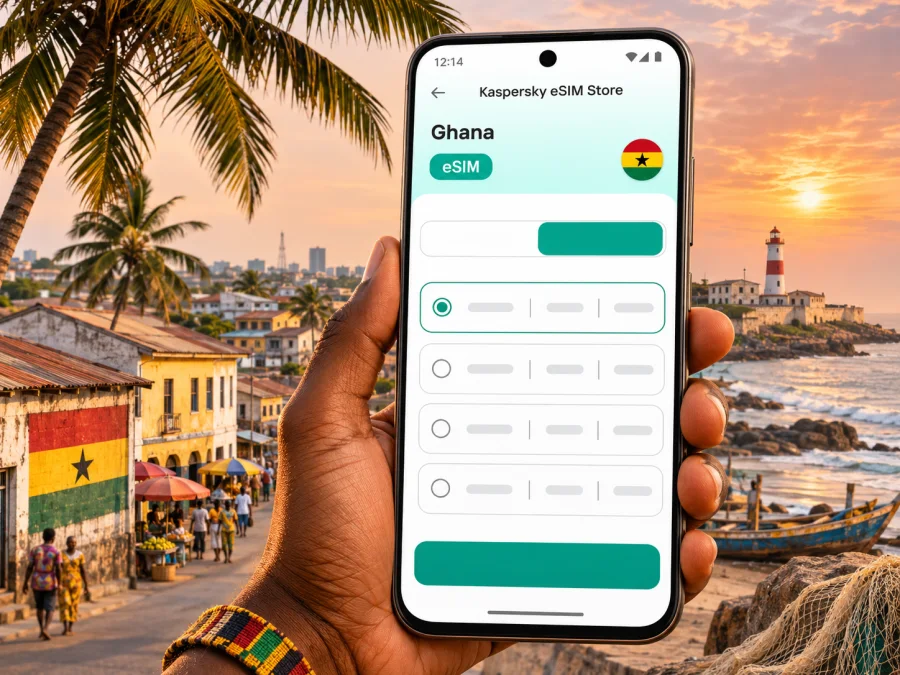
Accra eSIM for mobile connection and internet in Ghana
Accra is a busy coastal capital where a phone can be useful from the moment you land: to check a hotel address, coordinate a pickup, message a colleague, or find your way between meetings and places to visit. A travel eSIM can provide mobile data without swapping the physical SIM in your phone, if your device supports eSIM and the selected plan covers Ghana.
This guide focuses on the practical details of getting online in Accra: arrival at Kotoka International Airport, getting around, choosing a data allowance, and preparing your phone before departure. Coverage and performance depend on the local network used by the plan, your location, device, and current network conditions. A plan for Ghana is country-level; it does not promise a particular signal inside every building or neighborhood.
When mobile data helps in Accra
The first few hours often involve several small tasks rather than one long browsing session. You may need to open a booking, share your location, contact a driver, confirm a meeting point, or translate a message. Having mobile data available can make those steps easier while you are moving between the airport, accommodation, and the city.
Kotoka International Airport (ACC) is Accra’s international airport. Before traveling, save your accommodation’s full address and the name of the person meeting you. After arrival, use the contact details in your booking to agree on a pickup point. If you plan to arrange a car, confirm the vehicle and destination before setting off, and keep the address available offline in case the connection drops temporarily.
Accra’s urban area covers a mix of business districts, residential neighborhoods, markets, historic streets, and coastal destinations. A route that looks short on a map can take longer depending on traffic, time of day, road conditions, and the exact pickup location. Use live navigation as a guide, then allow time for delays rather than assuming that distance alone predicts journey time.
Common situations where an eSIM can help
- Airport arrival: access messages and booking details while organizing the onward trip.
- First trip to your hotel: share a live location, check the address, and follow directions.
- Moving between appointments: confirm a revised meeting place and check the route before leaving.
- Exploring the city: look up opening hours, save map pins, and message your group if plans change.
- Work on the move: join messaging and email between meetings, while saving large downloads for reliable Wi-Fi.
- A short stopover: keep essential travel information accessible without spending time looking for a physical SIM immediately after landing.
An eSIM data plan is primarily for mobile internet. Do not assume that it includes a local phone number, ordinary voice calls, or SMS; check the specific plan terms. You can continue using internet-based messaging and calling apps when the other person is reachable through those services. If you need local calls, SMS verification, or a Ghanaian number, check whether a separate local SIM or another arrangement is more suitable.
Plan for Accra as part of a Ghana trip
Accra is in Ghana, so a country plan for Ghana is the relevant starting point for a city stay. If your itinerary also includes other Ghanaian destinations, check that the same plan remains valid across the full route and for the whole period you need data. City names do not usually determine the technical coverage area: the plan’s country and network terms do.
Ghana’s communications regulator lists MTN, Telecel and AT among the country’s mobile network operators. MTN Ghana also publishes an eSIM service for its subscribers. This confirms that eSIM technology is available in the local market, but it does not identify which network a particular travel plan will use. Before choosing a plan, read its destination, network, data, validity and activation details. If the selected plan names a network, treat that as plan-specific information rather than a guarantee of identical reception throughout Accra.
How to estimate the data you need
Start with what you expect to do rather than choosing the largest allowance by default. Navigation, messaging, email and web searches usually use less data than frequent video calls, cloud backups, or streaming. A work trip with document sharing may need more than a short city break, especially if you expect to tether a laptop.
| Your Accra routine | What to account for |
|---|---|
| Short stopover | Maps, messages, pickup coordination and booking details; save key information before flying. |
| A few days of sightseeing | Daily navigation, search, photos sent to messaging apps and occasional calls over data. |
| Business meetings | Email, calendars, messaging, maps and possible video calls; confirm whether tethering is allowed. |
| Longer stay | Your expected daily use, plan validity, top-up availability and any travel beyond Accra. |
These are planning patterns, not fixed data estimates. App settings, image and video quality, automatic updates and background syncing can change usage considerably. If you are unsure, choose a plan whose stated data and validity match your itinerary, then monitor use on your phone. Turn off automatic photo backups and app updates over mobile data if you want to reserve the allowance for maps and communication.
Getting around: keep navigation flexible
Accra itineraries often combine an arrival transfer, time in central districts, and trips to places with very different street layouts. A map is useful for orientation, but a pin does not always communicate the best entrance or pickup point. Share the exact location with your driver or host, and confirm a recognizable nearby landmark when a street address is ambiguous.
Osu is a familiar reference point for visitors looking for restaurants, shops, and evening plans. Jamestown and the older coastal quarters offer a different setting, with historic streets and local activity. Labadi is associated with the coast and beach visits, while Airport City and Cantonments are common reference areas for hotels, offices, and appointments. These names are useful for describing a general area, but a booking address should always take priority over an assumed neighborhood boundary.
For a first visit, save a few locations before leaving your accommodation: the hotel, meeting venue, airport, and any planned destinations. Download offline map areas if your map app offers them. Offline maps can help with orientation, but they will not provide live traffic, refreshed directions, or messaging when mobile data is unavailable.
Choosing a plan and preparing the phone
Kaspersky eSIM Store is an app and website where you can choose, arrange and activate an eSIM with a suitable plan for mobile data during an international trip. It is not a mobile network operator. The available plan details determine where the eSIM can connect and what data allowance and validity apply.
When you are ready to compare the current options, review the eSIM plan choices for Ghana. The destination page is for Ghana as a country; check each displayed plan’s specific terms before selecting it for your Accra visit. Availability, prices, plan sizes, validity and supported networks may change, so rely on the details shown at the time you choose.
Before you select a plan
- Destination: confirm that Ghana is included and check any stated network or coverage conditions.
- Validity: make sure the active period matches your trip, including any days outside Accra.
- Data allowance: consider navigation, messaging, work use, video calls and tethering separately.
- Activation timing: check when the validity period begins and whether installation can be completed before departure.
- Top-ups: see whether the plan allows additional data and how to add it if needed.
- Device compatibility: verify both eSIM support and carrier-unlock status. Hardware variants can differ by sales region, so a model family name alone may not be enough. Check whether your device supports eSIM.
Install and activate before you need directions
Install the eSIM while you have a stable internet connection and enough time to follow the prompts. Depending on the plan and phone, installation may use a QR code or an in-app flow. Keep access to the instructions and order details until you confirm that the profile appears in your phone’s mobile settings. If you install before departure, you can usually leave the travel line switched off until you are ready to use it, subject to the plan’s activation rules.
- Confirm that the phone is compatible and not locked to another carrier.
- Open the plan instructions and make sure you can access the QR code or installation flow.
- Add the eSIM in your phone’s mobile or cellular settings and follow the on-screen steps.
- Label the line clearly, for example “Ghana data,” so it is easy to distinguish from your home SIM.
- Keep your home line selected for calls or messages if you need it, and choose the travel eSIM for mobile data when appropriate.
- On arrival, enable the travel line and follow the plan’s instructions for data roaming or network selection.
- Open a webpage or map to confirm data access before relying on it for a journey.
Settings differ by device model and operating system. Use the Android eSIM installation guide or the iPhone and iOS eSIM installation guide for the relevant steps. Do not delete an installed profile as a troubleshooting shortcut unless the plan instructions or support team tells you to; some profiles cannot simply be reinstalled.
Managing data during a city stay
Most unexpected data use comes from routine phone behavior: app updates, photo sync, video autoplay, or a laptop using the phone as a hotspot. A few settings changes can preserve data for the things that matter while you are out.
- Set app updates and cloud photo backups to Wi-Fi only.
- Download boarding passes, hotel details and important documents before leaving Wi-Fi.
- Lower video quality or avoid streaming over mobile data when it is not necessary.
- Check which SIM is selected for mobile data after installing the eSIM.
- Turn on data roaming for the eSIM only if the plan’s instructions require it.
- Review data use in your phone settings or the service app, and set a warning if your phone supports one.
- Use trusted Wi-Fi for large work files when available, while keeping sensitive account access protected.
If the eSIM does not connect in Accra
First separate an installation issue from a local signal issue. If the eSIM profile is missing from settings, revisit the installation instructions and order details. If the profile is present but data does not work, check the selected data line, plan validity, remaining allowance and any required roaming setting. Then toggle airplane mode once or restart the phone, and give the device time to register.
If service still does not start, check the plan’s network instructions and support information before changing advanced settings. Manual network selection may be available, but choose only a network listed as supported for that plan. Do not rely on the name of a local operator alone: a travel plan can have specific network partners and settings. If you are indoors or between buildings, move to a safe open area and try again. Signal conditions can vary by location and building.
Troubleshooting in order
| What you see | What to check |
|---|---|
| No eSIM appears in settings | Installation completion, QR code status and device compatibility. |
| eSIM is listed but there is no data | Data line selection, plan start date, remaining data and required roaming setting. |
| Data works intermittently | Signal at your current location, indoor conditions and the plan’s supported network guidance. |
| Data stops after a period of use | Validity end date, remaining allowance, background app use and top-up availability. |
| Home SIM charges appear | Home-line roaming settings and which line is selected for data, calls and messages. |
Keep the order information available if you contact support. Include your phone model and software version, the time and place where the issue occurred, and the troubleshooting steps you already tried. That makes it easier to distinguish an account or setup problem from temporary reception conditions.
Accra trip scenarios
One-day stopover
Keep the plan simple. Save your onward booking and airport transfer details, download an offline map, and use mobile data for messages, location sharing and live route changes. If your layover is short, check whether you need continuous data or only occasional access before selecting a plan. Confirm the validity start rule so a longer validity period does not begin earlier than you expect.
A work visit with meetings across town
Add your hotel, office and meeting venues to a map before the first appointment. Keep the meeting schedule and key addresses available offline. If you expect video calls or laptop tethering, review the plan’s allowance and tethering terms rather than estimating from email use alone. A backup meeting method, such as a phone call through your home line or hotel Wi-Fi, is useful if mobile data is temporarily unavailable.
A weekend combining city and coast
Plan the order of your stops and save the addresses in advance. Use live navigation for changes, but allow extra time between locations because traffic conditions can shift. Keep your phone charged and avoid unnecessary video uploads while away from Wi-Fi. Check that your plan stays valid through the final day, not only the day you arrive.
Continuing from Accra to another Ghana destination
Check the full route against the plan terms. Keep maps and accommodation details for the next stop available offline, and confirm whether any change in destination affects the network or plan validity. A country-level listing is a useful starting point, but the plan’s detailed terms are what you should use to make the final choice.
Frequently asked questions
Will a Ghana eSIM work throughout Accra?
No plan can promise reception at every address or indoors. A plan must include Ghana, and performance depends on its supported local network, your precise location, phone and current conditions. Check plan details and use Wi-Fi or an offline map as a backup.
Does the plan give me a Ghanaian phone number?
Do not assume that it does. The travel eSIM discussed here is intended for mobile data unless the individual plan explicitly says otherwise. Check the terms if you need ordinary calls, SMS or local-number verification.
Can I keep my usual SIM active?
Many compatible dual-SIM phones can keep a physical SIM and an eSIM installed, but capabilities vary. Confirm your model’s setup, choose the correct line for mobile data, and review roaming charges with your home provider.
Should I install the eSIM before flying?
Installing before travel can make setup easier when you have reliable Wi-Fi, but follow the plan’s activation instructions. Some plans begin validity at installation or first connection, so check the start rule before you proceed. If you prefer to wait, keep the installation details accessible after arrival.
What if my phone supports eSIM in one region but not another?
Device variants can differ by market, and carrier locks or software versions can affect support. Check the exact model and settings rather than relying only on the product family name. If the device is not compatible, consider a physical local SIM, roaming through your home provider, or Wi-Fi where available.
Is mobile data enough for navigation?
Usually, online maps need data for live search and updated routes. Downloading an offline map can help with basic orientation if the connection is unavailable, but it may not show live traffic or current business information. Save important addresses before you start moving.
A quick checklist before leaving for Accra
- Confirm your flight, arrival details and accommodation address.
- Save airport pickup instructions and essential contacts.
- Check that your exact phone variant supports eSIM and is unlocked.
- Compare Ghana plan validity, data, network and activation terms.
- Install the profile over a stable connection and keep its instructions.
- Decide which line will handle data and which will handle calls or SMS.
- Download maps and important documents for offline access.
- Check battery, charger and data-saving settings before a full day out.
Accra is easier to navigate when the essentials are ready before you leave the airport: a confirmed destination, saved addresses, a charged phone and a data plan whose terms fit your trip. Kaspersky eSIM Store helps you choose, arrange and activate an eSIM for mobile data abroad. Choose a Ghana plan for your Accra trip, then check the plan details and installation steps before departure.


