Travel connectivity guide
Acre eSIM: Mobile Internet for Your Trip
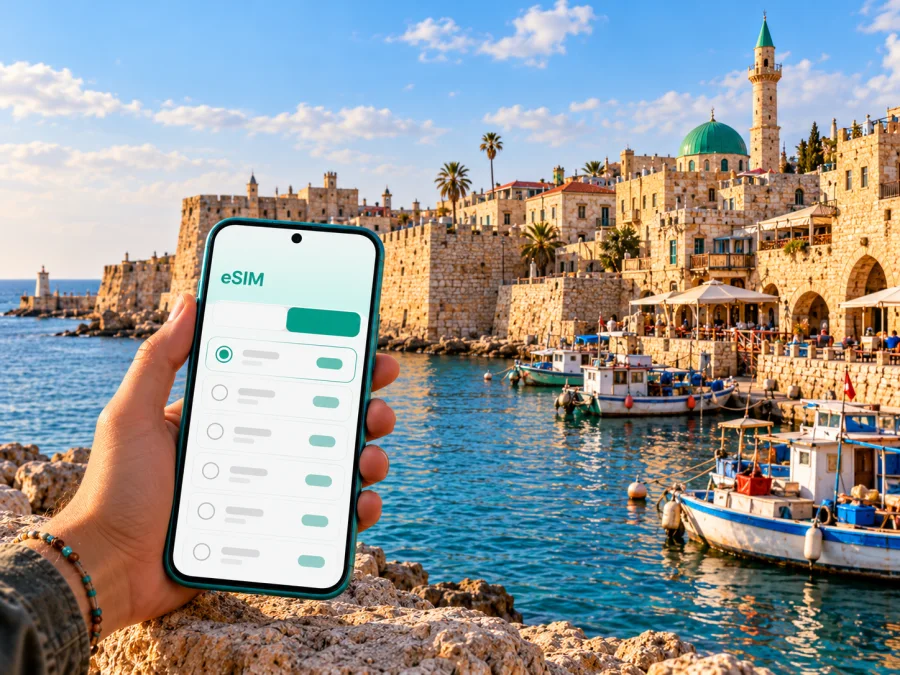
Acre eSIM: mobile connection and internet for a city break
Acre, also known as Akko, is a coastal city in Israel’s Western Galilee. Its historic Old City sits beside the Mediterranean, with stone lanes, sea-facing walls, a harbor, markets, and archaeological layers that reward a slow visit. A reliable way to check maps, messages, opening information, and onward transport can make the difference between a relaxed walk and repeatedly searching for a connection.
An eSIM is a digital SIM profile that can provide mobile data on a compatible, unlocked device. For a trip to Acre, it can be useful from the first transfer through the last walk around the old harbor. It does not replace every mobile service: unless the selected plan says otherwise, expect data only, without a separate local phone number, standard voice calls, or SMS. Messaging and internet calls can work through apps when data is available.
Why mobile data helps in Acre
Acre’s historic centre is visually memorable but not laid out like a modern grid. The UNESCO-listed Old City is a walled port settlement, with narrow, winding streets and buildings from different periods. Digital maps help you match a lane or landmark to your route, while a translation app can help when a sign, menu, or transport notice is unfamiliar. You can also check current opening details before walking to a site and share your location with someone meeting you.
Mobile data is useful in several distinct parts of a city visit:
- Arrival: confirm the address of your accommodation, contact a host, and check the latest route from your arrival point.
- The Old City: orient yourself between the walls, harbor, market, visitor facilities, and individual historic sites.
- The modern city: navigate between the railway station, accommodation, shops, and the historic centre.
- A day trip: check the next connection and directions when continuing to Haifa or elsewhere in northern Israel.
- A work visit: find a meeting location, send a message if plans change, and use cloud documents while away from your hotel.
A connection is still subject to the selected plan, the local network it uses, device settings, and conditions at the place and time. Old stone buildings, busy indoor spaces, and transport corridors can affect reception. Save essential addresses and directions offline as a backup rather than relying on a signal at every point.
Understand Acre’s geography before you set out
The city experience has two useful reference areas. The Old City is the historic waterfront quarter, enclosed by fortifications and close to the harbor. Outside it, the newer urban area spreads inland and connects everyday services, accommodation, and transport. Visitors often move between these two settings during a single day: a train or road arrival, a walk or ride to a hotel, and then several hours on foot among the old streets.
Acre is in Israel, on the Mediterranean coast north of Haifa. It is not an island or a separate mobile destination. When choosing a travel eSIM, select the country in which the city is located: Israel. A city name may not appear as a separate tariff destination. Check that the plan’s stated country or region includes Israel and review its validity, data allowance, and any activation conditions before purchase.
The Old City’s compact scale can make walking practical, but the route is not always a straight line. A map pin may be close in distance while the actual path winds around walls, buildings, steps, or a closed passage. Set directions to the exact entrance or visitor facility when possible. If you have limited time, download the relevant map area, note two or three landmarks, and leave room to ask locally if a lane is unclear.
Arriving and getting oriented
Acre has a railway station, and Israel Railways publishes station and journey information. Check the current route, operating status, and departure time on the day you travel; schedules, service changes, and station arrangements can change. From the station, use your map to plan the last leg to your accommodation or the Old City. Confirm the accommodation’s preferred entrance and whether it is inside the historic walls, since a car-accessible address and a pedestrian route may not be the same thing.
Many international visitors reach northern Israel through a larger transport hub and continue overland. The appropriate route depends on your arrival airport, time of day, service status, and onward itinerary, so verify it shortly before departure rather than assuming a fixed connection. If your journey includes more than one mode, save each leg and the destination address. Keep a screenshot or offline copy of your reservation in case mobile data is temporarily unavailable.
At arrival, the first mobile-data tasks are usually simple: confirm your destination, message your host, and check the next transport step. If you plan to activate an eSIM after landing, make sure the setup instructions and QR code or installation details are accessible without depending on the connection you are about to configure. Airport Wi-Fi may be useful for setup, but it should be treated as a convenience rather than the only plan.
Before leaving your hotel, open the map and check the route once while connected. Save the destination, accommodation address, and any meeting point. This small step reduces the amount of live data needed while walking and helps if reception becomes intermittent in a dense part of the Old City.
Getting around: match your connection to the day
For a short visit focused on the Old City, navigation, messaging, and occasional searches may be your main data uses. If you are staying longer or expect frequent video calls, tethering, uploads, or navigation beyond Acre, estimate a larger allowance. Actual data consumption varies by app settings, media quality, background activity, and how often you use Wi-Fi.
| Travel pattern | Likely online tasks | Planning tip |
|---|---|---|
| Several hours in the Old City | Maps, opening details, translation, messages | Download a map area and keep your accommodation pin saved |
| Overnight city break | Arrival directions, restaurant searches, photos, messages | Include both arrival and departure days when estimating duration |
| Work meetings | Email, maps, calls through data apps, shared files | Check whether the plan permits hotspot use if you need a laptop |
| Acre plus northern Israel | Route changes, transit searches, navigation between towns | Confirm that the plan covers the full country or region on your itinerary |
| Brief stop between connections | One destination lookup and essential messages | Prepare addresses and offline information before you arrive |
A practical rule is to choose data for the whole itinerary, not only the time spent in one attraction. A visit may include a station transfer, a hotel check-in, a day trip, and a later departure. Compare the advertised data amount and duration with the days you need; don’t choose by headline allowance alone. Look for the plan’s exact start condition and check whether validity begins at installation, activation, or first network connection, as the policy can vary.
If your route continues beyond Acre, compare a country plan with any regional option only after confirming the places included. A regional label is not enough on its own: read the destination list and terms. For a stay centered in Acre, a country selection for Israel is the relevant starting point. You can review eSIM options for travel in Israel and check the current conditions before deciding.
Where you may use data in the city
Old City lanes and historic sites
The Old City’s stone fabric, enclosed spaces, and winding lanes make a map particularly useful for orientation. Keep the screen brightness comfortable and avoid walking with your eyes fixed on the phone: pause near a safe, open spot, check the next turn, then continue. Save the map for the visitor center, a chosen site, your hotel, and the station. If a narrow alley appears to be a through-route but is closed or private, follow local signs and choose another path.
The Old City is a living neighborhood as well as a visitor destination. Be considerate around homes, places of worship, shops, and working port areas. Ask permission before photographing people, and do not assume every interior is open to visitors. A live connection can help you find official visitor information, but opening schedules and access arrangements should be checked directly on the day.
Harbor, waterfront, and market
Near the harbor and waterfront, you may want to share a meeting point, check a walking route, or find your way back to the hotel after a meal. Map pins can be imprecise among close-set lanes, so identify a visible landmark as well as a street address. In the market, keep your phone secure and step aside before using it; these are busy public spaces, and awareness of people moving around matters more than an uninterrupted look at the screen.
Modern Acre and accommodation
If your accommodation is outside the walls, map directions can help you estimate the walk and locate a nearby stop or service. If it is inside the Old City, ask the host about the best arrival point for luggage. Historic streets may have uneven paving, steps, and limited vehicle access. Share the exact meeting point in advance and keep the host’s contact details available offline.
Station and onward journeys
At the railway station or on a transfer, use data for live route checks and messages, but retain a backup itinerary. Check your ticket or journey details before setting off, and allow time to find the correct platform or pickup point. For an onward trip, verify service updates through the transport provider’s current information. Do not rely on an old screenshot for a timetable that may have changed.
Choosing an eSIM for Acre
Acre-specific coverage and speed cannot be guaranteed from a city name alone. The plan’s country or regional scope, partner network, device, local conditions, and the exact place where you use it all matter. Choose based on the written terms and your own travel pattern rather than assuming that a signal will be identical indoors, at the waterfront, on a train, and in every nearby town.
Before checkout, compare these points:
- Destination: Israel is the country to select for Acre. If your itinerary continues elsewhere, verify each additional country in the plan terms.
- Data amount: Think about maps, messaging, browsing, photos, and work use. Video streaming and hotspot use can consume data quickly.
- Validity: Make sure the duration covers arrival, the full stay, and departure. Read when the validity period starts.
- Service type: Confirm whether the plan is data-only. Keep your usual number active if you need calls or SMS on that line and your phone supports dual SIM use.
- Device: Check eSIM support for your exact phone variant and confirm that it is not carrier-locked. Some devices differ by sales region.
- Installation rules: Review whether the profile can be installed before travel, how activation works, and whether it can be transferred or reinstalled.
- Hotspot: If you plan to connect a laptop or another device, check that tethering is permitted and included in the conditions.
Check whether your device supports eSIM before you select a plan. The exact model name alone may not be enough because regional variants and carrier restrictions can affect availability. Check the phone’s settings or manufacturer information, and confirm that the device is unlocked for use with another eSIM profile.
Kaspersky eSIM Store is an app and website where you can select, arrange, and activate an eSIM with a suitable plan for mobile data while travelling abroad. Review the displayed destination, allowance, validity, and terms before completing your selection. The app or site helps you prepare the eSIM; mobile service itself depends on the plan and the local network it uses.
Set up before you leave
You can install an eSIM at home while connected to a dependable Wi-Fi network, or wait until you arrive if the plan’s rules allow that. Installation and activation are different steps: adding the profile to the phone does not always mean that its data validity has started. Follow the selected plan’s instructions and avoid deleting the profile if you are unsure whether it can be installed again.
A straightforward preparation sequence is:
- Confirm eSIM compatibility and that the phone is unlocked.
- Choose Israel as the destination and compare the plan’s data, validity, and restrictions with your itinerary.
- Read when the validity starts and whether installation before the trip is permitted.
- Keep your primary SIM enabled if you need its number for calls or verification, and decide which line should handle mobile data.
- Install the eSIM using a stable internet connection, following the on-screen prompts.
- Before travel, label the profile clearly, such as “Israel data,” and keep the installation details available until you know the profile is working.
- On arrival, select the eSIM for mobile data if that is what the plan requires. Enable data roaming for that eSIM only if the plan’s instructions say to do so.
For platform-specific steps, use the Android eSIM installation guide or the iOS eSIM installation guide. Menu wording can differ by operating-system version and phone manufacturer, so follow the instructions shown on your own device.
During the trip: keep data predictable
A few settings can prevent avoidable data use. Turn off automatic video playback, pause cloud photo backups on mobile data, and restrict background updates if your allowance is limited. Download an offline map, translation language, and any tickets or reservations you need. When you use Wi-Fi at your accommodation, check whether backups and updates can run there instead.
Keep an eye on the plan’s remaining data through the available account or device tools. If your usual SIM remains active, review its roaming settings and make sure the phone is using the intended line for mobile data. Dual-SIM menus vary by device. A small test, such as loading a simple page after selecting the eSIM, can help identify a settings issue before you rely on navigation.
If data does not connect, try the following in order:
- Check that the eSIM profile is enabled and selected for mobile data.
- Confirm that airplane mode is off and mobile data is on.
- Check the plan’s instructions for any required data-roaming setting.
- Move to an open area and wait briefly, since reception can vary by location.
- Restart the device or toggle the eSIM line off and on if the plan’s instructions allow it.
- Confirm the plan is valid for Israel and that its activation conditions have been met.
- Contact the service’s support team using Wi-Fi if the issue remains.
Avoid deleting an eSIM profile as a first troubleshooting step. Reinstallation may not be available under every plan. Keep access to your account and proof of purchase, but do not share a QR code or activation details publicly.
Frequently asked questions
Is Acre a separate eSIM destination?
Acre is a city in Israel. For an eSIM plan, Israel is the destination to check; verify the plan’s listed coverage and conditions rather than looking for a city-specific tariff.
Will an eSIM work everywhere in Acre?
No plan can promise identical reception at every address or inside every building. Service depends on the chosen plan, its network partner, your device, and local conditions. Check the plan terms and keep offline directions or Wi-Fi as a backup.
Can I use the eSIM for ordinary phone calls?
Treat a travel eSIM as data-only unless its specific terms say otherwise. You can use internet-based calling and messaging apps over data, while your regular SIM may remain available for standard calls or SMS subject to its own roaming terms.
Should I install the eSIM before travelling?
That depends on the plan’s installation and activation rules. You may be able to install before departure and activate later, but read the instructions carefully so you know when validity begins. Keep a reliable internet connection available for setup.
What if my phone does not support eSIM?
Use another compatible, unlocked device if you have one, or check what roaming or local SIM options are available for your trip. Confirm device support before purchasing; the model’s regional version can matter.
A simple Acre connectivity checklist
Before leaving home, make sure you can answer these questions:
- Is my exact phone variant eSIM-compatible and unlocked?
- Does the selected plan explicitly include Israel?
- Does its data amount suit my use, and does validity cover all travel days?
- Do I know whether validity starts at installation, activation, or first connection?
- Have I saved the hotel address, visitor location, station details, and tickets offline?
- Do I know which SIM line handles data and whether roaming needs to be enabled for the eSIM?
- Can I access setup instructions and support over Wi-Fi if needed?
Acre rewards an unhurried walk. Prepare your route and mobile data before setting out, then use connectivity as a practical aid for orientation and changing plans. When ready, choose an eSIM plan for your trip to Israel in Kaspersky eSIM Store, review its current terms, and install it on a compatible device.


