
Travel connectivity guide
Adelaide eSIM: mobile internet travel guide
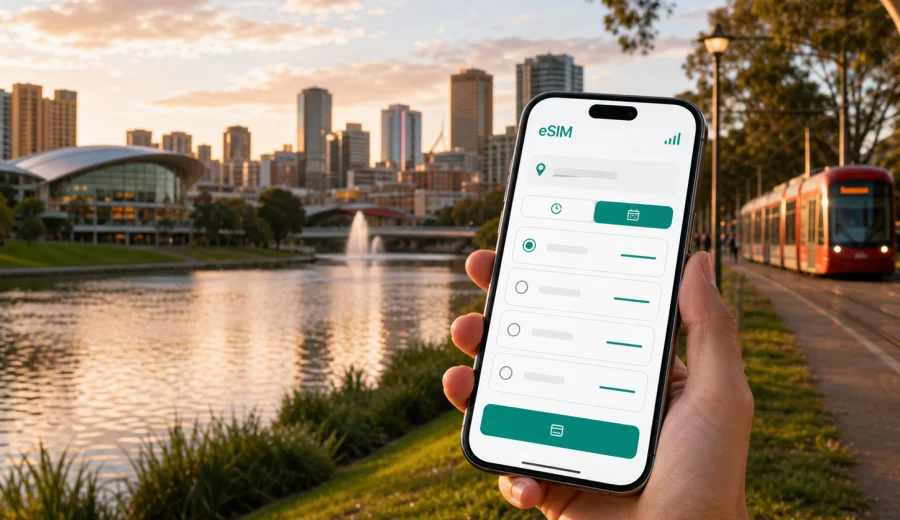
Adelaide eSIM guide: mobile connection and internet for your trip
Adelaide is an easy city to enjoy when your mobile connection is ready before you start moving. The airport is close to the centre, the city grid is simple to read, and many trips combine the CBD with North Adelaide, Glenelg, the Barossa, McLaren Vale, or the Adelaide Hills. Still, a smooth arrival depends on practical details: finding your hotel, checking transport, messaging a driver, opening a digital ticket, confirming a restaurant booking, and sharing your arrival time.
An eSIM helps you prepare mobile internet for this kind of trip without looking for a physical SIM card after landing. With a compatible phone, you can install a digital SIM profile, choose a prepaid data package for Australia, and use mobile data for navigation, messaging, ride apps, maps, translation, booking confirmations, and work tools. The exact speed, coverage, data allowance, and validity period depend on the selected tariff and local network conditions, so it is better to match the package to your route rather than buy on impulse.
This guide focuses on Adelaide, not on Australia in general. It covers arrival at Adelaide Airport, movement around the compact city centre, beach trips to Glenelg, winery days, business travel, stopovers, hotel Wi-Fi gaps, and the practical checks you should make before relying on eSIM internet during your stay.
Why mobile internet matters in Adelaide
Adelaide rewards planning. The city is comfortable to navigate, but many useful places sit just beyond the central square mile: beaches to the west, hills to the east, wineries outside the urban area, and business districts spread between the CBD, North Terrace, Wayville, Thebarton, and airport-adjacent zones. You may not need mobile data every minute, but you will probably need it at the moments when Wi-Fi is weakest.
Typical Adelaide travel moments where mobile internet helps:
| Situation | Why data is useful |
|---|---|
| Arrival at Adelaide Airport | Check pickup details, route time, hotel address, and messages after leaving the terminal. |
| First tram or bus ride | Confirm stops, platforms, walking directions, and service changes without relying on station Wi-Fi. |
| CBD walking routes | Move between Rundle Mall, North Terrace, the Central Market area, and restaurants without losing time. |
| Glenelg beach trip | Use maps, rides, payments, restaurant bookings, and messaging while away from hotel Wi-Fi. |
| Business schedule | Keep email, calendars, video-call links, and document access available between meetings. |
| Day trips | Navigate toward the Adelaide Hills, Barossa, or McLaren Vale and keep contact with your group. |
For short city stays, the biggest advantage is continuity. You can leave the airport, enter a car or bus, walk to a hotel, and open your next instruction without switching between public networks. For longer trips, eSIM data also helps when you move between Adelaide and other Australian cities, provided the selected tariff covers the locations in your route.
Arrival at Adelaide Airport
Adelaide Airport sits west of the city centre, so the first transfer is usually short by large-city standards. That convenience can make travellers underestimate connectivity. The first 30 minutes still matter: you may need to message a host, find a rideshare pickup zone, check public transport options, or open a booking reference.
Prepare these items before your flight:
- Save your hotel address in English and in your booking app.
- Download offline maps for central Adelaide as a backup.
- Keep your eSIM installation details available before departure.
- Check that your phone supports eSIM and is not locked to one operator.
- Decide whether you will activate mobile data before flying or after landing.
If you have a late arrival, mobile internet becomes more important. Hotel reception instructions, apartment access codes, and parking details often arrive by email or messenger. Airport Wi-Fi can help, but it is not a good single point of failure when you are tired, carrying luggage, or travelling with children.
Choosing data for a compact but spread-out city
Adelaide’s centre is compact, yet a real itinerary can cover a wide area. You might stay near Victoria Square, attend a conference around the riverbank precinct, eat near Peel Street, visit the Art Gallery of South Australia, ride to Glenelg, and spend another day in the hills. A small data package may be enough if you mostly use hotel Wi-Fi, but it can feel tight if you use maps, photo backups, video calls, or hotspot mode.
Use this simple estimate:
| Trip style | Likely data needs |
|---|---|
| Stopover or one-night stay | Light maps, messages, transport checks, and booking confirmations. |
| Three-day city break | Navigation, restaurant searches, beach trip, ride apps, and regular messaging. |
| Business trip | Email, calendars, cloud files, chat, occasional video links, and hotspot backup. |
| Adelaide plus wineries or hills | Maps, group messaging, route checks, photo sharing, and longer periods away from hotel Wi-Fi. |
| Adelaide as part of a wider Australia route | More data and longer validity may be useful if the same tariff fits the full route. |
Do not choose only by the lowest data amount. In Adelaide, you can easily spend more data on practical tasks than expected: checking menus, opening maps repeatedly, uploading boarding documents, or joining a quick work call from a taxi. At the same time, you do not need an oversized package if your hotel has stable Wi-Fi and your days are mostly offline sightseeing.
Where eSIM helps most around Adelaide
Adelaide’s layout makes it easy to move, but the city has many small transitions where connectivity saves time. The CBD grid is surrounded by parklands, and many points of interest sit along or near North Terrace. From there, you may cross to the riverbank, walk into the shopping streets, or take transport toward the beach.
Useful local scenarios:
- CBD and North Terrace: use maps for walking routes between museums, galleries, university buildings, hotels, and event venues.
- Rundle Mall and laneways: check store hours, restaurant bookings, and payment confirmations while moving between indoor and outdoor areas.
- Central Market and Chinatown area: search for dining options, message your group, and compare walking or tram routes.
- Glenelg: stay online away from the hotel while planning the beach, dinner, and the return trip.
- North Adelaide: navigate residential streets, restaurants, parks, and river crossings without guessing direction.
- Adelaide Hills: keep maps and messages available when the trip becomes more car-focused.
Mobile internet is not only for tourists. It is also useful if you are in Adelaide for university visits, medical appointments, sporting events, exhibitions, or government meetings. In these situations, reliable access to calendar updates and documents can be more important than social browsing.
When to prepare your eSIM
The most convenient time is before departure, while you still have stable home internet. Install the eSIM profile, read the activation instructions, and check how your phone labels mobile data lines. Some travellers prefer to install before flying and activate data after arrival; others wait until they land. The right choice depends on the tariff conditions, especially when the validity period starts.
Before you buy, check your device for eSIM support. You should also confirm that the device is not locked to a single operator and that you understand which SIM line will handle mobile data. If your regular SIM remains active for calls or SMS, make sure you do not accidentally use roaming data on that line.
For an Adelaide trip, a good preparation sequence is:
1. Check your device compatibility and operator lock status.
2. Choose Australia as the destination.
3. Select a data amount and validity period that match your Adelaide itinerary.
4. Install the eSIM while connected to reliable Wi-Fi.
5. Name the line clearly, for example “Australia data”.
6. On arrival, set mobile data to the eSIM line when you are ready to use it.
7. Keep data roaming settings aligned with the tariff instructions.
This sequence reduces airport friction. You are not trying to read small setup instructions at baggage claim, and you are less likely to mix your home SIM and travel eSIM settings.
How Kaspersky eSIM Store fits the trip
Kaspersky eSIM Store is an app and website where you can quickly choose, arrange, and activate an eSIM with a suitable mobile internet tariff for international travel. For Adelaide, the destination is Australia, because city articles use the country tariff page that matches the city. The important point is not just buying data, but choosing a package that fits your dates, route, and device.
After you have checked your phone and estimated your data needs, you can choose an eSIM tariff for your trip to Adelaide and review the available options for Australia. Look at the data amount, validity period, destination coverage, and any setup notes before you travel. If your route continues beyond South Australia, confirm that the same option still matches the rest of your journey.
Kaspersky eSIM Store should be understood as a practical way to prepare mobile internet for travel. It helps you select and manage an eSIM setup through the site or app, while the actual mobile connection depends on the selected tariff conditions, compatible device settings, and local network availability.
Transport: airport, tram, bus, taxi, and walking
Adelaide is less overwhelming than many large capitals, but transport still benefits from live data. The airport transfer may be simple, yet the exact pickup point, fare estimate, or bus option can change your first decision. In the city, walking is pleasant, but weather, heat, luggage, and meeting times can turn a short route into a transport question.
For public transport, mobile internet helps you:
- check the nearest stop and walking route;
- compare tram, bus, taxi, and walking times;
- confirm whether a stop is on the correct side of the street;
- message someone if you miss a connection;
- open digital maps when streets look similar in the CBD grid;
- find a safer route late in the evening.
The tram connection to Glenelg is especially relevant for visitors. It is one of the classic Adelaide day or evening trips, and many travellers combine it with the CBD, restaurants, and beach time. Having data on the return trip helps you check timing, call a ride if needed, and coordinate with friends if you split up.
If you plan to drive, keep offline maps as a backup. Mobile data is useful for live routing, but it should not be the only copy of your route when you leave the city for wineries, hills, or coastal stops.
Installing and activating eSIM for Adelaide
The installation process depends on your device, operating system, and the instructions shown with your selected tariff. In general, you install the eSIM profile while online, then choose when to use it for mobile data. Read the setup notes before you leave, because some travellers confuse installation with activation.
For detailed setup, use the Android installation guide or the iOS installation guide. Follow the steps for your device, keep your primary SIM settings under control, and avoid deleting the eSIM profile unless the instructions tell you to do so. In many cases, a deleted eSIM cannot simply be reused on another phone.
A practical Adelaide setup checklist:
- Install the eSIM profile over trusted Wi-Fi.
- Give the eSIM line a clear travel name.
- Keep your regular number available if you need bank SMS or calls.
- Set mobile data to the eSIM line only when you intend to use it.
- Check whether data roaming must be enabled for the eSIM line.
- Test a small data session after arrival before leaving the airport or hotel.
If something does not work immediately, slow down before changing multiple settings at once. Check the active data line, roaming setting for the eSIM, airplane mode, and whether the tariff is already active. Changing many settings quickly makes troubleshooting harder.
Practical Adelaide scenarios
Different Adelaide trips use mobile data in different ways. A conference visitor may spend hours on venue Wi-Fi and then need a taxi, calendar update, or file between meetings. A stopover traveller may only need airport-to-hotel navigation, dinner directions, and onward travel messages. A leisure itinerary can move from the CBD to Glenelg, then to the Adelaide Hills, Barossa, or McLaren Vale, where hotel Wi-Fi is no longer part of the plan.
Use this checklist for the scenarios most likely to affect data use:
| Scenario | What to prepare |
|---|---|
| Business meetings | Keep calendars, email, chat, and key documents available; check whether hotspot use is allowed by the selected tariff. |
| Short stopover | Install before travel, keep offline maps, and use data mainly for directions, messages, and bookings. |
| Day trip from Adelaide | Save addresses, download regional maps, charge your phone, and share meeting points with your group. |
| Hotel-based city break | Use Wi-Fi for large downloads and mobile data for streets, transport, rides, and restaurant plans. |
| Wider Australia route | Choose validity and data volume for the whole route, not only the first night in Adelaide. |
To control usage, pause cloud photo backup on mobile data, turn off automatic app updates, lower video quality, and keep large downloads for Wi-Fi. Families and groups should decide who has reliable data for navigation and bookings, because one phone often becomes the practical centre of the day.
Common Adelaide eSIM questions
Do I need eSIM for Adelaide if my hotel has Wi-Fi?
Hotel Wi-Fi is helpful, but it does not cover airport transfers, streets, transport, restaurants, day trips, or urgent changes.
Can I use eSIM for calls and SMS?
Most travel eSIM packages focus on mobile data. Ordinary phone calls and SMS are not included unless the selected tariff states otherwise.
Can one Australia eSIM cover Adelaide and another city?
If the selected tariff is for Australia and its conditions match your route, it may be useful beyond Adelaide. Always check coverage and validity before relying on it for a wider trip.
Quick planning checklist
Before you leave for Adelaide:
- Confirm your phone supports eSIM and is unlocked.
- Choose a data package for Australia that matches your dates.
- Install the eSIM while you have stable Wi-Fi.
- Save hotel, transport, and emergency details offline.
- Download maps for the CBD and any day-trip region.
- Review data-roaming instructions for the eSIM line.
- Keep your regular SIM available if you need bank or account SMS.
After arrival:
- Switch mobile data to the eSIM line when ready.
- Test maps or messaging before leaving the airport or hotel.
- Keep large downloads for Wi-Fi.
- Monitor remaining data if you use hotspot mode.
- Save battery before evening transport or return trips.
Choose mobile internet for your Adelaide trip
Adelaide is practical, relaxed, and easy to navigate when your phone is ready for the first move. The right eSIM setup helps you handle the airport transfer, city walks, tram trips, beach evenings, business meetings, and day trips without depending only on public or hotel Wi-Fi.
Before you travel, check your device, decide how much data your itinerary needs, and prepare an eSIM tariff for Australia through Kaspersky eSIM Store. Choose the option that fits your Adelaide dates, install it carefully, and keep your mobile internet ready for the moments when your trip depends on a map, a message, or a quick confirmation.