Travel connectivity guide
Afghan Wireless eSIM in Afghanistan: what to check
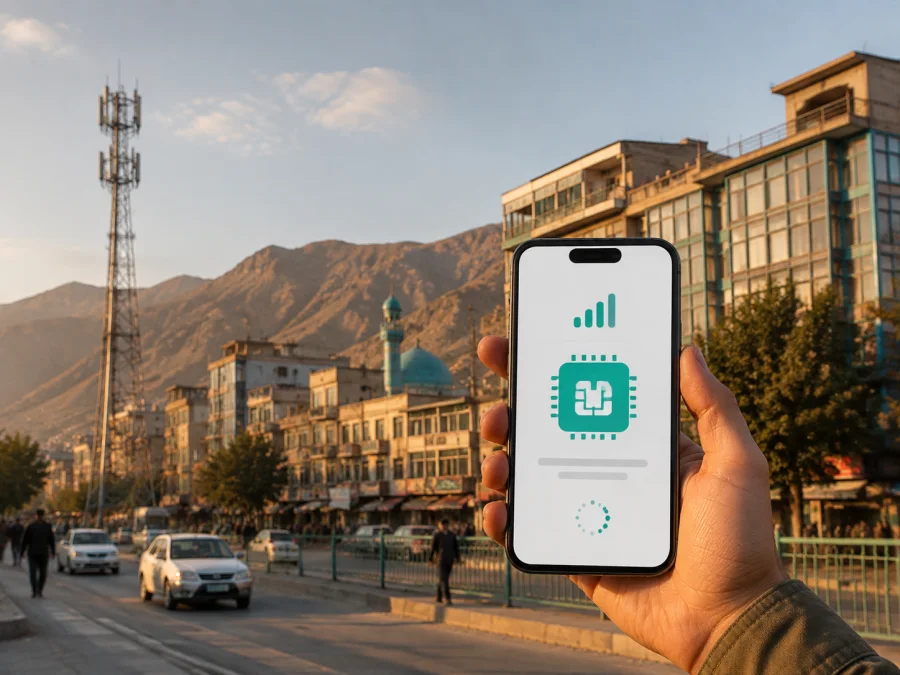
Afghan Wireless eSIM in Afghanistan: what travelers should check
If you are preparing for a trip to Afghanistan and already use Afghan Wireless, an eSIM can keep a mobile line inside the phone without a removable SIM card. The practical questions are how the operator issues the profile, whether a visitor can register, which network technologies the device supports, and whether service is available along your route.
This guide summarizes current public information about Afghan Wireless eSIM in Afghanistan, local activation, traveler checks, and a travel eSIM alternative. It does not list specific operator plans or their parameters. Verify current conditions with Afghan Wireless before travel.
Afghan Wireless in the Afghan market
Afghan Wireless Communication Company, presented by the brand name Afghan Wireless, is an established Afghan mobile operator. Its current About Us page describes the company as the first organization to offer cellular service to Afghan consumers and businesses after receiving a telecommunications license in 1998. The page presents voice, data, internet, and mobile financial services for personal, business, and institutional customers.
An Afghan Wireless eSIM is therefore a local operator connection, not a travel-only product. It is tied to the operator’s subscriber process and conditions in Afghanistan. It may suit residents, returning visitors, or travelers who need a local number and local customer support. A visitor should ask which personal prepaid procedure applies rather than assuming that a corporate or postpaid process will be accepted.
These facts were checked on September 3, 2026 against the Afghan Wireless About Us page. They describe the operator’s published position, not an independent ranking of network quality.
Is Afghan Wireless eSIM available in Afghanistan?
Yes. The current official page titled AWCC eSIM says the service is available across Afghanistan. It says eSIM is available to individual and corporate subscribers on prepaid and postpaid arrangements, and describes two routes: upgrading a current SIM to eSIM or buying a new eSIM.
The same page directs users to the nearest Afghan Wireless brand shop. The public process is not presented as a completely remote visitor checkout. A shop visit may be used to register a line, convert an existing SIM, verify an account, and receive help with the profile. Ask the representative to explain the next step and keep the confirmation of the change.
The public eSIM page does not clearly publish a separate tourist program, an online visitor-only flow, or a universal document list for foreign travelers. That information was not found during the verification on September 3, 2026. Ask Afghan Wireless or a brand shop whether a passport or another identity document is required, whether a visitor can register a prepaid line, and how the line can be restored or closed later.
This does not mean that a traveler cannot use Afghan Wireless. It means that the public page does not provide enough detail to promise a particular visitor procedure. Registration may depend on the line type, local requirements, and the shop’s current process. Leave time for an in-person visit and keep your original SIM available until the new connection is tested.
Local operator eSIM or travel eSIM?
Both options use eSIM capability in a compatible device, but they solve different problems. Afghan Wireless eSIM is a local operator connection. A travel eSIM arranged through Kaspersky eSIM Store is intended for mobile internet during a foreign trip, with the destination and current conditions shown in the store. The choice depends on whether you need a local subscriber relationship and number, or mainly a data connection that can be prepared before the flight.
What a brand-shop activation involves
The Afghan Wireless eSIM page presents two routes: convert a current physical SIM or buy a new eSIM. Bring the device that will hold the profile and be ready to verify the account. Ask about registration, identification, support, and activation before accepting the change.
Do not delete a working physical SIM before the eSIM has been installed and tested. If conversion replaces the old profile, the physical card may stop working when the operator completes the change. Ask whether the number stays the same, whether the old SIM is deactivated, and what to do if the phone is lost or replaced. These are operator questions, not universal eSIM rules.
Check that the phone is unlocked and that its exact regional model supports eSIM. A handset can have eSIM hardware but still be restricted by a seller or home operator. Keep the phone charged, connected to reliable internet, and at the shop until it recognizes the line and a simple connection test works.
Device compatibility checklist
Before purchasing or converting anything:
- Check that the exact phone, tablet, or watch model supports eSIM.
- Confirm that the device is not network-locked.
- Install needed system updates before the connection is required.
- Check whether a physical SIM and eSIM can be used together.
- Decide which line will be used for mobile data, calls, and messages.
- Back up essential contacts and travel information.
- Keep activation confirmation and support details accessible.
- Ask how the profile can be recovered if the device is lost, replaced, or reset.
An eSIM profile is a device configuration, not a physical card that can simply be moved. Kaspersky eSIM Store’s public guidance also warns that an activated eSIM may not be transferable to another device. For Afghan Wireless, confirm its own replacement process.
Technologies and coverage
The current Afghan Wireless website has separate sections for 4G/LTE and 3G. Its 4G FAQ says that using 4G/LTE requires a USIM, an LTE-compatible device, and a location with 4G coverage. It also provides a location list for 4G service. The practical condition is simple: the device and SIM must be compatible, and the destination must be within the relevant coverage area.
The operator’s About Us page says that its services reach all 34 provinces. That is a statement about published geographic service scope, not a promise of one technology at every stop. Coverage can differ between a city center, a highway, a valley, an indoor location, and a remote district. Terrain, power, maintenance, and local network load can affect access.
The 4G FAQ names particular coverage locations and explains that a handset displays 4G/LTE when connected. Check current information for each part of the route and ask support about places that are not clear on the public list. A compatible device and a listed location help with planning, but do not guarantee service at every stop.
Prepaid availability and traveler restrictions
The current Afghan Wireless eSIM page explicitly mentions individual and corporate subscribers on prepaid and postpaid arrangements. This confirms general prepaid eSIM availability, but it does not describe a separate tourist product or a complete public explanation of documents, visitor registration, account recovery, or closure for a short stay.
Ask whether a visitor can register a new prepaid eSIM at a brand shop, which identity document is accepted, whether a physical SIM can be converted while keeping the number, and how the line can be recovered if the phone is lost. Also ask how to reach support and whether any route-specific restrictions apply.
The current customer-care page lists a 24-hour helpline using short code 152 and an email contact. The online-support page also describes an SMS-based support route using that short code. Verify how these channels work from the exact line and location you will use, and do not rely on an old promotion as a current registration rule.
After the first third of this guide, you can choose an eSIM for Afghanistan in Kaspersky eSIM Store if a travel-oriented mobile internet option fits your plans. Kaspersky eSIM Store is an app and website that helps users choose, arrange, and activate an eSIM with a suitable plan for mobile internet abroad. It is not Afghan Wireless, a mobile operator, the owner of Afghan Wireless infrastructure, or the provider of that local network.
How to activate Afghan Wireless eSIM
This sequence is based on the operator’s instruction to visit a brand shop. Screens and checks can vary by device and account.
1. Prepare and choose the route
Charge the phone, connect it to reliable internet, and confirm that eSIM settings are available. Keep the current SIM active until the operator says the change is complete. Tell the representative whether you want a new Afghan Wireless eSIM or an upgrade, and ask which registration process applies.
2. Complete checks, install, and test
Provide the documents requested by Afghan Wireless; do not assume a particular traveler document or remote alternative will be accepted. Follow the representative’s instructions to add the eSIM and choose it for mobile data. Keep any QR or activation code private, and confirm the profile and connection work in a supported location before leaving.
Installation, activation, and network access are not always the same event. The profile can be installed but not selected for data; an active line can be outside a supported 4G location; a phone can recognize the profile but need an APN setting. Check each stage separately.
Installing a travel eSIM for Afghanistan
Kaspersky eSIM Store describes itself as an app and website that helps users choose, arrange, and activate a destination eSIM for mobile internet abroad. Its public Afghanistan page states that related eSIM services are supplied by a technology partner. Kaspersky eSIM Store does not own a mobile network and does not provide Afghan Wireless coverage.
First check the exact device model and confirm that it is unlocked. Then choose Afghanistan as the destination and review the current conditions in the checkout flow. Install the profile while connected to reliable internet. If you intend to wait until arrival, follow the service’s instructions and do not delete the profile after installation.
The current Kaspersky Android installation guide is written around Samsung menus: Settings, Connections, SIM manager, Add eSIM, and Scan QR code. It then advises selecting the eSIM for mobile data and, where required, enabling data roaming for that eSIM. An APN may need to be copied from the Kaspersky eSIM Store app, and connection can take several minutes. iPhone and other Android menus differ, so use device-specific instructions.
The Kaspersky eSIM Store Afghanistan page describes the travel product as data-only. It should not be treated as a replacement for a local number or ordinary voice and SMS service. Messaging and internet calling apps can work through data when their accounts are already set up, but voice services and verification by SMS need separate arrangements.
Scenarios for travelers
For a short stay, a travel eSIM may simplify preparation when you mainly need mobile internet before arrival. You still need an unlocked, compatible device and a destination product available at purchase. If a local number or registration is essential, ask Afghan Wireless about the current visitor process.
For a route between cities or remote areas, check the exact places rather than only the country name. Consult Afghan Wireless 4G/LTE information, or the travel service’s current local-network details, and keep maps and essential addresses offline.
Frequently asked questions
Can a tourist get Afghan Wireless eSIM online?
The official public eSIM page does not confirm an online visitor-only process. It directs users to a brand shop and does not publish a complete tourist document policy. Ask Afghan Wireless whether your visitor status and identity document are accepted.
Does a travel eSIM replace an Afghan Wireless number?
Usually not. The Kaspersky eSIM Store Afghanistan page describes its travel product as data-only. It is intended for mobile internet during a trip, while a local operator eSIM may be relevant when you need a local number or subscriber relationship.
Is Kaspersky eSIM Store affiliated with Afghan Wireless?
No. The services are separate. Kaspersky eSIM Store helps users choose, arrange, and activate travel eSIMs for mobile internet; it is not Afghan Wireless, does not own the Afghan Wireless network, and should not be presented as its official partner or distributor.
Final checklist
Before departure, confirm the exact device model, unlock status, and eSIM support. Decide whether you need a local Afghan Wireless connection or mainly mobile internet. If you choose Afghan Wireless, allow time for a brand-shop visit and ask about traveler documents, registration, conversion, support, and coverage along the route. If you choose a travel eSIM, install it with reliable internet, set the correct data line, and keep the home SIM configured for your needs.
Do not remove a working profile, share an activation code, or assume that a country-level statement guarantees service at every stop. Save essential information offline and verify any condition affecting identity, number, coverage, or support. The Afghan Wireless eSIM page, 4G/LTE FAQ, About Us page, and support pages were checked on September 3, 2026; procedures, coverage, and service conditions may change.
If a separate data-only travel connection is the better fit, choose an eSIM for Afghanistan through Kaspersky eSIM Store. Review current conditions and verify device compatibility before activation.
Afghan Wireless is a trademark and service of its respective owner. Kaspersky eSIM Store is not affiliated with, endorsed by, or an official partner or distributor of Afghan Wireless. The mention of the operator is informational and does not represent a joint offer.


