
Travel connectivity guide
Afghanistan eSIM: mobile internet for travel
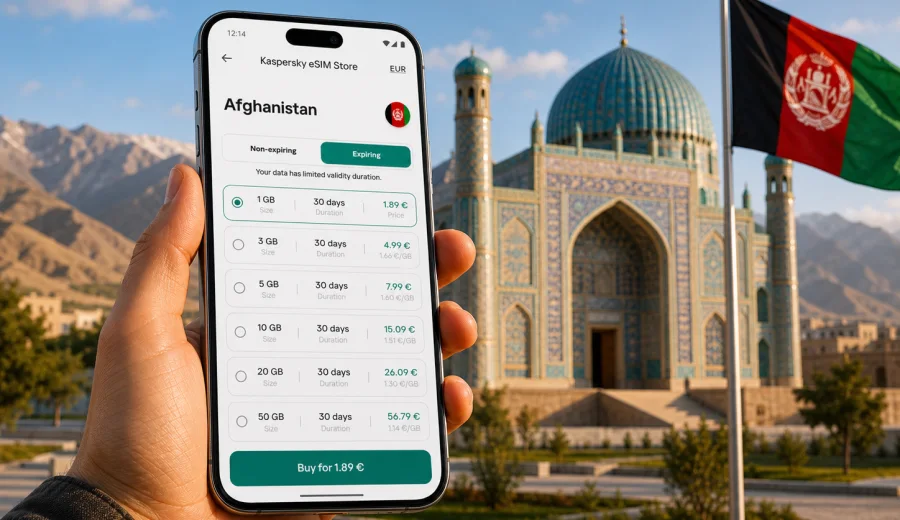
Afghanistan eSIM: mobile connection and internet for your trip
Planning mobile data before you arrive in Afghanistan is a practical step, not a small detail. Airports, hotels, map apps, messengers, booking confirmations and translation tools all depend on a stable internet connection, and a physical SIM card is not always the most convenient first errand after a long flight. With mobile internet for a trip to Afghanistan, you can prepare a digital SIM profile for mobile internet, keep your main SIM in place and choose a data plan that fits the length and route of your trip.
An eSIM is useful because it turns mobile internet into a planned part of the journey. Instead of looking for a local SIM counter, comparing offers under time pressure or relying only on public Wi-Fi, you can set up a data plan on a compatible phone and activate it when the trip begins. Kaspersky eSIM Store is an app and website where you can quickly choose, arrange and activate an eSIM with a suitable plan for mobile internet during an international trip.
Why mobile internet matters in Afghanistan
Afghanistan is a country where travel logistics can be complex. Visitors may need to coordinate local transport, confirm accommodation, share location updates, use maps, check travel documents and stay reachable through internet-based calls and messages. Even when your itinerary is focused on one city, your connection needs may change during the day: airport arrival, hotel check-in, meetings, field work, short domestic routes or waiting time between transfers.
Mobile internet is especially helpful for messaging family, colleagues or hosts, loading maps around Kabul, Mazar-i-Sharif, Herat or other destinations, keeping booking details available, using translation tools and reducing dependence on hotel, cafe or airport Wi-Fi.
The main advantage of eSIM for this scenario is preparation. You can review plan size, duration, destination and price before you start using mobile data, instead of turning on standard roaming without checking the cost.
Quick answer
For most trips to Afghanistan, an eSIM is a practical option if your phone supports eSIM and is not locked to a carrier. It can provide mobile internet for maps, messengers, email, transport coordination and online documents. It usually does not include a regular local phone number, voice calls or SMS unless those features are clearly stated in the chosen plan. Before you pay, check device compatibility, plan validity, data volume and activation rules.
When an eSIM is useful for an Afghanistan trip
An eSIM is not only for tourists. It can help anyone who needs mobile data abroad and wants fewer steps on arrival.
| Travel scenario | Why eSIM helps | What to check |
|---|---|---|
| Arrival at Kabul airport | You may need maps, a messenger and pickup coordination quickly | Install the eSIM before departure and activate according to the plan instructions |
| Business visit | Email, chat apps and online documents can be needed between meetings | Choose enough data for work apps and tethering if you plan to use a laptop |
| Short assignment | A prepaid plan can be easier than setting up a local SIM for a few days | Match the validity period to the exact trip length |
| Multi-city route | You can keep one digital profile ready while moving between cities | Review destination coverage and plan conditions before purchase |
| Family travel | One person may manage navigation, tickets and messaging for the group | Estimate shared data use carefully if hotspot use is allowed |
Afghanistan’s geography and infrastructure can make connectivity vary by location, building, terrain and local network conditions. eSIM does not change how mobile networks behave in a specific area. The practical value is that you can prepare the mobile data setup in advance and manage it from your phone.
eSIM, roaming or public Wi-Fi: what to choose?
The right option depends on the duration of your visit, how much data you need and whether you want to keep costs predictable.
| Option | Best for | Limitations |
|---|---|---|
| eSIM data plan | Travelers who want to prepare mobile internet before or during the trip | Requires an eSIM-compatible, unlocked device |
| Standard roaming | Users who prefer to keep everything with their home mobile operator | Charges and data limits may be less predictable if not checked in advance |
| Public Wi-Fi | Occasional browsing in hotels or offices | Availability, speed and privacy may vary; not ideal as the only option |
For many travelers, a practical setup is to keep the primary SIM active for important messages, use eSIM for mobile data and connect to trusted Wi-Fi when it makes sense.
How much data do you need in Afghanistan?
Data use depends more on behavior than on the country. Navigation, messaging and email are light. Video calls, streaming, cloud backup and social video uploads consume much more.
Use this simple planning table:
| Trip style | Typical apps | Data approach |
|---|---|---|
| Light use | Messaging, maps, email, basic browsing | Smaller data package may be enough |
| Work use | Mail, cloud documents, business chat, occasional hotspot | Choose a larger plan and monitor balance |
| Media-heavy use | Video calls, uploads, social media, streaming | Pick a higher data allowance and avoid background downloads |
| Group support | Hotspot for another device or family member | Check whether tethering is supported and select extra data |
Practical tip: download offline maps, essential documents and translation packs before you leave. This does not remove the need for mobile internet, but it reduces pressure on your data allowance when the connection is weaker or when you want to save traffic.
What to check before buying an eSIM plan
Before choosing a plan for Afghanistan, spend a few minutes on compatibility and plan conditions. This is the step that prevents most avoidable problems.
Checklist:
- Your phone or tablet supports eSIM.
- The device is not locked to one carrier.
- The plan includes Afghanistan as the destination.
- The amount of data is suitable for your trip.
- The validity period covers your expected travel dates.
- You understand when plan validity starts.
- You know whether hotspot use is allowed.
- You have stable Wi-Fi available for installation if the instructions require it.
- You keep the installation details available until the eSIM is active.
If you are not sure whether your phone supports eSIM, use the compatibility check before you choose a plan: check your device. A compatible device is essential because eSIM cannot be inserted into a phone that only supports physical SIM cards.
Once your route and approximate data needs are clear, you can choose a suitable eSIM data plan for the trip and compare data volume, validity period, and activation conditions before installation.
Preparing mobile internet before departure
The safest time to prepare eSIM is usually before your flight, while you still have stable Wi-Fi and enough time to read the instructions. You do not have to rush the setup in an airport queue or after a late arrival.
A practical sequence looks like this:
1. Open Kaspersky eSIM Store on the website or in the app.
2. Search for Afghanistan as your destination.
3. Compare plans by data volume, validity period and price.
4. Check whether your phone supports eSIM and is unlocked.
5. Arrange the plan and follow the installation instructions.
6. Keep your primary SIM for calls or SMS if you still need it.
7. Activate mobile data on the eSIM according to the plan rules.
8. Monitor data balance during the trip.
If you want to prepare your mobile internet before travel, choose an eSIM plan for Afghanistan in Kaspersky eSIM Store: https://kasperskyesimstore.com/plans/af/
How to install an eSIM on your phone
Installation steps depend on the operating system and the plan instructions. In most cases, you add a new mobile plan, scan a QR code or use an activation flow, then choose how the phone should use mobile data. Keep Wi-Fi available during setup and do not delete the eSIM profile after installation unless you are sure you no longer need it.
For setup, use the official guides for your device: Android installation guide and iOS installation guide.
After installation, review these settings:
- set the eSIM as the line for mobile data;
- keep your main SIM for calls and SMS if you need it;
- enable data roaming for the eSIM if the plan instructions require it;
- turn off automatic app updates over mobile data;
- check whether hotspot mode is allowed by the plan and your device;
- monitor remaining data in the profile or app.
Save the installation email, QR code or app screen where you can access it if the setup needs to be checked again.
Practical scenarios in Afghanistan
Different routes need different mobile data habits. The eSIM setup may be the same, but the way you use data should match the day.
| Scenario | Useful habit |
|---|---|
| Arrival and transfer | Test a messenger, open your map app and confirm pickup or hotel details |
| Meetings and workdays | Use mobile data for email and chat, but prepare large files on Wi-Fi |
| Cultural or regional travel | Download maps before leaving stable Wi-Fi, especially for mountain roads or smaller towns |
| Longer stay | Review whether one plan covers the full period or whether you may need a top-up later |
What eSIM does and does not include
An eSIM plan for travel is primarily about mobile internet. That distinction matters because many travelers expect a SIM to include everything a domestic mobile plan includes.
Usually included: mobile data for internet access, plan validity for a specific period, a defined data allowance or plan condition, and activation through the setup flow.
Not automatically included: a regular local phone number, standard voice calls, SMS, guaranteed connectivity in every building or remote area, or unlimited use unless the chosen plan clearly says so.
For calls and messages, many travelers use internet-based apps. If you must receive bank SMS or work calls on your primary number, keep your main SIM active and check roaming conditions with your home operator before the trip.
How to keep data use under control
Good data habits can make a moderate plan last much longer. The goal is not to avoid using your phone; it is to prevent invisible background traffic from using the allowance faster than expected.
Recommended settings:
- download offline maps before departure;
- disable automatic cloud photo backup on mobile data;
- update apps only on Wi-Fi;
- reduce video streaming quality;
- close navigation when you no longer need it;
- check whether messaging apps automatically download media;
- monitor hotspot use carefully;
- review data balance once a day on active travel days.
If you use your phone for work, pay attention to cloud drives, meeting apps and large email attachments. A single video meeting can use more data than a full day of maps and messages.
Choosing a plan: a simple decision guide
If you are unsure which plan size to choose, start with your trip length and the apps you will actually use.
| Trip type | Good approach |
|---|---|
| Short, light trip | Focus on maps, messages and email; avoid video streaming on mobile data |
| Work trip | Add data for file access, business chat and possible hotspot use |
| Family or group support | Choose extra data if one phone will handle navigation or tethering |
| Longer itinerary | Compare validity periods and monitor balance every few days |
Kaspersky eSIM Store should be viewed in the correct product frame: it helps you choose, arrange and activate an eSIM with a suitable mobile internet plan for an international trip. It is not a mobile network operator, and the quality of mobile service depends on the selected plan, compatible device, local network conditions and the places where you travel.
FAQ
Can I use eSIM in Afghanistan?
Yes, if your device supports eSIM, is unlocked and you choose a plan that includes Afghanistan. Availability and performance still depend on the plan conditions, local networks and the exact place where you use mobile data.
Does eSIM give me a local Afghan phone number?
Usually no. Travel eSIM plans are mainly for mobile internet. Voice calls and SMS are not included unless they are clearly listed in the selected plan. You can use messengers and calling apps over mobile data.
Should I install the eSIM before flying?
In many cases, yes. Installing before departure gives you stable Wi-Fi, enough time to follow instructions and fewer tasks after arrival. Activate the plan according to its rules, because validity may start at installation or first network connection depending on the plan.
Can I keep my regular SIM active?
Yes, on many dual-SIM phones you can keep your main SIM for calls or SMS and use eSIM for mobile data. Check your device settings so the correct line is selected for mobile internet.
What if my phone does not support eSIM?
You will need another connectivity option, such as roaming from your home operator, a compatible second device or a physical SIM where available. eSIM cannot be added to a device that does not support the technology.
Final checklist before you travel
Before leaving for Afghanistan, make sure your phone supports eSIM, the plan includes Afghanistan, data and validity match your trip, offline maps are downloaded, background data is limited and you know how to check remaining data.
Choose an eSIM plan for Afghanistan
Mobile internet is easier to manage when it is prepared before the trip. With Kaspersky eSIM Store, you can choose, arrange and activate an eSIM with a suitable data plan for Afghanistan, then use it on a compatible device during your journey.
Review the available options, check your device and choose the plan that fits your route, data needs and travel dates: https://kasperskyesimstore.com/plans/af/
Before departure, open Kaspersky eSIM Store and review mobile internet options for your destination. Choose the data volume and validity period deliberately, then install the eSIM on a compatible device over a stable Wi-Fi connection.