
Travel connectivity guide
Agra eSIM: mobile internet for India travel
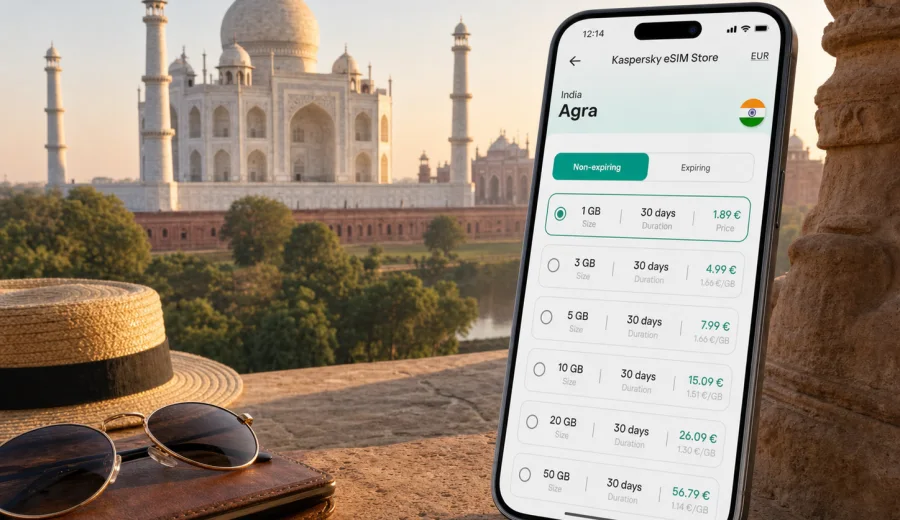
Agra eSIM guide: mobile connection and internet for your trip
Agra is one of those cities where mobile internet becomes part of the route, not just a convenience. You may need maps while moving between Agra Cantt station and your hotel, a taxi app after an early train from Delhi, messaging at the East Gate of the Taj Mahal, or a quick check of your ticket time before sunrise. An eSIM can help you prepare mobile data before you start moving through the city, without depending only on hotel Wi-Fi or searching for a physical SIM card after arrival.
This guide is for travelers who want a practical internet plan for Agra, India: tourists visiting the Taj Mahal and Agra Fort, business travelers staying near Fatehabad Road or Civil Lines, people stopping over between Delhi and Jaipur, and families who need navigation, translation, ride-hailing, payments, and messaging to work smoothly during the trip.
Why mobile internet matters in Agra
Agra is compact compared with Delhi or Mumbai, but travel inside the city can still feel fragmented. Main sights sit across different areas, traffic changes by time of day, and many visitors move between railway stations, hotels, heritage sites, markets, and day-trip routes in a short window. A reliable data setup helps you keep control of the small details.
Typical moments when mobile data is useful in Agra:
- checking your hotel address while leaving Agra Cantt, Agra Fort station, or a long-distance taxi;
- following directions to Taj Mahal gates, Agra Fort, Mehtab Bagh, Itmad-ud-Daulah, or Sikandra;
- coordinating with a driver when pickup points are crowded;
- using translation, messaging, and mobile payments where accepted;
- checking train status, road travel time, or onward connections to Delhi, Jaipur, Mathura, or Gwalior;
- sharing live location with travel companions in busy bazaars or around major monuments;
- uploading photos later from the hotel instead of using public Wi-Fi in crowded places.
An eSIM does not replace all travel planning, but it can remove one common source of friction: getting online in the first minutes after arrival.
What an eSIM does for an Agra trip
An eSIM is a digital SIM profile installed on a compatible phone or tablet. For a trip to Agra, it is mainly useful as a mobile internet option. In the Kaspersky eSIM Store scenario, you choose the destination, review a suitable prepaid data plan, install the eSIM on a compatible device, and activate it according to the plan conditions.
For most travelers, that means:
- no need to handle a physical SIM card;
- data available for maps, messengers, tickets, email, and travel apps;
- clear plan conditions before you travel, including data volume, duration, destination, and price;
- less dependence on public Wi-Fi in stations, cafes, lobbies, or monument areas;
- a separate data profile that can sit alongside your usual SIM, depending on your device.
Important: eSIM plans for travel are usually focused on mobile data. They may not include a local phone number, regular voice calls, or SMS unless the selected plan clearly says so. For calls and messages, many travelers use internet-based apps over mobile data.
Arrival scenarios: airport, rail, road, and hotel check-in
Agra trips often start before you reach Agra. Many international travelers land in Delhi, continue by train or car, and arrive in Agra tired, early, or late. Others come from Jaipur, Lucknow, Gwalior, or a regional itinerary across Uttar Pradesh and Rajasthan. Mobile data is useful because the first hour in the city usually involves several practical decisions.
| Arrival point | What you may need mobile data for | Practical note |
|---|---|---|
| Agra Cantt railway station | hotel route, driver coordination, train updates, messaging | Save your hotel address offline, but keep data ready for pickup changes. |
| Agra Fort station | old city navigation, short transfers, onward train checks | Streets can feel busy, so live maps help with orientation. |
| Long-distance taxi from Delhi or Jaipur | ETA sharing, route checks, hotel contact | Keep your eSIM active before entering the city if you expect a late arrival. |
| Hotel on Fatehabad Road | ride-hailing, restaurant search, monument gate directions | This area is convenient for many Taj Mahal visits, but gates and traffic still need planning. |
| Business hotel or Civil Lines stay | email, meeting apps, local transfers | A data plan helps if you need to work before hotel Wi-Fi is available. |
If your phone supports dual SIM or dual eSIM behavior, you can often keep your home number available for essential messages while using the eSIM profile for mobile data. Check your device settings before departure so you know which line is used for data and which line remains active for calls or SMS.
Agra routes where eSIM is especially useful
Agra is not only one monument. The city has heritage routes, river viewpoints, markets, hotels spread across several districts, and common side trips. The more you move, the more valuable prepared mobile internet becomes.
Taj Mahal sunrise or early morning visit
Many travelers try to reach the Taj Mahal early. At that hour, you may be dealing with low light, closed hotel desks, limited transport options, or a driver waiting at a specific point. Mobile data helps you check the gate route, send your live location, store digital tickets, and reconnect with your group after security lines.
Agra Fort and old city movement
Agra Fort is close to the old city fabric, where walking routes, rickshaw rides, and short transfers can be hard to judge from a static map. With mobile internet, you can compare walking and driving time, check whether it is worth combining Agra Fort with Jama Masjid or Kinari Bazaar, and message your driver when pickup points change.
Mehtab Bagh and Yamuna river viewpoints
Mehtab Bagh is popular for views of the Taj Mahal from across the Yamuna. It can be a simple trip, but timing matters: sunset traffic, return transport, and route changes can affect the experience. A mobile data plan helps with ride coordination and map checks without relying on a nearby cafe or hotel network.
Business trips and short stays
For business travelers, Agra can be a one-night stop tied to meetings, plant visits, conferences, or a wider North India route. In this scenario, mobile internet is less about sightseeing and more about continuity: email, calendar updates, ride coordination, translation, document access, and messaging while moving between hotel, meeting location, and station.
Trips onward from Agra
Agra is often part of a larger route: Delhi-Agra-Jaipur, Agra-Mathura, Agra-Gwalior, or Agra-Lucknow. If your eSIM plan covers India and fits your data needs, you can keep the same mobile data setup for the wider route instead of solving connectivity city by city.
How much data to plan for Agra
The right data volume depends on how you travel. A light traveler using maps and messages needs much less than someone who uploads videos, joins calls, or works from the road. Use the table as a planning guide, then check the exact plan conditions before choosing.
| Trip style | Common data use | What to consider |
|---|---|---|
| 1-day stopover | maps, tickets, messaging, ride apps | A small plan may be enough if you avoid video and large uploads. |
| 2-3 day sightseeing trip | maps, messaging, translation, restaurant searches, photo backups | Choose enough data for repeated navigation and app use across the city. |
| Family trip | shared coordination, multiple map checks, photo sharing | If one phone becomes the main navigation device, give it a larger allowance. |
| Business trip | email, document access, calls over data, calendar tools | Choose a plan with a duration that covers the full route, not only Agra. |
| Content-heavy travel | video uploads, cloud backup, streaming | Use hotel Wi-Fi for large uploads where possible and keep mobile data for movement. |
Before you travel, download offline maps for Agra and your wider India route. Offline maps do not replace mobile internet, but they reduce data pressure and help if signal quality changes in dense streets, indoor spaces, or crowded areas.
Choosing an eSIM plan before you reach Agra
For a city article, the relevant destination page is the country page because the eSIM plan is selected for India, not for Agra as a separate telecom destination. After you have estimated your data needs and trip length, you can review mobile internet options for India and choose a plan that fits your Agra itinerary.
When comparing options, look at four details first:
1. Data volume. Estimate maps, messaging, ticket access, email, and any uploads.
2. Duration. Match the plan validity to the full India route, including arrival and onward travel.
3. Destination coverage. Confirm that the selected plan is intended for India or the relevant route.
4. Activation rules. Check when the plan starts and what you need to do before using it.
Kaspersky eSIM Store helps you choose, arrange, and activate an eSIM with a suitable data plan for international travel. The app and website are part of the preparation flow: you select the destination, review the conditions, complete the process, and install the eSIM on a compatible device.
Device check, installation, and daily use
Not every phone supports eSIM, and some models can differ by region of sale or carrier lock. Before you choose a plan for Agra, check your device and confirm that it supports eSIM. Also make sure you know where your phone keeps mobile data, SIM selection, and roaming data settings.
Install the eSIM while you still have stable internet access, such as at home or on trusted hotel Wi-Fi. A practical setup flow looks like this:
1. Check that your phone supports eSIM and is not carrier-locked.
2. Choose a suitable India data plan for your Agra trip.
3. Complete the plan setup in Kaspersky eSIM Store.
4. Open the installation details from your profile, app, email, or QR code.
5. Add the eSIM in your device mobile settings.
6. Label the line clearly, for example "India data".
7. Select the eSIM as the mobile data line when you are ready to use it.
8. Enable data roaming for the eSIM line if the instructions require it.
For device-specific setup, use the Android installation guide or the iOS installation guide. The exact screens can vary by model and operating system version, so follow the instructions that match your phone.
Before leaving for Agra, save your hotel address, download offline maps, keep ticket confirmations available offline, and carry a power bank. During the trip, use mobile data for maps, tickets, transport, and urgent messages. Save large photo and video uploads for trusted hotel Wi-Fi if your plan has a small data allowance.
If mobile data feels slow in a dense market, near a monument entrance, or inside a building, try simple checks first: move outdoors, wait a few minutes, confirm that the eSIM is selected for mobile data, and verify whether data roaming needs to be enabled for that profile. Avoid deleting the eSIM profile unless support instructions tell you to do so.
FAQ: eSIM and mobile internet in Agra
Is an eSIM useful for a short Agra visit?
Yes. Even a one-day Agra visit can involve train updates, hotel messages, maps, monument tickets, taxi coordination, and onward travel planning. An eSIM can help you stay online without looking for a physical SIM card during a short stop.
Does an eSIM for Agra include calls and SMS?
Usually, travel eSIM plans are focused on mobile data. A regular phone number, voice calls, and SMS are not included unless the selected plan clearly says so. You can use internet-based apps for calls and messages over mobile data.
Should I install the eSIM before I arrive in India?
Install it before travel if the plan instructions allow that and you have stable internet. Some plans start only after connection in the destination, while others may have different activation rules. Always read the exact conditions before activating.
Can I use the same eSIM beyond Agra?
If the selected plan covers India and remains valid for your dates, it can support your wider route, such as Delhi, Jaipur, Mathura, or Gwalior. Check the destination and duration before relying on it outside Agra.
What should I do if mobile data does not start immediately?
Check that the eSIM is selected for mobile data, confirm whether data roaming must be enabled for that profile, move to a location with better signal, and wait a few minutes. If the issue continues, use the support path provided by the service and avoid deleting the eSIM profile unless instructed.
Final preparation before your Agra trip
Agra rewards travelers who prepare the practical details before the day begins. With mobile internet ready, you can handle early monument visits, station transfers, hotel check-in, ride coordination, translation, and onward travel with fewer interruptions. The goal is not to spend more time on your phone; it is to make the phone useful when the trip needs it.
Before you leave, confirm your device compatibility, choose a data volume that matches your route, install the eSIM on a stable connection, and keep the setup instructions available. Then use mobile data for the parts of Agra travel where it matters most: maps, messages, tickets, transport, and peace of mind while moving through the city.
When you are ready to prepare mobile internet for the trip, you can choose an eSIM plan for India through Kaspersky eSIM Store and set it up before your Agra itinerary begins.