Travel connectivity guide
Aguas Calientes eSIM: Internet in Peru
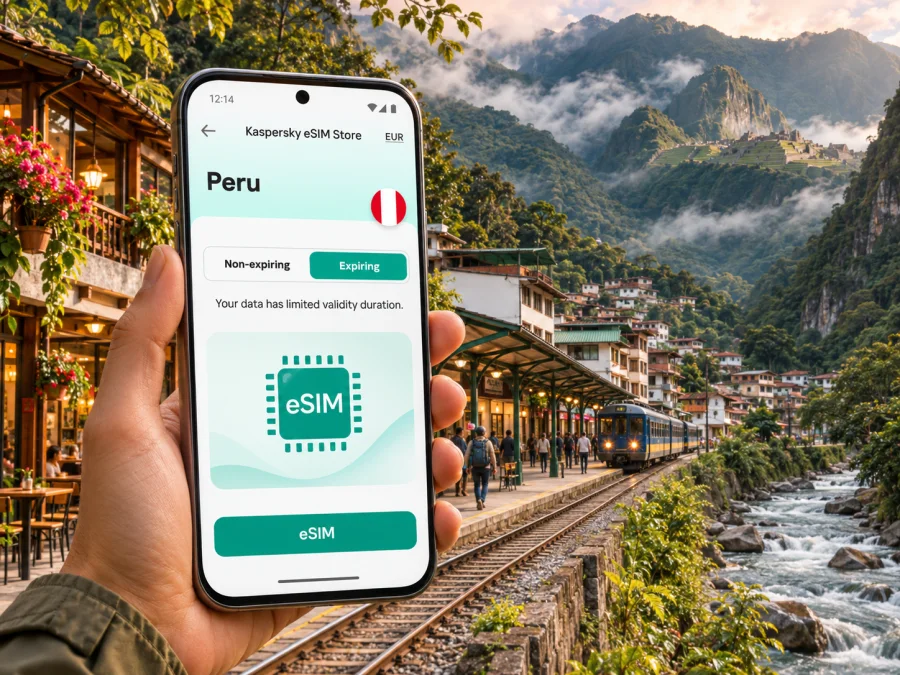
Aguas Calientes eSIM: mobile connection and internet for your visit
Aguas Calientes is the small mountain town most visitors use as their base for Machu Picchu. Official travel information also calls it Machu Picchu Pueblo. Reaching it is part of the trip: visitors commonly arrive by train from Ollantaytambo or on a bimodal bus-and-train service from Cusco. In a narrow valley, with a busy station, steep green slopes and a river close by, the town feels very different from a large Peruvian city.
A mobile connection can make the logistics easier: check your train details, contact your hotel, find a meeting point, translate a message or let someone know that you have arrived. Yet reception is never something to assume in every valley, building or stretch of track. Plan around the limits of mountain travel, save important information offline and treat mobile internet as one useful tool rather than the only way to navigate.
This guide focuses on practical eSIM and internet preparation for Aguas Calientes: arriving by rail, getting around the compact town, preparing for your visit to the archaeological site, choosing data for a short stay and handling the return journey. It also explains what a travel eSIM can and cannot do, so you can choose a setup that fits your itinerary.
What to expect from mobile internet in Aguas Calientes
Aguas Calientes sits in a steep Andean valley in the Cusco region. Hillsides, vegetation, weather, buildings and the network used by a plan can all affect reception. A signal in the centre does not guarantee service in every hotel, on every path or during the train ride.
There is no universal signal or speed guarantee for the town. Peru’s regulator OSIPTEL offers a map of operator-reported coverage, useful as a reference but not a live guarantee; indoor reception and local conditions vary. Check the selected eSIM plan for its destination and network terms.
Use data for quick updates, but prepare offline backups for anything time-sensitive. Save your hotel details, train booking, ticket confirmation and local contact information, and download maps and translation content before leaving reliable Wi-Fi.
Aguas Calientes at a glance
| Travel need | A practical approach |
|---|---|
| Arrival | Keep train tickets and accommodation details available offline; confirm your station and departure time before travelling. |
| Walking around town | Save the hotel location and meeting points. The town is compact, but stairs, slopes, crowds and river crossings can make routes slower than a map suggests. |
| Machu Picchu visit | Check the official entry ticket, circuit and time in advance. Save the confirmation and any transport details before you leave your hotel. |
| Calls and messages | A data-only eSIM can support internet messaging and app calls; it may not include a regular phone number, voice minutes or SMS. |
| Signal uncertainty | Use Wi-Fi where available, but do not rely on public Wi-Fi as your only way to access essential information. |
Getting there: why arrival planning matters
For most visitors, Aguas Calientes is reached by rail rather than by flying into the town itself. PeruRail’s current timetable identifies the destination as Machu Picchu Pueblo (Aguas Calientes) and lists services from Ollantaytambo, as well as bimodal journeys combining bus and train from Cusco. Journey times and departure options vary by date, season and service. Check the train company’s current schedule and your own ticket instead of relying on a saved screenshot from an old itinerary.
The last part of the journey deserves special attention. A delayed connection, a crowded platform or a change to a pickup arrangement can make it useful to contact your lodging while you still have a signal. Before boarding, take a screenshot of the hotel’s name, address or location pin, check-in instructions and the exact train details. If someone is meeting you, agree on a simple offline fallback such as a named landmark or the hotel reception rather than assuming messages will arrive at the right moment.
Aguas Calientes does not function like a road-connected city where you can simply order a car to any street. The station and pedestrian routes shape how people arrive and move through the settlement. Keep a little battery in reserve for the arrival and check that your phone can display stored maps without data. A compact power bank is useful on a long day that includes a train ride, walking and photography.
Before boarding your train
- Confirm the date, departure station, boarding time and destination on your own ticket.
- Save the train operator’s booking reference and the accommodation contact details offline.
- Download a map of Cusco, Ollantaytambo and Aguas Calientes if your route includes more than one transfer.
- Tell your hotel your expected arrival time if the property asks for it; do not assume a message will send later if there is no signal.
- Charge your phone and carry a cable or power bank. Keep a screenshot of essential information in a folder that is easy to find.
- If you use an eSIM, verify that it is installed correctly before the journey and know which line is selected for mobile data.
Using data around the town
Once you arrive, a phone is handy for finding accommodation, checking a walking route, translating a sign or coordinating with a guide. The station and central pedestrian areas can be busy around arrival and departure times. Save your hotel pin in advance and ask the property to clarify its entrance; mapped routes may not show stairs or steep sections.
A data-only eSIM may not include a local number, voice calls or SMS. Check the selected plan. Internet calls and messages need a connection and an established app account; keep your primary SIM available if you need your usual number and check its roaming terms.
Choosing an eSIM plan for a Machu Picchu visit
Aguas Calientes is in Peru, so a city visit should be matched to a plan that explicitly covers Peru. A city name in a travel guide does not imply a separate city tariff or guaranteed local coverage. If your itinerary continues through Cusco, the Sacred Valley, Lima or other parts of the country, consider the whole route and confirm that the plan applies across the places you intend to visit. A regional plan may suit a multi-country itinerary, but its country list and conditions need to be checked before purchase.
Kaspersky eSIM Store is an app and website where you can choose, arrange and activate an eSIM with a suitable plan for mobile internet during an international trip. The available details and conditions belong to the selected plan. Review the country, validity period, data allowance, activation instructions and any network information shown for that option. You can browse current Peru eSIM options for your trip and compare the displayed terms with your route.
Use this checklist before choosing:
- Destination: Confirm that Peru is included. If you are travelling beyond Aguas Calientes, make sure the listed territory matches every intended stop.
- Duration: Check when validity begins. Some plans start when installed, while others start on first connection or activation; follow the wording on the specific offer rather than assuming.
- Data amount: Estimate maps, messages, browsing and uploads. Downloading guidebooks, videos or photo backups can use substantially more data than navigation and text messages.
- Network details: Read the plan’s stated network and roaming notes. Do not infer a particular operator from the country page alone.
- Device: Confirm eSIM support for your exact device and regional model, and verify that the phone is not carrier-locked. Check whether your device supports eSIM.
- Use case: Decide whether data alone is enough. If you need a conventional phone number or SMS, retain access to another line or choose a service that explicitly includes those features.
For one night, messaging, maps and booking checks may use little data; video calls, tethering and photo uploads need more. Estimate from your normal habits and check validity and coverage alongside the allowance.
Regional device variants and eSIM compatibility
Support depends on the exact model and regional variant; phones with the same product name can differ by market. Apple notes regional differences for mainland China and some dual-physical-SIM variants in Hong Kong and Macao. Check your exact model’s specifications and confirm it is unlocked. Check whether your device supports eSIM.
Install and activate the eSIM
Follow the selected plan’s instructions. Installation and activation are not necessarily the same: validity may begin at purchase, installation, activation or first network connection, depending on the offer. Read the terms before setup and time installation accordingly. Some profiles cannot be installed again after deletion, so do not remove an eSIM while troubleshooting unless its instructions or support team tells you to.
Use a stable Wi-Fi connection, keep the phone charged and label the line clearly, for example “Peru data.” Keep your usual SIM available if you need its number for calls or verification texts. Set the travel eSIM as the data line only when you intend to use it. Enable data roaming for that eSIM only if the plan instructions require it; check that your home SIM is not using roaming data unintentionally.
Use the relevant walkthrough: eSIM installation instructions for Android or eSIM installation instructions for iOS. Menu names differ by operating-system version and phone maker.
A simple sequence:
- Check compatibility, unlock status, coverage and validity rules.
- Install the profile over Wi-Fi and keep the confirmation details.
- At the right time, enable the travel line and select it for mobile data.
- Allow it to register on a supported network; follow any plan-specific APN or roaming steps.
- Test a simple web page before relying on it for directions.
If it does not connect, check that the line is enabled, selected for data and within its validity period. Restarting the phone may help it register again. Avoid deleting the profile or resetting every network setting as a first step. If the issue continues, use Wi-Fi to contact support and provide the device model, location and error message.
Prepare for your Machu Picchu visit
Aguas Calientes is the gateway town; Machu Picchu is a separate archaeological site above it. Entry depends on the ticket, circuit and time. The official Machupicchu portal describes routes and directs online ticket sales to the Peruvian state platform. Check current ticket and transport details because rules and availability can change.
Do not assume you can load a ticket or send a message at the entrance or along every route. Save your ticket, circuit, entry time, transport booking, guide contact and return train details offline. Agree on a meeting point and fallback time; live location sharing depends on signal and battery.
Before you leave town:
- Save tickets and transport details as screenshots or offline files.
- Keep your accommodation name and location accessible.
- Charge your phone; consider a small power bank for a long day.
- Agree where to meet if messages do not arrive.
If mobile data stops working
First check the eSIM line is on, the correct line is selected for mobile data and the plan is active. Move to a safe open area and allow the phone to register. If signal appears but apps do not load, test a basic webpage and review only the settings named in the plan instructions. A short interruption on the train or in hilly terrain may be temporary; use saved maps and bookings until service returns.
A data-only plan may not include a conventional number, voice minutes or SMS. Keep your usual line active if you need calls or verification messages, and check your home carrier’s roaming conditions. Internet calls and messaging apps require data and an account already set up. If basic checks fail, connect to Wi-Fi and contact support rather than erasing the eSIM.
Frequently asked questions
Is Aguas Calientes the same as Machu Picchu?
Aguas Calientes is the common name for Machu Picchu Pueblo, the settlement where many visitors stay. It is distinct from the archaeological site above town. Check your train destination, lodging and entry ticket separately.
How do visitors reach Aguas Calientes?
The usual visitor route is by train, often from Ollantaytambo or on a bus-and-train journey from Cusco. Services and times change, so rely on the date-specific ticket and current operator timetable.
Will an eSIM work everywhere in town or at the site?
No service can be assumed in every building or location. Terrain, the plan’s network, local conditions and your device all matter. Check plan details and coverage information, then keep essential material offline.
A practical connection plan for Aguas Calientes
Prepare train and lodging details, official entry information, offline maps, a charged phone and a plan that covers Peru and the duration of your route. Use mobile internet for updates when service is available, with saved information as a fallback for terrain, crowded periods and indoor gaps.
If you want mobile data without replacing your physical SIM, confirm that your exact device variant supports eSIM, review the destination and validity terms, then follow the installation instructions. You can choose an eSIM option for your Peru itinerary through Kaspersky eSIM Store’s app or website and keep the plan details accessible for your journey to Aguas Calientes.


