Travel connectivity guide
Ahmadi eSIM Guide: Mobile Internet in Kuwait
Ahmadi eSIM: Mobile Connection and Internet for Your Trip
Ahmadi is a useful base for a visit to southern Kuwait, a work trip connected with the oil sector, or a stay that combines the town with coastal and metropolitan stops. For a traveler, the practical question is not simply whether a phone can connect somewhere in Kuwait. It is how to keep maps, ride arrangements, messages, hotel details and work tools available while moving between the airport, Ahmadi and places elsewhere in the country.
An eSIM can help prepare mobile data for that trip without replacing the physical SIM already in your phone. The details still matter: your device must support eSIM, the selected plan must cover Kuwait, and its validity and activation rules must fit your itinerary. This guide focuses on using mobile internet in Ahmadi and planning the connection around real travel needs.
First, distinguish Ahmadi the city from Al Ahmadi Governorate
Ahmadi is commonly used for the town, while Al Ahmadi Governorate is a larger administrative area in southern Kuwait. The names overlap in everyday travel information, so check the exact address of a hotel, office or meeting point before choosing a route. A destination described as “Ahmadi” may refer to the town itself or to a wider area in the governorate.
The town has a strong connection with Kuwait’s oil history. Kuwait’s official government information describes Ahmadi as a town built by Kuwait Oil Company, and official material names the Ahmad Al-Jaber Oil & Gas Exhibition in Ahmadi. Do not assume walk-in visitor access; confirm entry arrangements before adding it to an itinerary. This background gives Ahmadi a different feel from a purely resort-focused stop: visitors may come for business, institutional appointments, local history or as part of a longer southern Kuwait itinerary.
That context affects how you plan your connection. A city guide or map is useful for the town, but a trip may also involve an industrial or office address, a coastal district, a hotel elsewhere in the governorate or a return journey toward Kuwait City. Save full place names and addresses, not only a pin labelled “Ahmadi.”
What mobile internet is useful for in Ahmadi
A working data connection is most valuable when it removes small uncertainties from a day that includes several stops. In Ahmadi, you may use it to:
- check the location and opening information for a meeting, exhibition or hotel;
- compare a driver’s pickup point with the address sent by a host;
- navigate between the airport, Ahmadi and destinations in the wider governorate;
- message a hotel or colleague if your arrival time changes;
- translate a sign, menu or short message when needed;
- access email, cloud files, maps and work authentication while away from Wi-Fi;
- look up current road conditions or a route back to Kuwait City.
A data-only eSIM is not automatically a replacement for your usual phone number. Calls and SMS are included only if the specific plan says so. Keep your main SIM available for calls, verification codes or other services you need, and use internet-based calling and messaging apps over data when appropriate.
A useful Ahmadi connection plan at a glance
| Travel situation | What to prepare | Why it helps |
|---|---|---|
| Arrival at Kuwait International Airport | Hotel or host address saved offline; pickup details in a message | You can locate the destination even before you have checked into accommodation |
| Business visit in Ahmadi | Office name, contact number and a map pin | Similar place names and broad area labels can make a pin alone ambiguous |
| Short town visit | Offline map area plus mobile data for updates | The offline map is a backup; data can refresh directions and messages |
| Day trip beyond Ahmadi | Route, return plan and data allowance checked | Navigation and coordination may use more data over a longer day |
| Longer stay | Expected daily use and plan validity compared | A suitable plan depends on duration and habits, not only the first day |
Arriving from Kuwait International Airport
Kuwait International Airport is the main air gateway for a trip to Ahmadi. The airport’s current transport information lists taxis and public bus services, including a route listing that names Al Ahmadi among its served areas. Service details, stops, operating times and fares can change, so check the airport’s current information and confirm the practical route for your arrival time before relying on a bus connection. If you have luggage, a fixed appointment or a late arrival, arrange the onward leg in advance and confirm the pickup point with your driver or host.
Do not assume the most convenient airport connection will be the same for every address in Ahmadi Governorate. A route to the town may not be the right route for a hotel or workplace elsewhere in the region. Save the destination in both its written form and as a map pin, and share the address with your driver before leaving the terminal.
A simple arrival sequence can prevent avoidable delays:
- Before departure, save the full destination address, host contact and any booking confirmation to your phone.
- Check your flight’s arrival terminal and review the airport’s up-to-date ground transport information.
- When you land, connect to Wi-Fi if available while you confirm the onward plan; do not depend on public Wi-Fi for every step of the trip.
- If using an eSIM, check that the profile is installed and that its activation conditions match your plan. Turn on the eSIM line and data roaming only when the plan instructions require it.
- Confirm the driver’s name, meeting point and vehicle details through the channel agreed with your host.
- Keep a screenshot of the address and directions in case mobile data is delayed or a signal drops temporarily.
An eSIM is especially convenient when it is set up before the trip, but installation timing is plan-specific. Some profiles should be installed before departure, while a validity period may begin on installation, first network connection or another event specified in the plan terms. Read those terms rather than assuming that installing and activating mean the same thing.
Getting around Ahmadi and the wider area
Ahmadi is not a compact old-town destination where every visitor can assume that all appointments are a short walk apart. Your daily routes may join accommodation, offices, local services and locations across the wider governorate. Many travelers use a car or pre-arranged ride for these trips. Check current transport options for the exact origin and destination; the presence of a bus route to an area does not guarantee a direct service at the time you need it.
Mobile data is useful for comparing the address a driver has received with the place you intend to reach. Send the venue name as well as a pin, and check that the pin is on the correct side of a road or at the intended entrance. Large properties, industrial sites and office compounds may have more than one gate. If a host provides an access instruction, keep it in the same message thread as the location.
For a day that combines Ahmadi with other stops, organize your map as a route rather than searching for each destination only after leaving. This helps you notice whether a stop lies in the town or farther away, and gives you a chance to plan charging, breaks and data use. Download offline maps for the areas you expect to visit, but remember that offline maps may not include live traffic, newly changed roads or updated business details.
Town visit, workday or onward journey?
A short visit to Ahmadi: Save the meeting or attraction, confirm the pickup point and keep a modest amount of data available for navigation and messages. If you only need to check a route once, downloading an offline map in advance can reduce reliance on a live connection.
A workday with several appointments: Keep addresses, contact names and calendar details accessible offline. Use mobile internet for changes and coordination, and make sure any work access or two-factor sign-in method remains available while travelling. If your company requires a particular security setup, follow its instructions before departure.
A multi-stop southern Kuwait itinerary: Check whether every overnight stay and stop is still within Kuwait and whether your selected plan covers the full route. If the itinerary crosses a border, verify the next country’s coverage separately rather than assuming that a Kuwait plan includes neighboring destinations.
A quick stop between flights: The airport advises transit passengers to check the time available and the terminal arrangements; its guidance says travelers with more than four hours may consider leaving the airport. That is not a guarantee that a side trip to Ahmadi is practical. Allow for immigration, road travel, return security procedures and possible delays. For a short connection, staying near the airport is usually the lower-risk plan.
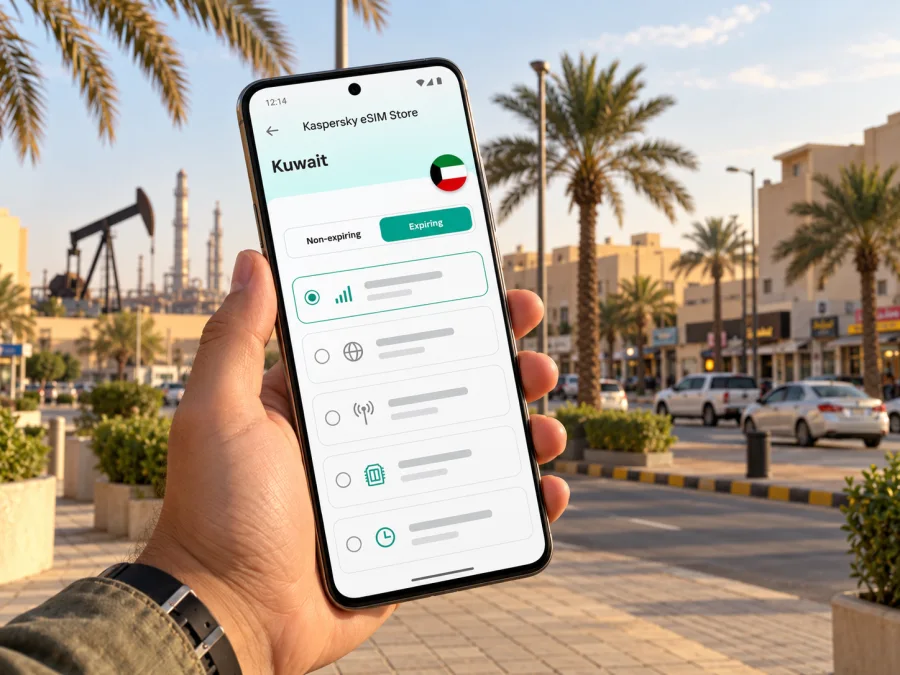
Kaspersky eSIM Store is an app and website where you can choose, arrange and activate an eSIM with a suitable plan for mobile internet abroad. It does not replace the local mobile network. Before selecting a plan for Ahmadi, use Kuwait as the destination and check the plan details shown for the current offer. The destination page is for Kuwait as a whole, not a separate Ahmadi tariff: explore the available options for a trip to Kuwait.
Choosing an eSIM plan for an Ahmadi trip
There is no single best data amount for every traveler. A visitor who mainly messages and checks maps has different needs from someone on video calls, uploading large files or using a phone hotspot. Compare the plan’s destination, data allowance, validity, price, activation conditions and any usage limits before purchase. Check those details at the time you select a plan, because availability and terms can change.
Estimate your data use before you travel
Start with the activities you expect to do, then add a small margin for changes. Consider a normal day in Ahmadi rather than an idealized one:
- Light use: messaging, occasional route checks, browsing text pages and booking confirmations.
- Regular use: frequent maps, social apps, email, web searches and photos shared during the day.
- Heavy use: video calls, streaming, hotspot use, large uploads or remote work with cloud files.
These are planning categories, not fixed data amounts. Apps use different amounts of data, and automatic backups or video playback can consume more than a traveler expects. Review your phone’s mobile-data usage controls, disable background updates for apps you do not need, and use trusted Wi-Fi for large downloads when practical. Do not rely on an exact estimate unless you know your own usage pattern.
| Check before choosing | Question to answer |
|---|---|
| Destination | Does the plan list Kuwait as a covered destination? |
| Data | How much high-speed data is included, and what happens when it is used? |
| Validity | How long does the plan last, and what event starts the validity period? |
| Tethering | Are hotspot or tethering use permitted under the plan terms? |
| Device | Does your exact phone variant support eSIM, and is it unlocked? |
| Calls and texts | Are regular voice calls or SMS included, or is the plan data-only? |
Check your phone before buying
Support for eSIM can vary by device model, regional variant, carrier configuration and software version. A product family name by itself is not enough to confirm compatibility. Check the manufacturer’s specifications for your exact model and confirm that the phone is not locked to a carrier. You can also check whether your device is compatible before choosing a plan.
If your device does not support eSIM, you can still prepare for the trip using your normal SIM and checking your home carrier’s roaming terms, or by asking your carrier about a physical SIM option on arrival. Do not buy a plan until you have confirmed that the phone can install and use an eSIM profile.
Install and activate without surprises
For step-by-step guidance, see the eSIM installation instructions for Android or the eSIM installation instructions for iOS. The app or plan instructions take precedence if they specify a different activation sequence.
A practical checklist:
- [ ] Confirm exact phone-model eSIM support and carrier-unlocked status.
- [ ] Check that Kuwait is included in the selected plan’s destination list.
- [ ] Read the validity start rule, data allowance, expiry and any fair-use limits.
- [ ] Install the eSIM while connected to reliable Wi-Fi if the instructions recommend it.
- [ ] Label the new line clearly, such as “Kuwait data,” so it is easy to identify.
- [ ] Keep your primary number enabled if you need calls or verification messages, and review any home-carrier roaming charges.
- [ ] Set the eSIM as the data line when appropriate; enable data roaming only if the plan’s instructions require it.
- [ ] Test the setup before departure if the plan allows it, then keep the QR code or activation details secure.
- [ ] Save the hotel address, pickup information and offline map area on the phone.
Managing data during the stay
Check your phone’s data settings during the visit. Streaming, cloud backups and hotspot sessions can consume data quickly, so download maps on Wi-Fi and postpone large backups if your plan is limited.
If the connection does not work after arrival, check the basics in order:
- Confirm that the eSIM line is switched on and selected for mobile data.
- Check whether the plan is active and whether its validity has begun.
- Confirm that the plan covers Kuwait and that you have remaining data.
- Follow the provider’s instructions about data roaming and network selection.
- Toggle airplane mode briefly or restart the phone, then allow it time to reconnect.
- If the issue continues, contact support with your device model, location, time and any error message.
Coverage and speeds depend on the local network, device, surroundings and plan arrangement. A connection can vary between an open road, a building interior and a more remote location. Keep key details available offline and do not make a critical appointment depend on continuous data service.
Common questions about eSIM in Ahmadi
Is Ahmadi a city or a governorate?
Ahmadi commonly refers to the town, while Al Ahmadi Governorate is the wider administrative area. Use the exact venue address to distinguish a destination in Ahmadi town from one elsewhere in the governorate.
Can I use one Kuwait eSIM for Ahmadi and Kuwait City?
A plan that lists Kuwait as its destination may be intended for use across the country, but check its current coverage terms and restrictions. Kaspersky eSIM Store’s Kuwait page describes plans for Kuwait; it is not a separate Ahmadi city tariff. Actual service depends on the plan and available local network coverage.
Does an eSIM give me a Kuwaiti phone number?
Not necessarily. Many travel eSIM plans are data-only. Calls and SMS are included only if the specific plan says they are. Your existing number may remain active on a separate SIM line, subject to your carrier’s settings and roaming charges.
Can I install the eSIM after I arrive?
That depends on the plan and whether you have internet access for installation. Installing it before departure can make arrival simpler, but read when the plan’s validity starts. Some plans begin their validity on first connection; others may follow different rules.
What if the phone supports eSIM in one market but my variant does not?
Regional variants can differ. Check the manufacturer information for the full model number and your device settings, and confirm carrier unlock status. Do not rely on a generic product-family list alone.
Is public Wi-Fi enough for a short visit?
It may cover basic browsing in some places, but availability, login requirements and signal quality vary. Keep offline directions and essential booking details, and consider a mobile-data option if you need dependable access while moving between locations.
Will my connection work inside every building or at every stop?
No mobile plan can guarantee identical reception everywhere. Network availability can vary indoors, on roads and around facilities. Keep an offline backup for essential information and contact the host if a location is difficult to find.
A practical plan for your Ahmadi visit
Before travel, confirm whether your destination is in Ahmadi town or elsewhere in Al Ahmadi Governorate, save the full address, check the onward route from the airport, and review the plan conditions for Kuwait. Verify your exact device variant and eSIM setup steps. Keep offline copies of essentials and monitor usage if your plan has a limit.
When you are ready, choose a suitable Kuwait plan in Kaspersky eSIM Store, review its current data allowance and validity, then install and activate it according to the instructions. Prepare your eSIM for a trip to Kuwait and keep your travel details ready before you head to Ahmadi.


