Travel connectivity guide
Airtel eSIM in Chad: what to check
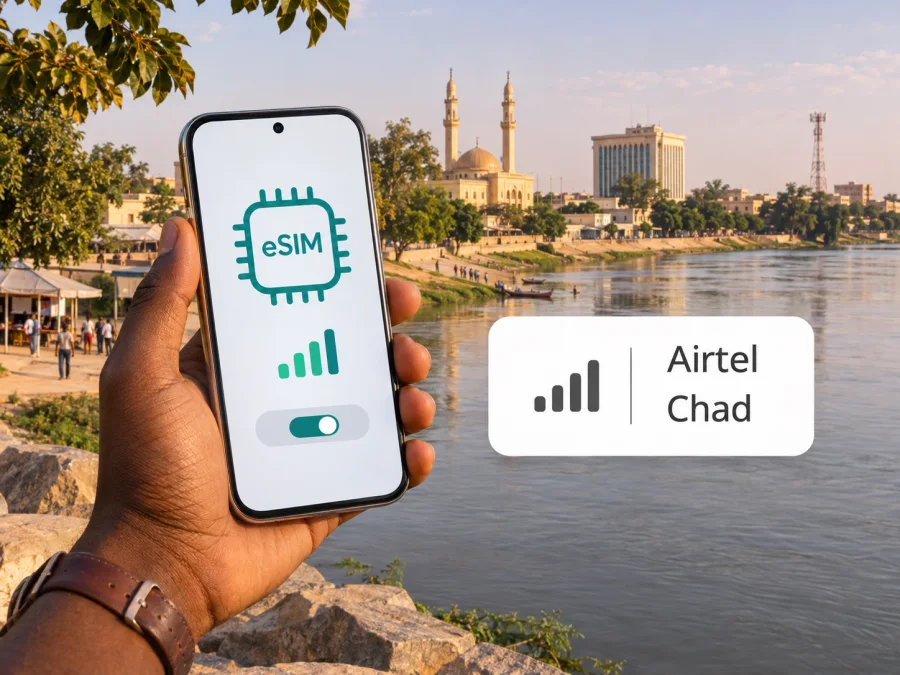
Airtel eSIM in Chad: availability, activation and travel checks
Reviewed on 3 November 2026. Airtel and Chad are named for identification; their names and marks belong to their respective owners. Kaspersky eSIM Store is not affiliated with Airtel and is not its partner or distributor.
If you are looking for an Airtel eSIM in Chad, there is an important distinction between a documented launch and a currently confirmed purchase process. Airtel Africa announced that eSIM had become available to its customers in Chad, and described activation through a nearby Airtel shop or customer service. That announcement is several years old. During this review, Airtel’s Chad website could not be opened, so current eligibility, registration requirements, supported devices and the exact activation flow could not be independently confirmed from its live customer pages. Check with Airtel before relying on eSIM for a trip.
This guide explains what the published announcement establishes, what a visitor should verify, how to prepare a compatible phone, and when a separate travel eSIM may be useful. It does not assume that every visitor can obtain an Airtel eSIM, that a particular phone variant is supported, or that service is available at every destination in the country.
Airtel’s place in Chad’s mobile market
Airtel operates in Chad as a mobile telecommunications provider. The Autorité de Régulation des Communications Électroniques et des Postes (ARCEP), Chad’s electronic communications regulator, lists AIRTEL among the country’s telephone operators on its “Téléphonie” page; that listing was checked on 3 November 2026. It identifies Airtel’s N’Djamena contact address and company website, but does not describe subscriber eligibility or current eSIM terms.
In a 2023 official post, Airtel Africa announced that eSIM was available to its customers in Chad (post checked on 3 November 2026). It adds that customers could visit the nearest store or contact customer service to activate it. The post also explained that an eSIM stores a mobile profile digitally rather than on a removable plastic card. This is useful evidence that Airtel introduced eSIM in the market, but it is not a current step-by-step support page. The launch post does not establish that new visitors can register remotely, that an overseas customer can complete activation before arrival, or that the original process remains unchanged today.
For a traveller, this means Airtel eSIM should be treated as a local operator option to verify directly. Ask Airtel whether it can issue an eSIM to a new customer or only convert an existing Airtel line; whether an in-person visit is required; what identity documents are needed; whether the handset’s exact regional model is accepted; and whether the line can be activated while abroad. Do not infer the answers from eSIM support in another country where Airtel also operates: operator procedures can differ by market.
What the public information confirms
| Question | What can be established | What to verify with Airtel |
|---|---|---|
| Is Airtel a mobile operator in Chad? | ARCEP’s operator list includes AIRTEL. | Current shop locations, opening hours and support channels. |
| Has Airtel eSIM been announced for Chad? | Airtel Africa announced a Chad launch and referred customers to a shop or customer service for activation. | Whether eSIM issuance is currently active and open to new customers or visitors. |
| Can a tourist complete signup online? | The launch announcement does not say so. | Remote signup, identity checks, local registration rules and payment options. |
| Which phones are accepted? | The announcement refers generally to compatible devices. | The exact manufacturer model number, regional variant, carrier lock and software requirements. |
| What service and network access will apply? | The regulator lists Airtel as an operator; this alone does not confirm a particular plan or local connection. | Current voice/data availability, roaming, supported technologies and coverage for your route. |
The distinction matters because “eSIM available” can mean several different things: an operator may support replacing a SIM on an already active account but not issue a new line to a short-term visitor; a shop may handle requests that cannot be completed online; or an eSIM may be available only for certain compatible handsets. Treat each point as a separate question rather than assuming that the launch announcement answers all of them.
Before travelling: ask the operator the right questions
If you need a local Airtel number, confirm the full process before depending on it for navigation, business calls, transport arrangements or account verification. Use contact details published by Airtel or the regulator, and ask for written instructions where possible. The ARCEP listing confirms an Airtel contact in N’Djamena, but a directory entry is not proof that the number is staffed for eSIM support or that it can resolve an individual account request.
A practical pre-trip checklist:
- Ask whether Airtel currently issues eSIMs in Chad and whether the announcement still reflects the present service.
- Clarify whether a foreign visitor can buy a new prepaid line, or whether eSIM is limited to an existing customer converting a physical SIM.
- Ask which original identity document is required, whether it must be presented in person, and whether the subscriber must be the person using the phone.
- Confirm whether a local address, local payment method or other registration detail is required. Do not assume a passport alone is sufficient.
- Ask where an eSIM can be issued in your arrival city, whether the shop can scan or email an activation QR code, and whether you need a working mobile connection during setup.
- Confirm the exact device variant and whether it must be unlocked. “The same phone name” does not always mean the same hardware or eSIM capability across regions.
- Check what happens if a phone is replaced, reset or lost. An eSIM profile may need to be reissued; do not delete it until Airtel confirms how to restore the line.
- Keep another way to contact the operator and a backup route to essential travel information.
Prepaid service is a common way travellers think about local mobile access, but the available account types and rules are operator-specific. The current public material reviewed here does not establish which prepaid options a visitor can obtain with an Airtel eSIM, whether a tourist offer exists, or what documents are accepted. Ask Airtel for current options and conditions directly.
Airtel eSIM and a travel eSIM are different choices
An Airtel-issued eSIM is a line from the local operator, subject to Airtel’s account, identity and activation rules. Depending on the service attached to that line, it may be intended for local calls, texts and mobile data, but confirm the exact services before purchase. Do not assume that an eSIM sold for data abroad includes a local phone number, conventional voice calls or SMS.
A travel eSIM is generally arranged for connectivity while visiting a destination. It can be useful when you want to prepare mobile data before arrival or prefer not to visit a local shop, provided the selected service covers the places you plan to visit and your device is compatible. Its availability, supported network partners, data-only or voice features and activation rules depend on the product. Those details should be checked on the relevant product page before purchase.
Kaspersky eSIM Store is an app and website that helps users choose, arrange and activate an eSIM with a plan for mobile internet during an international trip. It is not a mobile operator, it does not own Airtel’s network and it does not itself provide mobile connectivity. On the Kaspersky eSIM Store Chad destination page, the current public listing identifies AIRTEL as a local telecommunications provider for the displayed travel data options (checked 3 November 2026). This is a separate travel connectivity route; it does not mean that Kaspersky eSIM Store issues an Airtel local phone line or that Airtel’s local eSIM signup rules are waived.
If a travel data option suits your needs, check the current eSIM options for Chad and review the coverage, data, validity and activation conditions shown at the time of purchase. A destination listing is not a guarantee of signal at every address or of a specific speed. Confirm the places covered and the current terms before deciding.
Device compatibility: check the exact model
Airtel Africa’s launch announcement refers to a compatible device but does not provide a current Chad compatibility list. A phone family may include regional variants with different hardware or eSIM support, so verify the exact model number with the manufacturer and Airtel. Check that the device is unlocked, has current software, and can add a cellular plan. An EID or “Add eSIM” setting can indicate eSIM capability, but it does not prove Airtel accepts that handset.
Before travel, check how many eSIM profiles the phone can store and how many lines it can keep active at once; these are different limits. Decide which line should handle calls, messages and data. If you keep a home SIM active, disable its mobile data unless you intend to use roaming and have reviewed the terms.
Kaspersky eSIM Store provides a device compatibility reference. You can review eSIM device compatibility, then confirm Airtel-specific acceptance with the operator. A general travel eSIM compatibility reference is not Airtel’s supported-device list.
Installing and activating a profile
Follow the instructions from the company that issues the eSIM. Airtel’s public launch announcement points customers to a nearby shop or customer service; it does not document a current self-service QR procedure, app workflow or remote setup for new customers. Ask Airtel for current instructions and keep any activation code private.
A general preparation sequence is:
- Confirm device compatibility, unlocked status, account eligibility and required identity checks.
- Use reliable Wi-Fi if the issuer requires internet access to download the profile.
- Follow the issuer’s prompts to add the line. Do not delete existing profiles or reset the phone during installation.
- Label the line clearly and select which SIM should handle calls, messages and mobile data.
- At the destination, enable the intended line and follow the issuer’s instructions for data roaming and network selection.
- Test connectivity before relying on it for time-critical plans.
Profile installation, package activation and the start of any validity period can be separate events. Check the issuer’s displayed conditions. For a travel eSIM arranged through Kaspersky eSIM Store, use the instructions in its app or website; that process may differ from Airtel’s local setup.
If installation fails, check Wi-Fi, carrier lock, selected line and the issuer’s instructions. Do not delete a profile as the first troubleshooting step; ask whether it can be reinstalled or reissued. When contacting support, provide the exact model and error message, but keep QR codes, credentials and personal identifiers private.
Coverage and mobile technologies: plan around your route
ARCEP lists Airtel as an operator in Chad, but an operator listing does not show where a particular customer can connect. The official Airtel Chad site could not be opened during this review, and Airtel Africa’s eSIM launch announcement contains no coverage map, frequency list or service measurements. This guide therefore makes no claim that a technology is available everywhere or that Airtel’s network is better or worse than another.
A 2025 ARCEP and ARTAC/ITU workshop brochure reports Chad-wide 2024 population coverage of 86% for 2G, 84.7% for 3G and 60% for 4G, sourced to ARCEP. These are sector-wide figures, not Airtel-specific estimates, and do not promise service at a particular address or along a road. Population coverage also differs from land-area coverage.
Ask Airtel about the exact towns, airport, accommodation and roads on your itinerary. For travel beyond major settlements, keep maps and essential information available offline and arrange a backup way to communicate. The reviewed sources do not establish a current Airtel Chad radio-band list, so check the exact phone model’s supported bands with its manufacturer and Airtel. Do not substitute a band list for Airtel in another country.
Choosing between local service and travel data
A local Airtel eSIM is relevant if you have confirmed eligibility and can complete the operator’s registration and activation process. Ask whether the line is a new subscription or a conversion of an existing SIM, and whether it includes the local number, voice, text and data features you need. Confirm support, top-up and reissue procedures as well.
A travel eSIM may suit a visitor whose priority is mobile data and who wants to prepare before reaching a shop. Check that Chad and every planned location are covered, that your exact phone is compatible, and whether the service is data-only. A listing that identifies Airtel as a local provider does not make the travel eSIM an Airtel local account.
A travel eSIM and a local Airtel line remain separate services, even where a travel data listing identifies Airtel as a local provider. Check each service’s own eligibility, coverage and activation conditions before you choose.
| Priority | What to check |
|---|---|
| Local number and account | Can Airtel issue a new line to a visitor, and what registration is required? |
| Data ready before arrival | Does the travel eSIM cover Chad, and can this exact phone install it? |
| Travel beyond the capital | What does current coverage information show for each stop and road? |
| Keep your usual number | Can both lines be available, and are home-line roaming charges clear? |
| Voice calls and SMS | Does the specific service include them, or is it data-only? |
Traveller checklist
Before departure, confirm Airtel’s current eSIM availability, eligibility, activation method and registration rules. Verify the exact phone model, unlocked status and route coverage. If you choose a travel eSIM, read its current Chad destination and service conditions. Download offline maps, keep essential contacts accessible, and protect activation codes and identity documents.
After arrival, follow the issuer’s setup instructions, select the right line for mobile data and review roaming settings on both SIMs. Test the connection before depending on it. Keep access to Wi-Fi or another communication option while resolving a registration issue.
Frequently asked questions
Does Airtel offer eSIM in Chad?
Airtel Africa announced that eSIM became available to its customers in Chad and directed customers to a shop or customer service for activation. Since the announcement is not a current support guide, confirm that issuance continues and ask about eligibility and the process today.
Can a tourist buy an Airtel eSIM before arrival?
The public announcement does not say whether a new visitor can register online or activate from abroad. Ask Airtel about visitor eligibility, identity checks and any in-person requirement. Do not assume that an existing customer’s SIM-conversion process is open to new customers.
Does an Airtel eSIM work on every eSIM phone?
No universal compatibility can be inferred. Confirm the exact regional model, unlocked status and software with the phone maker and Airtel.
Will Airtel eSIM work throughout Chad?
No reviewed source supports that promise. Ask about specific towns and routes, and keep offline maps or another communication option. National mobile coverage figures are sector-wide, not proof of Airtel reception at a given place.
Is a travel eSIM the same as an Airtel local line?
No. A travel eSIM has its own terms and may provide data through a local network, but it does not automatically include an Airtel number or local calls and SMS. Check the service details before choosing.
In brief
Airtel Africa’s official announcement confirms that it launched eSIM service in Chad and directed customers to a store or customer service for activation. ARCEP lists Airtel among Chad’s mobile operators. Those facts establish the market presence and a historical eSIM launch, but they do not settle today’s visitor eligibility, documentation, device acceptance, activation workflow or route-level coverage. Confirm those details with Airtel before relying on a local eSIM.
If you prefer to arrange travel data separately, Kaspersky eSIM Store can help you choose and activate a travel eSIM through its app and website. The Chad destination page currently shows AIRTEL among the local telecommunications providers for its displayed travel data options; that does not make Kaspersky eSIM Store the operator or turn the travel offer into an Airtel local line. Review the current eSIM options for Chad and check the live terms before purchase.
Information was checked on 3 November 2026. Operator processes, eligibility, service availability, device support, coverage and travel eSIM conditions can change. Confirm current details with Airtel or the relevant eSIM issuer before purchase. Airtel is a trademark of its owner; Kaspersky eSIM Store is not affiliated with Airtel.


