Travel connectivity guide
Airtel eSIM in the Democratic Republic of the Congo
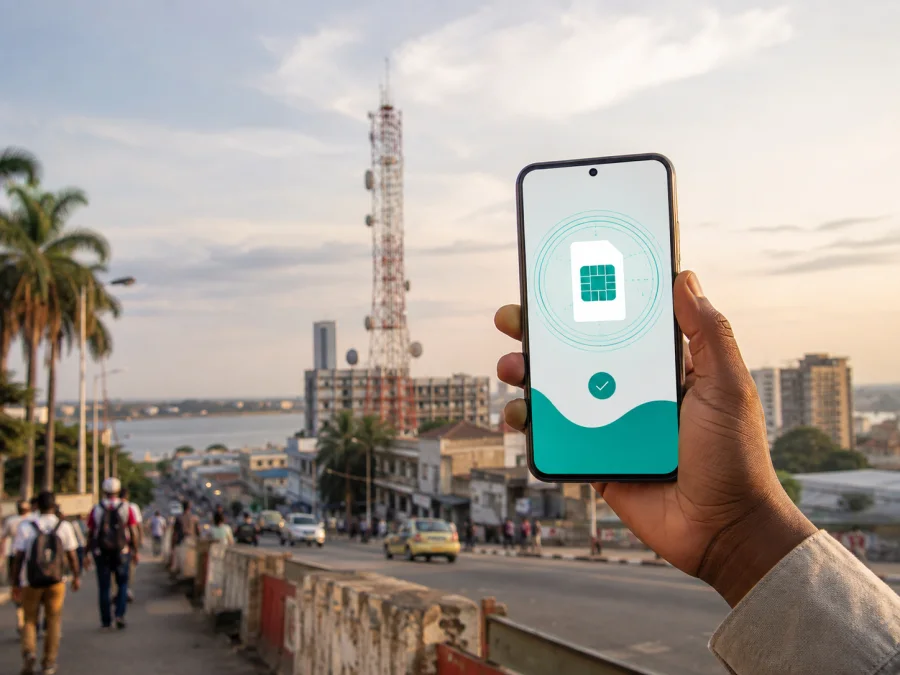
Airtel eSIM in the Democratic Republic of the Congo: activation and travel checks
If you are preparing a trip to the Democratic Republic of the Congo and want to understand Airtel eSIM, start with two questions: does your phone support eSIM, and which connection model fits your stay? Airtel’s public DRC website has a dedicated eSIM section alongside prepaid, postpaid, mobile internet, roaming, and 4G information. The route still depends on your device, location, visitor requirements, and service.
This guide summarizes current public information, activation, traveler checks, and the role of a separate travel eSIM. Confirm changing conditions with the operator before relying on the connection.
What Airtel eSIM means in the Democratic Republic of the Congo
Airtel is a mobile operator serving the Democratic Republic of the Congo. Its local website presents prepaid and postpaid service, mobile internet, international roaming, a coverage-checking page, and a separate eSIM entry.
An eSIM is a programmable SIM profile built into a compatible device. The operator profile is added digitally rather than through a removable card. The device must be unlocked for the relevant network, and software or regional versions can affect compatibility. Dual-SIM phones may also have rules about which line supplies mobile data.
The current eSIM page on Airtel’s DRC website describes switching to eSIM, tells the customer to check the phone, and points to the nearest Airtel shop for activation. A traveler should not assume that the website mention alone enables remote activation before landing.
On September 7, 2026, that page was available. It did not publish a complete traveler checklist or exhaustive device catalogue, so confirm the shop process, documents, supported model, and visitor eligibility before relying on Airtel for arrival-day connectivity.
What is confirmed and what still needs checking
The useful distinction is between a public fact and a detail that must be confirmed for an individual line.
| Topic | What current public information indicates | What you should confirm |
|---|---|---|
| eSIM availability | Airtel’s DRC website has a dedicated eSIM page and describes switching to eSIM. | Whether your exact device, account type, and intended service can be activated now. |
| Compatibility | Airtel directs customers to use *#06# as a phone-compatibility check. |
Whether the model and regional version are supported and whether the phone is carrier-unlocked. |
| Activation | The eSIM page directs the customer to the nearest Airtel shop. | Shop location, opening hours, documents, identity checks, and the time needed for the visit. |
| Local connectivity | Airtel’s site presents prepaid, postpaid, internet, roaming, and 4G services. | Which service is appropriate for your stay and whether it is available at your destination. |
| Coverage | Airtel provides a public coverage section and a coverage-checking route. | Signal availability at your actual cities, roads, accommodation, and rural stops. |
| Visitor use | Prepaid service is publicly shown; the reviewed pages do not establish one universal tourist process. | Whether a visitor can register, activate, recharge, and receive support under current rules. |
This is a planning aid, not a list of Airtel offers. Check commercial parameters with Airtel.
Compatibility: the first step before you travel
Before looking for an Airtel shop, check the phone. Enter *#06#, following Airtel’s public instruction. On many devices an EID appears when eSIM capability is present, but screens differ; if it is absent, consult the device settings or manufacturer rather than assuming readiness.
Compatibility has several layers:
- The handset must contain eSIM hardware and support eSIM in the regional version sold to you.
- The phone must not be locked to another operator.
- The operating system should be up to date enough to complete profile installation.
- The phone must have internet access while the profile is downloaded, unless Airtel gives another method.
- You should know which line will provide mobile data.
Keep the original SIM if you need its number for messages or account recovery. Before changing the data line, check roaming settings for the home line and disable automatic data switching if necessary. Menu names vary between Android and iOS.
An eSIM profile is not a universal roaming pass. It has its own activation conditions, so do not delete it during a trip unless support advises you to; removal may require another activation procedure.
How Airtel activation is described
The public Airtel eSIM page for the country gives a short path rather than a full remote guide:
- Check the phone’s compatibility with
*#06#. - Locate the nearest Airtel shop.
- Ask the shop to activate the eSIM on the compatible device.
- Follow the on-device prompts and verify that the Airtel line appears in the SIM settings.
- Select the Airtel line for the functions you intend to use and test mobile connectivity before leaving the shop.
The public page confirms the shop route but does not spell out every screen, document, or account condition. Ask whether the eSIM keeps an existing Airtel number or creates a new line, whether the physical SIM is disabled, and what to do if the profile cannot be downloaded.
For a visitor, timing matters: finding a shop after landing may be harder than preparing a travel eSIM in advance. Airtel may suit a traveler who needs a local operator relationship, local number, or in-person support. The right decision depends on the trip, not on the word “eSIM” alone.
Prepaid, roaming, and tourist questions
Airtel’s current DRC website presents prepaid and postpaid service, prepaid recharge, mobile internet, and international roaming. These are general categories, not a promise that every visitor can use every service in every city.
The reviewed pages confirm prepaid service but do not establish one tourist eSIM process for all foreign visitors. Ask Airtel about registration, identity documents, shop activation, recharge, and support. Do not rely on an old forum post or shop notice.
Roaming with a home SIM, a local Airtel profile, and a separate travel eSIM are different scenarios. The home operator controls roaming on its line; Airtel’s local conditions apply to its profile; and the travel service’s destination arrangements apply to its eSIM. A roaming toggle is not proof that a local eSIM is active.
Before a shop visit, note the exact model, software version, unlocked status, *#06# result, arrival area, and whether you need the home line. Ask which visitor documents are required; this depends on regulation and service type.
If Airtel describes a tourist or visitor option, review its current terms at activation. That label does not by itself answer where it works, which functions it includes, or how registration works.
Coverage and network technologies
Airtel’s DRC site has a coverage-checking path and describes service across provinces. Its public pages also identify 4G and present 4G internet equipment. This supports a careful statement about 4G, not a guarantee of speed, indoor signal, or uninterrupted service.
For a practical check, enter the places that matter: arrival city, accommodation, route, and rural stops. Coverage maps are planning tools; buildings, terrain, congestion, power conditions, and device bands affect a precise location.
The operator’s own coverage information is the first reference for local Airtel service. Do not infer 5G access from a 5G-capable phone or strong service from a 4G label; the reviewed pages do not justify blanket claims about 5G or nationwide performance.
Local Airtel eSIM or a travel eSIM?
The local and travel routes solve different problems. A local Airtel eSIM may suit someone who wants a local operator relationship, local number if permitted, or in-person support. It still requires Airtel’s current registration and shop activation path.
A travel eSIM may suit someone who prioritizes mobile internet on arrival and wants to prepare a separate data line before a shop visit. It does not replace a local operator account; check separately if you need ordinary calls or SMS on a local number.
Kaspersky eSIM Store is one possible travel-oriented route. It is an app and website that helps a user select, order, install, and activate an eSIM for mobile internet during an international trip. Kaspersky eSIM Store is not Airtel, is not a mobile operator, does not own the Airtel network, and should not be described as the provider of Airtel coverage. The service is a way to prepare a travel eSIM; the mobile network used by that eSIM depends on the current destination offering.
In the Democratic Republic of the Congo, a travel eSIM does not remove the Airtel shop requirement for an Airtel account. If you only need data for navigation, messaging, bookings, translation, or work, it may provide a separate line while your primary SIM retains its number, provided the device supports that combination.
For a destination-specific starting point, check the eSIM options for the Democratic Republic of the Congo. Review current destination conditions, compatibility, instructions, and limits. This CTA is not a statement that Kaspersky eSIM Store is Airtel or provides Airtel’s local service.
Preparing the phone for a travel eSIM
If you choose a travel eSIM, do the preparation while you still have stable internet access. Use the service’s compatibility checker, confirm that the phone is unlocked, and make sure you can access the account or email used for the order. Save the installation details securely. A QR code or an in-app installation flow may be used, depending on the device and the current product flow.
On Android, the labels usually relate to SIM manager, mobile network, or mobile data. On iPhone, the labels refer to cellular or mobile service. The exact path varies by operating system version. Add the profile only after checking that you are installing it on the intended device. If the phone asks which line should handle mobile data, select the travel eSIM only when you are ready to use it.
After installation, check that the profile is visible, the travel line is selected for data, any required data roaming is enabled for that profile, and data switching is deliberate. Keep the home line separate if you need codes. If the profile does not connect, check airplane mode, network selection, APN instructions if supplied, and support before deleting it.
Some travel eSIMs are data-only. This means messaging applications can work over the internet, but a conventional mobile number, voice calling, and SMS should not be assumed. A local Airtel service may have different functions, but the exact functions depend on the service registered for your line. This is one of the main practical differences to clarify before you leave.
Frequently asked questions
Does Airtel support eSIM in the Democratic Republic of the Congo?
Airtel’s current public DRC website has a dedicated eSIM page and describes switching to eSIM. It directs customers to check the phone and visit an Airtel shop, while exact eligibility depends on the device, line, documents, and current service.
How do I check an Airtel eSIM-compatible phone?
Airtel tells customers to enter *#06#. Then confirm the model and unlocked status; a phone alone does not prove that a particular account can be switched immediately.
Can a visitor activate Airtel eSIM before arriving?
The reviewed page points to activation at the nearest Airtel shop and does not confirm a universal remote path for visitors. Ask Airtel whether your account and device qualify; prepare a separate travel eSIM if you need data before the visit.
Does Airtel have prepaid service in the Democratic Republic of the Congo?
Yes. Airtel’s current website for the country presents prepaid service and a recharge route, but that does not confirm a visitor process, eSIM conversion, or availability everywhere. Confirm current conditions with Airtel.
Does Airtel offer a tourist eSIM?
The reviewed pages confirm prepaid and roaming categories, but not one universal tourist eSIM procedure. Ask Airtel whether a visitor offer is available and what restrictions apply.
Will an Airtel eSIM work everywhere in the country?
Airtel provides a coverage-checking route and describes service across provinces, but actual access depends on place, technology, device, and local conditions. Check your route.
Is Kaspersky eSIM Store an Airtel operator?
No. Kaspersky eSIM Store is an app and website for choosing, ordering, and activating a travel eSIM for mobile internet. It is not Airtel, does not own Airtel’s network, and does not replace Airtel’s local account.
Final checklist for your trip
Before leaving, record the phone model, run the compatibility check, confirm the device is unlocked, and decide which line should carry data. If you want Airtel locally, confirm the shop process, visitor documents, activation, and coverage for your route.
If a separate travel eSIM better fits your arrival plan, prepare it through the relevant service while you have stable internet, read the current conditions, and keep the home SIM’s data settings under control. Choose an eSIM for the Democratic Republic of the Congo only after checking device compatibility and the current destination information.
The facts were checked on September 7, 2026, against Airtel’s public DRC eSIM, home, coverage, and roaming/FAQ sections and current public Kaspersky eSIM Store information. Procedures, visitor requirements, devices, coverage, and service conditions can change. Airtel and Kaspersky names belong to their owners; Kaspersky eSIM Store is not affiliated with Airtel or presented as its official partner or distributor.


