Travel connectivity guide
Airtel eSIM in India: activation and travel
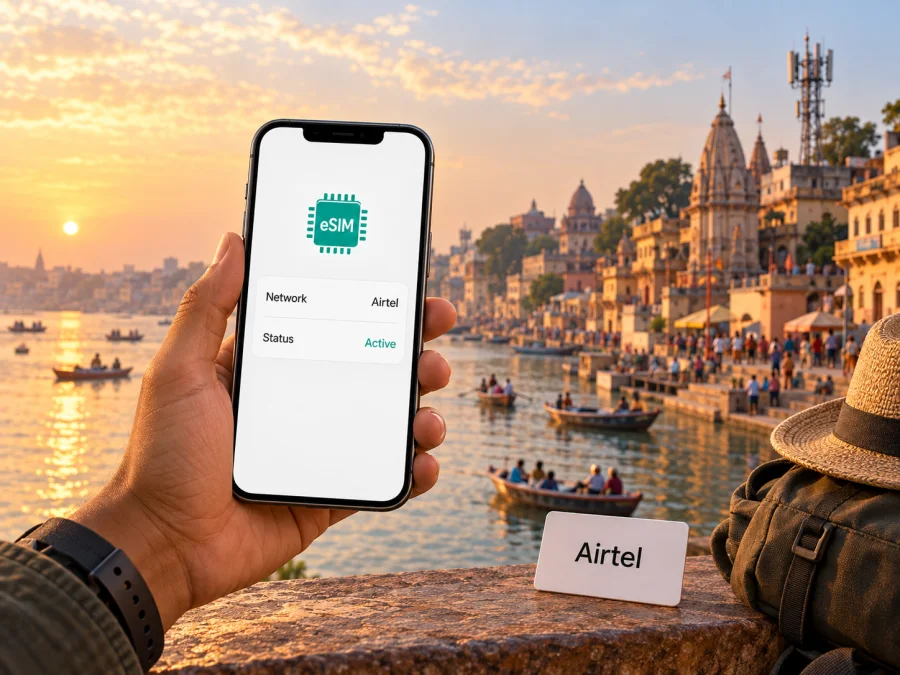
Airtel eSIM in India: activation, coverage and travel checklist
When searching for an Airtel eSIM in India, first identify whether you already have an Airtel number or are visiting and want a new local connection. An eSIM is a digital SIM profile installed on a compatible phone. For an existing Airtel customer, Airtel’s official support page describes upgrading an eligible number through the Airtel App. A visitor applying for a new number faces a separate customer verification process; the eSIM conversion instructions do not establish that every tourist can sign up remotely.
This guide explains Airtel’s published eSIM steps, device and account checks, what its public pages say about visitors, and how to think about coverage during a trip. The cited pages were checked on 27 September 2026. Because onboarding and device support can change, confirm your situation directly with Airtel before travel.
Airtel and eSIM service in India
Airtel, Bharti Airtel’s consumer mobile brand in India, confirms eSIM for supported connections in its official “eSIM Card – How to Get & Activate eSIM in India” page (Airtel, checked 27 September 2026). It explains conversion for eligible existing customers, gives setup guidance for major smartphone families and says a new eSIM connection can be requested at an Airtel Store with identification. These instructions do not guarantee that every account, device or new-customer application will qualify.
Airtel’s official prepaid connection guide and “Mobile Connection to Foreign National/Tourist” page (checked 27 September 2026) describe prepaid service and foreign-national information. The latter says mobile-number validity applies through the visa validity date, but does not fully describe documents, store procedures or tourist eSIM onboarding. Visitors should ask Airtel about accepted documents, location-specific requirements and whether the new connection can be issued as an eSIM. General prepaid or tourist-oriented availability does not confirm a particular eSIM route.
Eligibility and account preparation
Airtel’s published conversion route in its eSIM support page (checked 27 September 2026) starts in the Airtel App, signed in with the number to be converted. Select eSIM upgrade, choose the destination device and provide its EID when prompted. Airtel describes verification by OTP to the registered number and a confirmation call. Keep that number reachable until setup is complete; if it is inactive or unavailable, contact Airtel before requesting a profile.
The EID identifies an eSIM-capable device. Provide it only in Airtel’s official process when requested. If another person owns the account, ask Airtel about consent; access to the handset does not itself authorize a subscriber change.
Airtel’s new-connection information mentions identity and address documents; its foreign-national page refers to visa validity. Neither gives a complete checklist for every nationality and sales channel. Ask Airtel which documents are accepted, whether in-person KYC is required and whether eSIM is available for your application. Do not assume resident procedures also apply to visitors.
For an existing subscriber, verify the exact phone model and carrier-lock status. A handset must support eSIM in its particular regional version, have current enough software for the manufacturer’s setup flow, and be unlocked for the intended service. If the phone was bought abroad, its retail name alone is not sufficient to prove compatibility. Check the model number with the manufacturer and Airtel before converting.
Airtel eSIM activation steps
The labels in Airtel’s App and phone settings may change. Use the live prompts for your account and the current instructions from the device manufacturer.
- Confirm that the phone supports eSIM, is unlocked and can connect to Wi-Fi or another internet connection during installation.
- Sign in to the Airtel App with the number you intend to convert. Open the eSIM upgrade or manage-services option and select the phone that will receive the profile.
- Enter the requested EID carefully. Keep the registered number and handset nearby to receive the OTP and complete the verification call.
- Complete the request and wait for Airtel’s instructions to download the eSIM profile. Submitting a request is not the same as finishing installation.
- Connect the destination phone to Wi-Fi or mobile data. Install the profile using the device’s eSIM menu or the setup notification, then enable the line and check that it registers.
- Follow Airtel’s instructions for the former physical SIM and retain access to the Airtel App. Do not delete the new profile as a troubleshooting shortcut.
Airtel’s eSIM support page (checked 27 September 2026) says SMS service may be barred for 24 hours after the eSIM request is completed, including OTP messages. This may affect banking or account verification. Check the current timing in Airtel’s instructions and arrange another accepted method for important sign-ins before you begin. Avoid starting the process immediately before a flight or while depending on SMS for a time-sensitive booking.
That page also says the eSIM profile should be configured within four hours after starting the request or the request may be cancelled; it notes that the physical SIM continues to work during that interval. These operational details can change, so follow the directions in the App on the day. Start only when you have enough time, a stable connection and access to verification. Airtel says activation follows download and enablement, but registration still depends on device settings, account status and local network conditions. If setup pauses, stay on Wi-Fi and check verification and the selected device. Airtel warns that deleting the profile removes it and may interrupt service; ask support before removing it or submitting another request.
Device and connectivity checks
The basic checks below help avoid starting an eSIM conversion with a phone or account that is not ready.
| Check | What to confirm |
|---|---|
| Device support | Exact model and regional version support eSIM; the eSIM control appears in settings. |
| Carrier lock | The phone is unlocked for the connection you plan to use. |
| Software | The phone is updated and follows the manufacturer’s current eSIM steps. |
| Internet | Wi-Fi or another working connection is available while downloading the profile. |
| Verification | You can access the registered Airtel number, Airtel App and required OTP or call. |
| Fallback | Another way to get online or contact support is available during setup. |
Airtel gives different setting paths for Apple, Pixel, Samsung and other Android phones. Its page refers to the iPhone setup prompt, Pixel’s SIM download flow and Samsung’s SIM Manager. Menu names vary by model and software; use your phone maker’s current guide.
If your phone supports multiple active lines, check which one handles mobile data before changing roaming settings. A travel eSIM may have separate setup instructions. Keep Wi-Fi or another connection until the intended line is tested.
Coverage and network technologies
Airtel’s 5G coverage information and Bharti Airtel’s 2024–25 Integrated Report (checked 27 September 2026) describe 4G and 5G service and continued deployment of both technologies. Airtel’s online 5G coverage information and its Open Network map can help check particular locations. Availability varies by area and changes over time. Access also depends on a compatible device, settings, account and conditions where you use the phone. A 5G-capable device may use another available network generation when 5G is not available.
Use coverage tools for the actual places on your itinerary rather than treating a national footprint or a city label as a guarantee. Airtel’s Open Network FAQ (checked 27 September 2026) describes checking coverage and nearby towers, while its support notes that indoor construction, terrain, congestion, outages and handset or SIM issues can affect a connection. Service may differ between a street, hotel room, underground station and moving train. A map is a planning aid, not a promise of uninterrupted reception inside every building.
For essential navigation, check major stops and routes and save maps, tickets and accommodation details offline. National averages or independent tests are not a promise for a particular device or address.
Airtel local service and travel eSIMs
An Airtel local connection is tied to an Airtel customer account and the operator’s mobile service in India. It may suit someone who needs a local subscription or number, subject to eligibility, identity checks and the current onboarding process. A travel eSIM is a separate profile for mobile data on a trip. Its destination support and features depend on the selected service. Do not assume it includes an Indian number, voice service or SMS unless its terms say so.
| Question | Airtel local connection | Travel eSIM for India |
|---|---|---|
| Purpose | Use an Airtel mobile account and service in India. | Arrange mobile data for a trip with a separate eSIM profile. |
| Starting process | Follow Airtel’s account verification and installation instructions. | Check compatibility, destination support and the eSIM provider’s setup details. |
| Local number | Depends on the Airtel subscription issued to the customer. | Do not assume a local telephone number is included. |
| Visitor access | Confirm KYC, accepted documents and any in-person requirement with Airtel. | Confirm destination availability and the selected service’s current terms. |
| Network use | Airtel service where the account and network are available. | The connectivity described for the selected travel eSIM. |
This compares general service roles, not specific offers. Check whether you need data, a local number, calls, SMS or account verification before deciding.
If you want to review a separate mobile-data option for travel, see the India eSIM options in Kaspersky eSIM Store. The app and website help travelers choose, arrange and activate an eSIM option for mobile data abroad. Check current India availability, device compatibility and the displayed conditions before purchase; destination availability and service details can change.
Using Kaspersky eSIM Store as a separate option
Kaspersky’s official product announcement and travel eSIM setup guidance (checked 27 September 2026) describe Kaspersky eSIM Store as an app and website for choosing, arranging and activating an eSIM with mobile data for travel abroad. It is a possible way to prepare travel data rather than open an Airtel account. Check current India availability, phone compatibility and setup instructions before purchase. Installation needs internet access.
Some phones can use a travel profile alongside a home SIM, but active-line support varies. Check which profile handles data and whether roaming must be enabled. A travel-data profile does not automatically replace a home number, local calls or SMS verification; rely on features stated in its current terms.
Kaspersky eSIM Store is not a mobile operator, network owner or mobile-internet provider, and it does not control Airtel coverage or Airtel account approval. Airtel and Kaspersky eSIM Store are independent services and are not affiliated. Contact Airtel about an Airtel number, local eligibility or network account; contact Kaspersky eSIM Store support about its own ordering and setup.
Frequently asked questions
Does Airtel support eSIM in India?
Yes. Airtel’s official eSIM support page, checked on 27 September 2026, describes eSIM for supported connections and an App-led request and installation process. Confirm account and exact-device eligibility directly with Airtel.
Can a tourist get an Airtel eSIM before arriving?
Airtel describes conversion of an existing number and says a new eSIM connection can be requested at a store with identification. Its foreign-national page does not establish a universal remote tourist process. Ask Airtel about accepted documents, KYC, visa conditions and in-person requirements.
Will Airtel coverage work everywhere?
No map guarantees service in every building or location. Check the places on your itinerary and keep essential maps and documents offline.
Is Airtel eSIM the same as a travel eSIM?
No. Airtel eSIM refers to an Airtel subscriber connection; a travel eSIM is a separate profile with its own destination and service terms.
Before you go
Confirm the exact phone model is eSIM-capable and unlocked; determine whether you are converting an existing Airtel number or applying for a new connection; and, if visiting India, ask Airtel about documents, KYC and whether you must apply in person. Keep the registered number available for verification, plan around the stated temporary SMS restriction, install with stable internet, check coverage for your itinerary and save essential details offline. For a travel eSIM, verify destination availability and setup instructions separately.
In summary
Airtel’s public guidance confirms eSIM for eligible Indian connections and describes an App request, OTP and call verification, followed by profile installation on a compatible phone. Airtel also publishes prepaid, foreign-national, coverage and 4G/5G information. It does not establish one universal remote process for all tourists; visitors should confirm eligibility and documents directly with Airtel.
Existing customers should prepare their device and registered number, allow time for setup and account for Airtel’s temporary SMS restriction. Travelers should check destination coverage and keep a fallback. Kaspersky eSIM Store is a separate option for travel data, subject to its current India and device details. The services are not affiliated.


