Travel connectivity guide
Airtel eSIM in the Republic of the Congo: What to Check
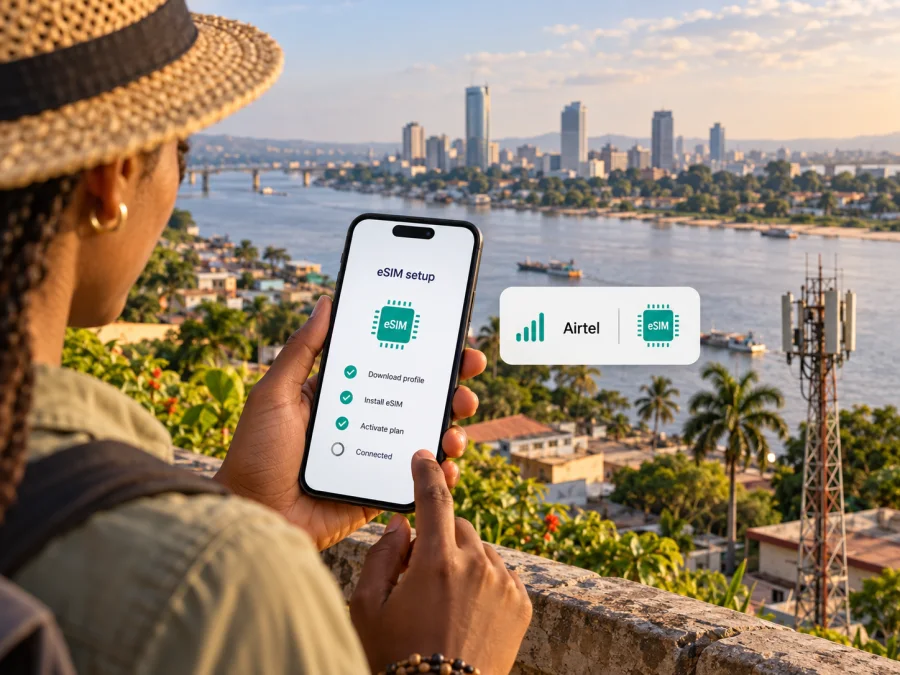
Airtel eSIM in the Republic of the Congo: What Travellers Should Check
If you are travelling to the Republic of the Congo and searching for Airtel eSIM, the first question is what kind of eSIM you need. Airtel’s public Republic of the Congo information describes moving an existing Airtel line to an eSIM and completing activation at an Airtel shop. It does not, by itself, confirm that a visitor can buy a new tourist eSIM before arrival. The distinction matters: a local Airtel line and a travel eSIM can use the same phone technology while serving different needs.
This guide explains what Airtel confirms, what remains to be checked with the operator, and how to plan mobile data for a trip without assuming that a local subscriber offer is available to every visitor. Information below was checked on 2 November 2026 against Airtel Africa’s “E-SIM || CG” and “My airtel || CG” pages, the Airtel Congo website, the Republic of the Congo telecom regulator’s 2026 network assessment, and the Kaspersky eSIM Store website.
Airtel and Kaspersky eSIM Store are separate brands. Kaspersky eSIM Store is not affiliated with Airtel, does not own its network, and does not provide Airtel mobile service.
What Airtel’s eSIM page confirms
Airtel Africa’s “E-SIM || CG” page describes eSIM as a digital format for an Airtel line: the subscriber keeps the same number and services when moving from a physical SIM. It presents eSIM for an existing local line, not as a separately documented tourist product.
The page says activation takes place exclusively at an Airtel shop. It asks the customer to bring a compatible phone and an Airtel number. It does not describe remote activation, online tourist registration, or a new visitor sign-up route. Airtel’s website has general prepaid information and a MyAirtel app, but those pages do not establish that a visitor can obtain a new prepaid line as an eSIM.
If you already have an Airtel number, ask whether your account and exact phone are eligible, which documents or account checks are required, where activation is available and how the change affects your physical SIM. If you are a new customer, ask whether visitors can register for a new line and whether the process requires an in-person visit. The public eSIM page does not give a complete visitor document checklist, so confirm it directly with Airtel before planning around the service.
Airtel in the local mobile market
Airtel operates a mobile service in the Republic of the Congo under the Airtel name. In its 9 April 2026 update, the national regulator ARPCE describes a field campaign assessing Airtel Congo’s network. Measurements took place from 6 to 23 February in 20 localities and included 2G, 3G and 4G.
ARPCE reported that Airtel 4G was absent in five surveyed inland localities: Mossendjo, Lékana, Sembé, Enyellé and Bétou. This finding is limited to the regulator’s named locations and survey period; it is not a complete coverage map and does not mean every kind of service is absent there. Airtel’s country website promotes 4G, but neither that statement nor the regulator’s survey guarantees reception at every address.
Check coverage for the actual neighbourhoods and stops on your itinerary, especially if you will travel outside major urban areas. Terrain, buildings, device bands, congestion and outages can affect service. The cited material supports discussing 2G, 3G and 4G in the market; it does not support a ranking of Airtel’s speed or quality against another network.
Is Airtel eSIM suitable for a visitor?
Airtel eSIM may suit you if you already use an Airtel line and want to retain its number in an eSIM-capable phone. The published activation route is an Airtel shop, so plan time for an in-person visit and confirm the requirements in advance.
If you do not have an Airtel number, treat a new tourist eSIM as unconfirmed until Airtel tells you otherwise. A page about eSIM for local subscribers is not proof that a visitor can register digitally, use a foreign passport, or complete activation before arrival. Ask about eligibility, accepted documents, shop availability and whether the line can be set up before your trip.
A physical local SIM may be an alternative if Airtel says eSIM conversion is limited to existing lines. If you mainly need data and want to arrange connectivity before arrival, a travel eSIM may be another option where a compatible product is currently available. Confirm each service’s conditions with its provider.
Local Airtel service and travel eSIM solve different problems
An Airtel eSIM is the digital version of an Airtel subscriber line. Airtel says an existing number and services remain the same when that line moves to eSIM. Whether a visitor can obtain or convert a line depends on the operator’s account and shop rules.
A travel eSIM is typically selected for mobile data in a destination or region. Its supported network, coverage, activation timing and terms depend on the specific product. The current Kaspersky eSIM Store destination page names Airtel among the local telecommunications providers shown for travel options in the Republic of the Congo. That does not make a travel eSIM the same as an Airtel subscriber line or establish eligibility for local registration. Check the current details for the option you select; do not assume it includes a Congolese number or regular calls and SMS.
Kaspersky eSIM Store is an app and website that helps travellers choose, arrange and activate an eSIM with a plan for mobile internet abroad. Its public website describes a data-focused travel eSIM and recommends checking device compatibility. Kaspersky eSIM Store is not a Congolese operator, does not own the local network and does not offer Airtel service. The destination page is for checking current travel options, not an Airtel tariff page.
After this distinction, you can check current travel eSIM options for the Republic of the Congo. Review the selected option’s own destination and network details; a country listing does not establish Airtel eligibility or reception at every stop.
Check your phone before choosing either option
Airtel’s “E-SIM || CG” page suggests checking for an EID and lists examples of compatible device families. Treat that as an initial check, not a guarantee for every handset. The same product name can have different regional versions, and support can depend on the exact model number, software and carrier-lock status.
Before travelling:
- Verify eSIM support for your exact regional model in the phone settings or manufacturer’s support information. You may also be able to check for an EID by entering *#06#.
- Confirm directly with Airtel that it accepts your model for local activation; its examples may not cover every current variant.
- Check that the phone is not locked to another carrier.
- If using a travel eSIM, check that provider’s requirements separately. General eSIM support does not guarantee that every profile will install.
- Keep an internet connection available for installation if the provider requires it, and save instructions offline.
You can also check whether your device supports eSIM before selecting a travel option.
How to plan Airtel eSIM activation
Airtel’s public process is shop-based. Contact Airtel or visit a shop in the Republic of the Congo to confirm eligibility, registration documents, current activation steps and whether your existing number remains available throughout the change. The page names a compatible phone and Airtel number but does not promise a fixed activation time or availability at every location.
- Check the phone. Confirm eSIM support for the exact variant and check for a carrier lock.
- Confirm the line. Ask whether your existing number can be converted or whether a new line is available to you.
- Arrange the shop visit. Verify location, opening arrangements and any current documents or account checks.
- Keep your physical SIM active until instructed. Ask when it will stop working and how to preserve access to verification messages.
- Follow the staff’s steps and test the line. Confirm that the phone registers and that the services you rely on work before leaving.
These are preparation steps, not a replacement for Airtel’s instructions. Allow time for help at the shop and avoid scheduling an essential online task immediately after a planned conversion.
How to install a travel eSIM on iPhone or Android
Menus differ by manufacturer and operating-system version. Use the instructions supplied with the chosen travel eSIM and install the profile over a stable internet connection. If you plan to use it later, follow the provider’s guidance on when to enable it and select it for mobile data.
On iPhone
- Open Settings, then Cellular or Mobile Data.
- Select Add eSIM or the option to add a mobile plan.
- Scan the provider’s QR code or use its supported app installation.
- Label the line and choose the intended mobile-data profile.
- Review data-roaming settings for that profile and follow the provider’s instructions.
On Android
- Open Settings and find Network & Internet, Connections or the mobile-network menu.
- Select SIMs, SIM manager or Add eSIM.
- Scan the QR code or use the provider’s supported installation method.
- Label the profile and select it for mobile data when appropriate.
- Check roaming settings and follow the provider’s setup steps.
If installation fails, do not delete a profile unless the provider advises it; some activation codes can be single-use. Contact support with the phone model, software version and any message on screen.
Coverage, data and practical limits
An eSIM changes how a subscriber profile is stored; it does not extend the radio network. Airtel eSIM depends on Airtel coverage, while a travel eSIM depends on the networks and locations named in its own terms. A phone’s supported bands and local conditions also matter.
ARPCE’s April 2026 report is a location-specific snapshot, not a guarantee for a full journey. Ask about current service at each stop and check again close to departure. If mobile data matters for navigation or coordination, download maps and essential details for offline access. Automatic updates and photo backups can use data in the background, so review those settings before travelling.
If you keep both a local line and a travel profile on one phone, select the intended data line in settings. Which line handles calls, texts and verification messages depends on your device configuration. Check this before departure rather than after you need a one-time code.
Before departure: a short checklist
- Decide whether you need an Airtel number, a new local line, or mainly mobile data.
- For Airtel eSIM, confirm eligibility and the shop-based activation route with Airtel.
- Ask the operator about current registration requirements; the public eSIM page does not list a complete visitor checklist.
- Check the exact device variant, EID, carrier-lock status and software support.
- Verify coverage for the route and stops you will actually visit.
- For a travel eSIM, check the destination, supported network and conditions for the specific option.
- Keep installation instructions and essential maps available offline.
Frequently asked questions
Does Airtel offer eSIM in the Republic of the Congo?
Yes. Airtel Africa’s “E-SIM || CG” page describes eSIM for an Airtel line and says activation is completed at an Airtel shop. It confirms local eSIM support, but not a new tourist eSIM for every visitor.
Can a tourist buy a new Airtel eSIM online before arrival?
The page reviewed here does not confirm online tourist registration or remote activation for a new line. It directs customers to a shop and asks them to bring a compatible phone and Airtel number. Ask Airtel about visitor registration and documents.
Can I convert my existing Airtel SIM?
Airtel describes moving an existing line to eSIM through a shop. Confirm that your account and exact phone model are eligible and ask how the physical SIM will be affected.
Does Airtel eSIM work everywhere in the country?
No coverage should be assumed everywhere. ARPCE’s April 2026 update reports that Airtel 4G was absent in five named surveyed inland localities during its assessment. Check current coverage for your itinerary.
Will a travel eSIM use Airtel or replace my number?
The current Kaspersky eSIM Store destination page names Airtel among the local telecommunications providers shown for Republic of the Congo travel options. Check the selected option’s details because provider availability can change. This does not convert a travel eSIM into a local Airtel subscriber line. Kaspersky eSIM Store describes its eSIM as data service without a regular phone number, so keep your Airtel line active if you need it for calls, messages or verification.
Where can I get help activating Airtel eSIM?
Contact Airtel through its current support channels or visit a shop in the Republic of the Congo. Airtel’s page names a compatible phone and Airtel number; ask whether other account or registration requirements apply.
A practical way to choose
Choose Airtel eSIM when you have an Airtel line, want to retain it, and Airtel confirms that your account and phone can be converted at a local shop. If you are a new visitor, first verify whether Airtel will register a new line for you and what the process requires. Do not treat a local eSIM page as proof of a tourist offer.
If you mainly need mobile data and would rather prepare a separate profile for travel, review the current options for the Republic of the Congo and check the destination, network and device conditions before you proceed. Kaspersky eSIM Store helps users choose, arrange and activate an eSIM with a plan for mobile internet abroad; it does not provide the local Airtel network. The right choice depends on whether you need a local number, whether you can visit an Airtel shop, your route and the exact phone you will use.
Airtel’s eSIM description and activation process were checked on 2 November 2026 against Airtel Africa’s “E-SIM || CG” page. Its app information was checked against “My airtel || CG”; general phone setup help was checked against “Foire aux questions || CG,” which does not establish tourist eSIM registration. The prepaid context was checked against the Airtel Congo website. Coverage information is based on Airtel 4G findings in ARPCE’s mobile-network assessment update published 9 April 2026, describing measurements made in February 2026. Kaspersky eSIM Store’s role, installation guidance and current destination details were checked on its public website on 2 November 2026. Product details and network conditions may change, so confirm current eligibility, registration, coverage and activation with Airtel before relying on them.
Explore current travel eSIM options for the Republic of the Congo


