Travel connectivity guide
Airtel eSIM in the United Republic of Tanzania
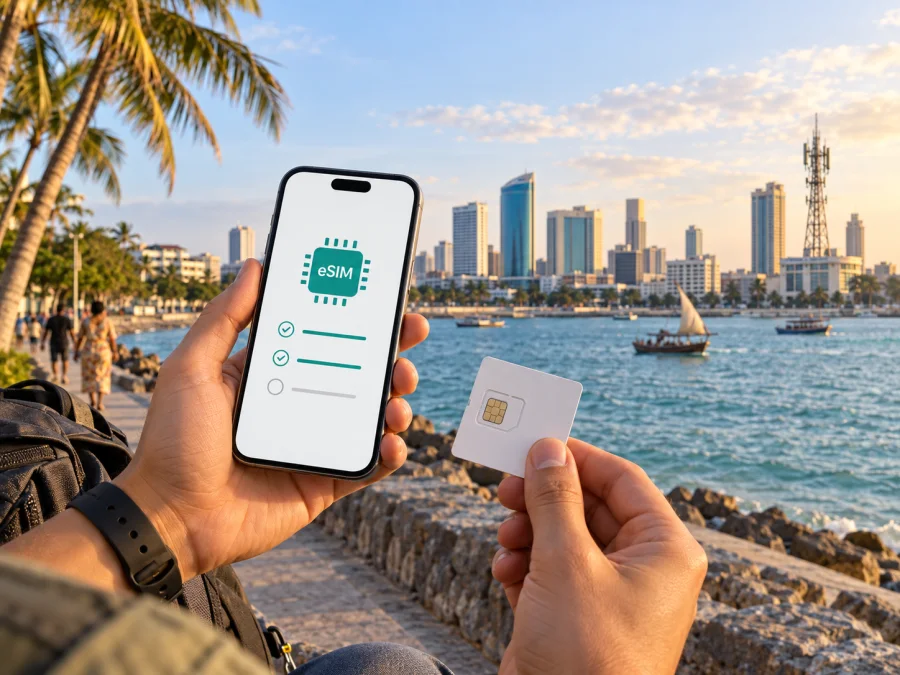
Airtel eSIM in the United Republic of Tanzania: what travelers should know
Airtel serves the United Republic of Tanzania and confirms eSIM support for compatible devices. Visitors should check device support, accepted identification and shop registration. Airtel names NIDA identification for eSIM customers; its separate visitor SIM guide refers to passport and visa registration but does not say whether those documents qualify a traveler for eSIM. Ask Airtel directly before relying on the service.
Verification date: 25 September 2026. Airtel Africa’s Tanzania eSIM support page, Airtel Tanzania’s customer guide, Apple Support’s carrier-features listing, TCRA’s communications information, Airtel’s current prepaid pages, and Kaspersky eSIM Store’s destination page were checked. The details below reflect those pages as reviewed then. Confirm current conditions, coverage and registration with the operator before travel.
Airtel’s role in the local market
Airtel Tanzania is a mobile operator within the Airtel Africa group. Airtel’s Tanzania website presents prepaid and postpaid mobile services. The prepaid option may be relevant to a short-term visitor who wants a local service without a postpaid arrangement, although identity checks still apply. The public pages reviewed confirm prepaid service generally; they do not establish a separate tourist eSIM offer.
TCRA publishes country-level coverage and technology information, while Airtel provides a coverage-check facility for its own service. Neither a national report nor a map promises reception at a particular address. A local Airtel line may suit someone who needs a Tanzanian number or operator services; a travel eSIM may suit a traveler whose main need is mobile internet arranged digitally.
Is Airtel eSIM available in Tanzania?
Yes. Airtel Africa’s Tanzania eSIM support page describes an eSIM service and directs customers to an Airtel shop for registration or conversion from a physical SIM. Apple Support’s wireless-carrier features list also includes eSIM for Airtel in Tanzania. These public references confirm that Airtel eSIM is available in this market, but they do not mean that every customer or visitor can obtain it remotely or at every branch.
Airtel’s eSIM page lists customers with a NIDA identification number and an eSIM-compatible device as eligible, and says that registration support is available at Airtel shops. Airtel Tanzania’s customer guide gives a distinct visitor procedure for SIM registration: visitors staying up to six months are asked for a valid passport and visa, with fingerprint verification. The guide does not explicitly say that this route applies to eSIM. A traveler should not assume that a passport and visa alone are enough to get Airtel eSIM.
Before going to a shop, ask whether a non-citizen can register or convert a line to eSIM, which original documents are required, and whether your current line status matters. Ask the question specifically about eSIM, because an answer about ordinary physical SIM registration may not cover the eSIM process. Airtel’s staff can confirm the current rule for your immigration status and intended service.
How Airtel eSIM activation works
Airtel describes an in-person process. Its eSIM support page says customers should visit a shop for registration or to change a physical Airtel SIM to eSIM. It also says that customer care cannot perform the described shop-based SIM swap remotely. Plan time for a visit, and do not count on receiving and activating an Airtel eSIM online before landing unless Airtel confirms another current option directly.
Airtel says an internet connection is needed to download the eSIM QR code. If the shop asks you to scan a code or finish setup on your phone, connect to Wi-Fi or cellular data and keep the device available. Follow the instructions from the shop and check that the profile appears in the phone’s cellular settings. If you need the line immediately, ask staff to confirm that it registers before you leave. Avoid deleting an installed profile to repeat a scan unless Airtel or the phone maker instructs you to do so; activation codes may not be reusable.
Prepare for an Airtel shop visit
- Confirm which branch handles eSIM registration and its current opening hours.
- Ask whether you qualify and which identification documents Airtel requires for eSIM.
- As a visitor, ask whether passport-based visitor registration also applies to eSIM.
- Bring the compatible, unlocked phone and the original documents Airtel requests.
- Ensure you can access Wi-Fi or another internet connection during profile setup.
- Keep your current SIM active until the shop confirms any required conversion is complete.
- Test the services you need before leaving the shop.
Airtel can confirm branch support, current process and whether an additional step is required.
Device compatibility and supported technologies
Airtel recommends dialling *#06# and checking that an EID appears. The EID is a device identifier associated with eSIM capability. If it does not appear, the handset may not support eSIM, or its model or configuration may not expose the feature. Check the maker’s compatibility information for the exact model and region as well. The phone should also be unlocked; a carrier-locked device may be unable to add a profile from another service.
Airtel’s Tanzania eSIM page says the profile can connect using 2G, 3G and 4G, like a physical SIM. It does not confirm 5G support for Airtel eSIM. Do not infer support from a phone’s 5G capability. Ask Airtel about current technology availability for your account, device and destination. Actual access also depends on local coverage, radio bands, settings and temporary network conditions.
If you keep a home SIM active, choose the line for mobile data, calls and messages, and check the phone maker’s dual-SIM rules. Review roaming controls so the home line is not selected for data unintentionally. For setup, use the phone maker’s Android or iOS instructions and the device compatibility guide.
Visitor documents and registration
Airtel’s customer guide describes biometric SIM registration and states that visitors—non-citizens intending to stay for up to six months—should present a valid passport and visa, with fingerprint verification. The guide says the registered SIM bears the visitor’s name. It describes SIM registration generally. Airtel’s eSIM support page separately says NIDA identification is required for eSIM customers. Since these pages do not clearly connect the two processes, check with Airtel before visiting a shop if you are a foreign traveler.
Explain that you are a visitor and ask whether Airtel can register a new eSIM line or convert an existing line using your documents. Confirm whether originals or certified copies are required, whether a valid visa is needed, and whether the eSIM must be linked to a pre-existing Airtel number. Requirements can depend on a person’s status and the current registration process. Complete biometric verification only through an authorized Airtel process, and check that the line is registered in the required name.
Airtel’s public Tanzania pages identify prepaid service, and its customer guide describes visitor SIM registration. These references support general availability of prepaid mobile service, not a dedicated tourist eSIM or visitor-specific package. Ask the operator what options currently apply to your circumstances; no particular plan conditions are implied here.
Coverage across the country
Airtel’s eSIM guidance names 2G, 3G and 4G access. That describes supported technologies, not guaranteed nationwide reception or a particular speed. Airtel’s site offers a coverage-check facility, and its customer guide refers to a coverage map. Check locations that matter to your trip and remember that maps cannot fully reflect reception inside buildings, terrain, congestion, outages or other temporary conditions.
TCRA’s April–June 2025 communications reporting describes nationwide mobile technology and coverage trends, not Airtel service at every address. Before travelling through Dar es Salaam, Arusha, Mwanza, Dodoma, Zanzibar, coastal areas or national parks, check each stop and route. Service near a town does not establish continuous reception along a drive or inside accommodation.
For a lodge, park, island or work site, ask the venue about local reception and check Airtel’s current map. Valleys, buildings and travel corridors may differ from an urban center. Keep essential bookings and directions available offline. If the phone does not register, check that the profile is on, airplane mode is off and automatic network selection is enabled; restart once, then contact Airtel if service remains unavailable.
Local Airtel service or a travel eSIM?
An Airtel line may be appropriate if you need a local Tanzanian number or Airtel services. It involves the operator’s registration requirements and, for eSIM, the shop process described publicly by Airtel. The NIDA requirement on Airtel’s eSIM page makes advance confirmation especially important for foreign visitors.
A travel eSIM may be useful when mobile internet is the main need and the traveler wants to arrange service through a digital storefront. Kaspersky eSIM Store is an app and website for choosing, arranging and activating an eSIM with a travel data plan. It is not a mobile operator, network owner or direct provider of mobile internet. Connectivity depends on the local network arrangements for the destination and coverage at the place of use.
A Kaspersky eSIM Store travel eSIM is intended for mobile data. It does not, by itself, replace a local phone number or guarantee ordinary voice calls, SMS, mobile money or operator-specific services. Confirm the service details and compatibility before arranging it. Internet calling and messaging applications may work over data if the traveler’s accounts are already set up.
For the United Republic of Tanzania, view eSIM options for the destination in Kaspersky eSIM Store. Review current destination information and device compatibility. This travel option is separate from Airtel’s local registration process, which Airtel must confirm for an individual visitor.
A practical decision guide
| Travel need | What to check |
|---|---|
| A Tanzanian mobile number | Ask Airtel about prepaid registration, visitor documents and whether an eSIM can be issued. |
| Airtel eSIM | Confirm accepted identification, shop availability, device support and activation steps. |
| Mobile internet arranged digitally | Check destination availability, phone compatibility and the travel eSIM’s included service. |
| A route beyond major cities | Check coverage for each stop and the route; conditions can vary by location. |
| Keeping a home number active | Confirm dual-SIM behavior and select the intended line for mobile data. |
Frequently asked questions
Can I get an Airtel eSIM in the United Republic of Tanzania?
Yes. Airtel Africa’s Tanzania support page describes eSIM registration at an Airtel shop, and Apple Support lists the feature for Airtel in Tanzania. Confirm branch support before visiting.
Can a foreign visitor get an Airtel eSIM?
Airtel’s eSIM page lists NIDA identification. The customer guide separately describes visitor SIM registration using a valid passport and visa with biometric verification, but does not explicitly confirm that this route applies to eSIM. Ask Airtel specifically about visitor eSIM eligibility before travel.
Can I activate Airtel eSIM online before arrival?
Airtel describes shop-based registration or SIM conversion, not remote activation. Confirm directly if you need another process.
How do I check if my phone supports eSIM?
Dial *#06# and check for an EID, as Airtel recommends. Confirm eSIM support for the exact model and region with the manufacturer, and check that the phone is unlocked.
Which technologies does Airtel eSIM support?
Airtel’s page names 2G, 3G and 4G. It does not confirm 5G for Airtel eSIM. Availability of a supported technology depends on the device and location.
Does Airtel cover every place in the country?
Coverage varies. Check Airtel’s information for your route; indoor reception, terrain and temporary conditions can affect service.
Does Kaspersky eSIM Store provide an Airtel phone number?
No. It helps users arrange a travel eSIM for mobile data; it is not Airtel. Ask Airtel about a local line if you need a Tanzanian number.
Is a tourist eSIM offer confirmed?
The pages reviewed confirm Airtel eSIM and prepaid service generally, but do not establish a separate tourist eSIM offer. Ask Airtel about current visitor options and eligibility.
Before you travel
- Check the EID and eSIM support for your phone’s exact model and region.
- Confirm the phone is unlocked and decide which line should handle mobile data.
- Ask Airtel whether a visitor can obtain eSIM and which original documents are accepted.
- Confirm which shop handles eSIM registration and its current hours.
- Check coverage for your route and key stops.
- Keep another way to get online while the profile is being installed.
Airtel eSIM is confirmed for eligible compatible devices in the United Republic of Tanzania. Foreign visitors should verify documents and the shop process. Kaspersky eSIM Store offers a separate way to arrange travel data, subject to destination availability and compatibility.
Airtel is a trademark of its respective owner. Kaspersky eSIM Store is not affiliated with, endorsed by, or an official partner or distributor of Airtel. The operator, registration, technology and coverage information above was checked on 25 September 2026 and may change. Confirm current requirements with Airtel before travel.


