Travel connectivity guide
Airtel eSIM in Zambia: what to check
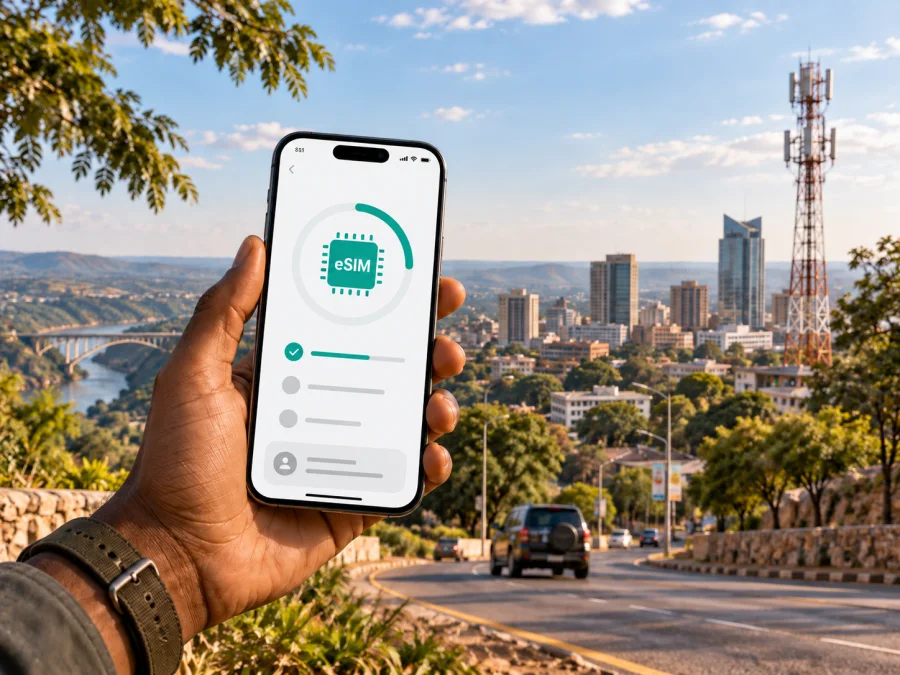
Airtel eSIM in Zambia: activation, compatibility and travel tips
If you are travelling to Zambia and looking for an Airtel eSIM, start with two questions: does your phone support eSIM, and do you already have an Airtel number? The answer matters because Airtel Zambia’s current public eSIM instructions describe a self-service conversion of an existing physical Airtel SIM through My Airtel App. They do not describe a separate tourist-only route for every visitor arriving without an Airtel account.
As checked on 20 September 2026, Airtel Zambia’s eSIM page confirms that Airtel eSIM is available in Zambia. It explains account verification by SMS and email, QR-code delivery and installation on a compatible handset. For an existing Airtel customer, this is a clear local-operator process. For a traveller without an Airtel line, new registration, accepted identity documents and the possibility of an eSIM rather than a physical SIM should be confirmed with Airtel before the trip.
Airtel and Kaspersky eSIM Store have different roles
Airtel is a telecommunications operator in Zambia. Its current company information describes voice, data, messaging and prepaid services. Kaspersky eSIM Store is a separate website and app that helps travellers choose, order and activate an eSIM for mobile data. It is not Airtel, does not own Airtel’s network and does not provide Airtel support.
Airtel and related names and marks belong to their respective rights holder. Kaspersky eSIM Store is not affiliated with Airtel and is not presented here as its official partner, agent or distributor. This is a neutral travel guide, not an Airtel support notice. Use the operator’s current instructions for the final decision because account, registration and network conditions can change.
What Airtel eSIM means in Zambia
An eSIM is a digital SIM profile stored in a phone instead of on a removable card. Airtel’s current Zambia page presents it as a digital version of a regular Airtel SIM. It can be useful when you want to keep the physical SIM slot free, use two lines on a dual-SIM handset or avoid swapping a small card during a trip.
The documented Airtel route is linked to an Airtel account. The page tells an existing customer to register or sign in to My Airtel App, open the eSIM upgrade option, verify the Airtel number with an SMS one-time password, verify an email address with another one-time password, receive a QR code by email and scan that code to install the profile. The My Airtel App page also lists eSIM registration as an app function.
That is not the same as ordering a generic travel-data profile. A visitor without an Airtel number should not assume that the existing-customer flow will create a new local account. The public page checked for this article does not confirm such a tourist path. Ask Airtel whether a visitor can register a new prepaid line, whether the line can be issued as eSIM, and which documents are accepted at the time of registration.
Airtel’s role in the Zambian market
Airtel Zambia is one of the country’s mobile network operators. Airtel’s current “Who We Are” page describes telecommunications and mobile-money services in Zambia, while its investor-relations FAQ identifies the Zambia Information and Communications Technology Authority, or ZICTA, as the regulator of the GSM landscape. Airtel also identifies itself as a provider of national voice and data services. These statements establish its market role without implying that one network will be best for every route.
Is Airtel eSIM suitable for a visitor?
It depends on your starting point. If you already have an Airtel Zambia number and can receive the verification messages required by the app, the public conversion instructions are relevant. If you are arriving from another country without an Airtel line, the eSIM page does not establish that a new tourist profile can be created online. Treat that point as something to verify rather than a guarantee.
Airtel publicly describes prepaid services in Zambia, but the information reviewed here does not define one universal tourist eSIM process for foreign visitors. Registration, identity checks and the channel used to obtain service may depend on current rules. Confirm whether an Airtel number is required, whether a new visitor line can be issued as eSIM, which identity document is accepted, and whether a QR code can be delivered before arrival. Do not infer a new-customer process from a general eSIM announcement.
Compatibility checks before travel
An eSIM works only when the handset has the required hardware and software and is not restricted by an operator lock. Airtel’s page mentions Apple iPhone, Google Pixel, Samsung and Motorola families as examples, but the exact model and regional version still matter.
Before requesting or buying any eSIM, check the following:
- Look in the phone settings for an option to add a mobile plan or eSIM.
- Dial *#06# and check whether the device displays an EID. Airtel’s public guidance uses an EID as an indication of eSIM capability.
- Confirm that the phone is unlocked.
- Make sure you can use stable Wi-Fi or another working connection and access the email account used for the QR code.
My Airtel App may check the exact device during the upgrade flow. If it rejects the handset, ask Airtel whether the issue is the model, software, account or region instead of trying to bypass the result.
How the documented Airtel activation works
The labels in the app and phone menus can change. Airtel’s public Zambia guidance checked on 20 September 2026 can be summarized as follows:
- Open My Airtel App, select the country, enter the Airtel mobile number and complete SMS verification. A visitor without an Airtel number should confirm eligibility first.
- Choose the eSIM upgrade, verify the email address and use the QR code sent to that mailbox. Keep the code private.
- Connect to Wi-Fi or mobile data and follow the device prompts. Airtel’s iPhone instructions refer to the mobile-service setup notification; its Samsung instructions use Settings, Connections, SIM card manager and QR-code installation.
- Select Airtel eSIM for mobile data, review the separate call and message defaults, and disable automatic data switching if needed.
- Airtel says activation usually takes up to two minutes and warns that the existing physical SIM stops working during the process. Scan the QR code promptly and keep the physical SIM until the eSIM is visible and working.
Registration and traveller restrictions
Registration is the main difference between an operator eSIM conversion and a travel-data profile. Airtel’s customer terms say that information supplied for registration and use must be true and correct and that the service is subject to ZICTA and other applicable regulatory requirements. The eSIM page does not state the exact identity documents for every foreign customer or promise a universal online procedure.
For that reason, do not promise that a passport alone will always complete the process. Ask Airtel which document is accepted for your nationality, whether an in-person check is required, and whether the chosen shop processes eSIM rather than only physical starter kits. The official support and shop channels are the right places to confirm a current visitor procedure.
Keep control of the mobile number and email used for the OTP checks. If the phone is lost, the QR code is exposed or the profile is deleted, contact Airtel instead of assuming that the same code can be installed on another handset.
Coverage and supported technologies
Airtel’s current Zambia pages refer to 4G and 5G services, and its VoLTE page explains voice over LTE on a compatible 4G setup. The company page also describes national network infrastructure and coverage. These are descriptions of the technologies and service footprint, not a promise that a particular road, lodge, park or indoor location will have the same connection.
The phone, local configuration, available spectrum, terrain, buildings, congestion, weather, power conditions and maintenance can affect service. Airtel’s customer terms specifically mention geography, topography, weather, power outages and network work as factors that may interfere with availability. Airtel’s 5G material also describes a 4G fallback for a particular router, while its VoLTE page says compatible hardware and a 4G SIM are required. Neither statement promises identical service for every phone or location.
An eSIM does not create coverage. It stores the operator profile in a compatible device; service still depends on Airtel’s network at the place where you are standing and on your handset’s radio capabilities. A successful installation at home therefore does not prove that the profile will work at every point on an itinerary.
Local Airtel eSIM or travel eSIM?
The two routes solve related but different problems. An Airtel local eSIM belongs to Airtel’s account and network process. The current public instructions are particularly relevant when you already have an Airtel number and want to move that service from a physical SIM to an eSIM. A visitor who needs a new local line should confirm registration first.
A travel eSIM is prepared around the destination rather than around a local phone number. Kaspersky eSIM Store’s current Zambia destination page lets a traveller check compatibility, select Zambia and follow digital installation instructions. It identifies Airtel among the local telecommunications providers used for the destination service. The travel profile is data-only and does not provide a regular local phone number for ordinary calls and SMS; internet calls and messages can work through apps.
This can suit a traveller who wants mobile data on arrival, wishes to keep the home SIM in the phone and prefers to prepare before looking for a retail counter. It does not turn the travel profile into an Airtel account and does not guarantee a particular network experience. The local provider and conditions at the destination still matter.
Kaspersky eSIM Store should be understood as the app and website that help the user choose, order and activate a travel eSIM. Kaspersky is not the mobile operator in Zambia, does not own the Airtel network and does not provide its coverage. The Kaspersky official blog, checked on 20 September 2026, explains that installation needs a stable connection and that the user must select the travel eSIM for mobile data in phone settings.
If this route matches your trip, you can choose an eSIM option for Zambia after checking compatibility. Review the current conditions shown in the app or website before confirming the order.
Prepare the phone and solve common problems
Before departure, label your profiles clearly, keep the primary SIM active until the new profile works, download installation information while you have reliable internet, and choose the intended mobile-data line only after installation. Follow the provider’s instructions about data roaming: some travel profiles require it, while a local Airtel configuration may use different settings.
If data does not work, check the selected data line, roaming setting where applicable, APN instructions and automatic network selection. Move to an open location if buildings or local signal conditions may be involved. Do not delete the profile as a first response; contact the relevant provider before making further changes.
FAQ
Does Airtel support eSIM in Zambia?
Yes. Airtel Zambia’s current public eSIM page confirms the service and explains upgrading an existing physical Airtel SIM through My Airtel App. It does not confirm a separate tourist-only route for a visitor without an Airtel number.
Can I activate Airtel eSIM before arriving?
Only if your account is eligible and you can complete the current verification and QR-code process. The documented flow uses an Airtel number, SMS verification and email verification. Visitors without that relationship should ask Airtel for the current procedure.
Is every iPhone, Pixel, Samsung or Motorola compatible?
No. The exact model, regional version, software and operator-lock status matter. Check for an EID and use the app’s compatibility check when available.
Does an eSIM replace a phone number?
Not automatically. Airtel’s local eSIM is described as a digital version of an Airtel SIM, while a travel eSIM through Kaspersky eSIM Store is intended for mobile data and normally has no regular phone number. Check the conditions of the exact service.
Where do I check final conditions?
Use Airtel Zambia’s current eSIM page, My Airtel App, official self-care or retail support for local Airtel questions. For a travel eSIM, review the current Zambia destination page and the instructions in Kaspersky eSIM Store. Do not delete a profile or change devices without checking transfer rules first.
Conclusion
Airtel eSIM in Zambia is a documented local-operator service with a public route for converting an existing physical Airtel SIM through My Airtel App. It should not be turned into a promise that every foreign visitor can obtain a new eSIM online. If you arrive without an Airtel number, confirm registration and tourist eligibility directly with Airtel.
For a traveller who mainly needs mobile data and wants to prepare a separate destination profile, Kaspersky eSIM Store is an independent option to consider. It helps users choose, order and activate an eSIM; it is not Airtel and is not affiliated with Airtel. Compare the practical requirements before travelling.
If this route fits, review the Zambia destination in Kaspersky eSIM Store and verify current conditions before purchase. Checked on 20 September 2026; procedures, registration, technology, coverage and travel-service conditions may change.


