Travel connectivity guide
Airtel Uganda eSIM in Uganda: what to check
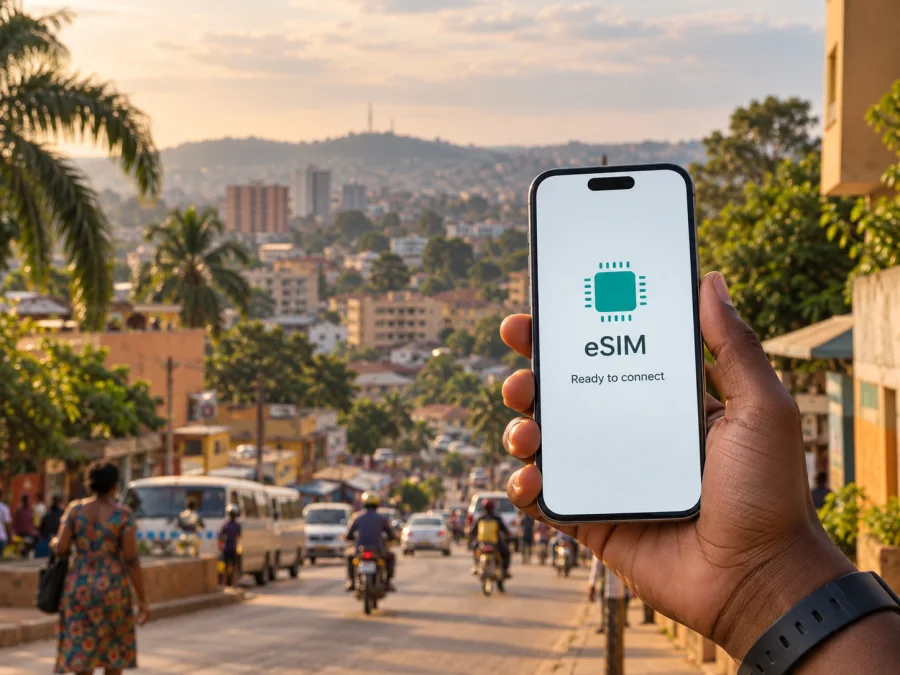
Airtel Uganda eSIM in Uganda: connection and travel guide
Planning a trip to Uganda involves more than checking whether a phone can see a mobile network. You also need to understand local registration, eSIM compatibility and activation. This guide explains what is confirmed about Airtel Uganda and what to verify before travelling.
Airtel Uganda’s role in the local market
Airtel Uganda is a national mobile operator with consumer, business and mobile-money services. Its public website, checked on 20 September 2026, presents prepaid, roaming, broadband and customer-service options. Uganda’s 5G adoption strategy identifies Airtel Uganda as a key participant in the country’s mobile communications market. For a traveller, the result still depends on the place you visit, the phone you bring and the connection method you choose.
The local offer is built around a subscriber relationship. A physical SIM or an eSIM profile, where currently available, may require registration before service is enabled. That differs from a travel eSIM prepared online for a destination. Check current procedures at the point of purchase, especially if you are visiting briefly or relying on one phone for navigation and communication.
Is Airtel Uganda eSIM available?
There is official evidence that Airtel Uganda has worked with eSIM. Its annual report for the year ended 31 December 2023 describes an Airtel eSIM and refers to an eSIM launch through Airtel service centres. Airtel Uganda also published an official video titled “How to get Airtel E-SIM in Uganda” on 22 May 2023.
However, a current dedicated public page confirming the exact 2026 process, eligibility rules and activation route was not found during verification on 20 September 2026. Do not assume that an older video or previously issued profile guarantees that a new eSIM can be issued today.
Before travelling, contact Airtel Uganda through a current official channel or an authorized service centre and ask:
- whether new eSIM profiles are being issued to visitors and residents;
- whether a physical Airtel Uganda SIM can be converted to eSIM;
- whether the request must be completed in person;
- which identity and registration documents are accepted for your status;
- whether Wi-Fi or another internet connection is needed during setup;
- whether the eSIM supports the services you need, or only mobile data.
This is a recommendation to verify current support, not a claim that eSIM is unavailable. Airtel Uganda has documented eSIM activity, while the present-day issuing process should be confirmed directly before you depend on it.
What a traveller may need for a local connection
Local mobile service in Uganda is subject to registration and identity rules. Airtel Uganda’s public terms and service-centre information point to registration through an authorized distributor or service location. The exact list can depend on your status and the rules in force when the request is made.
Visitors should plan for a document check rather than assume that a phone and payment method will be enough. Carry a valid identity document and ask whether a passport, visa or another record is required. Use an authorized channel and do not send documents to an unverified reseller.
An eSIM changes how the subscriber profile reaches the phone; it does not automatically remove local compliance requirements. Ask what happens to an existing physical SIM during conversion. Keep another connection available until the local line is registered and tested.
Airtel Uganda prepaid and tourist use
Airtel Uganda publicly describes prepaid services and service locations where registration, SIM swaps and other mobile services can be handled. Its public materials also discuss roaming and mobile data for customers travelling outside Uganda. This confirms that prepaid and travel-related connectivity are part of the broader service environment.
It does not confirm a special tourist eSIM for every visitor. Eligibility, registration and activation can change. Ask whether the current prepaid or visitor route is open to you, whether it is local or roaming and whether it can be activated before departure.
The distinction between a local prepaid service and a travel eSIM is useful:
| Question | Local Airtel Uganda connection | Travel eSIM for Uganda |
|---|---|---|
| Issuing route | Usually tied to local registration and an authorized channel | Usually prepared online before or during the trip |
| Phone number | May provide a local number, subject to the service | Often focused on mobile internet rather than a new voice number |
| Identity checks | May be required under local rules | Depends on the provider and selected service |
| Support | Airtel Uganda service channels and local representatives | The travel eSIM provider’s app, website or support channel |
| First check | Eligibility, documents and current issuing method | Device compatibility, destination support and activation instructions |
This is a planning aid, not a comparison of specific offers. The right route depends on whether you need a local number, how long you will be in Uganda, where you will travel and how much time you have for registration.
Coverage and supported technologies
Airtel Uganda’s official reports describe 4G LTE and continued 5G deployment. Its 2025 annual report states that all sites were 4G-enabled at the end of 2025 and reports additional 5G sites that year. These are infrastructure statements, not a promise that every handset will show the same technology in every location.
Coverage should be checked by location. Kampala, Entebbe, major roads, towns and rural areas can have different conditions. Buildings, terrain, congestion, maintenance and supported bands may affect the result. A coverage page is a starting point, not a guarantee of indoor availability or a particular speed.
Before relying on the network:
- check the exact town, route or accommodation rather than only the country;
- confirm that the phone supports the technologies and bands used by the service;
- check that the device is carrier-unlocked;
- confirm that the phone has room for an eSIM profile if you plan to keep a home line active;
- ask whether data roaming must be enabled for the selected eSIM;
- save the operator’s current support contact;
- test the services you need separately.
The official record supports 4G and 5G infrastructure, but does not justify saying that the network is fastest, most reliable or available everywhere. Confirm real-world coverage for your route.
How Airtel Uganda eSIM activation may work
Because a current public step-by-step page was not available, the exact Airtel Uganda procedure should come from the operator. A general request may include identity verification, device checking, account creation or conversion, a QR code or activation code, profile installation and a connection test.
Prepare before visiting a service centre or beginning an online request:
- Update the phone and charge the battery.
- Connect to stable Wi-Fi or another internet connection.
- Confirm eSIM support on the exact regional model.
- Check that the device is unlocked.
- Keep activation details private and ask whether installation replaces the physical SIM.
On iPhone, add an eSIM from Mobile Service or Cellular settings using a QR code, transfer option or supported operator app. On Android, look for SIM manager, Mobile network or Add eSIM. Never scan a code from an unknown person.
After installation, select the line for mobile data. If you keep a home SIM active, review roaming settings and turn off automatic switching if necessary. Make a short test before relying on the line.
Activation may fail if the QR code was used, the device is locked, the profile does not match the model, internet access is unavailable or the network is temporarily unavailable. Do not repeatedly delete and reinstall an eSIM; some profiles cannot be reused. Contact support with the error message and keep the code private.
Local Airtel Uganda eSIM or a travel eSIM?
The two approaches solve different problems. A local Airtel Uganda connection may make sense if you need a Ugandan mobile identity or local customer service during a longer stay. It may require a visit, registration and an eligibility check. For a visitor, confirm both phone compatibility and whether local issuance is open to that customer category.
A travel eSIM can be convenient when you want to prepare mobile internet before landing, avoid handling a physical SIM and keep your primary line available. It normally does not create a local voice number unless the service says so; calls and messages may continue through the primary line or internet apps.
Kaspersky eSIM Store is an app and website that helps users choose, arrange and activate an eSIM with a travel plan for mobile internet. It is not Airtel Uganda, is not a mobile operator, does not own a Ugandan network and does not provide network coverage. Its role is the travel preparation and activation workflow; the underlying mobile service depends on the selected destination arrangement and its conditions.
The Kaspersky eSIM Store website includes a compatibility check, and an official Kaspersky blog post dated 17 June 2025 explains that installation needs an internet connection and is intended for mobile data rather than a regular voice number. Read current conditions before purchase.
For a Uganda trip, you can review the available eSIM option for Uganda after checking your phone and travel dates. This is separate from Airtel Uganda and is intended for the travel task, not as a replacement for every function of a local operator.
Practical scenarios for travellers
Short holiday
For navigation and messaging, prepare a compatible travel eSIM before departure, install it with stable internet and keep the primary SIM available if you need incoming messages. Select the intended line for mobile data after arrival.
Local-number or road-trip needs
If you need a Ugandan number, ask Airtel Uganda about visitor eligibility, documents, registration and current eSIM issuance. For travel beyond one city, check the route rather than assuming uniform coverage, save key information offline and keep a way to contact support.
Regional phone restriction
Check the exact model identifier, eSIM support and carrier-unlock status. A phone that supports eSIM in one market may differ in another; a travel eSIM cannot solve a device restriction.
Common mistakes to avoid
Three checks matter: the phone must support eSIM, the device must be unlocked and the chosen service must be able to issue a profile for your situation. Keep the requested identity document, use an authorized channel and do not remove the primary SIM until the new line is tested.
Avoid turning on roaming for every line at once, and do not rely on an old offer name, archived screenshot or social-media claim. Airtel Uganda procedures and travel eSIM conditions can change, so use current official support.
FAQ
Can I get an Airtel Uganda eSIM as a visitor?
An older official Airtel Uganda report and video document eSIM activity, but a current public page confirming visitor eligibility was not found on 20 September 2026. Ask Airtel Uganda or an authorized service centre whether new eSIM issuance is currently open to visitors and which documents apply.
Does an Airtel Uganda eSIM work everywhere in Uganda?
No provider should be treated as automatically available in every indoor or rural location. Airtel Uganda reports 4G and 5G infrastructure, while actual service depends on the route, local coverage, device, network conditions and account setup. Check the exact places you plan to visit.
Do I need a passport for a local Airtel Uganda connection?
Expect identity and registration checks, but accepted documents depend on your status and current rules. Confirm the list with Airtel Uganda before visiting a shop; a passport alone may not complete registration.
Is a travel eSIM the same as a local Airtel Uganda eSIM?
No. A local Airtel Uganda eSIM is issued within the operator’s registration process. A travel eSIM is prepared through its own service, usually for mobile internet, with different activation rules and support.
Can I keep my primary number while using a travel eSIM?
Many compatible phones can keep a physical SIM or another eSIM profile installed, but the combination depends on the model. Select the travel eSIM for mobile data when appropriate and review roaming settings for the primary line.
What should I do if activation fails?
Check internet access, compatibility, carrier lock and the selected data line. Do not repeatedly delete the profile. Contact the issuing provider with the device model and error message, while keeping activation codes private.
Conclusion
Airtel Uganda is an established local mobile operator with public information about prepaid services, service centres, 4G infrastructure and continuing 5G deployment. Official Airtel Uganda materials also document eSIM activity, but the exact eSIM issuing route and visitor eligibility were not confirmed by a current dedicated public page on the verification date. Treat that point as something to check directly before your trip.
For a local number or longer stay, ask Airtel Uganda about registration, documents, compatibility and activation. For a short trip focused on mobile internet, a travel eSIM is a separate route when your phone and destination are compatible. Kaspersky eSIM Store is not affiliated with Airtel Uganda; it helps users choose, arrange and activate travel eSIM service, while the underlying network belongs to the selected arrangement.
Check current operator guidance, confirm the phone settings and keep a backup way to get help before departure.


