Travel connectivity guide
Aiwo eSIM: mobile internet for your trip
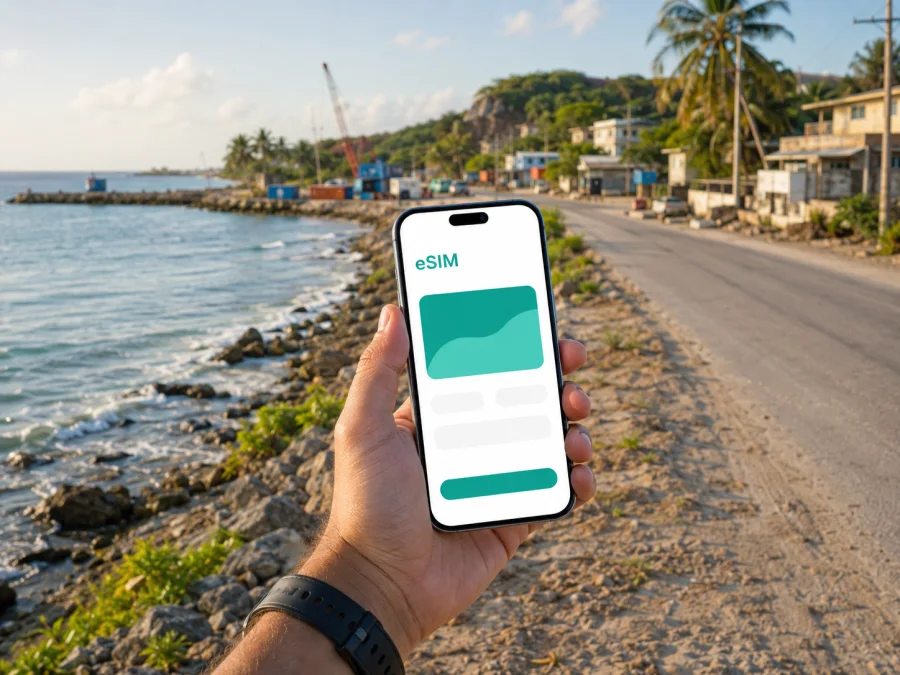
Aiwo eSIM: mobile connection and internet for your trip
Aiwo is a practical base for experiencing Nauru at a slower, more local pace. The settlement lies on the western side of the island and is closely associated with the coast and Aiwo Port. The first useful online tasks are concrete: arranging an airport transfer, opening a map, confirming accommodation details, contacting a host and checking the day’s plans. An eSIM can help you handle them without removing the physical SIM card already in your phone.
Kaspersky eSIM Store is an app and website where you can choose, arrange and activate an eSIM with a suitable tariff for mobile internet during an international trip. The eSIM tariff is intended for data use; it is not automatically a replacement for your usual number, calls or SMS. You may keep your home number available while using the travel eSIM for maps, messages and bookings.
Why mobile internet matters in Aiwo
Aiwo is not a large urban destination with a dense grid of transport hubs and information desks. Plans depend on practical arrangements: where you are staying, how you will reach it after landing, when you will travel around the island, and whether you need to meet someone at the port or elsewhere on the coast. Mobile data helps you manage those arrangements as they change.
The first hours after arrival
Nauru International Airport is in Yaren District rather than Aiwo. After the flight, you may need to move between the airport area and your accommodation in Aiwo or another part of the island. With an active data connection, you can:
- open the address or location shared by your accommodation;
- message a host or driver if the meeting point changes;
- use a map while checking the route between Yaren and Aiwo;
- translate a short message or read booking information;
- let family or colleagues know that you have arrived;
- keep travel documents and reservation details available in the cloud.
Decide in advance when the travel eSIM should become the line for mobile data. You can install it before departure and activate it according to the tariff and device instructions. If you set it up after landing, make sure you have internet access for installation.
Moving between the coast and inland areas
Aiwo’s coastal setting makes the shoreline and port useful reference points, while journeys elsewhere on Nauru may take you through other parts of the island and toward the central plateau. A map can show a saved accommodation pin and make it easier to share your location. Do not assume that every trip will follow the same schedule: weather, vehicles and local arrangements can affect movement, while data helps you receive updates.
A short stay or stopover
For a brief visit, setup may matter more than a large allowance. You may only need airport directions, messages, a reservation and departure information. Choose a tariff by the length of the whole trip and the data you expect to use, not by package size alone.
If Aiwo is one stop in a longer itinerary, check whether the tariff covers every destination where you need data.
Aiwo travel scenarios where an eSIM is useful
The same destination can require different data habits. A remote worker will use the connection differently from a visitor checking messages and maps.
| Travel situation | Online tasks | Check before choosing |
|---|---|---|
| Arrival or stopover | Maps, messages, transfer details | Activation timing and short-stay validity |
| Leisure stay in Aiwo | Navigation, reservations, photo sharing | Daily use and allowance |
| Port-related visit | Meeting changes and documents | Offline backup and data-line selection |
| Remote work | Email, files and calls | Workday coverage and allowance |
| Island road trip | Navigation and location sharing | Route backup and country scope |
Actual experience depends on the local operator network, location, device, settings and tariff conditions.
How to choose an eSIM tariff for Aiwo
Start with the location, then consider time and usage. Kaspersky eSIM Store helps you select a direction and review tariff details; it does not operate the mobile network. Tariff conditions are the source of truth for validity, allowance and activation.
1. Confirm the destination
Select Nauru for an Aiwo stay. If the trip continues through several countries, check whether the option covers the whole route or whether a regional choice is more appropriate. Do not choose a country just because it is the departure or transit point.
2. Match validity to the real itinerary
Count the days from when you need data until the end of the trip. Include arrival, return travel and any possible extra night.
Read when validity begins. Depending on the tariff, this may relate to activation or the first connection to a supported network. If unclear, check the product information or contact support before installing or activating the profile.
3. Estimate your data pattern
Navigation and text messaging usually require less data than frequent video calls, social-media uploads or streaming. Think about how you will use the phone in Aiwo:
- light use: maps, messages, email and occasional searches;
- regular use: photo sharing, bookings, work files and short calls in messengers;
- intensive use: video meetings, large uploads, streaming or tethering to another device.
Select an allowance that fits your pattern. If you plan to use the phone as a hotspot, check whether tethering is permitted and whether the allowance can support it.
4. Compare the useful details
Before confirming a purchase, look at the country or region, data volume, duration, price, activation terms and top-up information. A prepaid structure makes the allowance and period visible, but you still need to monitor usage.
Avoid choosing on price alone. The suitable option is the one whose destination, validity and allowance match your Aiwo itinerary. Terms can change, so review the current information for the selected tariff.
At the point when you are ready, you can choose an eSIM tariff for a trip to Nauru and review the conditions for the country. Keep the physical SIM in place if you need its number for incoming messages, but decide which line will be used for mobile data so that the device follows your plan.
Preparing your phone before leaving
Prepare with a stable internet connection, a charged phone and access to the profile containing the eSIM details. The device must support eSIM and should not be locked by your home operator. Compatibility can vary by model and purchase region.
Use this short checklist before your flight:
- confirm eSIM support for your exact phone model;
- check that the device is not operator-locked;
- make sure you can access your Kaspersky eSIM Store profile or QR code;
- charge the phone and carry a power bank;
- save your accommodation address and essential contacts offline;
- decide whether the home SIM will remain enabled for calls and SMS;
- note the name you will give the travel eSIM in the phone settings.
If you use two SIMs, label them clearly, for example “Home” and “Nauru data”. Check data roaming for the travel eSIM if the device or tariff requires it; roaming on your home SIM can have separate charges.
How to install and activate an eSIM for Aiwo
Installation requires a compatible, unlocked device, internet access and the QR code or profile supplied after the tariff is arranged. Menus differ, so use the relevant Android installation instructions or iOS installation instructions.
1. Check the device
Confirm that your phone supports eSIM and is not locked to an operator. You can check your device compatibility before purchase. If the phone is not compatible, do not remove your physical SIM in an attempt to create space; use another supported device or ask your operator about the restriction.
2. Open mobile-network settings
Go to the phone’s mobile-network or cellular settings and select the option for adding an eSIM or mobile plan. The wording may differ between Android and iOS.
3. Scan the QR code
Scan the QR code from the Kaspersky eSIM Store profile or message. If the QR code is displayed on the same phone, follow the device’s alternative method for adding the profile instead of photographing your own screen.
4. Name the new line
Give the eSIM a clear label such as “Nauru data”. Keep the home SIM’s label separate so you can identify both lines at a glance.
5. Select the data line
Choose the new eSIM for mobile data when you are ready to use the travel tariff. Keep your home line for calls or SMS if you need it, and review the phone’s setting for switching data automatically between SIMs.
6. Activate at the right time
Activate the eSIM before the trip if you want to be ready on arrival, or after reaching a suitable location in Nauru if the tariff’s conditions call for that timing. Follow the product instructions. Connection can take a few minutes; avoid deleting the eSIM profile while the device is still trying to register.
If you want to use the tariff later, leave the profile turned off after installation if the conditions allow it. Installation and activation may have different effects, so check when validity begins and keep the QR code or profile information secure.
Getting around Aiwo with fewer online surprises
Before leaving your accommodation, open the destination, confirm the meeting point and message the person involved. Save the accommodation address, a nearby landmark, and a screenshot of the route when possible. “Aiwo Port” plus a specific meeting point is more useful than a vague reference to “the coast”; ask your host which entrance or landmark to use. Weather, a vehicle or a meeting schedule can affect a journey, so leave time for delays, keep the data line available, and carry a charger.
Aiwo for work, port visits and longer stays
On a work-related visit, online tasks continue outside a formal office: confirming a meeting, receiving an itinerary change, opening a document or sending a status update. Save addresses and times, confirm the data line, test a small online task and keep your usual authentication method available.
For a port-related visit, do not treat a live connection as permission to enter a restricted operational area. Follow local instructions and use data for communication, schedules and documents. Aiwo Port is a working maritime facility, so access arrangements and safety instructions matter more than a map pin. For a longer stay, review balance, validity and top-up conditions in the app or website.
What to check if the eSIM does not connect
Start with simple settings rather than deleting the profile. Confirm that the eSIM is on, selected for mobile data and allowed to use data roaming if required. Check airplane mode, restart once and allow a few minutes for registration.
Then review the tariff conditions and location. A plan may not apply to every country on a multi-stop journey, and the available network can vary by place. If the issue continues, record the device model and steps tried before contacting support.
Quick troubleshooting checklist
- Is the eSIM installed, enabled and selected for mobile data?
- Is data roaming enabled for this eSIM when required?
- Is airplane mode disabled, and have you restarted the phone?
- Does the tariff include Nauru and remain valid?
- Is the phone operator-unlocked?
Do not erase the eSIM simply because the first connection takes time. Follow tariff-specific instructions and ask support if needed.
FAQ about eSIM and a stay in Aiwo
Is Aiwo covered by a Nauru eSIM tariff?
Check the current destination and coverage information for the selected tariff. Aiwo is in Nauru, but the plan, local network and device determine suitability.
Can I keep my regular number while using an eSIM in Aiwo?
Yes, on a compatible dual-SIM device you can often keep the physical SIM for calls or SMS while assigning the eSIM to mobile data. Settings vary, and your home operator may charge for roaming.
Does the eSIM include a phone number?
Usually not. The eSIM is intended for mobile internet, and ordinary calls or SMS are not included unless the tariff says otherwise. Messengers can be used when the data connection and accounts allow it.
Should I install the eSIM before flying to Nauru?
It depends on the activation conditions. Installing before departure can simplify arrival, while waiting may suit a tariff whose validity begins later. Read the conditions and make sure you have internet access.
What if I travel beyond Aiwo?
Review the country or regional scope before leaving the settlement. A Nauru tariff may suit a trip around the island, while an itinerary across countries may need a regional option.
A simple arrival plan for Aiwo
Before departure, choose the Nauru direction, check your device and save the accommodation details. After landing at Nauru International Airport in Yaren District, confirm the data line, contact your host or driver and open the route to Aiwo. Once there, save meeting points and review your allowance.
The eSIM supports the trip, while local arrangements, weather, transport and tariff conditions determine what is possible.
Prepare mobile internet for your trip to Aiwo
When your phone is compatible and the Nauru tariff matches your dates and data needs, arrange the eSIM before you travel or set it up after arrival according to the conditions. Kaspersky eSIM Store helps you choose, arrange and activate the eSIM through its app or website. Review the destination, allowance, validity and activation details, then choose an eSIM plan for your trip to Aiwo when you are ready.


