Travel connectivity guide
AJK and Gilgit-Baltistan eSIM in Pakistan: What to Check
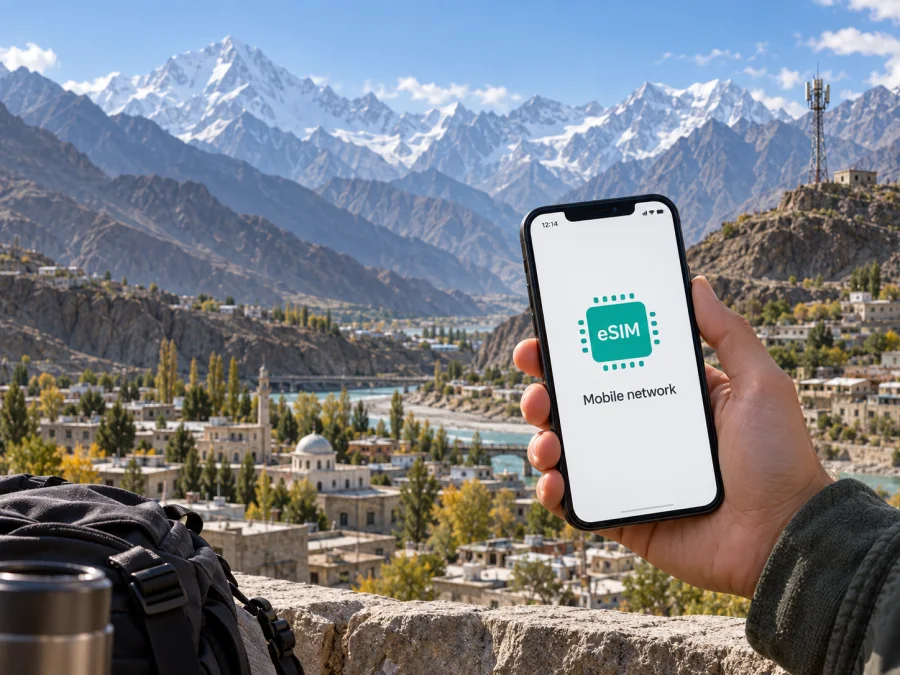
AJK and Gilgit-Baltistan eSIM in Pakistan: what travelers should check
If you are searching for “AJK and Gilgit-Baltistan eSIM” before a trip to Pakistan, first confirm what the name refers to. AJK and Gilgit-Baltistan are geographic areas, not a mobile operator name. In public sources reviewed on 26 September 2026, no operator or eSIM service was confirmed under the exact name “AJK and Gilgit-Baltistan.” The label alone does not confirm eSIM availability.
The distinction matters when comparing local mobile service with a travel eSIM: networks and eSIM procedures belong to identifiable providers and cannot be attributed to this regional phrase. For a local number, ask a named provider whether visitors can register. For data while traveling through Pakistan, review a travel eSIM’s current destination and service terms.
What the name means for an eSIM search
“AJK and Gilgit-Baltistan” combines two regional names commonly shortened in telecom information as AJK and GB. It does not identify one commercial operator, SIM brand, or customer-service channel. The public pages reviewed identify services under actual provider names, not under this regional phrase.
The Special Communications Organization’s official mobile information describes services in the region under its own identity. Its separate official eSIM page documents an eSIM process for that provider. These pages give market context, but they do not confirm eSIM availability for an operator named “AJK and Gilgit-Baltistan.” As of 26 September 2026, confirmation was not found that the phrase is an operator or that an operator under that exact name offers eSIM. Contact the provider whose service you plan to use and confirm its identity, visitor registration, eSIM process, and route coverage.
Mobile coverage and technologies in the region
Network access in AJK and Gilgit-Baltistan depends on the provider and exact location. A regional provider’s official mobile page describes cellular service in both areas and lists 3G and 4G deployments at specific locations. This supports a limited statement about the technologies and sites named on that page. It does not show that every settlement, road, valley, or indoor location has service, or that an eSIM from another provider uses the same network.
Treat coverage as a route question: a map cannot guarantee reception at a hotel, mountain pass, road, or indoors. Terrain, distance from a site, device bands, and the selected network can affect service. The official regional information refers to 3G and 4G activity; it does not establish 5G availability for the supplied name. Check current details for your itinerary.
| Travel question | Public information reviewed | What to confirm |
|---|---|---|
| Is “AJK and Gilgit-Baltistan” an operator? | No operator identity was confirmed under that exact name. | Ask for the provider’s official name. |
| Is eSIM available under that name? | No current public confirmation was found. | Confirm issuance or conversion with the named provider. |
| Which technologies appear in regional information? | Official information refers to 3G and 4G deployments. | Check current support and location-specific coverage. |
| Does a coverage listing guarantee reception everywhere? | No; it describes reported service areas. | Check towns, roads, and remote stops separately. |
eSIM, prepaid and tourist access
An eSIM stores a digital SIM profile in a compatible device instead of using a removable card. A provider still has to issue and provision that profile. Since “AJK and Gilgit-Baltistan” has not been confirmed as a provider, no enrollment path, prepaid availability, or tourist offer can be stated for it.
The Special Communications Organization’s official “ESim” page, checked on 26 September 2026, describes a process for its own service: the customer visits an authorized service point, completes biometric verification, receives a QR voucher, connects the phone to the internet, and adds the profile in settings. It says the QR code should be kept private and a new code may be needed after changing phones. These details apply only to the service described there, not to every visitor or an operator called “AJK and Gilgit-Baltistan.”
Before choosing a local connection, ask the named provider whether eSIM is open to new customers or only existing subscribers; whether foreign visitors can register and which identity document is required; whether biometric checks or an in-person visit are needed; whether the profile can be installed before travel; and what happens if the device is replaced. Confirm supported technologies and locations as well.
Prepaid or tourist service may exist in a market without being available under every brand or in every area. No particular prepaid or visitor offer is confirmed for the exact name discussed here. If a provider offers prepaid service, check its current registration rules directly: prepaid does not by itself mean no identity check, remote eSIM issuance, or identical eligibility for tourists and residents. A visitor may be offered a physical SIM instead. If eSIM is essential, get confirmation before traveling; otherwise ask where local registration can be completed.
Local service and travel eSIMs
A local mobile account may be useful when you need a local number, ordinary calls, SMS, or a service tied to a local provider. Whether these functions are available depends on the provider, account, and registration rules. A local eSIM may also require in-person identity checks or a specific device-change procedure. These are general decision points, not verified features of an operator bearing the regional name.
A travel eSIM is a separate option for mobile data while abroad. Kaspersky eSIM Store is an app and website where a traveler can choose, arrange, and activate an eSIM with a travel data plan. Kaspersky’s official guide “Internet on the go with Kaspersky eSIM Store” (published 17 June 2025; checked 26 September 2026) describes choosing a destination, installing a profile on a compatible device, and selecting it for mobile data. It also explains that the travel eSIM is not a conventional local phone line with a regular number for voice calls and SMS. Check the current information for Pakistan and the specific product terms before deciding whether it fits your needs.
A travel eSIM does not establish that a local operator named “AJK and Gilgit-Baltistan” offers eSIM. It also does not replace a local number when that number is required for calls, messages, registration, or account verification. It may suit a traveler whose main need is data for maps, messaging apps, bookings, and web access, provided the listed destination and current conditions match the trip. Confirm device compatibility and the service arrangement shown during purchase.
If you want to review the travel option for the destination, choose an eSIM for Pakistan. The page describes a travel eSIM, not service from “AJK and Gilgit-Baltistan.” Review current availability and terms before deciding.
Choose a connection for your itinerary
List the places you will visit, including towns, road segments, and remote stops. Ask the provider to check those locations individually. If the itinerary includes both named areas, verify each separately: a statement about Pakistan coverage may omit local exceptions or say little about a mountain route.
Decide what the phone must do. If you need calls to your usual number, keep your primary SIM active if dual SIM operation is supported and check roaming with your home provider. If you need local calls or SMS, ask whether visitors can register for those services. If data is the priority, compare a travel eSIM with local data service using current provider conditions. Do not assume a travel eSIM can receive bank verification messages or ordinary calls.
Before departure, confirm that your exact phone model supports eSIM and is not carrier-locked; you can access internet during setup; you know when service begins; you have current installation instructions and a support contact; and you have saved essential addresses and contacts offline. Similar model names can have different SIM features in different markets. A menu item for eSIM is useful, but does not guarantee activation with a specific provider.
Install and activate an eSIM
If the provider permits, prepare a travel eSIM before departure. The following is a general setup sequence; follow the instructions for the eSIM you actually selected because menu names and activation timing vary by device and provider.
Before installation
- Check that your phone supports eSIM and is unlocked for the intended service.
- Connect to reliable Wi-Fi or another working internet connection.
- Open the provider’s order details and find the installation instructions or QR code.
- Read when the service begins and whether the profile should only be installed once.
- Keep the QR code private. Do not post it or use it on another device unless the provider allows this.
On iPhone
- Open Settings and select Cellular or Mobile Data.
- Choose the option to add an eSIM or cellular plan.
- Scan the provider’s QR code, or use its manual method if offered.
- Follow the prompts and label the line so you can recognize it.
- Choose which line handles mobile data and keep your primary-number settings as intended.
- When ready to use the eSIM in Pakistan, enable the line and follow the provider’s data-roaming instructions if needed.
On Android
- Open Settings and go to Network & internet, Connections, or the equivalent menu.
- Select SIMs or SIM manager, then choose the option to add an eSIM.
- Scan the provider’s QR code or enter activation details using its supplied method.
- Wait for the profile to install, then give the line a recognizable name.
- Select the eSIM for mobile data when you intend to use it.
- Enable data roaming for that line only if the provider’s instructions require it.
Apple Support’s “Use eSIM while traveling internationally with your iPhone” (published 17 September 2026) and Samsung Support’s “SIM cards for your Galaxy phone or tablet” (checked 26 September 2026) describe eSIM setup and QR-code steps. Menu wording varies by manufacturer, software version, and region. If the camera cannot read a QR code, check its focus, screen brightness, and internet connection, then use the provider’s approved manual method. Do not delete a profile as a routine troubleshooting step; some profiles cannot be reinstalled without a replacement code. If setup fails, note the error and contact the provider using its official support channel.
For Kaspersky eSIM Store setup, first check device compatibility at device compatibility. Its official setup guidance describes installing an eSIM through the app or website and selecting it for data on arrival. Follow current in-app or order instructions. If you want your home number to remain available for calls or messages, review the primary SIM settings separately; those services are not thereby included in a travel eSIM.
Frequently asked questions
Is AJK and Gilgit-Baltistan a mobile operator?
No operator identity was confirmed under that exact name in the public sources reviewed on 26 September 2026. The phrase refers to a regional designation. Ask which named provider operates the service you are considering.
Can I get an eSIM from AJK and Gilgit-Baltistan?
No current public confirmation was found for eSIM issued by an operator under that exact name. Check directly with the provider you plan to use, including visitor eligibility, registration, device compatibility, and coverage.
Does a regional eSIM page prove every visitor can register?
No. A public page can document the procedure for its own service, while requirements vary by customer type. Ask whether foreign visitors can register and whether in-person verification is required.
Are prepaid or tourist options available under this name?
That was not confirmed. Prepaid and visitor services are provider-specific; verify with the named provider.
Which technologies should I expect?
Official regional mobile information reviewed here mentions 3G and 4G deployments. This does not establish reception at a particular destination or service for the exact supplied operator name. Check current details for your route and device.
Will a travel eSIM give me a Pakistan phone number?
Do not assume so. Kaspersky eSIM Store travel eSIMs are presented for mobile data, not as regular voice-and-SMS phone lines. Check current product terms if you need a number or ordinary calling.
A careful way to decide
The search phrase “AJK and Gilgit-Baltistan” is not enough to identify an operator. As of 26 September 2026, public information reviewed here did not confirm eSIM availability under that exact name. Regional telecom pages provide context about services and technologies in the area, while an eSIM procedure on a provider’s own page applies only to that provider. Contact the provider by its actual name to verify eSIM, prepaid or tourist eligibility, registration, device support, and route-specific coverage.
For mobile data during a trip, Kaspersky eSIM Store is an app and website that helps travelers choose, arrange, and activate a travel eSIM. Check compatibility, destination support, activation instructions, and current terms before purchasing. It is a travel data option, not the regional mobile operator, network owner, or mobile connectivity provider. This article is not affiliated with any local operator or regional telecommunications service; service names and information belong to their respective providers.
If you want to review the destination option, explore eSIM for Pakistan, then confirm that its current conditions fit your route and device.


