Travel connectivity guide
Al Hudaydah eSIM Guide for Yemen Travel
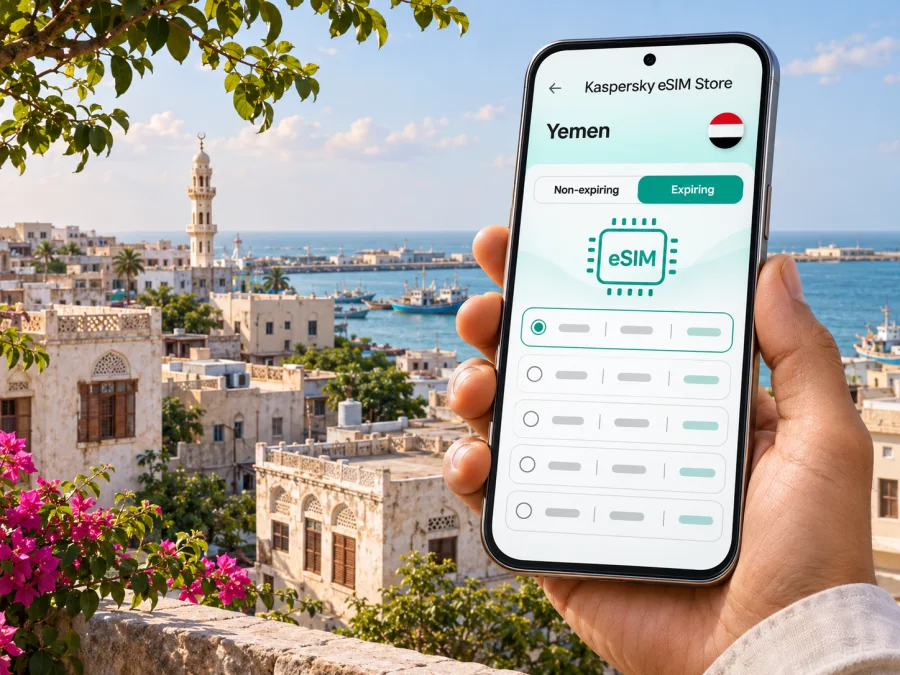
Al Hudaydah eSIM: mobile connection and internet planning
Al Hudaydah is a Red Sea port city in western Yemen. If you have an essential, officially authorized reason to travel there, mobile data may help with coordination, maps, messages and changing arrangements. But connectivity is only one part of preparation: the security situation, entry rules, transport availability and communications can change quickly.
As of November 2026, the UK Foreign, Commonwealth & Development Office advises against all travel to Yemen because of unpredictable security conditions; the U.S. Department of State also advises against travel. Treat that guidance as a primary decision point and check your own government’s current advice before making plans. This guide is for people who must travel or are already in the city. It is not a recommendation to visit, and an eSIM cannot make travel safe or guarantee that you can contact help.
Before planning a route to Al Hudaydah
Al Hudaydah (also written Al Hodeidah or Hudaydah) is a coastal city and the administrative centre of Al Hudaydah Governorate. Its position on the Red Sea has shaped its role as a port and a local hub. That geography does not mean the city is a normal cruise stop or that the port is available for passenger arrivals. Do not assume that a ship, airport, border crossing or road route is operating because it appears on a map or in an old itinerary.
For an essential journey, confirm arrangements with the organization responsible for your trip and current official travel channels. Recheck shortly before departure and before every overland leg; old maps and timetables may not reflect closures or disruption. Follow qualified local security advice, keep itineraries private and agree on check-ins and a fallback meeting plan. Do not approach ports, security facilities or restricted sites to improve a map fix or mobile signal.
A simple decision check
Before focusing on data plans, establish these points with your organization or local contact:
- Is travel to Yemen and specifically Al Hudaydah permitted under current official advice, your employer’s policy and your insurance terms?
- Are your entry permission, route, accommodation and onward transport confirmed by responsible, current sources?
- Who is the named local contact, who receives your check-ins, and what is the procedure if a call or message does not arrive?
- What is the departure or shelter plan if transport, power, mobile service or internet access stops?
- Can your team work offline with printed directions, written phone numbers and saved documents?
If any answer is unclear, resolve it before travelling. A working data connection is useful, but it is not a substitute for a security plan, local support or emergency communication arrangements.
What a mobile connection can help with in the city
For a person already authorized to be in Al Hudaydah, a mobile data connection can make routine coordination easier when a compatible network is available. You might use it to share a pickup point, receive an updated meeting time, send a short status message, view a saved map, translate a brief phrase or retrieve a booking detail. At a hotel, office or aid facility, it may also provide a second way to reach work systems when local Wi-Fi is unavailable or unsuitable.
Those uses depend on several things working at once: power for your phone, functioning local infrastructure, a supported network, a usable data plan and any required account or app access. Coverage and performance can vary by street, building, provider, network load and local conditions. Do not plan as if a signal will be present indoors, along the coast, on the road or at every destination. An internet-only eSIM may also not include an ordinary phone number, voice calls or SMS; check the specific tariff terms if those functions matter.
| Situation | How mobile data may help | Prepare a fallback |
|---|---|---|
| Arrival or handover | Send a brief “arrived” message or confirm a meeting point if service is available | Agree on a time and place in advance; keep a printed contact sheet |
| Moving between locations | Check a saved route or receive a revised pickup instruction | Ask a trusted local contact to confirm safe, current routes; do not navigate into restricted areas |
| Work coordination | Read a short update or send a document when the connection allows | Keep essential files available offline and establish a radio or in-person procedure with your team |
| Accommodation | Contact your host or organization about a changed arrival time | Record the address in Arabic and English where possible, and keep it on paper |
| Temporary outage | Use a previously downloaded map or notes | Move only according to your security plan; do not travel in search of a signal |
Use the table as a preparation aid, not as a claim that a particular service is available at a specific place in Al Hudaydah. Where the consequences of a missed message are serious, agree a backup channel before the trip rather than relying on a single phone or network.
Mobile data in Yemen: verify the destination, not just the label
An eSIM is a digital SIM profile installed on a compatible device. A travel data plan can be convenient because it avoids handling a physical SIM card, but the label “Yemen” on a plan page alone does not answer every practical question. Before purchase, read the current terms for the precise destination, validity period, data allowance, activation conditions and any network limitations. Confirm that the plan is intended to work in Yemen and that the service provider’s current coverage information applies to the place and dates you need.
We could not independently verify a current, dependable eSIM partner network or service performance specifically in Al Hudaydah. Availability can change, and the presence of a Yemen destination page does not prove local coverage, a working signal in the city, or support from a particular Yemeni operator. Do not treat regional or international roaming descriptions as confirmation for this city. If the plan terms do not clearly identify Yemen and the relevant network conditions, contact the provider through its current support channel before relying on it. For a mission-critical trip, prepare a separate communications method approved by your organization.
Kaspersky eSIM Store is an app and website where travellers can choose, arrange and activate an eSIM tariff for mobile internet abroad. The service does not operate a mobile network. The available country page is a starting point for checking current terms, not a promise that a tariff will connect in Al Hudaydah. You can review the Yemen destination page and check current options before deciding whether an eSIM fits your itinerary.
Choose a plan around the job it must do
Start with the communication task rather than the largest data allowance. A traveller who needs occasional text updates may use little data, while a team that sends files or joins remote meetings may need more. Even then, a larger allowance cannot compensate for unavailable coverage or unstable service.
- Write down the itinerary and dates. Include each overnight location and any transit outside Al Hudaydah. A Yemen-only plan may not cover a neighboring country if your approved route changes.
- List essential online tasks. Separate urgent coordination from optional browsing, social media, video calls and large uploads. Keep high-volume activity for a confirmed, suitable connection.
- Read the coverage and network terms. Look for Yemen specifically, the supported local network if named, activation rules and any limits. If the details are vague, ask before purchase.
- Compare validity with the schedule. Check when the validity period starts; installation and activation may be separate events. Do not guess whether simply installing the profile starts the clock.
- Check how to get help. Save support details offline and verify how support can be reached if the eSIM does not register.
A useful plan is one whose destination, validity and expected use are clear before payment. There is no universally suitable data amount. Estimate your normal use, download maps and work documents in advance, and leave room for necessary updates without depending on streaming or continuous video.
Device and account checks before departure
An eSIM works only when the phone or tablet supports eSIM and is not restricted in a way that prevents activation on another provider. Support can differ between regional variants of the same model, so a familiar model name is not enough to confirm compatibility. Review the manufacturer’s instructions for your exact device and variant, check the device’s mobile settings for an option to add an eSIM, and use the device compatibility check before you choose a tariff.
Also check whether the device is carrier-unlocked, whether it can store another profile, and whether your operating system is current enough for the installation method. Keep access to the email account or app used for purchase. If activation requires a QR code, make sure you can display it on a separate screen or use the provider’s manual setup details; a single phone cannot scan a QR code displayed only on itself without another supported method.
Do not remove an eSIM profile just to troubleshoot unless the provider confirms that it can be reinstalled. Some profiles have limited installation attempts or require support to reissue. Before leaving, take screenshots or make offline notes of the installation steps, support route, profile label and any instructions about when to turn on data roaming. Store account recovery details securely and do not share activation codes in public chats.
Before you leave: phone checklist
- [ ] Confirm eSIM support for the exact device and regional variant.
- [ ] Confirm that the device is not carrier-locked and that you can add a profile.
- [ ] Install system updates and charge the device; pack a suitable power bank if permitted by your travel and security rules.
- [ ] Keep the primary number active if you need calls or SMS on it, and understand which line is selected for mobile data.
- [ ] Download offline maps, essential documents, translation resources and work files.
- [ ] Save emergency contacts, accommodation details and meeting instructions offline and on paper.
- [ ] Read the plan’s instructions for installation, activation, supported networks and data roaming.
- [ ] Agree a check-in schedule and an alternative if mobile data stops working.
Installing an eSIM before or after arrival
When possible, complete the parts that require a stable internet connection before departure, but follow the plan’s activation instructions exactly. Some tariffs begin when installed, while others begin when they first connect to a supported network; this depends on the product terms. If the start rule is unclear, ask the provider before installing. Keep the eSIM profile available and avoid switching off your only working communications line until you know how the new profile behaves.
A typical setup sequence is:
- Connect to a reliable Wi-Fi network and open the eSIM instructions supplied with the plan.
- Add the eSIM in your device’s mobile or cellular settings, either by scanning the QR code or entering the details manually if that option is provided.
- Give the profile a clear label, such as “Travel data,” so you can distinguish it from your usual line.
- Select the intended line for mobile data only when appropriate under the plan instructions. Leave calls and SMS on your normal line if you need them and understand the charges.
- Enable data roaming for the eSIM only if the plan’s instructions require it. Follow the provider’s setup guidance; do not assume every eSIM uses the same setting.
- Wait for registration in a place where you are permitted to be, then check that the selected line and data setting match the instructions. If it does not connect, do not repeatedly delete and reinstall the profile.
For platform-specific steps, use the Android eSIM installation instructions or the iPhone eSIM installation instructions. These steps explain device setup; they do not confirm that a plan has coverage in Al Hudaydah. If the profile fails to register, preserve the error details and contact the provider through the support option saved before travel.
Power, signal and offline preparation
Where electricity or networks may be unreliable, reduce your dependence on being online. Charge when safe and authorized, carry a power bank if permitted, and use offline downloads to conserve battery and data. Save the relevant map, address, local contact number, trip documents and eSIM support instructions before moving; keep essential details on paper as well. Agree on a permitted meeting point with your local contact.
If service drops, follow your organization’s procedure first. Check airplane mode, the selected data line and the eSIM profile; restart once only if safe and appropriate. Avoid repeated network changes unless the provider directs you. Use the prearranged alternative if data does not return. Protect stored documents, follow your organization’s data-handling policy and do not post a live location publicly. If instructed to shelter, do so instead of troubleshooting.
A practical communications plan for a short stay
For a short visit, confirm pickup and return arrangements in advance, name the person who will notice a missed check-in, and agree when they should escalate. For a longer assignment, coordinate approved channels, device security and check-in frequency with your organization. Keep a paper contact list and make sure a colleague knows what to do if you are unreachable.
If a departure is delayed, verify changes through the responsible travel provider and local contact. Do not assume an old ticket, airport status or onward route is still valid, and do not plan a new overland route from a map alone. Conserve battery and follow any instruction to shelter.
Communication fallback ladder
Agree on an ordered fallback before travel, tailored to your organization’s policy and local advice:
- Primary: the approved data or voice method, if service is confirmed.
- Secondary: a separate authorized channel that does not depend on the same device or network.
- In-person: a pre-agreed contact or meeting procedure at a permitted location.
- Escalation: the trip lead’s documented response to a missed check-in.
This is a planning framework, not a recommendation to use any particular radio, satellite device or communications product. Check legal, security and organizational rules for the equipment you carry.
Frequently asked questions
Is Al Hudaydah a routine tourist destination?
No travel guide should imply that it is. As of November 2026, the UK advises against all travel to Yemen, and the U.S. State Department also advises against travel. Check current guidance from your government and your organization before making any decision. This article does not encourage travel.
Will a travel eSIM connect in Al Hudaydah?
That cannot be confirmed from the country name alone. We could not verify current local eSIM coverage or dependable service for the city. Check the provider’s latest Yemen-specific terms, supported network information and activation rules directly before relying on it. Even a supported plan may not connect at every location or time.
Does an eSIM provide calls and text messages?
A travel eSIM may be data-only. Do not assume it includes a local phone number, standard voice calls or SMS unless those features are stated in the specific plan terms. Keep another approved way to contact your trip team.
Should I install the eSIM before travelling?
Often it is practical to prepare the profile while you have reliable internet, but the right timing depends on the plan’s activation rule. Check when validity begins and whether installation itself activates the tariff. If this is not clear, ask the provider before adding the profile.
What if there is no signal after installation?
Follow your security and communications plan first. Check the profile and data-line settings against the supplied instructions, then use the saved support route if appropriate. Keep offline information available and do not travel to another area simply to find a signal.
Can I rely on maps and messaging apps alone?
No. Download what you need in advance, print essential contacts and directions, and establish scheduled check-ins with a named person. Apps depend on the device, power, network and account access all being available.
Prepare carefully before an essential journey
Al Hudaydah is a Red Sea city in Yemen, but a city-level connectivity plan cannot remove the serious uncertainty around travel, transport, infrastructure or mobile service. Check current official advice, confirm your authorization and local arrangements, and build offline and human fallback procedures before departure. If an eSIM is appropriate for your trip, verify the Yemen-specific tariff conditions, device compatibility and activation timing directly, then treat mobile data as one possible tool within a broader communications plan.
When you are ready to review the current destination information, check the available options for Yemen in Kaspersky eSIM Store. Compare the terms carefully, and install an eSIM only when the destination, device and setup requirements are clear for your itinerary.


