Travel connectivity guide
Al Rayyan eSIM: Mobile Internet for Qatar Trips
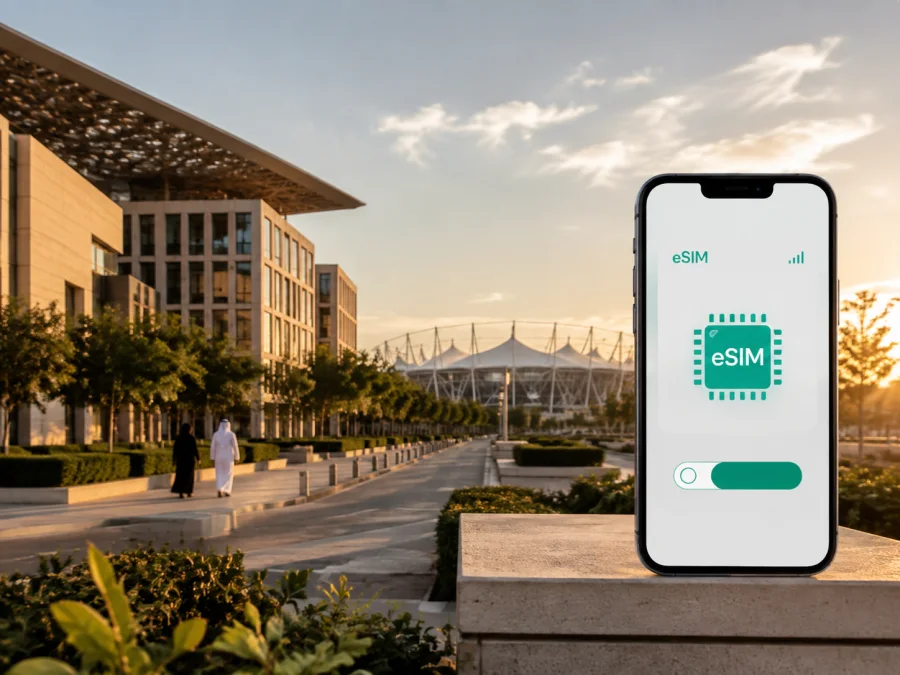
eSIM in Al Rayyan: mobile connection and internet for your Qatar trip
Al Rayyan is a practical base for a trip to Qatar. Beside Doha, it brings together Education City, Aspire Zone, Mall of Qatar, Ahmad Bin Ali Stadium, hotels, shopping and routes towards the west. That variety makes mobile internet useful from the first minutes after landing, not only during sightseeing.
An eSIM is a digital SIM profile that can provide mobile data on a supported, unlocked phone without removing your usual physical SIM. For a journey to Al Rayyan, it can help you open a map while leaving the airport, request a ride, check a hotel message, confirm a meeting point or translate a notice without depending entirely on public Wi‑Fi. Kaspersky eSIM Store is an app and website that helps you choose and activate an eSIM with a suitable plan for mobile internet during an international trip.
Why an eSIM is useful in Al Rayyan
Al Rayyan is not a single compact tourist quarter. Your day may begin at a hotel near Education City, continue to a meeting in Doha, move west to Mall of Qatar, and end at a match or event near Ahmad Bin Ali Stadium. The right connection is therefore less about one attraction and more about keeping your travel tools available as the setting changes.
With mobile data ready, you can:
- follow a route from Hamad International Airport to your accommodation;
- compare a metro journey with a taxi or ride-hailing trip;
- locate the correct entrance to a campus, stadium, mall or hotel;
- send a live arrival update to a colleague or family member;
- keep a digital reservation, boarding pass or event ticket accessible;
- check a map before leaving a hotel, mall or venue;
- communicate when a transfer changes.
This is especially convenient for short visits, when a transfer, meal, mall visit or Education City stop leaves little time for finding a physical SIM and adjusting phone settings. Preparing an eSIM before departure keeps attention on the route.
Arrival in Al Rayyan: prepare the first hour
Most visitors enter Qatar through Hamad International Airport and then travel towards Doha or Al Rayyan by road. The exact route depends on the hotel, the time of day and whether the destination is near Education City, Aspire, Al Waab, Al Gharrafa, Al Riffa or another part of the wider urban area. Save the accommodation name and address in your travel notes, but keep a live map available as well: drivers and passengers may need to choose a particular entrance or service road.
Before leaving the terminal, check five simple items:
- The eSIM profile is installed or ready to install according to the instructions for the selected plan.
- The phone shows the intended line for mobile data.
- Data roaming is enabled for the eSIM if the plan instructions require it.
- Your primary SIM is set according to your preference for calls and messages.
- The map, accommodation details and ride information are available in the phone.
An eSIM does not replace good preparation. Keep booking details, a payment method and an offline note with the destination address. Mobile data supports those preparations; it is not a substitute for checking the plan terms or device settings.
Getting around: metro, road transfers and walking
The best way to move around Al Rayyan depends on the district. The Doha Metro is useful for major corridors and for reaching destinations with a nearby station. Al Riffa Metro Station is beside Mall of Qatar and serves the Green Line; the same area is also close to Ahmad Bin Ali Stadium. For visitors, this creates a clear rail-based plan for a shopping visit, an event or a meeting near the stadium.
Education City has its own cluster of campuses, cultural venues and public spaces. The metro station and the Education City tram can be useful for moving within that destination, but the final walking segment still matters. Use a map to check the right building, gate and pedestrian entrance rather than assuming that a campus name identifies one single door.
Road transfers remain important for hotels, residential areas, business appointments and trips beyond the main metro corridors. A ride-hailing app or taxi journey is easier to manage when you can see the vehicle details, share your location and read driver messages. When a road route crosses between Al Rayyan and Doha, use the destination name and the exact venue rather than relying on a broad district label.
A simple transport decision
| Situation | Useful first choice | What mobile data helps with |
|---|---|---|
| Airport to a hotel | Taxi, ride-hailing service or arranged transfer | Finding the pickup area, sharing the destination and following the route |
| Mall of Qatar or an event near Ahmad Bin Ali Stadium | Doha Metro to Al Riffa, then the venue entrance | Checking service information, walking directions and event messages |
| Education City visit | Metro and/or Education City tram, with a planned final walk | Locating the correct campus, library, exhibition or meeting building |
| Hotel away from a station | Taxi or ride-hailing service | Confirming the pin, contacting the driver and adjusting the pickup point |
| Trip towards the western desert areas | Pre-planned road transfer or rental car | Route changes, map checks and communication when the itinerary changes |
Distance is only one part of the decision: heat, luggage, crowds and the time of day can change the practical route. Check the final walk before setting out and keep enough data for the return journey.
Districts and places that shape a city itinerary
Al Rayyan works best when you plan by clusters rather than crossing the metropolitan area repeatedly. Education City suits academic visits, conferences, exhibitions, public art and architecture; save the exact campus, building and entrance because one institution can cover a large site. Al Riffa and Mall of Qatar combine shopping, dining and entertainment with a Green Line metro connection, making the area a practical meeting point for visitors arriving by different modes.
Ahmad Bin Ali Stadium is a recognisable event landmark. On a match day, the useful destination is not just “the stadium” but the correct gate, drop-off point and return route. Aspire Zone and Al Waab bring together sports venues, green space, hotels and leisure stops, while Al Gharrafa and western residential areas may be more convenient for longer stays or family visits. Save an exact map pin for every appointment and accommodation, not only the district name.
Hotels, meetings and remote work
Choosing where to stay in Al Rayyan is often a question of the day’s purpose. A hotel near Mall of Qatar or the stadium may suit a sports event or a western-city itinerary. Accommodation near Education City can reduce the number of daily transfers for academic work. A base closer to Aspire or Al Waab may be practical for sports, family activities and access to central Doha by road.
For a business trip, assess the whole route rather than the hotel name alone:
- How will you reach the first meeting after landing?
- Is the meeting in a campus, hotel, office tower or event venue?
- Will the route require a metro connection, tram segment or taxi?
- Is the return route clear after the venue closes or the event ends?
An eSIM plan should match the way you work. A traveller who uses maps, messages and occasional browsing may need a different amount of data from someone who joins video calls, uploads documents or uses cloud services throughout the day. Estimate usage across the entire stay, include arrival and departure days, and review the plan’s validity and data conditions before choosing.
For remote work, download essential documents, note the hotel address and carry a charger.
How to choose an eSIM plan for Al Rayyan
The relevant destination is Qatar, even when your article, hotel or event is specifically in Al Rayyan. Start by checking that the selected plan covers the country or region you will actually use. If your route continues to another country, read the conditions for that second destination separately rather than assuming that one plan covers every border crossing.
Then consider four variables:
- Length of stay. Include the day of arrival, the day of departure and any overnight stop before or after Al Rayyan.
- Data habits. Maps, messages and light browsing usually require less data than video meetings, media uploads or frequent hotspot use.
- Route shape. A hotel-to-office routine may be predictable; a trip combining Al Rayyan, Doha and western attractions requires more navigation and communication.
- Activation conditions. Read when validity begins, how the plan is activated and whether the selected profile needs data roaming enabled.
Kaspersky eSIM Store helps you review the destination and choose an eSIM plan for the trip. To prepare before flying, choose an eSIM plan for your Qatar journey and compare the available conditions with your expected stay and usage.
Install and activate an eSIM
Check your phone before purchase. It must support eSIM, and it should not be locked to another operator. Device variants can differ by model and sales region, so check your device compatibility before relying on the eSIM for arrival navigation.
If the phone passes that check, use this sequence:
- Choose the plan. Select Qatar as the destination and review the duration, data allowance, activation conditions and any regional limits.
- Install with a stable connection. If possible, add the eSIM profile before departure while using trusted Wi‑Fi. Keep the activation information available until the profile is visible in the phone’s cellular settings.
- Label the line clearly. Use a label such as “Qatar travel” so it is easy to identify the eSIM beside your personal line.
- Set mobile data deliberately. On arrival, choose the travel eSIM for mobile data if that is the intended setup. Avoid changing the primary line by accident.
- Review roaming and switching settings. Enable data roaming for the travel profile only when the plan instructions call for it, and turn off automatic switching that could send data through an unintended line.
- Test a small task. Open a map, send a message and check that the phone displays the expected data line before beginning a longer transfer.
The menus vary by device. For a more detailed walkthrough, use the Android eSIM installation instructions or the iOS eSIM installation instructions. Keep your personal SIM active if you need its number for calls or messages, but check how your phone handles roaming and mobile-data selection so that the lines do not conflict.
Before departure checklist
- [ ] The device supports eSIM and is not operator-locked; check device compatibility if you are unsure.
- [ ] The Qatar destination and plan validity match the itinerary.
- [ ] The eSIM installation details are saved securely.
- [ ] The hotel address and first transfer are saved in the phone.
- [ ] Maps, tickets, reservations and meeting details are accessible.
- [ ] A charger or power bank is packed for long travel days.
- [ ] The primary line, travel line and mobile-data settings are understood.
Practical Al Rayyan scenarios
A short stopover. Plan one compact cluster, such as Mall of Qatar and Al Riffa, rather than several cross-city transfers. Mobile data helps with the station entrance, a ride request and the airport return route; leave a buffer for security and the transfer back to the terminal.
A conference or university visit. Ask for the exact campus, building and entrance in Education City. Save the organiser’s message, open the walking route before leaving the station and arrange a clear taxi pickup point if you are not returning by tram or metro.
A match, family day or trip west. Check the correct stadium gate or venue entrance before crowds gather. For a family itinerary, combine indoor and outdoor stops according to conditions. For a drive towards places such as Zekreet, prepare the route, fuel and return timing before leaving Al Rayyan and keep navigation available throughout.
FAQ
Do I need a Qatar eSIM if I am staying in Al Rayyan only briefly?
It can be useful even for a short visit if you need maps, ride-hailing, messages or an airport transfer. Check the plan’s validity and activation conditions against your itinerary.
Can I keep my usual number while using an eSIM?
On a dual-SIM phone that supports eSIM, you can often keep the primary line available while selecting the travel eSIM for data; check device compatibility first. Travel eSIM plans are commonly intended for mobile data; calls or SMS are included only when the plan says so. Options vary, so confirm the data line before departure.
What if the eSIM does not connect after landing?
Check that the profile is enabled, the travel line is selected for mobile data, and data roaming is set according to the plan instructions. Restart the phone if needed, verify the plan destination and validity, and keep the activation details ready if you need support.
Stay connected through your Al Rayyan itinerary
Al Rayyan rewards practical planning. Keep the airport transfer, hotel address, first meeting point and return route together; group nearby destinations; and use the metro or a road transfer where each fits. An eSIM keeps maps, messages and travel details available without removing your usual SIM.
Before departure, check your device and plan conditions. Then choose an eSIM plan for a trip to Al Rayyan and Qatar and install it carefully.


