Travel connectivity guide
Ålcom eSIM in Finland: what to check
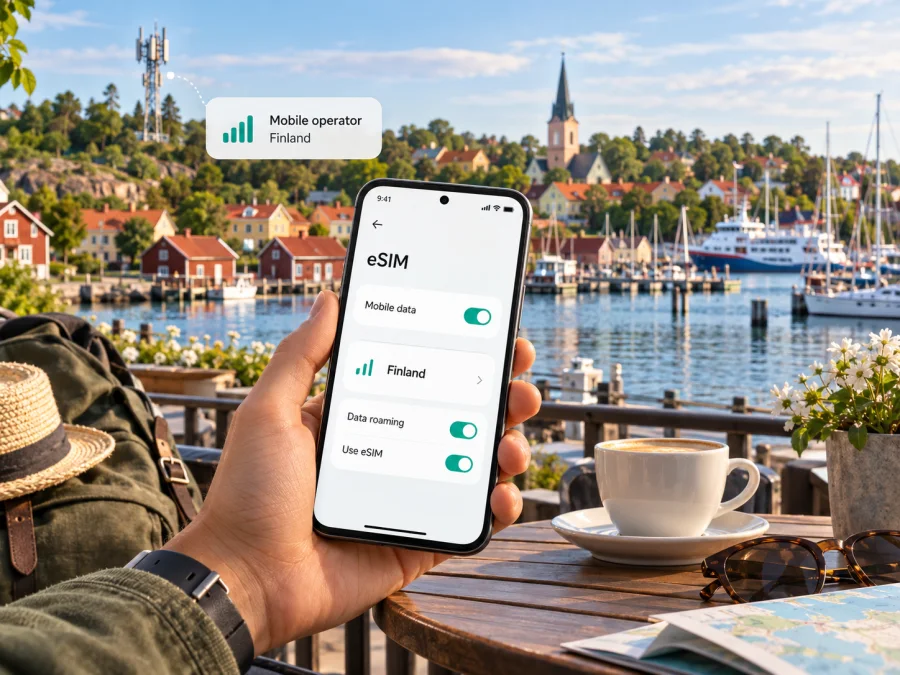
Ålcom eSIM in Finland: what travellers should know
Published 18 October 2026. Ålcom and other product names belong to their respective owners. Kaspersky eSIM Store is not affiliated with, endorsed by, or an official partner or distributor of Ålcom.
Ålcom is a locally rooted telecommunications provider in Åland, the autonomous, demilitarised, Swedish-speaking region of Finland. Its eSIM offer is real, but the eligibility detail matters for a visitor: Ålcom’s current eSIM instructions say that you need an Ålcom mobile subscription and a compatible mobile phone. The public information does not establish that a short-term visitor can simply buy a new Ålcom eSIM as a tourist, or that Ålcom’s prepaid service can be issued as an eSIM. Check with Ålcom before planning around either option.
This guide explains what Ålcom confirms about eSIM, what a traveller should verify, and how to plan for service across Åland and mainland Finland. Information below was checked against Ålcom’s public pages on 18 October 2026. Operator requirements, network arrangements and device support can change, so verify your specific case before travelling.
What Ålcom’s eSIM offer means for a visitor
An eSIM is a digital SIM profile installed on a compatible device. Ålcom’s eSIM page describes using one in a mobile phone, including alongside a physical SIM in a dual-SIM setup. It instructs existing subscribers to sign in to the customer area and follow the SIM replacement process to change from a physical SIM to an eSIM. Once the replacement is activated, the former physical SIM stops working.
The current page does not describe Ålcom eSIM as a standalone travel product. Owning an eSIM-capable phone is not, by itself, enough to establish that Ålcom will issue a profile. Ask whether a visitor can obtain a subscription, what customer details are required, and whether the intended device can use eSIM.
Ålcom says its eSIM support is for mobile phones, not smartwatches. A watch’s eSIM capability alone does not make it compatible with Ålcom.
eSIM, prepaid and short visits
Ålcom has a separate prepaid section. It presents prepaid mobile data as an option for a holiday or a longer stay on Åland and explains that customers can top up through the customer area, the operator’s app or its shop. This confirms that Ålcom offers prepaid service in a general sense, but the prepaid page does not say that this service is available as eSIM. Nor does it confirm that every visitor can register for it. Treat prepaid eSIM availability and visitor eligibility as unconfirmed until Ålcom answers directly.
For a short visit, confirm whether you can obtain a subscription, whether a new customer can request it as eSIM, whether prepaid is available in eSIM format, and what network arrangements apply along your route. If any answer is unclear, ask Ålcom before relying on service for navigation or travel updates. A physical SIM or travel data eSIM may be more practical depending on eligibility and itinerary.
Where Ålcom fits in Finland
Ålcom describes itself as a local communications company serving Åland, with mobile subscriptions alongside broadband and other communications services. Its company history says Ålands Datakommunikation Ab and Ålands Mobiltelefon Ab merged to form Ålcom in 2012.
Åland.ax’s “Facts about Åland” page describes the islands as an autonomous, demilitarised, Swedish-speaking region of Finland. A trip to Mariehamn is within Finland, but mainland service for an Ålcom customer is a roaming arrangement. An itinerary combining the islands and mainland may involve more than one network context.
Ålcom’s “Roaming partners” page currently lists Elisa Corporation for Finland and marks internet, 4G and 5G as available there. Its mobile support page explains that outside the Ålcom network, customers use another operator’s network. It also cautions that an operator may not have complete coverage in every part of a country and that a roaming partner’s network disruption can affect service. These are useful caveats for a traveller: partner access is not a promise of uninterrupted connectivity, and the status of a technology in a partner table is not a guarantee of it at every point on a route.
Ålcom publishes separate 4G, 5G and 3G coverage map layers for Åland. It calls them indicative and based on theoretical values rather than measurements. Its 5G FAQ says a compatible subscription and phone are needed. Use the maps for planning rather than as a guarantee; the operator notes that terrain, buildings, weather and distance from a base station can affect reception.
| Travel question | What the current public information says | What to check |
|---|---|---|
| Åland coverage | Ålcom publishes indicative 4G, 5G and 3G coverage maps for Åland. | Search the map around your accommodation, port and planned stops. |
| Mainland Finland | Ålcom lists Elisa Corporation as its Finland roaming partner, with internet, 4G and 5G marked available. | Confirm your subscription permits the intended use and check the partner network for your route. |
| eSIM eligibility | An Ålcom mobile subscription and compatible mobile phone are required. | Ask whether you can obtain a subscription as a visitor and whether it can be issued as eSIM. |
| Smartwatch | Ålcom says its eSIM support is currently for phones, not watches. | Arrange connectivity through a supported phone or another confirmed option. |
The table summarizes published operator information, not a prediction of the signal at a specific address. Coverage and roaming details should be checked close to departure, particularly if you need service outside towns or while travelling between islands.
How to request and install an Ålcom eSIM
Ålcom’s eSIM page and mobile FAQ explain a QR-code installation flow. The exact route in phone settings depends on the device and software version, but the operator’s general prerequisites are useful: an eligible Ålcom subscription, a supported phone, a QR code and activation code, and a working Wi-Fi connection during installation. Its instructions say to keep the QR code available separately from the phone being configured so that the phone can scan it.
If you are an existing Ålcom customer considering a conversion, first verify that your phone is unlocked and eSIM-compatible. Ask Ålcom for the current QR code and activation instructions, and confirm the consequences for your existing physical SIM before starting. Ålcom says the physical SIM stops working once the eSIM replacement has been activated. Keep your old SIM available until the replacement is complete, but do not expect it to remain usable afterward.
A practical setup sequence is:
- Confirm eligibility. Ask Ålcom whether your subscription can be changed to eSIM and whether your exact phone variant is supported in your market.
- Prepare a second screen. Keep the QR code and any activation code visible on another device or printed page, not only on the phone you are setting up.
- Connect to Wi-Fi. Ålcom’s installation instructions say to keep the device connected to Wi-Fi for the installation.
- Add the mobile plan. On the phone, open its mobile-network settings, choose the option to add an eSIM or mobile plan, and scan the code according to the manufacturer’s instructions.
- Enter the activation code if requested. Follow the steps Ålcom supplied. Do not share the code, since it is intended to install your profile.
- Wait for confirmation. The operator says activation may take a short time and that the phone will indicate when the process is complete.
- Check the selected line. If you use dual SIM, confirm which line handles mobile data, calls and messages. Avoid accidentally using a home SIM for data roaming if that is not what you intend.
- Test before relying on it. Check that the profile appears in settings, then test service while you still have Wi-Fi or another way to contact support.
If installation fails, note the error and contact Ålcom before deleting or resetting the profile. The public instructions do not promise that a used QR code can be reused.
Device compatibility is more than an eSIM toggle
A model name alone may not settle compatibility. Support can vary by regional variant, software and carrier lock. Confirm the full model identifier with Ålcom, check that the phone is unlocked, and install available software updates.
Some phones sold in different markets have different SIM hardware or supported network bands, even when the product name looks the same. Avoid relying on a generic compatibility list for a different regional variant. If you plan to use 5G, confirm that both the phone and subscription support it and that service is available in the area; Ålcom identifies these as requirements in its 5G FAQ.
Before ordering or changing a SIM, check whether your device supports eSIM. Keep your primary number active if you need it for calls, verification messages or banking. A travel data profile usually does not replace your ordinary number unless its terms explicitly say otherwise.
Staying connected across Åland and mainland Finland
If your journey includes only Åland, focus on Ålcom’s local coverage maps and ask whether a prepaid product or subscription is available for your circumstances. If you will also travel on mainland Finland, confirm the roaming terms attached to your specific subscription. Ålcom’s partner listing confirms a Finnish network relationship with Elisa; its public support page says its subscriptions are not intended for permanent roaming outside Åland and Finland. That statement concerns ongoing use, but a short-term traveller should still check the plan’s current conditions and fair-use rules rather than assuming every service behaves the same way.
During ferry crossings, signal can change or be unavailable. Save tickets, directions and accommodation details for offline access, and keep a backup way to retrieve essential information.
With dual SIM, select the intended data line. Review roaming separately for each profile: a home SIM may incur roaming charges, while some travel eSIMs require roaming to connect. Follow the terms for each service.
When the network does not connect
Ålcom’s mobile support page suggests restarting the phone, checking mobile data and APN settings, checking roaming where relevant, and trying manual network selection. The phone may retain an earlier roaming-partner selection. Menu labels vary, so ask Ålcom for the correct APN or partner details rather than guessing.
For an eSIM problem, confirm that installation completed and the Ålcom line is enabled. If a profile appears but has no service, ask Ålcom about account provisioning, network selection and required settings before reinstalling it.
Ålcom and a travel eSIM: different jobs
Ålcom may suit residents, existing customers or travellers who qualify for its subscription. A short-term visitor may prefer data access without a local subscription. The practical choice depends on eligibility, device, need for a local number, route and current terms.
Kaspersky eSIM Store is an app and website that helps travellers choose, purchase and activate an eSIM data plan for an overseas trip. It is not a mobile operator, does not own a network and does not itself provide mobile coverage. A travel eSIM can be useful when you want to arrange data before departure or avoid looking for a physical SIM shop after arrival. It should be treated as mobile data unless the selected plan explicitly states otherwise; keep your regular SIM for your normal number and check its roaming settings separately.
For Finland, review the plan’s current coverage description and activation terms; do not assume every island, ferry route or remote location is covered equally. Confirm compatibility and keep a separate arrangement for your usual number if you need calls or SMS.
If you want to explore a separate data option, browse current eSIM options for Finland. The page is for checking current travel-plan availability and conditions; it is not an Ålcom tariff page and does not establish that a plan uses Ålcom’s network. Read the displayed network, activation and validity conditions before choosing.
A practical checklist before departure
Use this short checklist before departure:
- Map your stops in Åland and mainland Finland separately.
- Ask Ålcom about visitor eligibility, eSIM issuance and roaming conditions.
- Confirm prepaid eSIM availability rather than assuming it.
- Check the phone’s exact variant, eSIM support and carrier lock.
- Install over Wi-Fi with the QR code on a separate screen.
- Select the intended data line and review roaming settings.
- Save essential travel information offline and recheck current terms.
Frequently asked questions
Does Ålcom offer eSIM in Finland?
Yes. Ålcom’s current eSIM page describes eSIM for a compatible mobile phone. It says an Ålcom mobile subscription is required. This does not mean every visitor can buy one as a standalone travel product; confirm your eligibility with Ålcom.
Can a tourist buy an Ålcom eSIM for a short visit?
The public eSIM information does not confirm a tourist sign-up route or visitor-specific requirements. Ask Ålcom whether it will issue a new subscription and eSIM to someone in your situation before relying on it.
Is Ålcom eSIM available for a smartwatch?
Ålcom says its eSIM support is currently for mobile phones and not smartwatches. Check with the operator again if this changes before your trip.
Can I get Ålcom prepaid as an eSIM?
Ålcom publishes prepaid information for mobile data, including use on a holiday or a longer stay in Åland. Its public prepaid page does not confirm that prepaid is available as eSIM. Verify both eligibility and format directly with Ålcom.
What do I need to install an Ålcom eSIM?
Ålcom’s instructions call for an eligible subscription, a compatible phone, a QR code and activation code, and Wi-Fi during installation. Keep the QR code available on a separate screen so you can scan it with the phone being configured.
Final checks
Ålcom confirms phone eSIM for customers with an Ålcom mobile subscription, but its public pages do not establish visitor eligibility or prepaid eSIM availability. It lists Elisa Corporation as its mainland Finland roaming partner and publishes indicative maps for Åland. Confirm the current terms, your phone variant and the coverage needed for your route. Kaspersky eSIM Store is a separate option for exploring travel data, not Ålcom service.
Operator information and coverage notes checked on 18 October 2026 against Ålcom’s “eSIM”, “Mobil (FAQ)”, “Prepaid”, “Roaming partners”, “Support (mobil)”, “Täckningskartor” and “5G (FAQ)” pages; geographic status checked against Åland.ax’s “Facts about Åland”. Service terms, roaming partners, maps and device support can change. Confirm current conditions with the relevant provider before purchase or travel.


