Travel connectivity guide
Alotau eSIM Guide: Mobile Internet in Papua New Guinea
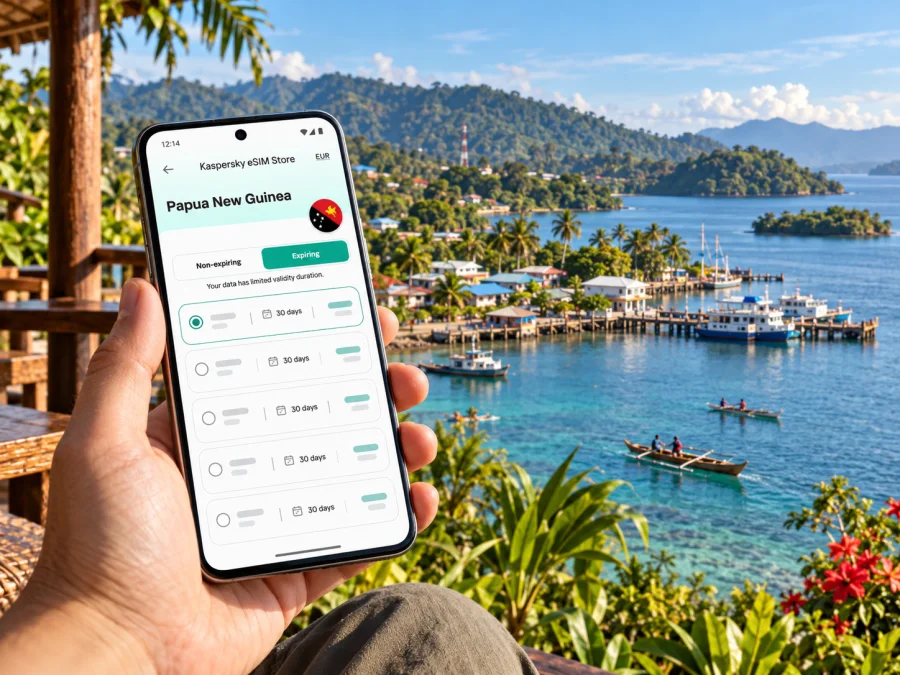
Alotau eSIM: mobile connection and internet for your trip
Alotau is the provincial capital of Milne Bay in Papua New Guinea, on the country’s southeastern coast. For a visitor, mobile internet can help with the practical parts of a stay: coordinating an airport transfer, checking a booking, messaging a host, and keeping maps or travel details available while moving around town. An eSIM can be useful if your phone supports it and a plan explicitly covers Papua New Guinea. Coverage and service can vary by location and provider, so plan for offline access as well.
This guide focuses on Alotau and the arrival points, waterfront, local arrangements, and onward journeys that shape a visit. It does not assume that a particular eSIM works in town. Before you buy, confirm the destination, local network access, activation rules, and device compatibility in the terms for the exact plan.
What to know before you arrive
Alotau is not the same as Port Moresby, and a plan labelled for Papua New Guinea should be checked for its actual network and coverage conditions in Milne Bay. The Papua New Guinea Department of Finance’s Milne Bay province page identifies Alotau as the provincial capital. The province includes a large number of islands and coastal communities, which makes it especially important to distinguish a stay in Alotau from a multi-stop trip around Milne Bay.
The town is served by Gurney Airport. Papua New Guinea Customs Service’s current declared-ports notice, effective 1 July 2026, lists Gurney Airport in Alotau, Milne Bay Province. The Milne Bay Provincial Government’s district page describes Gurney as connecting Alotau District with other parts of the country. The Papua New Guinea Tourism Promotion Authority’s National Kenu and Kundu Festival page says road transfers are available between Gurney Airport and town. These are useful planning facts, but they do not confirm flight schedules, transfer availability for a particular arrival, or mobile signal in the terminal or on the road. Check your flight and arrange transport with your accommodation or local host before travelling.
A quick arrival checklist
- Save your accommodation name, address, and contact details where you can open them offline.
- Agree on a pickup time and meeting point before boarding your flight. If plans change, airport Wi-Fi or mobile data should not be your only way to reach your driver.
- Download an offline map for the Alotau area and save the route from the airport to your lodging.
- Keep your booking confirmation and onward itinerary in a locally stored file or screenshot.
- If you intend to use an eSIM, install it while you have a stable internet connection and follow the plan’s activation instructions.
- Carry a power bank if you will rely on your phone for maps, camera, and messages during a full travel day.
A connection on arrival is helpful, but a workable arrival plan should survive a delayed flight, a weak signal, a flat battery, or a change of pickup arrangements. A printed or downloaded address and a confirmed transfer reduce the number of things that depend on data working immediately.
Where mobile internet helps around Alotau
Alotau is a compact provincial centre and a starting point for travel across Milne Bay. The practical value of mobile data is less about constant browsing than having the right information at the moment you need it: confirming where to meet, checking a message from a host, reopening a reservation, or sharing a change of plan with your travel group.
| Situation | How a connection may help | A useful backup |
|---|---|---|
| Arrival at Gurney Airport | Contacting a pre-arranged driver or accommodation | Saved contact details and a confirmed meeting point |
| Finding your lodging | Opening a map or checking directions | Offline map and saved address |
| Walking around town | Rechecking a route or sending your location to a companion | Screenshot of the route and a planned return point |
| Coordinating a boat or island excursion | Confirming timing and meeting details with the organiser | Written itinerary and local contact agreed in advance |
| Working from your accommodation | Messaging, email, and cloud tools, if the connection allows | Download work files before travel; confirm Wi-Fi with the property |
| Travelling beyond Alotau | Checking plans when service is available | Printed schedule, local guide, and offline information |
Use this as a planning framework rather than a promise of service. Mobile coverage can change between town, the airport road, the coast, and island routes. A data plan can only connect where its underlying network has service, and no city guide can guarantee reception indoors or in a particular neighbourhood. For an excursion, ask the operator what communication method they use and whether they expect you to have a working local connection.
Town, waterfront, and short walks
In town, maps and messaging are most useful when you are moving between your accommodation, shops, meeting points, and the waterfront. Save the locations you expect to visit before setting out. Alotau’s coastal setting is part of its character, but a phone map should not replace local directions: ask your host to confirm the names and entrances of places, particularly if a booking uses a landmark rather than a street address.
Keep your phone secure and protected from rain or splashes. Save key details in more than one form, such as an offline note and a screenshot.
Before setting out, save a map, your next destination, the name of anyone you are meeting, and any booking reference. This also reduces repeated loading and battery use.
Gurney Airport and the transfer into town
Gurney Airport is Alotau’s air gateway. The Tourism Promotion Authority’s festival travel information says visitors can reach Alotau by air through Gurney and that road transfers connect the airport with town. The Customs Service’s 2026 notice identifies the airport as a declared port of entry for customs purposes; that designation alone should not be read as confirmation of regular international passenger flights. The national government described international-gateway development as a future plan in its August 2026 Gurney Airport announcement. Confirm your routing and any immigration or customs arrangements with your airline or travel provider.
Before departure, ask your accommodation whether it offers a transfer or can recommend a local driver. Confirm whether the fare is settled in advance, what happens if the flight is delayed, and how the driver will identify you. Save the driver’s number and your accommodation’s number while online. A mobile connection can help relay delays, but agree on a meeting point or waiting procedure in case data is unavailable.
If you use a map app, download the area before the flight. GPS positioning may show your location without mobile data, but map tiles, search results, and live traffic information may not load offline. Test the downloaded map before travel by switching on airplane mode briefly while still connected to Wi-Fi.
Choosing an eSIM for Alotau
A city name is not always a separate plan destination. For Alotau, check whether the plan’s destination is Papua New Guinea and read the plan details to see which local network is used, where it is expected to work, and whether any restrictions apply. I could not verify an official current statement confirming eSIM availability or a specific provider’s coverage in Alotau during this review. Treat support for the country as unconfirmed until the exact plan and its network conditions say otherwise.
Kaspersky eSIM Store is an app and website where you can choose, arrange, and activate an eSIM with a suitable data plan for an international trip. It does not own a mobile network or guarantee local coverage. The plan’s stated conditions and the local network determine where service is available. You can review current Papua New Guinea plan options and check the listed destination and terms; that country page is a place to review available options, not a promise of a specific Alotau tariff or reception.
Before selecting a plan, compare the details that affect your particular itinerary:
- Destination: Does it explicitly include Papua New Guinea? If your journey also includes another country, check whether the plan covers every stop rather than assuming a country plan works across borders.
- Network and coverage wording: Is the local network named? Does the provider describe the intended coverage area? If Alotau or Milne Bay is not addressed, ask support for clarification before relying on the plan.
- Data allowance: Estimate your use for maps, messages, email, and work. Video calls, cloud backups, and streaming can use much more data than text and navigation.
- Validity: Check when the validity period begins. It may start at installation, first connection, or another event defined by the plan. Do not install early unless the terms make the timing clear.
- Tethering: If you plan to connect a laptop or another device, confirm whether hotspot use is permitted and whether the allowance will be sufficient.
- Calls and messages: Travel eSIM plans are often data-focused. Check whether the exact plan includes a phone number, voice calls, or SMS; do not assume that it does.
- Top-ups and support: Check whether more data can be added, what support is available, and what information you will need if activation does not work.
A sensible choice is the smallest plan that comfortably covers the expected data use and the trip’s duration, provided its destination and coverage conditions match the itinerary. If the exact coverage cannot be confirmed, keep your home SIM active for calls and SMS where appropriate, ask your accommodation about Wi-Fi, and consider a local connectivity option after arrival. Do not remove or erase an eSIM profile unless the plan instructions say that it is safe; some profiles cannot be reinstalled after deletion.
Device checks before purchase
An eSIM plan only helps if your phone supports eSIM, is not restricted by a carrier lock, and can use the profile under the plan’s technical requirements. Support differs by device model and sometimes by regional variant. Do not rely on a product family name alone: confirm the exact model number and the settings available on your own phone. Check your device’s eSIM compatibility before paying.
Also check that you can access the email address or account where the activation details will arrive. Keep the QR code or manual activation details available on another screen or device if your phone cannot scan its own display. If the eSIM is installed on the same phone that contains your only copy of the QR code, follow the provider’s installation method carefully before leaving home.
Install and activate with time to troubleshoot
The safest time to set up an eSIM is when you have a reliable internet connection, enough battery, and time to read the plan instructions. Installation and activation are separate steps: adding a profile to the phone does not necessarily mean that the data plan has started. The exact start point depends on the plan terms.
- Confirm that your phone supports eSIM and is unlocked for use with another network.
- Read the selected plan’s destination, validity, activation, and roaming instructions.
- Connect to reliable Wi-Fi and open the activation details in your account or purchase confirmation.
- Add the eSIM profile using the phone’s settings or the supplied QR code.
- Label the profile clearly, for example “PNG data,” so it is easy to identify while travelling.
- Keep your primary number’s line settings as you need them for calls and SMS. Choose the travel eSIM for mobile data only if that matches the plan instructions.
- Enable data roaming for the travel eSIM only if the provider’s instructions require it. This setting can be necessary for some travel plans, but it should not be changed blindly on every line.
- When you reach the destination and are ready to use the plan, select the eSIM for mobile data and check for a network connection. Allow time for registration; if service does not appear, follow the provider’s troubleshooting steps before deleting the profile.
Use the official Android eSIM installation instructions or iOS eSIM installation instructions for the relevant device. Menu names vary between operating system versions. Avoid repeatedly scanning a QR code or removing a profile unless the instructions tell you to do so.
Staying connected beyond Alotau
Many trips to Alotau include plans outside town: a boat outing, a coastal visit, or an onward journey to an island community. The province’s geography makes travel times and communication arrangements dependent on the specific destination, transport, weather, and local operator. The Department of Finance’s Milne Bay information describes a province with more than 600 islands, around 160 inhabited; these figures describe the province, not the number of places you will be able to visit on a day trip.
Do not treat a Papua New Guinea eSIM as a guarantee of service throughout Milne Bay. Ask your tour or boat operator how they will communicate schedule changes and whether there are stretches without mobile service. Download maps and confirmations before departure, tell someone your itinerary, and agree on a return time. For remote travel, a local guide’s instructions and the operator’s safety plan matter more than a data indicator on your phone.
If you are connecting through Port Moresby or another city, check whether your plan includes only Papua New Guinea or has any regional conditions. Coverage in one city does not establish coverage in another, and a working connection in Alotau would not by itself confirm service on an island route. Keep flight tickets, hotel confirmations, and emergency contacts available offline. Save copies of important details somewhere accessible if your phone is lost or out of power.
If you are visiting during the Kenu and Kundu Festival
The Papua New Guinea Tourism Promotion Authority currently lists the National Kenu and Kundu Festival in Alotau for 6–8 November 2026. Its event page describes canoe races and maritime displays, cultural performances, music, dance, arts, and crafts. As the festival dates are close to the time of this guide, verify the latest schedule, venue details, transport, and accommodation with the organisers or your host before setting out. Event information can change.
For a busy event day, save the venue and accommodation locations in advance, agree on a meeting point with your group, and keep a screenshot of the day’s schedule. Mobile data can assist with messages or changes, but do not rely on everyone having signal or battery at the same time. If you are travelling with a group, decide how to reconnect if you become separated and the mobile network is unavailable.
Frequently asked questions
Is eSIM service confirmed in Alotau?
I could not confirm a current official source stating that a particular travel eSIM or local network supports eSIM service in Alotau. Check the exact plan’s Papua New Guinea destination, network, and coverage terms, and ask the provider if Milne Bay is not specifically addressed.
Does a plan for Papua New Guinea guarantee coverage in Alotau?
No. A country label identifies the plan destination but does not guarantee reception at every location. Availability depends on the underlying local network, the plan’s terms, the handset, and local conditions. Confirm Alotau and any onward stops before purchase.
Can I use an eSIM for ordinary calls and SMS?
Only if the plan explicitly includes those features. Many travel eSIMs are intended for mobile data and do not include a regular phone number. Internet-based messaging and calls may work when data is available, subject to the apps and services you use.
Should I install the eSIM before flying?
Usually, it is easier to install over reliable Wi-Fi before departure, provided the plan’s terms make clear when validity begins. Some plans start on installation and others start later. Read the activation rules first and do not assume that installation and first use are the same event.
What should I do if the eSIM does not connect?
Check that the phone is compatible and unlocked, the correct data line is selected, the plan covers the destination, and any required roaming setting is enabled. Give the phone a short time to register, then follow the provider’s troubleshooting steps or contact support. Keep the profile installed until support advises otherwise.
A simple plan for your stay
Before leaving home, confirm the flight and transfer, save your accommodation and driver contacts, download an offline map, and check whether your exact phone variant supports eSIM. Compare the Papua New Guinea plan details against the Alotau portion of your itinerary; treat network availability as uncertain unless the provider confirms it. Install the profile when you have reliable Wi-Fi, and keep travel information available offline.
Kaspersky eSIM Store can help you choose, arrange, and activate an eSIM with a data plan for an international trip. Review the terms for your destination, device, data allowance, and activation timing before purchase. When you are ready, browse current options for Papua New Guinea and confirm with the provider that the plan suits Alotau and any onward route. Keep your arrival arrangements and offline backups in place whatever you choose.


