Travel connectivity guide
Angeles City eSIM: Mobile Internet in the Philippines
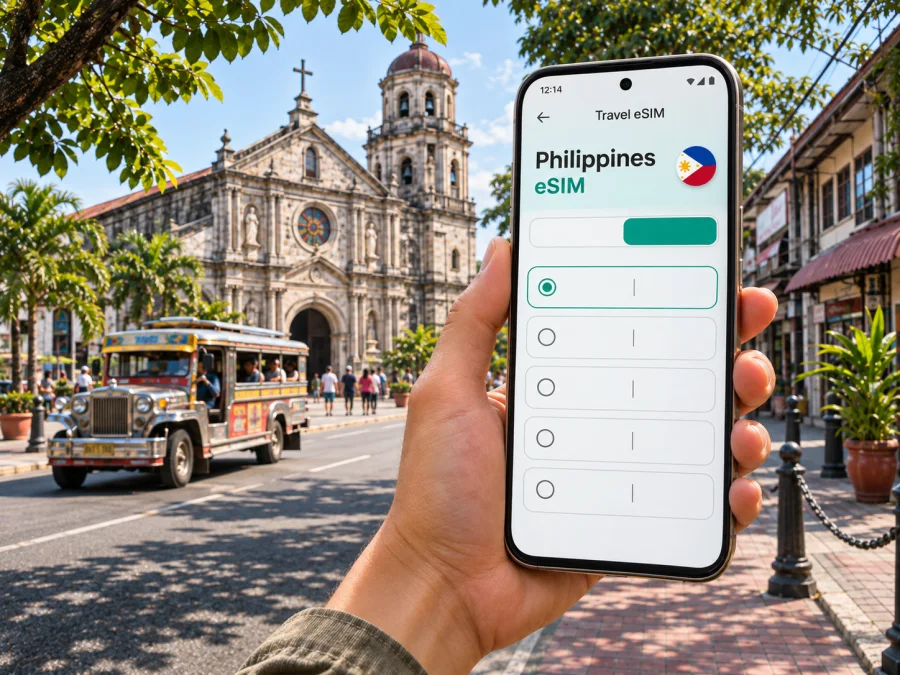
Angeles eSIM: Mobile Connection and Internet for Your Trip
Angeles City is a practical base in Central Luzon, whether you are arriving through Clark, meeting colleagues in Pampanga, visiting the Santo Rosario heritage district or continuing north from Metro Manila. A working mobile data connection helps with maps, ride arrangements, hotel messages and last-minute changes. A travel eSIM can make that connection easier to prepare: install a digital SIM on a compatible, unlocked device and use a suitable data plan for the Philippines.
The city is often simply called Angeles, but it is not the same place as Manila or Clark. Angeles is a highly urbanized city geographically situated in Pampanga but politically independent from the province. Clark International Airport is addressed in Clark Freeport Zone, Pampanga. The airport is a gateway for the area, not an airport located in the centre of Angeles. Keep that distinction in mind when choosing a hotel, entering a pickup point or estimating the road journey.
At a glance: Angeles City is in Central Luzon, Philippines. Clark International Airport (CRK) serves the wider Clark–Angeles area from Clark Freeport Zone. For a city stay, plan mobile data around arrival, local navigation and any onward travel; check the exact tariff’s country coverage, data allowance, validity and activation terms before purchase.
Why mobile data helps in Angeles
Angeles is a spread-out urban destination, so a trip may involve Clark, a hotel, a meeting venue and the historic core in one day. Mobile data helps you check routes, confirm pickup points, message a driver or host and look up current details while moving around.
The Santo Rosario District combines heritage buildings such as Holy Rosary Church with active streets and businesses. Save the hotel address and destination pins before setting out; similarly named places can lead to the wrong branch. If your schedule includes Clark, check each appointment’s address rather than assuming it is in Angeles city centre. Clark Freeport Zone is a nearby, distinct area, and its addresses may be listed separately.
Arrival through Clark International Airport
Clark International Airport (CRK) is in Clark Freeport Zone, Pampanga, not in central Angeles. From the terminal, continue by road to accommodation in Angeles, Clark or another nearby town. Route and travel time depend on destination, traffic and the pickup arrangement.
Save your full accommodation address and agree on a pickup point before travelling. At the airport, confirm the driver, vehicle and destination in your booking. Follow current airport instructions for taxis, rides or shuttles; services and timetables can change. If continuing to Manila or another province, check the departure point and schedule in advance. Keep tickets and directions available offline in case data or battery runs low.
Getting around the city
Walking can suit short trips around the heritage core; a car or local public transport may be more practical for longer cross-town journeys or luggage. Use a map to inspect the route and confirm that a pickup point is reachable from your side of the street. Check whether an address is inside a private compound or requires a specific gate, especially for meetings in Clark.
The old rail station is a heritage landmark, not a current passenger rail connection. For intercity travel, check a live bus or transfer schedule and confirm the boarding location rather than relying on the station name in a map result.
Choosing an eSIM for Angeles and the Philippines
A city guide cannot guarantee service at a specific hotel, street or building. An eSIM tariff is generally assigned to a country or region, not to Angeles alone, and the local network, indoor conditions, device and congestion can affect the experience. For a trip that includes other Philippine destinations, check that the selected plan covers every country or region on your route. Confirm the terms shown at the time you choose it; prices, allowances and validity may change.
Kaspersky eSIM Store is an app and website where you can select, purchase and activate an eSIM with a suitable tariff for mobile internet on an international trip. It is a way to prepare a data connection without replacing a physical SIM. It is not a local mobile operator. In the Philippines, local operator options include Globe and Smart, and both publish eSIM information for visitors or prepaid customers. The Philippines destination page currently identifies Globe among the local telecommunications providers for its displayed offers; check the specific tariff because partner availability and terms can change. Local operator visitor products are separate offers with their own registration, identity, voice and text conditions. Check the current official terms if you need a Philippine number.
For a trip focused on Angeles, start by checking available eSIM options for the Philippines. Compare the destination, included data, validity period, price, activation conditions and any restrictions shown for each option. Do not assume that a plan includes calls or SMS: travel eSIMs may be data-only, while local operator visitor products can have different terms. Keep your home SIM available if you need its number for calls, banking codes or account recovery, and check how your phone handles dual SIM settings.
Match the plan to the trip
Estimate your data needs from the days you will use the eSIM, places you will visit and activities you expect to do away from Wi-Fi. Maps, messaging, email and confirmations use data differently from video calls, streaming or frequent uploads. Check the selected plan’s destination, allowance, validity, price and activation rules before purchase; the terms can change.
| Travel pattern | What to check |
|---|---|
| Short city stay | Whether validity starts at purchase, installation or first use. |
| Meetings across Angeles and Clark | Data for maps, email and work calls away from Wi-Fi. |
| More Philippine destinations | Coverage for the whole route, not only Angeles. |
| Longer stay or local calls | Current local operator options and registration requirements. |
| Connection after landing | Whether advance installation is permitted and when validity starts. |
Also check whether hotspot use is allowed, keep the support route available offline and avoid deleting an installed eSIM unless the provider says it can be restored.
Check your phone before purchase
Your phone needs eSIM capability, and it must be unlocked to accept an eSIM from another provider. Product names alone are not enough to establish compatibility: a device model can have different regional variants, and support can vary by market. Check the exact model number and country of purchase in the manufacturer’s specifications, then confirm that your carrier has not restricted the device. If you are unsure, check whether your device supports eSIM before selecting a tariff.
Also consider the number of active SIMs your phone can use at once. Some models can store several eSIM profiles but enable only a limited number simultaneously. Keep your primary line active if you need calls or verification messages, and select the travel eSIM for mobile data in your phone’s settings. Exact menu names differ between iOS and Android versions.
Install and activate before you leave
Set aside a few minutes when you have a stable internet connection. Read the instructions supplied with the selected plan because the installation and activation sequence can differ. If you install before departure, you can usually leave the travel line turned off until you need it, provided the plan’s own terms allow that timing. Do not assume installation starts or pauses the validity period; check the product details.
- Confirm compatibility and unlock status. Make sure the phone supports eSIM and can use another provider’s profile.
- Open the order or profile details. Find the installation steps and QR code or in-app activation option supplied for your purchase.
- Add the mobile plan. Use your phone’s cellular or SIM settings, follow the on-screen prompts and scan the QR code if requested. Keep the QR code accessible on a second screen or printed copy if your phone cannot scan its own display.
- Label the line. Name it something clear, such as “Philippines data,” so you can distinguish it from your usual number.
- Choose the data line. In the SIM settings, select the travel eSIM for mobile data when you are ready to use the plan. Keep calls and texts on your usual line if that suits your needs.
- Check roaming settings only if instructed. Some travel eSIMs require data roaming to be enabled for that eSIM. Follow the plan’s guidance and make sure you have selected the correct line.
- Test the connection. When the plan should be active, check that mobile data works and that the phone is using the intended line. Activation may take a little time and depends on the provider and local network.
For device-specific steps, use the Android eSIM installation guide or the iOS eSIM installation guide. Keep the confirmation email or order details until the trip is over. If the eSIM does not connect, first confirm that the profile is enabled, the correct data line is selected and the plan is active; then follow the provider’s troubleshooting steps or contact support.
Prepare your phone for a day in Angeles
Before leaving reliable Wi-Fi, download an offline map of Angeles and Clark, and save your hotel address, airport pickup details and meeting locations. Keep bookings accessible offline and carry a charging cable or power bank. If you want to manage your allowance, disable automatic app updates and cloud photo uploads on mobile data.
Check both the destination pin and the final approach: a map may lead to a gated entrance or the wrong side of a large property. When meeting a driver, agree on a clear landmark and pickup point. For a heritage walk, save the route before leaving the hotel; for a meeting in Clark, confirm the exact building and entrance. If service drops, offline directions can still guide you to a known point.
If the connection is slow or unavailable
A weak connection can result from indoor conditions, congestion, a disabled line, incorrect data selection or an inactive plan. Check that the eSIM is enabled and selected for mobile data, confirm the plan is active, then toggle airplane mode or restart the phone. Review the provider’s setup notes for any required network or roaming setting. Test outdoors or in another location, then contact support with your order reference if the issue continues.
Do not delete the eSIM as an early troubleshooting step; restoring a removed profile may depend on the provider’s rules. If you need to communicate while troubleshooting, use available Wi-Fi, your home line’s roaming service or another local option.
Common questions
Is Angeles City in Manila?
No. Angeles City is in Central Luzon, Pampanga. Manila is a separate metropolitan destination farther south. Clark International Airport is in Clark Freeport Zone, Pampanga, and serves the wider area; check the actual address when arranging transport.
Can I use an eSIM in Angeles?
Potentially, if your phone supports eSIM, is unlocked and the selected plan covers the Philippines. Service depends on the tariff, local network, device and conditions at your location.
Does a travel eSIM include a Philippine phone number?
Not necessarily. Many travel eSIMs are data-only. If you need calls, SMS or a local number, check the plan terms or current visitor options from local operators such as Globe or Smart.
Should I install the eSIM before flying?
You can install it before departure if the plan permits and you have a stable connection. Check when validity begins and whether to leave the line switched off until arrival.
Can I keep my regular SIM active?
Often, a compatible dual-SIM phone can keep a primary SIM and travel eSIM available together, but combinations vary by model and region. Select which line handles data, calls and messages; your home operator may charge roaming fees if its line uses mobile data abroad.
What if my phone does not support eSIM?
Use your home operator’s roaming option or check current local physical SIM options in the Philippines. Confirm compatibility and registration requirements before relying on either alternative.
Get ready for your Angeles trip
Before departure, confirm your arrival airport, accommodation address, pickup plan and any onward journeys. Save essential details offline, check that your device is compatible and unlocked, and choose a tariff whose destination, data allowance and validity match your itinerary. Kaspersky eSIM Store helps you select, purchase and activate an eSIM through its app and website for mobile internet on an international trip.
When you are ready, review eSIM options for travel in the Philippines, compare the current terms and prepare your eSIM before you travel. Follow the installation instructions for your device, then activate the line according to the selected tariff’s conditions.


