Travel connectivity guide
Anibare eSIM: Mobile Internet for Nauru Trips
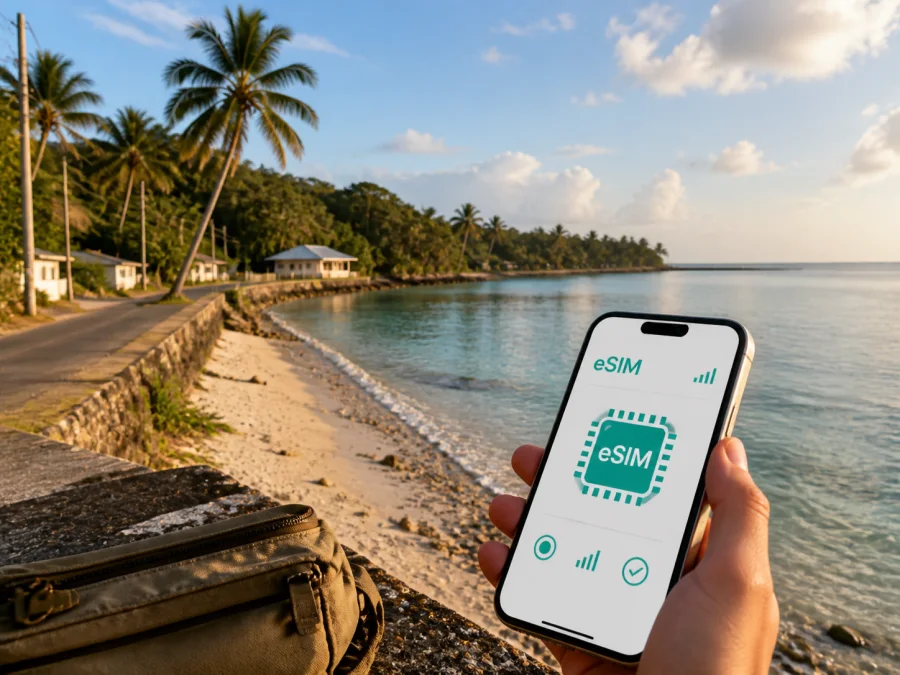
Anibare eSIM for mobile connection and internet in Nauru
Anibare is a destination for travellers who want the quieter, coastal side of Nauru: the district lies on the island’s east coast and includes Anibare Bay. The setting is not a dense city centre with a large choice of transport hubs, shops and public Wi‑Fi. That is exactly why it helps to plan mobile connection before arrival. With an eSIM, you can prepare mobile internet for the moments when you need directions, a message, a booking confirmation, a weather check or contact with your accommodation without looking for a physical SIM card first.
Kaspersky eSIM Store is an app and website where you can choose, arrange and activate an eSIM with a suitable tariff for mobile internet during an overseas trip. The eSIM is intended for data use; it does not automatically replace your regular phone number, voice calls or SMS unless the conditions of the selected tariff say otherwise.
Why mobile internet matters in Anibare
Anibare rewards travellers who leave room for slower, less predictable movement. You may be arriving after a long flight, arranging a transfer, checking in at accommodation, driving along the coastal road or coordinating a local activity. Having a working data connection gives you a practical layer of independence at each stage.
The first hours are usually the most valuable. You can use mobile data to:
- message the person meeting you at the airport or confirm an arranged transfer;
- open a saved address or map pin for your accommodation;
- send your arrival time to colleagues, family or a travel companion;
- check a booking message while standing outside a terminal or accommodation;
- translate a short phrase when you need to clarify timing or directions;
- look up weather conditions before spending time on the coast;
- use a messaging app for calls and texts when a regular voice service is not part of the eSIM tariff.
The connection is also useful because Anibare is a place where plans often depend on a small number of roads, local arrangements and changing conditions. A traveller who has already installed the right eSIM can focus on the route rather than searching for a shop that sells a physical SIM card immediately after landing.
The most useful preparation is simple: install the eSIM while you have reliable internet, save the accommodation address and transfer details, then make the eSIM the data line after landing if the tariff conditions allow it. Coverage, local network conditions and the device still affect the result, so keep important information available offline as well.
Anibare as a base on Nauru’s east coast
Anibare is officially a district rather than a large urban centre. Its identity is closely associated with the open coast and Anibare Bay, while the island’s main road links the coastal districts and the airport area. The key connection points may therefore be a transfer, roadside turn, meeting place, accommodation entrance or coastal activity rather than a downtown address. Save the accommodation address, transfer details and route screenshot before setting out, then keep them available offline as well as online.
Transport, navigation and local movement
Nauru’s government advises visitors that there is no public transport and recommends arranging a hire car. That changes the travel rhythm in Anibare. Instead of planning around bus timetables, plan around an agreed vehicle, a hotel-arranged transfer, a local driver or a pre-arranged tour. Confirm the details before arrival and keep them accessible without needing to search through a crowded inbox.
The main road around the island is the key reference for moving between districts. The airport is in Yaren District, while Anibare is on the east coast, so a traveller arriving by air should think of the airport-to-Anibare journey as a planned island transfer rather than an urban airport shuttle. The exact route and time depend on the arrangement, road conditions and where you are staying. Ask for the pickup point and a local contact in advance.
Transport checklist for Anibare
- [ ] Confirm who is collecting you and where you should wait.
- [ ] Save the driver’s name, phone number or messaging contact.
- [ ] Ask whether payment is due on arrival and in which form.
- [ ] Keep the accommodation address written exactly as provided.
- [ ] If hiring a car, confirm the rental location, handover time and driving requirements.
- [ ] Check the route while you still have a strong connection and save a screenshot.
- [ ] Review the plan with your host before travelling after dark or in poor weather.
Data helps with coordination, but it does not replace local advice. If rain, wind or sea conditions affect a road, coastal path or activity, ask your accommodation or local guide before leaving.
Choosing an eSIM tariff for an Anibare trip
The right tariff depends on how you travel, not on the size of the destination. A short stopover and a working visit have very different data patterns. Start by identifying the country or region in which the tariff must work, then compare the amount of data, validity period, activation rules and price shown for the available option.
Match the tariff to your scenario
| Travel pattern | Typical data tasks | What to consider |
|---|---|---|
| Short stopover | Arrival messages, map checks and a few updates | A smaller data allowance may be enough if photos and video are limited |
| Leisure stay in Anibare | Navigation, messaging, weather and occasional browsing | Allow room for route changes and travel planning |
| Island road trip | Maps, coordination, photo uploads and activity details | Choose a validity period that covers the full route, not just the first day |
| Business visit | Email, messaging, documents, calls through apps and hotspot use | Estimate work traffic separately from personal browsing |
| Shared travel | Frequent location sharing and group coordination | Decide who needs data and avoid assuming one phone can serve everyone |
These are planning categories rather than fixed consumption figures. A video call, automatic photo backup or software update can use much more data than a short map search, so review background-data settings before departure.
Questions to ask before selecting
- Does the tariff include Nauru as the destination, and is Anibare covered because it is part of that country rather than a separate city product?
- Does the validity period begin at installation, activation or first use? Follow the conditions shown with the specific tariff.
- Is the package data-only, or does it explicitly include any additional services?
- Can the tariff be topped up, and what happens when the allowance or validity period ends?
- Will you need a regional option if the itinerary includes another country before or after Nauru?
- Are the device, payment and installation conditions suitable for your phone?
Kaspersky eSIM Store helps you review the destination and available tariff conditions in one place, then install and activate the selected eSIM on a compatible device. To prepare for Anibare, choose an eSIM tariff for your trip to Nauru after checking the allowance, validity and activation details that apply to your choice.
Installing and activating eSIM before or after arrival
Install the eSIM while you have a stable internet connection and enough battery. You can purchase or arrange the selected tariff through Kaspersky eSIM Store, then follow the profile or QR-code instructions provided for your order. The names of settings vary by phone model, so use the exact on-screen wording on your device.
If you want detailed platform steps, open the Android installation instructions or the iOS installation instructions. The general sequence is:
1. Check the phone before purchase
Confirm that your device supports eSIM and is not locked by a mobile operator. Some models differ by sales region. Check your device compatibility before you commit to a tariff.
2. Prepare the installation details
Make sure you can open the purchase confirmation, profile information or QR code. If the QR code is on the same phone, the instructions may offer another installation method; otherwise display it on a second screen or use the method supported by your device.
3. Add the eSIM profile
Open the mobile-network settings, choose the option to add an eSIM and follow the prompts. Scan the QR code or enter the requested details. Keep the screen unlocked and avoid deleting the profile while the installation is in progress.
4. Choose the data line
After the profile is installed, decide which line should handle mobile data. If you want to avoid accidental roaming charges on your home line, review the data-line selection carefully and disable automatic switching where your phone offers that setting.
5. Activate at the right time
Some travellers install the profile before departure and enable it after landing; others complete the process once they reach the destination. The correct moment depends on the tariff conditions and the device. Read the activation and validity notes rather than assuming that installation and first use mean the same thing.
6. Test the essential tasks
Once local service is available, send a short message, open a map and check that the eSIM is selected for data. Connection may take a few minutes and can depend on the phone, settings and local network conditions. If it does not work, check the selected data line, the data-roaming setting required by the tariff and the installation instructions before contacting support.
What to check before you travel
Anibare is easier to enjoy when the practical details are settled before the flight. Use this final preparation list 24–48 hours before departure, while you can still change a setting or ask a question without time pressure.
Device, tariff and arrival checklist
- Confirm eSIM compatibility and operator-unlock status; some models differ by sales region.
- Read the Nauru tariff’s data allowance, validity period and activation notes.
- Check which line will handle mobile data and whether the tariff requires data roaming.
- Confirm the airport pickup or car-hire arrangement and save the accommodation address offline.
- Charge the phone, restrict unnecessary background data and keep the purchase information available.
- Ask locally about weather and road conditions before coastal outings or interior routes.
For business travel, a phone that can receive a message and open a document immediately after landing reduces friction before a meeting. If you plan to use a hotspot, check the tariff conditions and device settings in advance.
Common questions about eSIM in Anibare
Is Anibare a separate eSIM destination?
No. Anibare is in Nauru, so you should look for a tariff whose destination conditions include Nauru. There is no need to invent a separate city product. What matters locally is the tariff’s country or regional coverage, validity and data allowance.
Can I use an eSIM for ordinary calls and SMS?
Usually not unless the selected tariff explicitly includes those services. Travel eSIMs in Kaspersky eSIM Store are intended primarily for mobile internet. You can use messaging apps for internet-based calls and messages when you have data, while keeping your normal number available according to your home operator’s terms.
Should I install the eSIM before flying to Anibare?
Often that is the most convenient option, because you can complete the setup with reliable internet and enough time to read the instructions. Whether you should activate it immediately or only after arrival depends on the selected tariff’s rules. Installation, activation and the start of the validity period are not always identical events.
What if the phone does not connect after landing?
First check that the eSIM profile is enabled and selected for mobile data. Then review the data-roaming setting required by the tariff, confirm that airplane mode is off and restart the phone if appropriate. Give the connection a few minutes. If the issue remains, check the relevant installation instructions and contact support with your device model, the steps already completed and the exact message shown on screen.
How does Kaspersky eSIM Store fit into the trip?
Kaspersky eSIM Store is an app and website that helps you choose, arrange and activate an eSIM with a suitable tariff for mobile internet during an overseas trip. It is a preparation and management route for the eSIM profile and its tariff; it is not a mobile operator. Review the conditions of the chosen option and make sure they match your Anibare itinerary.
Final plan for staying connected in Anibare
Anibare is best approached with a small amount of digital preparation and a flexible local plan. Before departure, check your phone, select a Nauru tariff that fits the length and purpose of the trip, install the eSIM when you have stable internet, and save the address and transfer details offline. After arrival, use data for the things that keep the day moving: a message, a map, a weather update, a booking or a change of meeting point.
Keep the limitations visible. A travel eSIM is primarily for mobile internet; tariff conditions determine the allowance, validity and activation details; and the phone must be compatible and unlocked. If you need help, use the platform instructions first and contact support when the device and tariff checks are complete.
When you are ready to prepare the data part of your trip, review the eSIM options for Nauru and choose a tariff that matches your time in Anibare, your route around the island and the way you expect to use mobile internet.


