
Travel connectivity guide
Ankara eSIM: Mobile Internet for Your Trip
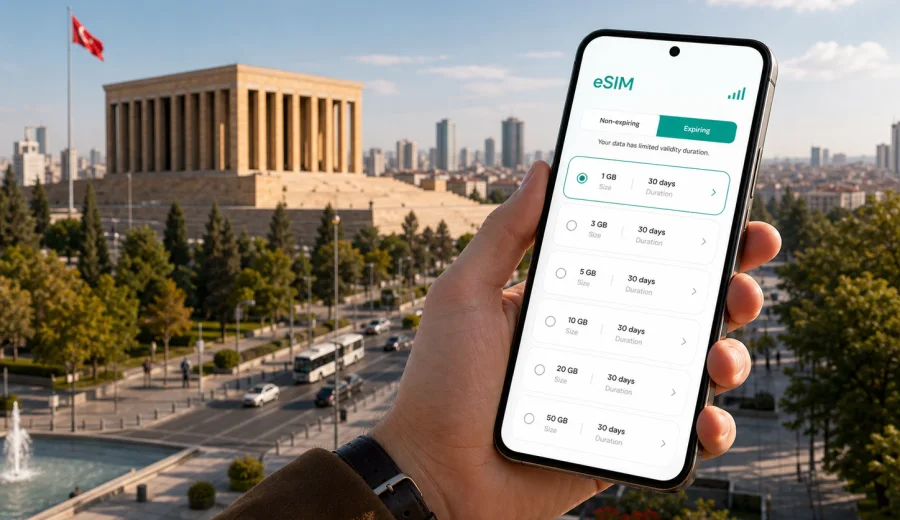
Ankara eSIM: mobile connection and internet for a trip to Turkey's capital
Ankara is a practical city: government offices, universities, embassies, business districts, museums, wide avenues, and hillside neighborhoods all sit across a large urban area. For a visitor, that means mobile internet matters from the first minute. You may need a map at Ankara Esenboga Airport, a taxi app for the ride to Cankaya, a message to your hotel in Ulus, or a secure way to check meeting details before crossing the city.
An eSIM can help you prepare mobile data for Ankara without searching for a physical SIM card after arrival. You choose a suitable data plan for Turkey, install the eSIM on a compatible phone, and use mobile internet for maps, transport, bookings, messaging, and work tasks during the trip. Kaspersky eSIM Store is an app and website where you can choose, arrange, and activate an eSIM with a suitable data plan for mobile internet while traveling abroad.
Why mobile internet in Ankara needs planning
Ankara is not a compact old town where most visitors stay within a few streets. The city spreads from the historic center around Ulus and Ankara Castle to Kizilay, Cankaya, Sogutozu, Bilkent, Tunali Hilmi, GOP, and residential districts farther out. A wrong turn can add time, and traffic can change quickly around office hours.
Mobile data is useful for:
- navigating from Esenboga Airport to your hotel or meeting location;
- checking taxi, ride-hailing, bus, metro, and transfer options;
- finding the correct entrance for ministries, embassies, campuses, and business centers;
- translating menus, signs, and transport notices;
- confirming hotel check-in details and reservation changes;
- using messengers for calls when a data-only eSIM does not include a regular phone number;
- planning day trips to places outside the city.
Ankara is also a common stop for business travel. If your schedule includes several meetings across Cankaya, Sogutozu, Kavaklidere, and university areas, reliable access to maps and messages is more than a convenience. It helps you keep the day on track.
Arrival at Ankara Esenboga Airport
Most international visitors arrive through Ankara Esenboga Airport, north-east of the city. The airport is outside the central districts, so the first connection decision usually happens before you reach your hotel. You may need to message a driver, open your booking, check the address in Turkish, or compare transfer times.
With an eSIM already installed, you can switch on the data profile after landing, once your device is ready to connect to a local network. This avoids depending only on airport Wi-Fi or waiting until you find a shop. Connection time can vary by device and local network conditions, so it is better to complete installation before the trip and leave only activation or data profile selection for arrival.
If you are landing late in the evening, this matters even more. Ankara's central districts are straightforward once you know the route, but a tired arrival with luggage is not the best moment to solve mobile data from scratch.
Where eSIM helps inside the city
Ankara is easier when you can move with live information. Distances between districts can be longer than they look on a simple tourist map, and the best route depends on traffic, metro access, and your exact destination.
| Scenario in Ankara | Why mobile data helps |
|---|---|
| Airport transfer | Share your location, check route time, message your hotel, and confirm pickup details. |
| Business meetings | Open calendar links, building addresses, security instructions, and last-minute messages. |
| Museum and city walks | Navigate between Anitkabir, Ulus, Ankara Castle, and nearby cafes without losing time. |
| Hotel check-in | Retrieve booking confirmations, translate reception details, and contact support if plans change. |
| University visits | Find the right campus gate, shuttle point, or department building. |
| Short stopover | Use the limited time efficiently with maps, transport apps, and online tickets where available. |
Ankara is also a city where neighborhoods feel different. Kizilay is busy and central, Cankaya is important for diplomatic and government visits, Kavaklidere and Tunali Hilmi are convenient for restaurants and hotels, Ulus is closer to historic landmarks, and Sogutozu is common for offices and modern business venues. Mobile internet lets you adapt instead of relying on a printed plan.
Choosing an eSIM data plan for Ankara
For a city trip to Ankara, the right plan depends on the length of stay and how you use your phone. A short business trip with hotel Wi-Fi may need less mobile data than a week of navigation, video calls, remote work, and day trips. Before choosing a plan, check the destination, data amount, validity period, and activation rules.
Think about your trip in four questions:
1. How many days will you spend in Ankara and Turkey?
2. Will you use mobile data only for maps and messages, or also for video calls and file sharing?
3. Will your route include other Turkish cities after Ankara?
4. Do you need to install the eSIM before departure, or will you activate it after landing?
For light use, maps, messengers, email, and transport checks may be enough. For heavier use, video calls, cloud documents, hotspot mode, and social media uploads can use data quickly. Tethering availability and other conditions depend on the selected plan, so check the details before relying on it for a laptop.
Ankara travel situations that use more data
Some phone habits use little data, while others can drain a plan quickly. If you know your schedule, you can choose more confidently.
- Low data use: map searches, text messages, email headers, booking confirmations, translation, weather, and banking notifications.
- Medium data use: full navigation over long transfers, photo uploads, restaurant searches, ticket apps, and social media browsing.
- Higher data use: video calls, streaming, large file transfers, cloud backups, hotspot use, and automatic app updates.
Before departure, download offline maps for central Ankara, save hotel addresses, and turn off automatic cloud sync on mobile data. This does not replace mobile internet, but it helps keep your data plan for the moments when you really need it.
How to prepare your phone before flying
Before you buy or install an eSIM, check that your device supports eSIM and is not locked to a carrier in a way that prevents another mobile profile from being used. You can use the internal compatibility check before purchase: check your device.
A simple preparation checklist:
- update your phone operating system before the trip;
- confirm that your phone supports eSIM;
- check whether your device is carrier-unlocked;
- keep your primary SIM active if you need bank messages or calls;
- install the eSIM while you still have stable Wi-Fi;
- save the QR code or installation details in a place you can reach offline;
- understand when the selected plan starts counting validity and data usage;
- disable automatic downloads over mobile data if you want to conserve the plan.
If your eSIM is data-only, it usually does not provide a regular phone number, voice calls, or SMS unless the specific plan says otherwise. You can use messengers and calling apps over mobile internet.
Installing an eSIM for a trip to Ankara
The usual flow is straightforward: choose Turkey as the destination, select a suitable data plan, complete the order, install the eSIM on a compatible device, and activate it according to the plan instructions. If you need detailed setup steps, use the Android installation guide or the iOS installation guide.
Do not delete the eSIM profile after installing it unless you are sure you no longer need it. Some eSIM profiles cannot be moved to another device after activation, and reinstalling may not be available under every plan condition. If something does not work as expected, check the instructions first, then contact support if needed.
In many travel situations, the most practical approach is to install the eSIM before departure and activate or select it for mobile data after landing in Turkey. On some devices, you may also need to enable data roaming for the eSIM profile. This does not mean using your home operator roaming; it is often a required setting for a travel eSIM data profile to work correctly.
Why Ankara is different from a beach holiday
In Ankara, mobile internet is often about precision, not only entertainment. Visitors may have appointments in government areas, embassy neighborhoods, universities, hospitals, trade offices, or conference venues. Tourists also move between places that are not all in one small pedestrian zone: Anitkabir, the Museum of Anatolian Civilizations, Ankara Castle, Kizilay, Cankaya, and Tunali Hilmi. A data connection helps you decide whether to walk, take the metro, use a taxi, or change the order of your route.
If you want to prepare mobile internet before the trip, you can choose a data plan for traveling to Ankara and Turkey through Kaspersky eSIM Store and review the conditions before you arrive.
Business trips and government visits
Ankara receives many travelers whose schedule is not flexible. A meeting may require passport checks, gate instructions, a specific entrance, or a security message shortly before arrival. If you are moving between offices, embassies, ministries, and conference venues, mobile internet supports the small tasks that protect the schedule.
For business travel, prepare these details offline and online:
- full street address and district for each meeting;
- contact person and messenger channel;
- local time zone in your calendar;
- hotel address in Turkish and English;
- backup route from hotel to first meeting;
- PDF copies of reservations and invitation letters;
- enough mobile data for navigation and calls through messengers.
Avoid depending on public Wi-Fi for work files or urgent communication. A travel eSIM can help reduce dependence on Wi-Fi in airports, cafes, and hotel lobbies, although you should still follow your organization's security rules for sensitive work.
Stopovers and short stays in Ankara
Ankara can also be a short stop between flights, trains, or meetings. If you have only a few hours, the value of mobile data is speed. You do not want to spend a short stopover searching for connectivity before you can check a route.
For a short stay, focus on:
- airport transfer time in both directions;
- whether luggage storage or hotel access is needed;
- one realistic landmark or district, not a long list;
- live traffic before returning to the airport;
- a small but sufficient data allowance for maps and messages.
If your stopover includes a city visit, Anitkabir is often a meaningful anchor point. The city center and historic areas may require more careful timing, especially when traffic is heavy. Mobile data helps you check whether your plan still fits the available time.
Trips from Ankara to other parts of Turkey
Many travelers use Ankara as a base or connection point. You might continue by train, bus, car, or domestic flight to Cappadocia, Konya, Eskisehir, Istanbul, Izmir, or other parts of Turkey. If your plan covers Turkey, one eSIM data plan may be relevant beyond Ankara, depending on the selected plan conditions.
For multi-city travel, check:
- whether the plan destination is Turkey rather than only a smaller region;
- validity period compared with your full itinerary;
- data allowance for navigation between cities;
- whether you will need hotspot mode for a laptop or travel companion;
- the moment when plan validity starts;
- support options if you change devices or need help during the trip.
Do not assume a plan works for every route or every device without checking the details. Conditions depend on the selected data plan and local network availability.
Practical data-saving tips in Ankara
You can make a moderate data plan last longer with a few settings.
1. Download offline map areas for Ankara before departure.
2. Save hotel, meeting, and landmark addresses in your maps app.
3. Turn off automatic app updates over mobile data.
4. Disable cloud photo backup until you are on trusted Wi-Fi.
5. Use lower resolution for video calls when possible.
6. Keep streaming for Wi-Fi unless you have chosen a larger data allowance.
7. Monitor data usage in your phone settings during the first day.
These steps are especially useful if you will use navigation every day or move between distant districts. Ankara's layout rewards planning: the more you prepare, the less data you waste on repeated searches.
FAQ: eSIM and mobile internet in Ankara
Can I use eSIM for maps and taxis in Ankara?
Yes, if your device supports eSIM and the selected data plan is active in Turkey, you can use mobile data for maps, route searches, taxi apps, messengers, and booking services. Availability and speed depend on local network conditions.
Does an eSIM include a Turkish phone number?
Many travel eSIM data plans are for mobile internet only. They usually do not include a regular phone number, voice calls, or SMS unless the plan conditions state otherwise. For calls, you can use internet-based messengers.
Should I activate eSIM before departure or after landing?
Installation is often best done before departure while you have stable Wi-Fi. Activation timing depends on the plan rules. Read the validity and activation details before switching the eSIM on.
Is eSIM useful if my hotel has Wi-Fi?
Yes. Hotel Wi-Fi helps in the room, but mobile data is useful between the airport, hotel, meetings, museums, restaurants, and transport stops. It also reduces dependence on public Wi-Fi in places where you need quick access.
Can I use the same eSIM outside Ankara?
If the selected plan covers Turkey and remains valid, it may support travel beyond Ankara within the plan conditions. Check destination coverage, validity, and data amount before using it for a wider route.
Prepare your Ankara mobile internet before the trip
Ankara rewards travelers who arrive organized. The city is spread out, appointments can be time-sensitive, and even a simple museum day is easier with live maps and messaging. An eSIM helps you keep mobile internet ready without making a physical SIM card your first task after landing.
Before you fly, check device compatibility, choose a suitable data allowance, install the eSIM on the correct phone, and save the setup instructions. Then use mobile data in Ankara for the practical parts of the trip: airport transfer, routes across districts, hotel messages, meeting updates, translations, and onward travel through Turkey.
When you are ready to prepare connectivity, review eSIM data plan options for Turkey in Kaspersky eSIM Store and choose the option that fits your Ankara itinerary.