Travel connectivity guide
Anse Boileau eSIM: Mobile Internet Guide
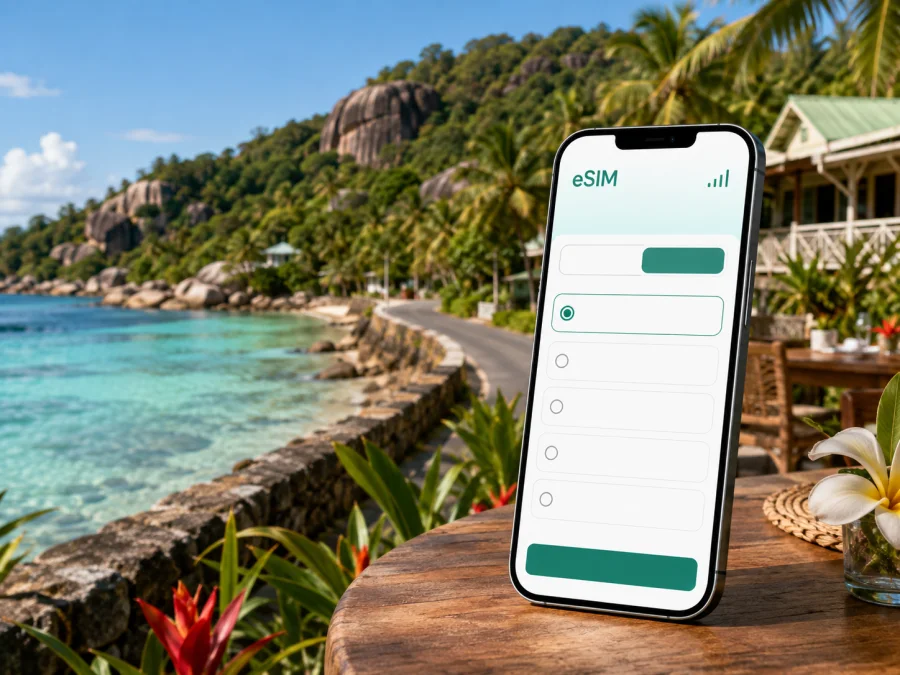
Anse Boileau eSIM: Mobile Connection and Internet for Your Seychelles Trip
Anse Boileau is a practical base for exploring the western side of Mahé, whether you are arriving for a quiet beach stay, combining several parts of the island, or working between meetings. A reliable mobile connection helps from the first airport transfer onward: you can open a map, message your host, confirm a booking, call a taxi through the available local channels, and check directions without looking for Wi‑Fi at every stop.
An eSIM, or digital SIM, is useful for this kind of trip because it adds a mobile-data profile to a compatible phone without requiring a physical SIM card. Kaspersky eSIM Store is an app and website where you can choose, complete an order for, and activate an eSIM with a suitable plan for mobile internet during an international trip. The right choice still depends on your dates, route, data habits, and device.
Why mobile internet matters in Anse Boileau
Anse Boileau is not a single sightseeing complex with every service in one place. Accommodation, small shops, restaurants, beaches, roads through the hills, and connections to other parts of Mahé are spread along the coast and inland slopes. That makes mobile data useful for small decisions throughout the day rather than only for an occasional search.
Typical moments when an eSIM can help include:
- meeting a driver after arriving at Seychelles International Airport;
- sending your accommodation a message when your arrival time changes;
- checking a map before leaving the main coastal road;
- comparing the route to Victoria, the airport, or another Mahé district;
- confirming a reservation while moving between Anse Boileau and nearby beaches;
- using a translation, banking, weather, or travel app when you are away from hotel Wi‑Fi;
- sharing photos and updates with family without waiting until you return to your room;
- joining a work call from a villa, guesthouse, or café where Wi‑Fi is not dependable enough for the task.
Arriving in Anse Boileau from the airport
Most international visitors reach Mahé through Seychelles International Airport. Anse Boileau lies on the island’s western side, so the final part of the journey is a transfer across Mahé rather than a walk from the terminal. The exact route and duration depend on traffic, weather, the road chosen, and where your accommodation is located.
Prepare the first transfer before you leave the airport:
- Save the full accommodation name and address in your phone.
- Keep the host’s telephone number or messaging contact available.
- Open the route while you still have a dependable connection.
- If a driver is meeting you, agree on the meeting point and the name they will use.
- Keep your booking confirmation accessible offline as well as online.
An active eSIM can make the handover easier: you can send a message after landing, share an updated arrival estimate, and use navigation while travelling toward the west coast. If you prefer to activate later, download the purchase details and QR code before departure and complete the setup when you have a stable connection at your accommodation.
Moving around the west coast of Mahé
Anse Boileau works best when you treat each outing as a short route plan. A beach, restaurant, shop, viewpoint, or appointment may look close on a map but still require a road journey because of the coastline and the island’s terrain. Check the route before setting out, then verify it again if rain, road conditions, or a change of plans affects your timing.
There are several transport patterns to consider:
| Situation | What mobile data helps with | Useful preparation |
|---|---|---|
| Airport transfer | Messaging, live directions, and confirming the meeting point | Save the address and driver details offline |
| Short local outing | Maps, opening-time checks, and a return route | Pin the accommodation before leaving |
| Trip toward Victoria | Route planning, meeting updates, and navigation between stops | Allow time for traffic and keep a backup plan |
| Coastal exploration | Switching between saved places and checking the next turn | Download important map areas where possible |
| Rental-car day | Directions, weather checks, and contact with the accommodation | Keep the phone charged and avoid handling it while driving |
| Business appointment | Calendar, messages, documents, and a hotspot if permitted | Test the eSIM and device settings in advance |
Public buses, taxis, and rental cars can each fit a different itinerary. Availability, schedules, fares, and pickup arrangements may change, so check current details through your accommodation or the relevant local service. Save the next stop or landmark, keep the phone charged, and agree on a meeting point when travelling in a group.
Choosing an eSIM plan for Anse Boileau
The country attached to a city eSIM page matters. Anse Boileau is on Mahé in Seychelles, so look for a Seychelles plan rather than a city name that may not appear as a separate destination. Review the plan’s validity, data allowance, activation conditions, and any limits described in its details.
A simple way to estimate your needs is to separate essential and optional use:
- Light use: messages, maps, occasional email, booking confirmations, and short searches.
- Regular travel use: frequent navigation, photo uploads, social feeds, video calls, and transport research.
- Work-heavy use: file transfers, repeated video meetings, hotspot use where allowed, and cloud applications.
Do not choose by data size alone. A shorter stay with intensive navigation may use data differently from a longer holiday spent mostly offline. Decide whether your accommodation has usable Wi‑Fi, whether you will travel beyond Anse Boileau each day, and whether another person will rely on your phone’s hotspot. Hotspot availability and fair-use conditions depend on the selected plan and device, so read the terms before relying on it for work.
The plan-selection checklist is short:
- destination: Seychelles;
- travel dates and the validity period;
- expected daily data use;
- whether the plan is intended for mobile data only;
- device compatibility and carrier-unlock status;
- when the validity period begins;
- how additional data or a top-up is handled, if available;
- support steps if installation does not complete.
After checking those points, you can choose an eSIM plan for your trip to Anse Boileau and compare the available Seychelles options in the correct country section. The page is a starting point for selecting a plan; the final decision should follow the conditions shown for the option you choose.
Anse Boileau for a business trip
For business travel, the question is not only whether the phone can open a map. You may need to confirm a meeting, receive a one-time login message on another line, open a document, join a call, or send a location to a colleague. An eSIM can keep mobile data separate from the physical SIM you use for your regular number, subject to the capabilities and settings of your device.
Before the trip, test the workflow rather than waiting until the meeting day:
- check that the phone accepts an eSIM and is not carrier-locked;
- install the profile while you have Wi‑Fi and time to troubleshoot;
- label the lines clearly, for example “Home” and “Seychelles data”;
- select the correct line for mobile data;
- decide whether data switching should be disabled;
- test a map, browser, email, and messaging app;
- pack a charger or power bank;
- save the address and calendar details offline.
An eSIM plan is generally intended for mobile internet, not for a separate local telephone number. Unless the selected plan says otherwise, ordinary calls and SMS are not included. You can use internet-based messaging and calling apps when your contacts and account settings support them, while keeping your regular line available for the functions you still need.
Installing and activating eSIM
Complete the setup before departure when possible. You need a compatible, unlocked device, an internet connection for the installation flow, and the QR code or profile details supplied after the order. If you wait until arrival, use stable Wi‑Fi or another connection long enough to finish the installation.
Before selecting a plan, check whether your device supports eSIM and confirm that the model’s regional version is eligible. Some phones with similar names can have different capabilities, and a carrier lock can prevent activation even when the hardware supports eSIM.
The general sequence is:
1. Check the device
Confirm eSIM support, available space for another mobile plan, and the absence of an operator lock. Keep the physical SIM active if you need your usual number for calls or messages.
2. Prepare the order
Open the profile or email containing the eSIM details. Make sure the phone is connected to the internet and that you have enough battery for the setup.
3. Add the mobile plan
Open the mobile-network settings and choose the option for adding an eSIM or mobile plan. Scan the QR code when prompted, or enter the details manually if the device offers that option.
4. Set the data line
Name the new line so you can recognise it. Select it for mobile data when you want to use the Seychelles plan, and review the data-roaming setting for that line if the plan instructions require it.
5. Activate at the right time
Some plans begin their validity when they connect to a supported network, while other conditions can apply. Read the selected plan’s terms before installation if you want to avoid starting the validity period earlier than intended. For device-specific steps, use the Android installation instructions or the iOS installation instructions.
6. Test the connection
Turn off Wi‑Fi briefly and open a simple webpage, map, or messaging app. If the connection does not appear, check the selected data line, signal, data roaming setting, and plan status before reinstalling anything.
What to check before you leave
An eSIM preparation checklist for Anse Boileau should cover both the product and the route:
Device
- Does the phone support eSIM?
- Is it unlocked for another operator’s profile?
- Is the operating system updated enough for the device’s eSIM function?
- Can you identify the physical and digital lines in settings?
Plan
- Is Seychelles the listed destination?
- Does the validity period cover the whole stay?
- Is the data allowance appropriate for maps, messages, work, and media?
- Are activation, top-up, and support conditions clear?
- Are voice calls and SMS excluded unless specifically stated?
Route
- Is the accommodation address saved offline?
- Do you have airport-transfer details?
- Have you pinned Anse Boileau and the main places you plan to visit?
- Is there a charging plan for long days away from the room?
- Do you know how to reach your host if your arrival changes?
This preparation is especially useful when your itinerary includes several west-coast stops or a day trip toward another part of Mahé. The more places you plan to visit, the more valuable it is to keep names, pins, and meeting points organised before setting out.
FAQ about eSIM in Anse Boileau
Is an Anse Boileau-specific eSIM required?
No. Choose a plan for Seychelles, because Anse Boileau is a destination on Mahé rather than a separate mobile-data country. Check the coverage and conditions shown for the Seychelles option before ordering.
Can I install the eSIM before flying?
Yes, if your device supports eSIM and you have the order details and a stable internet connection. Installing before departure gives you time to review line labels and data settings. Read the validity conditions so you know when the plan starts.
Will the eSIM replace my normal phone number?
Usually no. A travel eSIM plan is intended for mobile internet unless its conditions state otherwise. Keep your main line if you need your usual number, and check the device settings so mobile data uses the intended eSIM.
Can I use the eSIM for navigation from the airport?
Yes, when the plan is active, the phone has signal, and the data line is selected correctly. Save the accommodation address and transfer contact before leaving the terminal as an additional precaution.
Is an eSIM useful if my guesthouse has Wi‑Fi?
It can be. Wi‑Fi may cover the room but not the journey to Anse Boileau, the airport transfer, a beach stop, or a day spent elsewhere on Mahé. Mobile data gives you another option for navigation, messages, and booking updates.
What if my phone is not compatible?
Use another compatible, unlocked device or keep your existing mobile-data arrangement. Check compatibility before ordering, because the same device family can have regional variations and a carrier lock can affect activation.
How much data do I need?
There is no single correct amount. Estimate how often you will navigate, upload photos, make internet calls, work remotely, and use a hotspot, then compare that estimate with the allowance and validity of the available Seychelles plans.
Prepare your mobile internet for Anse Boileau
Before your flight, review the device, choose a Seychelles eSIM plan that matches the length and style of your trip, and install it while you have time to check the settings. When you are ready, choose a Seychelles eSIM plan for your Anse Boileau journey through Kaspersky eSIM Store and keep your arrival, navigation, and island-day essentials easier to manage.


