Travel connectivity guide
Anse La Raye eSIM: Travel Data Guide
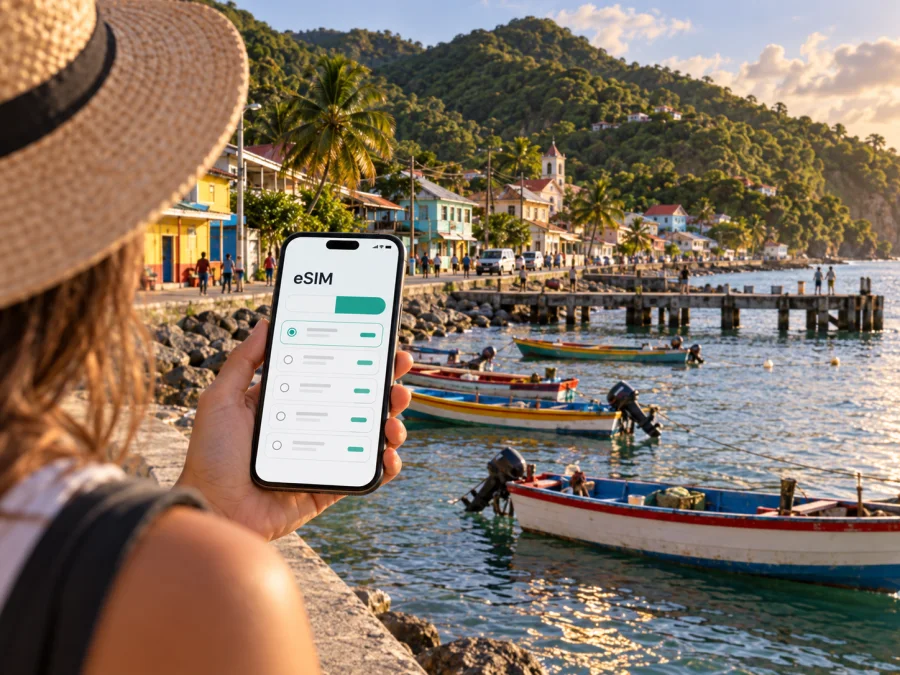
eSIM in Anse La Raye: mobile connection and internet for your trip
Anse La Raye is a small fishing village on the west coast of Saint Lucia, known for its waterfront, colourful boats and Friday evening fish fry. It is a very different arrival point from a busy capital or a large resort area: the road follows the coast, accommodation can be spread between the village and nearby bays, and many travel decisions are made outdoors, between a transfer, a walk, a meal and the next view.
That is why mobile internet is useful here from the first stage of the journey. You may need a map while leaving the airport, a message for a driver, a booking confirmation, a translation, a weather update or a quick call through a messenger. An eSIM, or virtual SIM card, lets you prepare a data plan for Saint Lucia without removing the physical SIM you normally use at home.
This guide explains how to plan mobile connection for Anse La Raye, which arrival and movement situations deserve attention, how to choose a data allowance, and what to check before installing an eSIM. The aim is practical: arrive with a clear plan, keep your route manageable and avoid relying on the first public Wi-Fi signal you find.
Why mobile internet matters in Anse La Raye
Anse La Raye rewards a slower pace, but a guesthouse, restaurant, transfer and waterfront stop may all be in different places. Mobile data helps connect these parts of the day.
The first hours after arrival
Saint Lucia has two airports: George F. L. Charles Airport near Castries and Hewanorra International Airport in the south of the island. The most convenient arrival point depends on your flight and onward plans. From either airport, the transfer to Anse La Raye is a separate part of the trip, so it is sensible to have your accommodation details, driver contact and route information available before leaving the terminal.
In the first hour, mobile data can help you:
- send your arrival time to a driver or host;
- open the saved address of your accommodation;
- compare the planned route with the actual pickup point;
- translate a short message or read check-in instructions;
- tell family or colleagues that you have arrived;
- keep a booking confirmation available when the connection at the terminal is busy.
Do not assume that a transfer will be able to wait while you search for a network or download a map. Save the essential details in advance, then use mobile data for changes and confirmations after landing.
Navigation on a coastal route
Anse La Raye is connected to other parts of Saint Lucia by road, and the journey is part of the experience: coastal views, bends, villages and changing landscapes replace the regular grid of a large city. A map is useful not only for finding the village, but also for understanding where your accommodation, the waterfront, a pickup location and the next stop are in relation to one another.
For safer navigation, set the destination before the vehicle moves. If you are travelling with someone else, let the passenger handle the phone. Download or save key addresses when you have a stable connection, and avoid making a driver stop on a narrow or unfamiliar section of road just because the map has recalculated.
Plans, messages and bookings
A day may combine a waterfront walk, a meal, a beach visit or a drive towards another west-coast destination. Plans can change with weather, availability and the pace of the group, so data helps you exchange updates without searching for Wi-Fi each time.
For a short stay, the main traffic is usually maps, messages, email, booking pages and occasional photos. Work, frequent uploads and video calls require a larger buffer.
Anse La Raye by area and travel scenario
The village is compact in feel, but your connectivity needs change depending on where you sleep and how far you travel during the day. Think about the whole route rather than the name of the town alone.
| Travel setting | What you may need mobile data for | Planning idea |
|---|---|---|
| Waterfront and village centre | Messages, maps, restaurant information, photos and meeting points | Keep the phone charged during an evening out and save your accommodation address |
| Hillside or roadside accommodation | Check-in coordination, navigation and transport messages | Confirm the exact entrance and pickup location with the host before arrival |
| Transfer from an airport | Driver contact, live changes, map access and family updates | Keep the booking reference and phone number in an accessible note |
| Day trip towards Canaries or the west coast | Route changes, weather checks and return coordination | Plan the return before setting out |
| Visit to nearby Marigot Bay | Meeting points, marina or excursion information and messages | Use a clear landmark when arranging a pickup |
| Remote work from a guesthouse | Email, cloud files, calls and two-factor authentication | Select more data than for sightseeing |
Choose by behaviour, not only by the number of nights.
The waterfront and Friday evening plans
Anse La Raye is widely associated with its Friday evening fish fry. The event is a local food and community experience around the waterfront, with grilled seafood, drinks, music and busy movement between stalls. If you plan to visit, arrange how you will return before the evening becomes crowded. Keep your host’s number, your accommodation address and the agreed pickup point somewhere you can reach without searching through a long chat.
Mobile data is especially useful for coordination, not for turning the evening into a screen-based itinerary. Take a screenshot of the meeting point, reduce unnecessary background activity and carry a small power bank if you expect to be out for several hours.
Staying above the village or outside the centre
Some visitors choose accommodation that is not directly on the waterfront. A hillside room or a property along the coastal road may offer a quieter setting, but the final approach can be less obvious than the main route. Ask for a precise description of the entrance, the nearest recognisable landmark and the best place for a vehicle to stop.
If your host sends a pin, open it before leaving the airport and confirm that the address matches the booking. Send a short arrival message rather than assuming that a driver or host can see your position.
How to choose an eSIM tariff for Anse La Raye
Start with four questions: where will the tariff work, how long will you need it, what will you do online, and when should its validity begin?
1. Match the destination to your route
For a stay based in Anse La Raye with trips elsewhere on Saint Lucia, begin by reviewing the Saint Lucia direction. Read the tariff details rather than relying only on the city name in a search. Check the country or regional scope, activation rules and any conditions that determine when the validity period starts.
If you are combining Saint Lucia with another island, compare the route against the plan’s stated destinations before you buy. An eSIM profile can be useful for the first leg while a separate arrangement may be needed for the next country.
2. Estimate the length of the stay
Count the days from intended first use, including arrival, transfer and departure. Some plans have a fixed validity period, while others have conditions that affect when it begins.
Write down three dates:
- the date you install the eSIM;
- the date you expect to start using mobile data;
- the date you leave Saint Lucia or stop needing the plan.
The exact rules depend on the selected tariff, so check them at purchase.
3. Estimate your data behaviour
Use your planned activities as a guide. Maps and messages require a different allowance from video meetings or large uploads.
| Your use in Anse La Raye | Typical activities | What to allow for |
|---|---|---|
| Light | Messages, occasional maps, email and short searches | A smaller package may fit if photos and video are mostly on Wi-Fi |
| Moderate | Frequent navigation, social posts, booking changes and music | Leave room for route changes and background updates |
| High | Video calls, cloud work, media uploads and hotspot use | Choose a larger allowance and monitor consumption regularly |
These categories are planning aids, not a promise of a specific number of gigabytes. Phone settings, automatic backups and video quality can change usage considerably.
4. Check the tariff conditions
Before completing the purchase, look at the details that affect the real experience:
- data allowance and validity period;
- destination or region of use;
- whether the tariff is prepaid;
- when the validity begins;
- whether top-ups or additional data are available;
- whether voice calls and SMS are included, or whether the plan is data-only;
- installation and activation requirements;
- refund conditions after a profile has been installed or used.
Most travel eSIM scenarios focus on mobile data. That can cover messaging, internet calls and app-based navigation, but it does not automatically provide a standard local phone number. If you need ordinary calls or SMS, keep your usual SIM available where practical and check how your phone handles each line.
Once you have checked the destination, dates and usage pattern, you can prepare mobile internet for a trip to Saint Lucia through Kaspersky eSIM Store. The app and website help you choose, arrange and activate an eSIM tariff for a foreign trip; the specific conditions remain those of the selected tariff.
Installation before departure or after arrival
Installing an eSIM before leaving can make the airport-to-Anse-La-Raye transition simpler, but the best moment depends on the plan’s activation rules and your device. You need an internet connection for the installation step, so do it while you have reliable Wi-Fi or mobile data. Do not remove your regular SIM unless you know you will not need it for calls, messages or account verification.
Before you travel
Use this sequence:
- Check that the phone supports eSIM and is not restricted by a carrier. Use check your device before proceeding.
- Confirm the destination, data allowance, validity period and activation instructions.
- Install the eSIM using the in-app flow or the supplied QR code.
- Label the new line clearly and decide which line will provide data after landing.
- Save the accommodation address, transfer details and important contacts.
For detailed steps, follow the Android installation instructions or the iOS installation instructions. Menus can vary by phone model and operating-system version, so follow the labels shown on your own device.
After landing
If you prefer to install after arrival, make sure you have a reliable connection and enough time before leaving the airport. In the phone’s SIM or mobile-data settings, select the travel eSIM for data. If the tariff instructions require data roaming for that eSIM, enable it for the travel line and keep it off for your home line if you want to avoid unintended roaming charges.
Do not delete the eSIM profile when troubleshooting. First check that the line is enabled, the correct data line is selected and airplane mode is off. If the issue continues, review the tariff instructions and contact support.
A practical connection checklist for the village
Before leaving home
- Confirm that the phone is compatible and unlocked.
- Check the Saint Lucia destination and the route beyond Anse La Raye.
- Choose the tariff by dates and use, not by habit.
- Install the eSIM while you have stable internet if the conditions allow it.
- Save your host’s contact, transfer details and accommodation address.
- Bring a charger or power bank.
At the airport
- Connect to the travel eSIM only when you are ready to use it under the tariff rules.
- Send the driver or host a short arrival message.
- Confirm the meeting point before walking away from the terminal.
- Check the route to Anse La Raye and keep the phone accessible but secure.
On arrival in Anse La Raye
- Verify the accommodation entrance and the next pickup point.
- Save a map view for the waterfront and your return route.
- Check which line is selected for mobile data.
- Monitor the tariff if you use video, hotspot or frequent uploads.
Before a Friday evening out
- Agree on a return plan with your group or host.
- Save the pickup point and the address of your accommodation.
- Charge the phone before leaving.
- Use mobile data for coordination, while giving your attention to the food, music and waterfront atmosphere.
Business trips and remote work
For remote work or a business stay, allow for email attachments, authentication codes and video meetings. Test the eSIM before a meeting, charge the phone and build transfer time into any appointment in Castries, Marigot Bay or elsewhere on Saint Lucia.
Common questions
Should I install the eSIM before flying?
Installing before departure is convenient because you can use a stable connection. Check when the plan starts and whether installation is different from activation. If you wait until arrival, allow enough time for setup.
What should I do if mobile data does not work?
Check that the eSIM is enabled, selected for data and configured according to the tariff instructions. Confirm that airplane mode is off and restart the phone if appropriate. If the problem remains, contact support without deleting the profile first.
Plan a calmer arrival in Anse La Raye
The best eSIM setup is the one that quietly supports the trip: a saved transfer contact, a map for the coastal road, enough data for messages and navigation, and a clear understanding of when the tariff begins. For a village stay, preparation matters more than constant screen use. Once the route and connection are arranged, you can put the phone away and enjoy the waterfront, local food and west-coast scenery.
Before departure, check your device, read the tariff conditions and prepare the essential addresses. Then choose an eSIM tariff for your Saint Lucia trip in Kaspersky eSIM Store and install it according to the instructions for your phone. Keep the physical SIM available if you need your usual number, select the correct data line after arrival and monitor usage according to your plans.


