Travel connectivity guide
Anse Royale eSIM Guide for Mobile Internet | Seychelles
Anse Royale eSIM: mobile connection and internet for your stay
Anse Royale is a coastal district on the south-east side of Mahé, where a day can move between a guesthouse, the beach, a meal in the village and a drive along the island. A mobile connection helps with directions, messages to your host, transport arrangements and the next stop on your itinerary. Preparing mobile internet before leaving home means you can open your plans when your eSIM is ready, without making a search for a SIM counter your first task after landing.
This guide focuses on using mobile data around Anse Royale: arriving from the airport, finding accommodation, moving along Mahé’s coast and choosing an eSIM plan that fits your stay. The district is not a compact city grid; it stretches along a bay and nearby coastal areas. Your accommodation address and planned outings therefore matter when deciding how to get around.
Where Anse Royale fits into a Mahé itinerary
Anse Royale lies on Mahé’s south-east coast, roughly 25 km from Victoria. The distance is a useful orientation point, not a travel-time estimate: traffic, weather, road conditions and the exact start and end points all affect a journey. The district can be a base for exploring southern Mahé, while Victoria, the airport area and the west coast require separate trips across the island.
The name may refer to the district as well as the bay and its beach area. When booking a guesthouse or hotel, save its complete address and map pin rather than relying on “Anse Royale” alone. A property may be near the main beach, farther along the coast or uphill from the shoreline. That difference can affect whether dinner is a walk away or calls for a taxi or rental car.
Think of the area in three practical layers:
- The bay and beachfront: a point of reference for beach time and nearby food.
- The settlement and main road: useful for everyday errands and onward transport.
- The surrounding coast and hills: where accommodation, gardens and neighboring beaches may be spread farther apart.
A short distance on a map does not always make a comfortable walk. Heat, rain, steep sections and limited pedestrian space can change the experience. Check the route at the time you plan to travel, then choose whether walking, a bus, a taxi or a rental car fits that leg.
Arriving from Seychelles International Airport
Seychelles International Airport is on Mahé at Pointe Larue; Anse Royale is farther south along the island’s east side. After a long flight, the easiest arrival plan is usually the one with the fewest unknowns. Keep your accommodation address available offline, decide how you will make the first trip and confirm pickup details with your host before departure.
You can reach the district by road. A taxi or pre-arranged transfer is practical with luggage, a late arrival or a direct trip to your accommodation. Public buses operate on Mahé, and the airport has access to the island bus system. Whether a bus suits your arrival depends on current service, luggage, time of day and the stop nearest your property; check current information before relying on a specific connection. A rental car can be useful if you plan to explore several parts of Mahé, but it is not essential for every short stay.
Before leaving the terminal, confirm:
- the exact name and location of your accommodation;
- whether someone is meeting you and where to find them;
- the transport and payment arrangements you intend to use;
- how to contact your host if your flight is delayed.
A map pin can be more useful than a street name for a small property set back from the main road. Save the pin and a screenshot of your booking while connected to Wi-Fi. When mobile data is available, use live navigation for the current route and keep the saved details as a backup.
A calm first hour after landing
Use a short sequence instead of trying to solve everything at once:
- Connect to airport Wi-Fi if you need to retrieve a confirmation or message.
- Check that your eSIM is installed; select its data line when you are ready to use it.
- Confirm the driver, bus plan or rental-car pickup point.
- Open the saved accommodation pin and review the route.
- Send an arrival update to your host or travel companion.
An eSIM is a digital SIM profile, so installing it does not require removing your home SIM. Installation and activation are distinct steps on some plans. Review the plan conditions and setup guidance before travel, and do not delete an installed profile while troubleshooting unless the relevant instructions tell you to. Follow a host’s specific meeting instructions if they differ from a general map suggestion. For your Mahé stay, you can review eSIM plan options for Seychelles and compare the destination, data allowance and validity with your travel dates before choosing.
Getting around Anse Royale and the south-east coast
Anse Royale is best approached as one stop on a coastal route rather than a compact street grid. The main road connects the district with other parts of Mahé, while beaches, accommodation and smaller roads branch off from it. For each outing, check both the route there and how you will return. That matters if you stay at the beach after dark, eat away from your accommodation or travel with children or beach gear.
Public buses are one option on Mahé, including routes serving the east and south of the island. Schedules and operating details can change, and the useful stop depends on your exact destination. Check current local information on the day rather than relying on an old travel post. Save the stop name, note the direction of travel and leave flexibility for the return leg.
A taxi can simplify a transfer with luggage or a direct journey. A rental car gives more freedom to combine beaches and inland stops. Compare the whole day: parking, road familiarity and the number of destinations may matter as much as distance. If you drive, set navigation before moving, secure the phone safely and let a passenger handle route changes.
| Travel need | A useful approach | What to check |
|---|---|---|
| Airport to accommodation | Arranged pickup or taxi for a direct arrival | Meeting point, destination pin and luggage |
| Nearby meal or beach visit | Walk if the route is comfortable | Heat, hills, rain and the return after sunset |
| Several Mahé stops | Consider a rental car or planned taxi trips | Parking, routes and pickup arrangements |
| A bus-based island trip | Check whether service fits the itinerary | Current schedule and nearest stop |
| A short stay with appointments | Plan each transfer in advance | Buffer time and a backup contact method |
Saved maps help if reception is intermittent. Carry a charged phone.
The beach, the bay and nearby stops
The Anse Royale shoreline has small coves edged by rocks; the area around Fairyland is known for snorkeling. Conditions vary with weather, tide and the particular stretch of shore, so check local advice when you arrive. Protect your phone from water and sand, and use only devices rated for underwater use in the sea.
Anse Royale can be a starting point for southern Mahé. A day might combine the beach with a garden in the hills, another bay or a meal along the coast. Jardin du Roi spice garden is above the district, so treat it as an inland stop and check current opening details and transport before setting out. Save a few destinations, your accommodation pin and a fallback food or transport option before leaving.
Treat Victoria as a separate outing: check the route and return options before leaving Anse Royale.
Choosing mobile internet for your stay
The right eSIM plan depends on what you do on your phone, how long you will be away and whether the plan’s destination and validity fit your route. A beach stay with occasional map checks differs from a work trip with video calls or a family itinerary where people coordinate throughout the day. Before purchase, review the destination, data allowance, validity period, activation conditions and any usage limits.
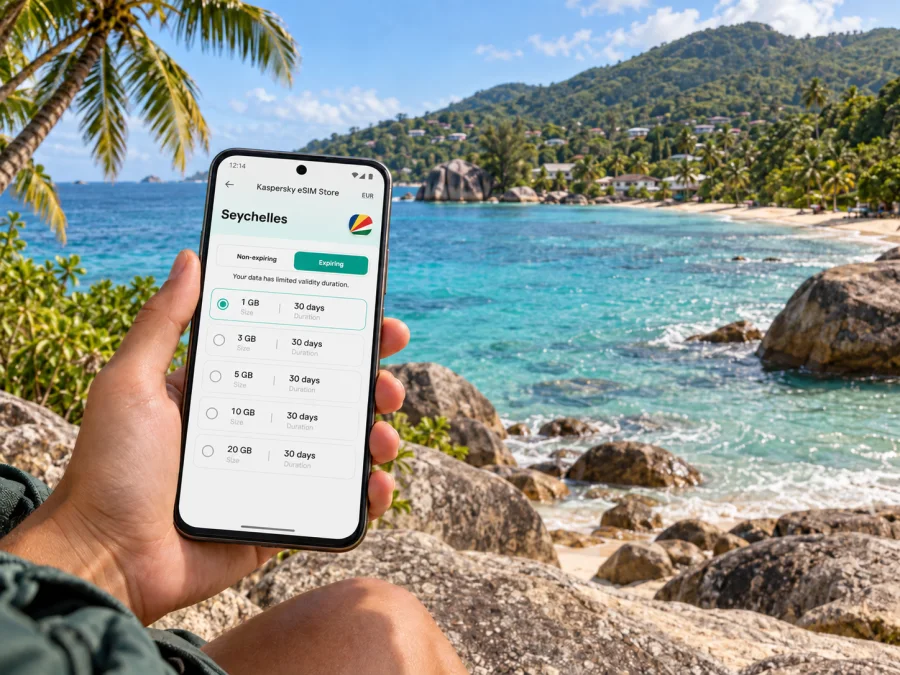
Kaspersky eSIM Store is an app and website where you can choose, purchase and activate an eSIM with a suitable plan for mobile internet during an overseas trip. Compare the displayed allowance and validity with your likely use in Anse Royale and elsewhere on Mahé.
Estimate your pattern rather than guessing a precise amount. Maps, messages and booking confirmations usually differ from video calls, automatic photo uploads or hotspot use. Consider how often you will use each, and check plan terms if you need hotspot access.
If your itinerary includes other islands or countries, confirm that each destination is covered. Prices, allowances and validity vary and can change, so use the displayed terms when choosing. A light-use trip and frequent video calls have different data needs.
| Travel pattern | Questions before choosing |
|---|---|
| Short stop | Does validity cover arrival and departure? |
| Beach stay | How often will you use maps, messages and uploads? |
| Work or group trip | Does the allowance fit calls or hotspot use? |
| Island-hopping route | Does the plan cover each destination, and when does validity begin? |
Prepare your phone before departure
Before purchase, check that your phone supports eSIM and is not restricted by a carrier lock. Support can differ between models and regional versions. Check whether your device supports eSIM before selecting a plan. Keep your home SIM if you use it for calls or verification messages, and decide which line should handle mobile data in Seychelles.
Set up in four stages: check eSIM support and carrier-unlock status; choose a plan that fits your dates and route; install it over a stable connection; then select the data line on arrival and follow the plan’s activation and roaming instructions.
Installation and activation may happen at different times. Some plans begin validity at installation; others specify a different start point. Read the terms before setup. For device-specific steps, use the Android eSIM installation instructions or iOS eSIM installation instructions.
After setup, check that the eSIM profile is enabled, the intended data line is selected and any required roaming setting is on. If service does not start, confirm airplane mode is off and the plan is valid. Follow the plan’s support steps before deleting or reinstalling the profile.
Keep your main number and data use clear
An eSIM plan for mobile internet may not include a standard phone number, voice calls or SMS unless its conditions explicitly say so. Internet-based calling and messaging apps depend on data access and the other person’s availability. If you need calls or verification texts on your home number, review your home operator’s roaming settings and charges separately.
Label each line clearly and check which is selected for data, calls and messages. Menu names vary by device. Be careful changing data lines if your home plan charges for roaming.
A compact Anse Royale checklist
Before departure
- Save your accommodation address and map pin.
- Confirm airport transport and any meeting instructions.
- Check eSIM support and carrier-unlock status.
- Compare plan destination, allowance, validity and activation terms.
- Install the eSIM as instructed if advance installation is appropriate.
- Save maps and essential booking details for offline access.
On arrival and during the stay
- Select the data line and settings required by your plan.
- Review the route to your accommodation before leaving the airport.
- Save destinations and return routes before outings.
- Check current local transport and beach conditions.
- Protect your phone from heat, sand and water; monitor data use if uploading or tethering.
Frequently asked questions
Is Anse Royale in Victoria?
No. It is a district on Mahé’s south-east coast, roughly 25 km from Victoria. That distance is not a travel-time estimate.
Can I travel from the airport by bus?
Buses operate on Mahé, but suitability depends on current service, luggage, arrival time and the nearest stop. Check local information; a taxi or arranged transfer may be simpler for a late arrival.
Will mobile internet help me find my accommodation?
Yes, if the eSIM is active and the plan covers Seychelles. Save the address and map pin as a backup.
Does an eSIM include calls and SMS?
A mobile-data plan does not necessarily include a number, calls or SMS. Check its terms and your home operator’s roaming charges.
How much data should I choose?
Consider maps, messages, browsing, video calls, uploads and hotspot use, then compare that pattern with the allowance and validity offered. No single amount suits every traveller.
Should I install the eSIM before flying?
Check the plan’s activation rules first. Installing while connected to stable internet can be convenient, but time the setup according to when validity begins.
Set up for the Anse Royale part of your trip
Anse Royale can be the setting for a beach day, a stop in the hills, a meal along the coast or a base for exploring southern Mahé. Useful preparation is simple: save the places you need, plan transport for each leg and make sure your mobile-data arrangement fits the whole itinerary.
Kaspersky eSIM Store lets you use its app or website to choose, purchase and activate an eSIM with a plan for mobile internet during an overseas trip. Review the current terms and choose a Seychelles eSIM plan for your travel dates before departure, then follow the setup guidance for your device. Keep the accommodation pin and essential details saved so the first journey to Anse Royale feels straightforward.


