Travel connectivity guide
Antananarivo eSIM: Mobile Internet Guide
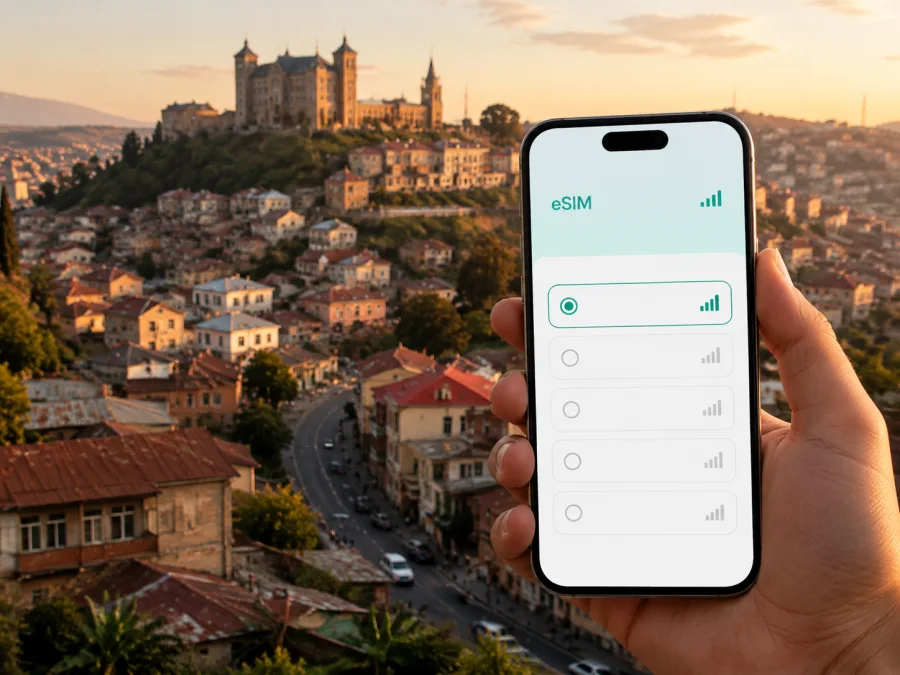
Antananarivo eSIM: mobile connection and internet for your trip
Arriving in Antananarivo is easier when your phone is ready for the first practical tasks: finding a transfer, checking a map, messaging a hotel, confirming a meeting or translating a short conversation. An eSIM, or digital SIM, can help you use mobile internet in Madagascar without removing the physical SIM card you use at home. You choose a suitable eSIM tariff, install it on a compatible phone and select it for mobile data when you need it.
Antananarivo is a city of hills, busy streets and very different neighborhoods. A setup that is useful at Ivato Airport may also be useful while you look for a hotel in Analakely, walk around the Upper Town, work from Ivandry or arrange the next part of your journey. The right choice is therefore about your city itinerary, not just a generic country checklist.
Why mobile internet matters in Antananarivo
The first hours after landing involve small but important decisions. You may need to reach a driver, display a reservation, check an address or tell reception that your arrival has changed. Airport or hotel Wi‑Fi can help, but it is not convenient to search for a network every time you leave a building.
With an eSIM prepared for the destination, your phone can be ready for mobile data as soon as the tariff conditions and device settings allow. It can help you:
- open maps between Ivato and Antananarivo;
- message a hotel, guide, colleague or family member;
- check a route when traffic changes the plan;
- use translation, currency and transport applications;
- receive work messages away from a café or hotel network;
- keep your home SIM available for its usual services, subject to your home operator’s settings.
An eSIM does not automatically become a conventional phone line. Unless the selected tariff says otherwise, it is intended for mobile internet and does not include a local phone number, ordinary voice calls or SMS. Internet-based messengers can handle calls and messages when data is available.
Arrival in Antananarivo: from Ivato Airport to the city
Ivato International Airport is the usual air gateway for travellers heading to the capital. The transfer into Antananarivo can take different amounts of time depending on traffic, weather, time of day and your final neighborhood. Maps and messages are especially useful in this gap: a driver may need an update, or a hotel address may be easier to locate than a landmark.
Before leaving, save your accommodation address, booking reference, first contact and meeting details for offline access. Then keep mobile data available for information that cannot be predicted, such as a changed pickup arrangement.
A practical arrival sequence
- Charge your phone and carry a charging cable or power bank.
- Confirm that the eSIM profile is installed, or keep its purchase details ready for setup after landing.
- Set your home SIM to its normal role and choose the travel eSIM for mobile data when you are ready.
- Turn off automatic data switching if your phone offers that setting.
- Open the saved accommodation route before starting the transfer.
- Message your contact when you leave the airport and when you reach the city.
If you install after arrival, you will need an internet connection for setup. Wi‑Fi may be useful for downloading the profile, while mobile data supports the rest of the journey. If the eSIM is installed before departure, select it for data when the trip begins, following the tariff conditions.
Moving around the capital
Antananarivo’s streets connect areas at different elevations, and a route that looks short on a map may be slow because of congestion, hills, narrow streets or an unplanned stop. Use navigation as a planning aid rather than a promise that a route will take a fixed amount of time.
For a sightseeing day, group nearby stops. You might begin in the historic Upper Town around Rova and Andohalo, continue toward Analakely and the central area, and leave time for the return journey. For a workday, you may travel between a hotel, an office in Ivandry or Ankorondrano and a meeting venue. Mobile data supports route changes and messages between stops.
Transport and navigation habits
- Check the full destination before getting into a taxi or hired vehicle; unfamiliar names can be easy to confuse.
- Share your expected arrival time, then update it if traffic slows the journey.
- Save your hotel location and a clear meeting point, such as an entrance or known landmark.
- Review the next route while you still have time to change the plan.
- For walking, treat the suggested route as a guide: elevation and street conditions matter as much as distance.
- Keep the phone away when you are not actively checking it, especially in crowded places.
The aim is not to keep the screen open all day. Check a route in stages, close demanding apps when you are finished and keep messaging available for changes.
Neighborhoods and the data you may use there
Antananarivo is not one uniform travel zone. Where you stay changes how often you need navigation and communication.
| Area or setting | Typical travel task | Useful preparation |
|---|---|---|
| Upper Town, Rova and Andohalo | Walking between historic sites, viewpoints and steep streets | Save the hotel and return route before setting out |
| Analakely and the center | Errands, shopping, appointments and pickups | Keep addresses and meeting points easy to copy into a message |
| Isoraka | Restaurants, evening plans and accommodation | Arrange the return journey before leaving a venue |
| Ivandry and Ankorondrano | Offices, longer stays and business meetings | Leave data for email, calendars and route changes |
| Anosy and Tsimbazaza | Parks, museums and a broader day itinerary | Check the next stop and battery level before moving on |
If your plans stay within one area, a smaller allowance may be enough. If you combine walking, bookings, meetings and trips outside the capital, leave more room for maps and communication. The city’s geography makes flexible planning more valuable than a simple distance estimate.
How to choose an eSIM tariff for Antananarivo
Begin with your itinerary. A one-night stopover, a week in the capital and a work trip that continues elsewhere in Madagascar create different patterns of use.
| Travel pattern | Likely use | Check before choosing |
|---|---|---|
| Short stopover | Transfer messages, maps and booking details | Destination, activation rule and short validity |
| Several days in the city | Navigation, messaging, translation and browsing | Validity for the complete stay and a suitable allowance |
| Business trip | Email, calendars, maps and calls through work apps | Data needs for meetings, uploads and hotspot use |
| Capital plus other destinations | Maps, accommodation messages and itinerary changes | Whether the tariff covers the full route, not just the capital |
Text messages and occasional map checks usually consume less data than video, photo backup, software updates or video calls. If your allowance is limited, review background synchronization and automatic downloads. On a laptop, cloud drives and system updates can use data quickly.
Compare these fields in the offer you select:
- Destination: confirm that Madagascar is included and matches your route.
- Allowance: estimate navigation, messages, browsing, calls and any video separately.
- Validity: check when it begins and when the package expires.
- Price: treat the displayed amount as the current condition of that tariff; offers can change.
- Sharing: check whether hotspot or tethering is allowed.
- Activation: understand whether use begins on installation, activation or first data use.
When your dates and route are clear, you can choose an eSIM tariff for your trip to Madagascar. Kaspersky eSIM Store is an app and website that helps you choose, arrange and activate an eSIM with a suitable tariff for mobile internet during an international trip. The displayed tariff conditions remain the reference for validity, data use and other limits.
Prepare and install the eSIM
There are two separate tasks: adding the eSIM profile and choosing when it will be used for mobile data. Completing the first task before departure can reduce what you need to do after landing, provided you have a reliable internet connection during setup.
Before choosing a tariff, check whether your device supports eSIM and confirm that it is not carrier-locked. Support can vary by model, regional version and software configuration. Also make sure you can access the email, profile or QR code connected with the purchase.
Installation steps
- Connect the phone to a reliable internet connection.
- Open mobile-network settings and choose the option to add a mobile plan or eSIM.
- Scan the QR code from your profile or follow the installation method in your purchase details.
- Label the new line clearly, for example “Madagascar travel”.
- Keep your home line enabled if you need its number, but select the travel eSIM for mobile data on arrival.
- Disable automatic data switching if the phone offers it.
- Test the profile when you are ready to use it, following the tariff instructions.
For device-specific help, use the Android installation instructions or the iOS installation instructions. Menus can differ between manufacturers and operating-system versions.
Settings after arrival
Check that the travel eSIM is enabled and selected for mobile data. Turn on data roaming for that eSIM if the device or tariff instructions require it, and turn off roaming for the home line if you do not intend to use it. If the phone does not connect immediately, check the selected line, airplane mode and roaming setting, then allow time for registration. Do not delete the profile before checking the conditions or contacting support.
Three Antananarivo scenarios
A short stopover
Your priority is a calm chain of small actions: confirm the transfer, follow the route, message the accommodation and keep the next flight information accessible. A compact tariff may fit this use, but check its validity and activation rule first.
A week in the capital
You may combine the Upper Town, central errands, restaurants and meetings in several neighborhoods. Navigation and messaging become recurring needs, while translation and reservation updates add occasional use. Choose a validity period for the full stay and limit background consumption.
Business first, wider route later
If you leave Antananarivo after your meetings, check the destination scope for the whole itinerary. Plan separately for email, calendars, maps, messenger calls and laptop use. A tariff that suits a city schedule is not automatically the right fit for a multi-stop route.
Antananarivo eSIM checklist
Use this list before departure:
- [ ] The phone supports eSIM and is not carrier-locked.
- [ ] Madagascar is included for the planned dates and route.
- [ ] The allowance fits navigation, messages and work use.
- [ ] You know when validity and data use begin.
- [ ] The eSIM profile or QR code is accessible.
- [ ] The home and travel lines are labelled separately.
- [ ] Automatic data switching is configured.
- [ ] Hotel, transfer and meeting details are saved offline.
- [ ] Android or iOS installation guidance is available.
On arrival, check the data line, allow time for registration, send a test message and open the saved accommodation route.
Frequently asked questions
Is an eSIM useful for an Antananarivo trip?
Yes, if the phone is compatible and the selected tariff includes Madagascar. It can help with airport transfers, maps, hotel communication, bookings and work messages. The necessary allowance depends on the length and style of the stay.
Should I install it before flying?
Installing before departure is often convenient because you can use a reliable connection. Whether you activate or select it for data before landing depends on the tariff instructions and your plan. Keep the purchase details available in case setup must be completed after arrival.
Will it provide a local phone number?
Not normally. Travel eSIM tariffs are intended for mobile internet and do not include ordinary calls or SMS unless the individual tariff states otherwise. Internet-based messengers can be used for calls and messages.
What if there is no data after landing?
Check that the travel eSIM is enabled and selected for data, confirm data roaming if required, turn off airplane mode and wait briefly for registration. If the issue continues, review the tariff conditions and contact support with your device and settings details.
Is a Madagascar tariff enough for trips outside Antananarivo?
It depends on the stated scope. Verify that the same tariff applies to every destination on your route and that its validity covers the additional days. Do not infer regional availability from the city name alone.
Make your city stay easier to navigate
Solve mobile-data questions before the airport transfer: match the tariff to your dates and route, check the phone, install the profile when convenient and save essential information offline. In Antananarivo, reserve mobile data for what benefits most from being current—directions, messages, reservations and changes to your schedule.
When you are ready, choose an eSIM tariff for your Antananarivo trip. Kaspersky eSIM Store helps you select, arrange and activate an eSIM with a suitable tariff for mobile internet abroad; make the final choice according to the displayed conditions for your device, destination and dates.


