
Travel connectivity guide
Antigua and Barbuda eSIM: mobile internet guide
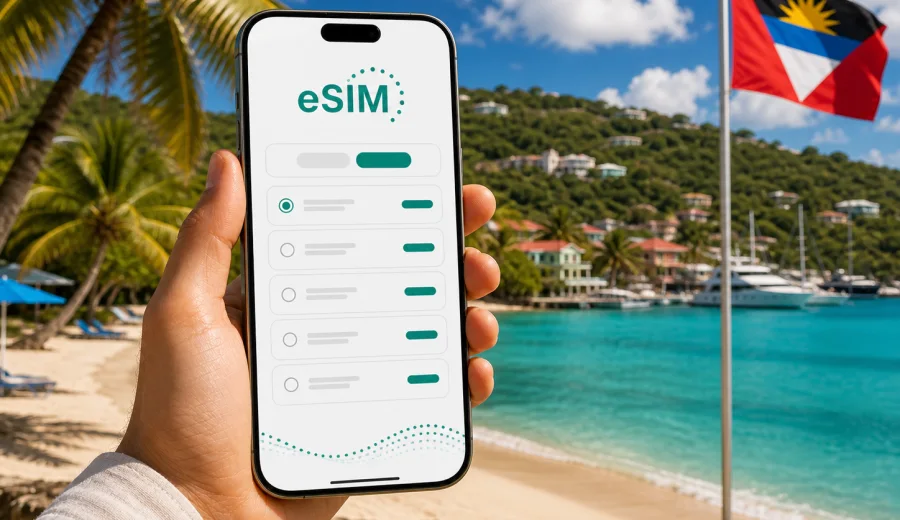
eSIM in Antigua and Barbuda: mobile connection and internet for your trip
Antigua and Barbuda is a country where mobile internet matters from the first day of travel. You may need a map at V. C. Bird International Airport, a ride confirmation in St. John's, a ferry schedule for Barbuda, a restaurant booking near English Harbour, or a quick message after a beach day. A prepared eSIM helps you keep these small but important tasks under control without searching for a physical SIM card after arrival.
This guide explains how to plan mobile connection and internet for Antigua and Barbuda, when an eSIM is useful, what to check before choosing a data plan, and how to avoid common travel connectivity mistakes. The focus is practical: how to stay online for navigation, messaging, hotel check-ins, transport, payments, and work tasks while travelling across the country.
Why mobile internet is important in Antigua and Barbuda
Antigua and Barbuda is often planned as a relaxing Caribbean trip, but the digital tasks around the journey are very real. Many visitors move between airport transfers, resorts, beaches, harbors, day tours, restaurants, and ferry connections. Even if your itinerary looks simple, mobile data can become essential at exactly the moment when public Wi-Fi is not convenient.
Typical online tasks include:
- checking a transfer driver's message after landing;
- opening a hotel reservation or villa address;
- using maps between St. John's, Dickenson Bay, Jolly Harbour, English Harbour, and Nelson's Dockyard;
- confirming a boat tour or ferry departure;
- messaging family or colleagues through internet-based apps;
- checking weather before a sailing, diving, or beach day;
- managing online banking or travel insurance documents;
- translating short phrases, menus, or service messages.
Public Wi-Fi can help in hotels, cafes, and airports, but it is not a complete travel internet plan. You may need a connection while moving, waiting outside, walking to a meeting point, or checking details from a taxi. An eSIM is designed for this mobile scenario: install a digital SIM profile on a compatible device, choose a suitable data package, and use mobile data abroad without changing your physical SIM card.
What an eSIM does for a trip to Antigua and Barbuda
An eSIM is a digital SIM profile built into many modern smartphones and tablets. Instead of inserting a plastic SIM card, you add the eSIM profile to the device, select it for mobile data, and use the data allowance under the conditions of the chosen plan.
For Antigua and Barbuda, this is useful because you can prepare the connection before departure or shortly after arrival. You do not need to spend the first hour of the trip looking for a local SIM card shop, comparing unfamiliar options at the counter, or waiting until hotel Wi-Fi becomes available.
An eSIM is especially helpful if you:
- travel for a short holiday and want internet from the start;
- use your main number for calls, banking alerts, or messaging while adding a separate data line;
- do not want to remove a physical SIM card during the trip;
- need predictable data volume and validity period;
- want to manage the data plan through a website or mobile app;
- are visiting several Caribbean destinations and need to compare country or regional options.
Important limitation: most travel eSIM data plans are focused on mobile internet. They usually do not include a local phone number, traditional voice calls, or SMS unless this is clearly stated in the plan terms. For calls and messages, many travelers use internet-based apps over mobile data.
A practical connectivity plan before departure
Good mobile internet planning does not need to be complicated. It is enough to answer a few questions before choosing a plan.
| Question | Why it matters for Antigua and Barbuda |
|---|---|
| How long will you stay? | A three-day beach break and a two-week island trip need different validity periods. |
| Will you use maps and rides often? | Navigation, transfers, and route checks can use data every day. |
| Will you work remotely? | Video calls, cloud files, and hotspot use require a larger allowance. |
| Are you staying mostly at a resort? | Hotel Wi-Fi may cover evenings, but mobile data is still useful outside the property. |
| Will you visit Barbuda or take boat tours? | Travel days can make mobile data more important for timing and coordination. |
| Do you need your regular SIM active? | Dual SIM settings help you keep your main line for calls while using eSIM for data. |
For light use, messaging, maps, email checks, and restaurant searches are usually the main tasks. For heavier use, include video calls, uploading photos, streaming, hotspot sharing, and navigation throughout the day. The right plan is not just about gigabytes; it is about how long the plan stays active and how you expect to use your phone.
eSIM, roaming, local SIM, or Wi-Fi: what fits your trip?
Travelers usually compare four options: standard roaming from their home operator, a local physical SIM card, public Wi-Fi, and travel eSIM. Each can be useful, but the best choice depends on trip length, device compatibility, cost expectations, and how quickly you need to be online.
| Option | Best for | Watch out for |
|---|---|---|
| Home roaming | Simple occasional use if your operator has suitable travel terms | Daily fees, limited data, speed rules, and unclear total cost |
| Local physical SIM | Longer stays or users who need a local number | Store hours, ID or registration rules, SIM swapping, setup time |
| Public Wi-Fi | Hotel work sessions and low-data browsing | Availability, speed, sign-in pages, and security considerations |
| Travel eSIM | Visitors who want mobile data ready without a physical SIM | Device must support eSIM and plan conditions must fit the trip |
An eSIM can also work together with other options. For example, you may use hotel Wi-Fi for large downloads and the eSIM for maps, messaging, transport, and backup. You may also keep your home SIM active for your regular number while the eSIM handles mobile data.
Check device compatibility before choosing a plan
Before you prepare an eSIM for Antigua and Barbuda, check whether your smartphone or tablet supports eSIM and whether it is unlocked for use with other mobile profiles. Some devices have regional differences, and some phones may be locked to a carrier. If the device is not compatible, the eSIM profile cannot be installed in the usual way.
Use this quick checklist:
- your device model supports eSIM;
- the device is not locked to one mobile carrier;
- the operating system is up to date enough for eSIM installation;
- you have stable internet for installation, such as home Wi-Fi before departure;
- you know where to find mobile data and SIM settings on your device;
- you understand which SIM line will be used for calls, messages, and data.
Before selecting a plan, check your device. This is especially important if you use an older phone, a device bought through a carrier, or a model purchased in a region where eSIM support can differ.
How much data to plan for Antigua and Barbuda
Data usage depends on habits more than destination. Still, a trip to Antigua and Barbuda often includes mobile navigation, photo sharing, restaurant searches, and messaging across several locations. A realistic estimate helps you choose a plan without paying for much more than you need or running out too early.
| Travel style | Typical tasks | Planning note |
|---|---|---|
| Light | Messaging, maps, email, occasional browser searches | Works for travelers who rely on hotel Wi-Fi for heavy tasks |
| Standard | Daily maps, social media, booking apps, photo uploads | A balanced option for most short leisure trips |
| Heavy | Video calls, cloud work, hotspot sharing, streaming | Choose a larger allowance and monitor usage daily |
| Family or group support | One person coordinates bookings and routes for several people | The organizer may need more data than other travelers |
To reduce data use, download offline map areas before departure, save hotel addresses, keep travel documents available offline, and set cloud photo backup to Wi-Fi only. If you use messaging apps heavily, check whether media auto-download is enabled. Short videos, automatic backups, and app updates can consume more data than maps or text messages.
How Kaspersky eSIM Store fits into the trip
Kaspersky eSIM Store is an app and website where you can quickly choose, arrange, and activate an eSIM with a suitable mobile data plan for international travel. For a trip to Antigua and Barbuda, it helps you compare available data volume, validity period, destination, and price before you rely on mobile internet abroad.
The useful part is the workflow. You choose the destination, review the plan conditions, prepare the eSIM on a compatible device, and then manage the plan from the website or app. This keeps the mobile internet task separate from your physical SIM card and gives you a clearer view of the data package you selected.
If you are already planning flights, accommodation, and transfers, it is practical to include mobile internet in the same preparation stage. Around the middle of your planning process, when your dates and route are clear, you can choose an eSIM data plan for Antigua and Barbuda and check whether the volume and validity period match your itinerary.
Step-by-step setup before you travel
Install the eSIM while you have a stable internet connection, ideally before departure. This reduces the chance of trying to solve setup questions while tired, in a queue, or away from reliable Wi-Fi.
1. Confirm that your device supports eSIM and is unlocked.
2. Choose Antigua and Barbuda as the destination.
3. Compare the available data volume, validity period, and price.
4. Follow the installation steps shown after choosing the plan.
5. Keep your regular SIM active if you still need your main number.
6. Set the eSIM as the mobile data line when you are ready to use it.
7. Monitor data use during the trip and top up or adjust if the selected conditions allow it.
For installation details, use the official step-by-step pages for your device: Android installation guide or iOS installation guide. The exact menu names can differ by manufacturer, operating system version, and device language, so follow the instructions shown for your phone.
When to activate and when to install
Installation and activation are not always the same moment. In many travel eSIM workflows, you can install the eSIM profile before travel, then enable the data line when you are ready to use it. The validity period and usage rules depend on the selected plan, so always read the terms before confirming your choice.
For Antigua and Barbuda, a sensible approach is:
- install the eSIM before departure while connected to trusted Wi-Fi;
- keep mobile data on your home SIM until you are ready to switch;
- after arrival, select the eSIM as the data line;
- turn on data roaming for the eSIM if the instructions or device settings require it;
- check that apps such as maps and messengers use the right data line;
- keep the installation QR code or instructions accessible until setup is complete.
Do not delete an installed eSIM profile unless you are sure you no longer need it. In many cases, an eSIM profile cannot simply be moved to another device after activation. If you change phones before the trip, check the plan rules and support options before removing anything.
Common mistakes to avoid
The same eSIM mistakes happen in many destinations, including Antigua and Barbuda. Most are easy to avoid with a little preparation.
- Choosing a plan before checking compatibility. If the device does not support eSIM, the setup will not work as expected.
- Waiting until arrival to read instructions. Airport Wi-Fi, tiredness, and queues make setup harder.
- Forgetting data line settings. Your phone may still try to use the wrong SIM for mobile data.
- Using mobile data for automatic backups. Cloud photo sync and app updates can quickly reduce the allowance.
- Assuming voice calls and SMS are included. Many travel eSIM options are data-only unless the terms say otherwise.
- Deleting the eSIM profile too early. Reinstallation or transfer may not be available under the same conditions.
- Ignoring validity period. A plan with enough gigabytes may still be unsuitable if the duration is too short.
Treat the eSIM like any other travel document: prepare it before the trip, understand the conditions, and keep the setup information accessible until everything is working.
FAQ about eSIM and internet in Antigua and Barbuda
Can I use an eSIM as soon as I land?
You can usually start using the eSIM after it is installed, activated according to the plan conditions, and selected as the mobile data line. It is best to install it before departure, then enable it when you are ready to use mobile data in Antigua and Barbuda.
Do I need to remove my physical SIM card?
Usually no. On many dual SIM devices, you can keep your physical SIM for your regular number and use the eSIM for mobile data. Check your device settings carefully so calls, messages, and data use the lines you expect.
Will an eSIM include a local phone number?
Most travel eSIM data plans are intended for mobile internet and do not include a regular local number, voice calls, or SMS unless stated in the plan conditions. For communication, you can use internet-based calling and messaging apps over mobile data.
Can I use eSIM on Barbuda?
Availability and performance depend on the selected plan, supported networks, device bands, local coverage, and conditions at the specific location. If Barbuda is part of your itinerary, choose your plan carefully and keep essential travel details available offline.
What should I do if mobile data does not work immediately?
Check that the eSIM is selected for mobile data, data roaming is enabled if required, airplane mode is off, and the device has found a network. Restarting the phone can help after setup. If the issue continues, use the support route shown in the service interface or plan instructions.
Final checklist before your Antigua and Barbuda trip
Before you leave, make sure your mobile internet plan is as ready as your passport, tickets, and accommodation booking.
- Device supports eSIM and is unlocked.
- eSIM installation instructions are saved or accessible.
- The selected plan matches your travel dates.
- Data volume fits your expected use.
- Your main SIM settings are clear.
- Offline maps and booking documents are saved.
- App updates and cloud backups are set to Wi-Fi where possible.
- You know how to check mobile data usage on your phone.
Prepare your eSIM for Antigua and Barbuda
A good travel connection is not only about being online. It is about arriving with fewer small problems to solve: no search for a SIM shop, no uncertainty about the first route from the airport, and no dependence on the next Wi-Fi sign. With a compatible device and a suitable data plan, eSIM gives you a practical way to prepare mobile internet for Antigua and Barbuda before the trip begins.
When your dates, accommodation, and route are clear, open Kaspersky eSIM Store to prepare an eSIM data plan for your Antigua and Barbuda trip. Choose the option that fits your expected data use and validity period, install it on a compatible device, and keep your mobile connection ready for the moments when the trip depends on being online.