Travel connectivity guide
Antigua Guatemala eSIM: Mobile Internet Guide
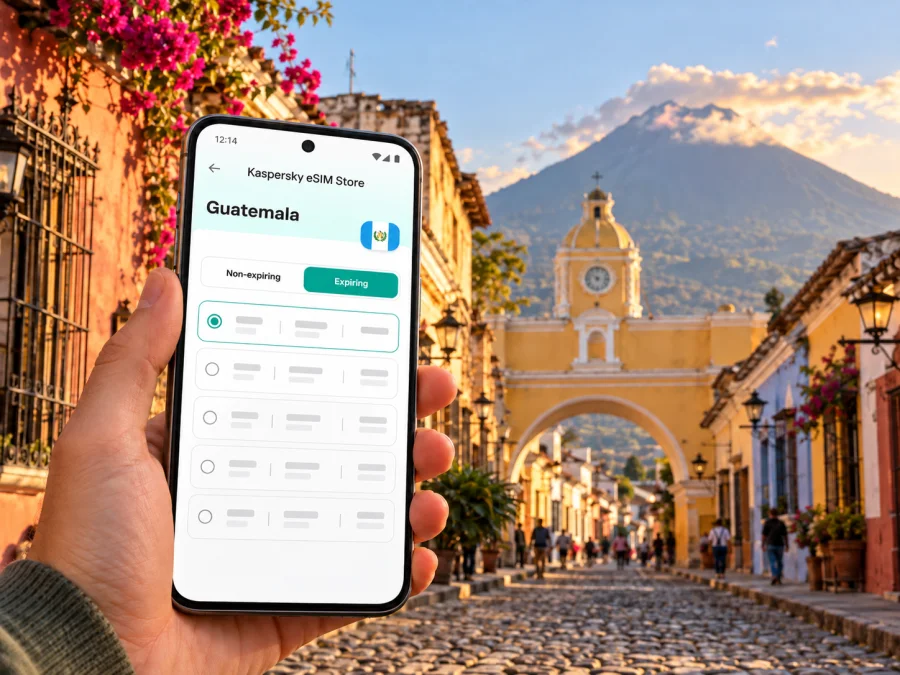
Antigua Guatemala eSIM: mobile connection and internet for your trip
Antigua Guatemala rewards unhurried walking: a compact historic center, a regular street grid, colonial façades and cobbled lanes make it easy to plan a day on foot. Yet the practical parts of a trip still depend on mobile internet: finding your accommodation after a transfer, checking a reservation, sharing a meeting point or looking up the way back after dinner. An eSIM can help you prepare mobile data for Guatemala without replacing your home SIM card.
This guide focuses on arriving in Antigua Guatemala, getting around its historic center and planning onward travel. The city is in Guatemala, while the country’s international gateway, La Aurora International Airport, is in Guatemala City. Treat the airport-to-Antigua leg as a separate transfer: confirm your pickup point and destination before leaving, and keep the address available offline in case you have no data for part of the journey.
What mobile internet helps with in Antigua Guatemala
Antigua’s central area follows a grid plan established in the sixteenth century. UNESCO describes the historic city at about 1,530 metres above sea level and records it on the World Heritage List in 1979. For a visitor, the grid is useful, but it does not remove every navigation challenge: street names, entrances and landmarks can look similar, while cobblestones and changing light make it worth checking your route before setting out.
Mobile data is useful for opening a map, messaging a driver or host, checking a reservation, translating a short message and confirming onward travel. Download an offline map before you leave and save your accommodation address, transfer details and booking codes where you can open them without a connection. A screenshot is often quicker to find than an email when you are outside with luggage.
Arrival: plan the airport transfer separately
La Aurora International Airport serves Guatemala City; it is not in Antigua Guatemala. Travelers continuing to Antigua generally need an onward road transfer. Your choice depends on arrival time, group size, luggage and prior arrangements. Confirm the pickup point for a shuttle, private car or other pre-booked transport before you land.
Before departure, save the exact accommodation address, map pin, provider name, pickup instructions and contact number offline. Confirm how the driver will identify you, share flight updates through the agreed channel and leave a buffer before any booking in Antigua. Traffic and travel time vary, so a generic estimate is not a reliable arrival promise. Check that your map destination is Antigua Guatemala, not another place with a similar name.
An active data eSIM may help you contact your host after landing if the phone can connect to a supported local network; it cannot guarantee signal throughout the airport, road or city. Keep your home SIM available for calls or SMS if needed, and check how your phone handles data with two profiles installed.
Walking the historic center
Antigua Guatemala’s historic core is compact enough for many visitors to explore on foot. UNESCO notes the surviving grid and cobbled streets, churches, convents and plazas. The grid helps with orientation, but the surface can be uneven; comfortable shoes and a saved route are useful.
Use the central plaza as a reference point and group nearby stops into a walking loop. The Cathedral, La Merced, Las Capuchinas and the Santa Catalina Arch are recognizable landmarks; check opening hours and access locally. Before leaving, download the map, pin your lodging and return route, and note whether the walk includes cobblestones. A power bank can help on a long day. Check turns at a safe stopping point rather than watching the screen while walking. At night, use a route you have already checked and agree on a pickup point that is easy to identify.
Choosing an eSIM for a city stay
eSIM plans are usually organized by country or region, so check that the selected plan includes Guatemala. A city name in a search result does not prove that a separate Antigua plan exists.
Estimate your data needs from the way you will travel rather than choosing by habit. Navigation, messaging, reservation checks and occasional browsing usually use less data than frequent video calls, streaming or uploading large files. If you work remotely, consider whether your accommodation has a reliable connection and whether the eSIM terms allow tethering before depending on your phone as a hotspot.
| Travel pattern | What to consider when choosing |
|---|---|
| Short city break | Enough data for maps, messaging, bookings and arrival coordination; check the plan’s validity against your dates. |
| Several days with day trips | Confirm the plan applies beyond the city and throughout the Guatemala portion of your route. |
| Remote work | Estimate video-call and hotspot use separately; review the plan’s data allowance and tethering terms. |
| Multi-country itinerary | Check each destination explicitly or look for a regional option whose terms name every country on your route. |
| Backup data beside a home SIM | Decide which line will handle mobile data and check that your home line will not incur unintended roaming charges. |
Before paying, review the plan’s country or region, data amount, validity, price, activation conditions and limitations. Check when validity begins: installing an eSIM and starting a data package are not always the same event. For a wider itinerary, confirm coverage for each destination instead of assuming that a country label means identical service everywhere.
The Guatemala destination page currently lists CLARO among the local providers for displayed plans. Treat this as plan-specific information, not a promise of reception at every Antigua address; verify the provider and coverage terms shown for the offer you choose, since arrangements can change.
When you are ready to compare the current Guatemala options and their terms, browse eSIM plans for Guatemala. Kaspersky eSIM Store is an app and website that helps travelers choose, complete and activate an eSIM with a suitable plan for mobile internet abroad. The mobile service itself depends on the selected plan, its provider and local network conditions.
Check your phone before you travel
The availability of eSIM depends on the exact device and its regional variant. Some models that share a product name differ by market, and a phone may also be locked to a carrier. Do not rely on a generic model-family list: check your device settings, the manufacturer’s information for your exact variant and any carrier restrictions before purchase. Check whether your device supports eSIM.
A quick pre-trip check:
- Confirm that the exact phone variant supports eSIM in your market.
- Check that the phone is not carrier-locked or restricted from adding another profile.
- Make sure you can access a stable Wi-Fi connection when installing the eSIM.
- Review how many eSIM profiles your device can store and which can be active together.
- Keep your home line’s voice and SMS settings clear if you need bank codes or calls.
- Update the operating system before departure if the manufacturer recommends it.
If you cannot verify support, do not assume that a displayed “add eSIM” option or a similar model name settles the question. Ask the device seller or carrier about the exact regional variant. Keep another way to access bookings and important travel information until you have confirmed the eSIM is installed and working.
Install and activate before you need directions
Whenever possible, install the eSIM while you have dependable Wi-Fi and enough time to follow the instructions. Read the chosen plan’s activation terms first: some plans start on installation, while others begin under different conditions. Do not delete an installed profile just because it is not yet selected for mobile data; reinstallation may not be possible under every plan’s rules.
A general setup sequence is:
- Complete the purchase and open the installation details in the app, website or confirmation message.
- Connect to Wi-Fi and follow the on-screen steps or scan the supplied QR code, if one is provided.
- Label the new profile clearly, for example “Guatemala data,” so it is easy to distinguish from your home line.
- Choose which SIM should handle mobile data. Keep calls and SMS on the line you intend to use for those services.
- Before travel, leave data roaming for the new profile in the state required by its instructions; do not change the home line’s settings by guesswork.
- After arrival, select the eSIM for data and allow the phone time to register. Check the plan instructions if a data-roaming setting is required.
Use the relevant walkthrough if you need more detailed device steps: eSIM setup instructions for Android and eSIM setup instructions for iOS. Menu names vary by operating-system version, manufacturer and language, so follow what appears on your device and compare it with the instructions for your model.
If the connection does not start, first confirm that the eSIM profile is enabled, selected for mobile data and within its validity period. Check that airplane mode is off and that the phone has a usable signal. Review the plan’s instructions for network selection and data roaming, then restart the phone if appropriate. Avoid deleting the eSIM profile before contacting support or checking whether it can be installed again.
Mobile data, calls and messages
A travel eSIM plan may be intended for mobile data only. It should not be assumed to provide a local phone number, ordinary voice calls or SMS unless the selected plan explicitly includes them. Messaging and voice apps can work over data when the other person is reachable through the same service, but they do not replace calls to every ordinary telephone number.
If you need to receive calls or one-time codes on your usual number, keep that SIM enabled if your device allows it and review your home carrier’s roaming charges. Set the travel eSIM as the data line only when you are ready to use it. On a dual-SIM phone, verify that mobile data switching will not silently move traffic back to the home line. The names of these settings differ between devices.
For remote work, test your setup before relying on it. Check accommodation Wi-Fi, eSIM data limits and hotspot conditions. Signal varies by location, building, congestion, device and local network; country coverage does not promise a particular speed or indoor reception at a specific café or room.
Keep maps and important details available offline
A useful travel setup combines live data with offline information. Before leaving Wi-Fi, save:
- an offline map around Antigua and your accommodation;
- the hotel or guesthouse address in full, not only a map pin;
- transfer and tour confirmations, including meeting instructions;
- a short list of nearby destinations you expect to visit;
- emergency and contact information you may need to retrieve quickly.
Offline maps may not show live traffic, current opening hours or last-minute changes. Refresh time-sensitive details while connected, and save ticket QR codes so they open without cellular service.
For a meeting, send a clear place name and map pin rather than “near the arch.” If your battery is low, switch to the saved route and message your companion before the phone runs out of charge.
Beyond Antigua: day trips and onward travel
Antigua is often one stop on a wider Guatemala itinerary. Your route may continue back to Guatemala City or toward another destination, so check the selected plan’s country and regional terms before departure. Do not infer that a plan covers a border crossing; verify each destination by name and review your data balance when connected.
For a day trip, save the route, pickup time and meeting point in advance, and share the plan with a companion. Keep a screenshot of the return arrangements. Transport availability, journey duration and signal vary with the route and conditions.
Use Wi-Fi for large downloads and updates, and check your remaining allowance before a long travel day. If top-ups are available, review the process in advance. A second eSIM profile is not automatically a backup; confirm that it is compatible, active and valid for your destination.
Common questions
Is Antigua Guatemala the same place as Guatemala City?
No. Antigua Guatemala is a separate historic city in Guatemala. La Aurora International Airport is in Guatemala City, so travelers arriving there need onward transport to Antigua.
Will one eSIM plan work throughout Antigua?
A plan may include Guatemala, but signal and performance depend on its terms, the local network and your device. Check the plan’s coverage details and do not treat a country listing as a guarantee of reception at every address or indoors.
A simple plan for your Antigua Guatemala trip
Before departure, verify that your exact phone variant supports eSIM, choose a Guatemala plan that fits your dates and expected use, and read its activation conditions. Save your accommodation and airport transfer details offline. Install the profile over Wi-Fi and confirm which SIM will handle data.
In Antigua, use mobile internet for navigation and coordination while keeping key details available offline. Check coverage and transport arrangements before day trips; service quality can vary.
When you are ready, review eSIM options for your Guatemala trip, compare the current plan conditions and choose one that fits your dates and expected data use. You can then install and activate it according to the plan instructions and your device settings.


