Travel connectivity guide
Antsirabe eSIM: Mobile Internet for Your Trip
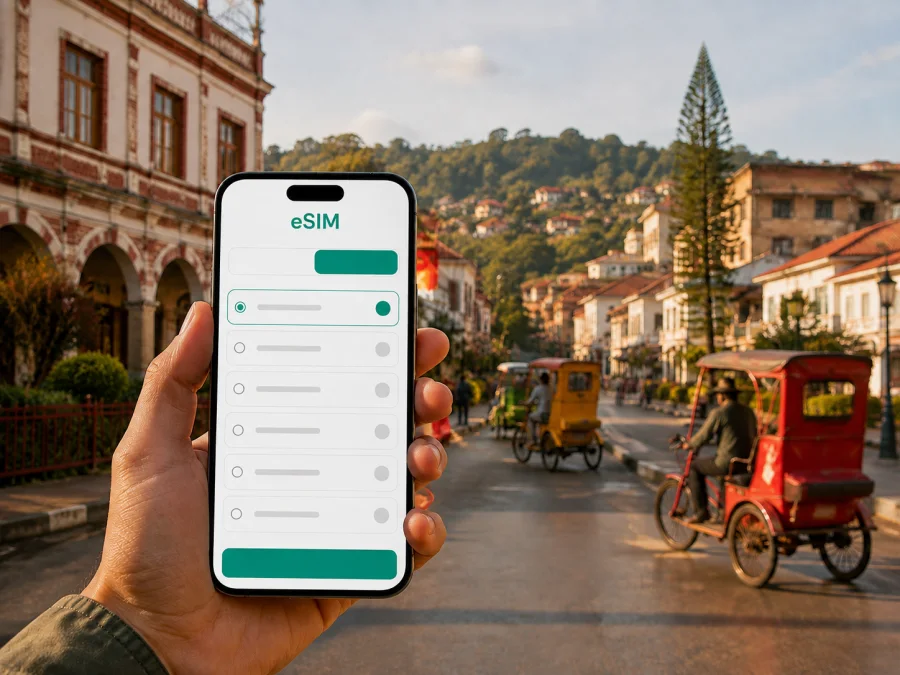
Antsirabe eSIM: mobile connection and internet guide for Madagascar
Antsirabe is a useful stop on Madagascar’s highland route. Travellers often reach it by road from Antananarivo, stay in or near the centre, move between hotels, markets and thermal facilities, then continue south or west. An eSIM, or digital SIM, can help you arrange mobile internet for that journey without removing your usual physical SIM card. It is useful when confirming a transfer, checking a map, messaging a host or organising a day outside the city.
This guide is about the practical Antsirabe journey: arrival, local movement, neighbourhood planning, accommodation, work, short stopovers and nearby excursions. Madagascar is the country for tariff selection, while Antsirabe is the focus for deciding how much data and preparation you need.
Why mobile internet matters in Antsirabe
Antsirabe is a highland city rather than a single resort complex where every service is in one place. Your first tasks may include confirming a guesthouse, finding a meeting point, negotiating a local ride or checking the return route from a lake. Mobile internet can reduce those small uncertainties.
You may use data to:
- send your arrival time to a host, colleague or driver;
- check a route between the central streets, station area and accommodation;
- keep booking confirmations and important contacts available;
- translate a short message or share a written destination;
- arrange a ride where the local option is available;
- use messaging or internet calling for ordinary communication;
- send a travel update without searching for Wi-Fi each time.
An eSIM is not automatically a replacement for your normal phone line. Unless the selected tariff says otherwise, it is intended for mobile internet and does not include a conventional phone number, voice calls or SMS. Keep your usual SIM available for the number you already use, and use messaging apps over data when appropriate.
Antsirabe is in Madagascar’s central highlands, about 170 km from Antananarivo by the main southern road. It is associated with thermal waters, a cooler highland setting, local pousse-pousse rides and excursions to Andraikiba and Tritriva. These facts help with preparation but do not guarantee signal or speed: availability depends on the selected tariff, device, route and surroundings. Save essential information offline before a rural journey.
Arriving in Antsirabe from Antananarivo
For many international visitors, the practical sequence begins at Ivato near Antananarivo and continues overland to Antsirabe. The RN7 corridor connects the city with destinations farther south, so an eSIM plan should match the whole Madagascar itinerary rather than only the nights spent in Antsirabe.
Prepare before leaving the airport area
Use Wi-Fi or your home connection to prepare the basics:
- Save the accommodation address and booking confirmation.
- Screenshot the driver or host contact.
- Mark the destination on a map and save an offline view.
- Charge the phone, carry a power bank and decide which line will handle data.
Installing an eSIM before departure can make the first navigation step easier, but check when the tariff becomes valid. You need a compatible, unlocked device and the profile or QR code supplied after the order. If you prefer to install after reaching Madagascar, do not depend on a public Wi-Fi network as your only way to find the first address.
The first hour after arrival
Confirm the destination before leaving the vehicle. Keep the accommodation name, written address and a nearby landmark together in one note. A written description can be easier than a pin when an entrance is set back from the main road.
Use this arrival routine:
- select the correct eSIM for mobile data;
- open the saved accommodation details;
- message the host or driver with a short status update;
- screenshot the route to the next point;
- keep documents, phone and cash secure.
Once the route is clear, put the phone away.
Moving around the city centre
Antsirabe works well with a mixed approach: walk for short central trips, use a pousse-pousse or another local ride when suitable, and arrange a car or driver for luggage or journeys outside the built-up area. The practical choice depends on distance, weather, luggage and your schedule.
Walking, markets and central landmarks
Many short journeys link a hotel with a market, artisan workshop, station area or thermal facility. Save the hotel address and a landmark before leaving, especially if returning after dark or with a low battery.
Antsenakely and Asabotsy are known as city markets. If one is part of your route, check the way there before setting out and send the accommodation details to a companion. In a busy market, keep the phone secure and step aside before checking a map or sending a message.
Pousse-pousse and other local rides
Pousse-pousse are a distinctive part of getting around Antsirabe. Cyclo-pousse and moto-pousse may also be available, along with taxis. Availability, price and comfort can vary, so treat each ride as a local arrangement rather than a universal fixed service.
Before getting in, clarify:
- the exact destination and entrance;
- whether the agreed amount covers the whole ride or each passenger;
- whether a waiting period or extra stop changes the fare;
- where you will be dropped off;
- how you will recognise the driver if a return ride is planned.
Keep the destination in writing and show it when necessary. Screenshot the return point before leaving, and ask your accommodation how they arrange taxis or day trips.
Do not assume that payment, ride requests or map pins work as they do at home. Confirm the local process first and keep the final arrangement in writing.
Choosing an eSIM tariff for Antsirabe
The right tariff is determined by the whole Madagascar route. A two-night Antsirabe stop between Antananarivo and another destination may need a validity period covering the transfer before and after the city. If your journey crosses borders, check the conditions of any regional option instead of inferring coverage from its name.
Kaspersky eSIM Store is an app and website where you can choose, arrange and activate an eSIM with a suitable tariff for mobile internet during an international trip. It helps you review the direction, traffic allowance, validity and price shown for an option. The eSIM follows the conditions of the selected tariff and the local network arrangements behind it.
Match data to your travel style
- Light use: occasional maps, messages, booking checks and short updates. Control automatic backups and video autoplay.
- Regular sightseeing: daily navigation, browsing, photographs and messaging. Leave room for travel days outside Antsirabe.
- Business or remote work: email, documents, meetings and possible tethering. Check hotspot conditions before relying on a laptop.
- Multi-stop travel: compare validity with the full itinerary, not only the hotel booking.
Review these details together:
- Destination or region of validity.
- Traffic allowance and validity period.
- Top-up, hotspot, calls and SMS conditions.
- Device requirements and rules for changes or refunds.
When you are ready to review the current option for the country, choose an eSIM tariff for Madagascar. Read the displayed conditions before completing the order.
Installing and activating eSIM
Installation is easiest with a compatible device, a stable internet connection for setup, and the QR code or profile information supplied after the order. Menu names vary by phone and software version. Use the Android installation instructions or the iOS installation instructions for the relevant device.
Before installation
Check that:
- the phone supports eSIM and is not operator-locked; check your device compatibility before selecting a tariff;
- Wi-Fi or another working internet connection is available during setup;
- the QR code or activation details can be opened on another screen;
- the phone is charged;
- you know which line should remain responsible for calls and SMS;
- you understand when validity begins under the tariff conditions.
A five-step setup
- Open the mobile network settings. Select the option for adding an eSIM or mobile plan.
- Scan the QR code. Use the code from your profile or order message.
- Name the line. A label such as “Madagascar data” makes it easier to identify.
- Select the eSIM for mobile data. Keep your normal line for functions you still need.
- Wait for registration. Connection may take several minutes and depends on the device, local network and tariff.
If data does not start, confirm that the eSIM is enabled and selected for mobile data. Check whether the instructions require data roaming for that eSIM line. Do not delete the profile immediately; if the issue continues, use the relevant support channel with the order details available.
Installing with time to spare and switching the data line when the itinerary begins is often the simplest approach. Follow the selected tariff’s instructions. If you install after arrival, keep essential addresses and contacts offline first.
Hotels, business trips and short stopovers
Antsirabe may be the destination, a restorative highland pause or a logistical stop on the RN7. Your data needs change with the purpose of the visit.
Hotel preparation
Keep the property name, full address, booking reference, host contact and a nearby landmark offline before check-in. Ask how the property normally arranges taxis and excursions. If a driver’s name, vehicle description or meeting point is given verbally, write it down. Hotel Wi-Fi is useful for large downloads; the eSIM can handle time-sensitive messages and maps away from the property.
Business and remote work
Before a workday, download documents, save meeting addresses, test email and messaging, and tell colleagues when you will travel between locations. Check hotspot conditions before connecting a laptop. Pause non-essential updates and cloud synchronisation during a transfer.
For a short stopover, make a four-line note:
- Where you are staying.
- Who is transporting or meeting you.
- When and where the next departure begins.
- Which phone line is selected for mobile data.
That note can be more useful than a long list of apps.
Day trips from Antsirabe
The surrounding highlands make Antsirabe a base for trips beyond the centre. Lake Andraikiba is a nearby outing, while Lake Tritriva lies farther to the south-west. Exact travel time depends on the road, vehicle and weather, so arrange the return before leaving.
Confirm:
- the lake and meeting point;
- the vehicle and return arrangement;
- expected road time and planned stops;
- food, water and other inclusions;
- what happens if weather or road conditions change;
- how you will contact the driver again.
Open the route while connected, save the key details and send the itinerary to someone who is not travelling with you. Carry water, a charged phone and a warm layer. Outside the city, screenshot the return route and keep the accommodation address in text.
If you continue from Antsirabe to another destination, treat the next leg separately. Confirm the local transport connection and do not rely on an old schedule or a remembered departure time.
Checklist before departure
- [ ] The Madagascar tariff covers the full route dates.
- [ ] The device supports eSIM and is not operator-locked.
- [ ] The QR code, hotel and driver details are available offline.
- [ ] The normal SIM and Madagascar data line are clearly labelled.
- [ ] Maps, bookings and tickets have been saved or screenshotted.
- [ ] Automatic updates and backups are controlled.
- [ ] The phone, charger and power bank are ready.
- [ ] You know where to find installation help.
Test the intended setup before departure: select the travel eSIM for mobile data, open a saved map and send a test message over data. Then return to your preferred settings until the journey begins.
Common questions about eSIM in Antsirabe
Is eSIM useful for only a few days in Antsirabe?
Yes. It can help with maps, messages, hotel coordination and transport planning. Choose validity for the whole Madagascar itinerary, not only the nights in the city.
Will it work on the road or near a lake?
No connection can be promised for every point on a route. Performance depends on the local network, terrain, device and tariff. Save maps, accommodation details and transport contacts offline.
What if the eSIM is installed but there is no data?
Confirm that it is enabled and selected as the mobile-data line. Check the required data-roaming setting and whether validity has started. If the problem remains, use the installation guidance or support channel with your order details.
A calm connection plan for Antsirabe
Save the important addresses, choose a Madagascar tariff that matches the whole journey, check the device, install the eSIM with time to spare and keep offline copies for excursions. In Antsirabe, that preparation supports the moments that matter: finding the hotel after the RN7 transfer, agreeing a local ride, reaching a meeting and returning from a lake trip.
Kaspersky eSIM Store helps you choose, arrange and activate an eSIM with a suitable tariff for mobile internet during an international trip. Review the direction, traffic allowance, validity and device requirements, then keep the eSIM settings clear on your phone.
When you are ready, choose an eSIM tariff for your trip to Madagascar, install it on a compatible device and activate it according to the selected tariff’s conditions.


