
Travel connectivity guide
Antwerp eSIM for Mobile Internet in Belgium
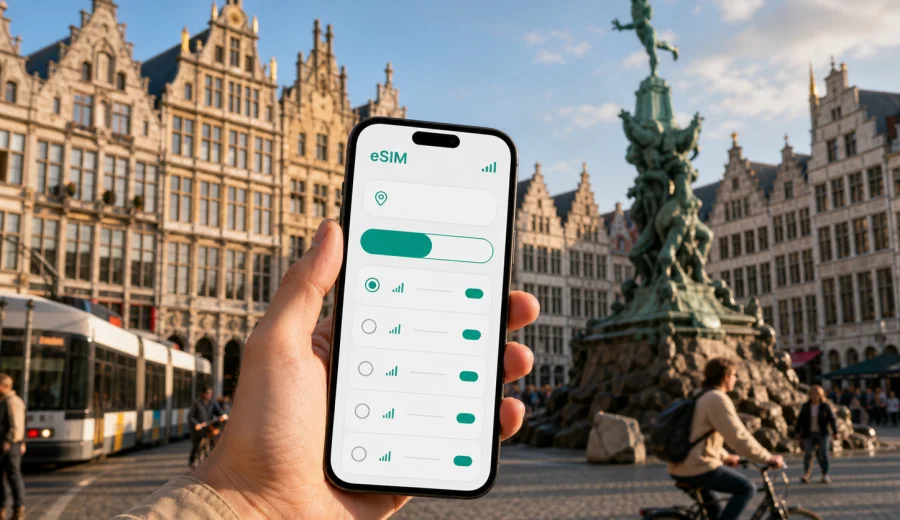
Antwerp eSIM guide: mobile connection and internet for your city trip
Antwerp is a compact city, but it is not a city where you want to spend your first hour hunting for Wi-Fi. You may arrive by train at Antwerpen-Centraal, by car from the Netherlands or France, through Brussels Airport with a rail connection, or by cruise transfer near the Scheldt. In each case, mobile internet helps from the moment you need the platform number, a tram route, a hotel message, a taxi app, a restaurant booking, or a map of the historic center.
An eSIM can make that first part of the trip simpler. Instead of looking for a physical SIM card after arrival, you can prepare a digital SIM profile for mobile data before you travel or shortly after you reach Belgium. With Kaspersky eSIM Store, you can use the app or website to choose a suitable eSIM tariff for your trip, check the data allowance and validity period, and install the eSIM on a compatible device.
This guide focuses on Antwerp itself: arrival, local transport, districts, hotels, business travel, short stopovers, and trips from the city to the rest of Belgium.
Why mobile internet matters in Antwerp
Antwerp rewards quick decisions. The city center is walkable, but the useful places are spread across several different travel patterns: the old town around Grote Markt, the shopping axis near Meir, the station district, the Diamond Quarter, the Zuid area, the port and business zones, and museum or riverside routes near Het Eilandje. A reliable data connection helps you move between these areas without depending on public Wi-Fi.
Common moments when mobile data is useful in Antwerp:
- checking train platforms at Antwerpen-Centraal;
- loading tram and bus routes for De Lijn services;
- navigating from the station to hotels around Meir, the old town, Zuid, or the port;
- using ride-hailing, taxi, bike-share, or parking apps;
- opening booking confirmations and digital tickets;
- messaging a hotel, host, colleague, or family member;
- translating short notices, menus, or transport instructions;
- using maps while walking through narrow streets in the historic center;
- joining video calls or checking files during a business trip.
Public Wi-Fi can be helpful in hotels, cafes, conference venues, and some transport spaces, but it is not always where you need it. When you are between the station and your accommodation, outside a museum, or trying to find the right tram stop in the rain, mobile internet is usually the more practical option.
First arrival scenarios: station, airport transfer, car, or cruise
Antwerp does not have the same arrival pattern for every traveler. Many international visitors reach the city by train, while others land at Brussels Airport and continue by rail or car. Some arrive from Amsterdam, Rotterdam, Paris, Lille, Luxembourg, or Cologne as part of a wider European route. Your mobile data needs depend on how you enter the city.
| Arrival situation | Why data helps | Practical eSIM use |
|---|---|---|
| Train to Antwerpen-Centraal | Platform changes, local maps, hotel directions | Turn on mobile data when you leave the train and navigate to your accommodation |
| Brussels Airport to Antwerp | Rail times, transfer updates, ticket apps | Use data during the airport-to-city transfer, especially if your train connection changes |
| Driving into Antwerp | Parking zones, low-emission zone checks, live traffic | Keep maps and parking apps available before entering the center |
| Cruise or river transfer | Meeting points, taxi apps, walking routes | Load the hotel route and local transport options before leaving the terminal area |
| Day trip from another Belgian city | Return trains, restaurant bookings, ticket changes | Use data for flexible planning without returning to Wi-Fi |
If Antwerp is your first stop in Belgium, set up your eSIM before the trip when possible. If it is not practical to activate it in advance, make sure you have enough Wi-Fi at the airport, station, or hotel to complete installation. After that, you can switch mobile data to the eSIM profile when you need it.
Where eSIM is especially useful inside the city
The old town around Grote Markt is beautiful, but it is also full of small streets, one-way walking routes, terraces, and changing pedestrian zones. A map can save time when you are moving between the Cathedral of Our Lady, the riverfront, Groenplaats, and the shopping streets.
Near Antwerpen-Centraal and the Diamond Quarter, mobile internet helps with practical tasks: finding the right hotel entrance, contacting a meeting host, checking luggage storage, or timing a train. In Zuid, you may use data for restaurant reservations, tram routes, museum tickets, and navigation between streets that are easy to confuse on a first visit.
Het Eilandje and the MAS area are another good example. The distance from the historic center is manageable, but you may still want live directions, bike routes, weather checks, and return transport options. If you are visiting the port area for business, data is even more important because meetings, access instructions, taxi coordination, and security gates often depend on timely messages.
For a short trip, mobile internet in Antwerp is less about heavy browsing and more about small actions repeated many times: opening a map, checking a platform, sending a message, scanning a ticket, confirming a route, or finding the next tram.
How much data to plan for an Antwerp trip
There is no single correct data allowance for every visitor. A weekend traveler using maps and messages may need much less data than a business traveler who joins calls, shares files, or uses a laptop hotspot. The safest approach is to match the tariff to the way you actually travel.
| Trip type | Typical online behavior | What to consider |
|---|---|---|
| One-day stopover | Maps, messages, transport apps, tickets | A smaller data package may be enough if you avoid video and large downloads |
| Weekend city break | Maps, restaurant search, photo sharing, messaging | Choose enough data for two or three active days outside hotel Wi-Fi |
| Business trip | Email, cloud files, calls, calendar, taxis | Add extra data for video calls and tethering if the tariff allows it |
| Family trip | Several devices, navigation, entertainment | Check whether each traveler needs their own connection |
| Belgium route | Antwerp plus Brussels, Ghent, Bruges, or the coast | Choose a Belgium-focused option that covers the full country route |
Choosing an eSIM tariff for Antwerp
For a city trip to Antwerp, the important destination is Belgium. A city article can help you plan local use, but the eSIM tariff itself is normally selected for the country or region where you will use mobile data. If your route stays inside Belgium, choose a tariff intended for Belgium. If Antwerp is part of a broader European trip, compare whether a regional option is more suitable for your itinerary.
Before you choose, check these points:
- destination coverage in the tariff details;
- data allowance in GB;
- validity period and when it starts;
- whether the tariff supports top-up;
- whether tethering is allowed if you need a laptop connection;
- whether calls and SMS are included, or whether the tariff is data-only;
- whether your phone supports eSIM and is not locked to another carrier.
If your itinerary is Antwerp-focused, you can view mobile internet options for Belgium in Kaspersky eSIM Store and compare tariffs by data volume and validity. This is the country page to use for an Antwerp city trip because Antwerp is in Belgium.
Device compatibility before you travel
An eSIM only works on devices that support eSIM and allow the installation of a new profile. Some phones also need to be unlocked for use with other mobile services. Check this before you pay for any tariff, especially if your phone was bought through a carrier contract.
Use this short checklist:
- confirm that your phone or tablet supports eSIM;
- check that the device is not carrier-locked;
- update the operating system if an update is required for stable eSIM setup;
- keep your primary SIM active if you need your usual number for calls or banking messages;
- make sure you can receive the installation instructions by email or in your account;
- keep Wi-Fi available during installation.
You can also check your device before choosing a tariff. This is a useful step for travelers who are not sure whether their smartphone model supports eSIM.
Installing eSIM before Antwerp or after arrival
Many travelers prefer to install the eSIM before leaving home, then activate mobile data for that profile when they arrive in Belgium. This reduces pressure at the station, airport, or hotel. Others install it after arrival using Wi-Fi. Both options can work, but you should read the tariff conditions because validity and data usage rules depend on the selected option.
Basic setup flow:
1. Choose Belgium as the destination or select a regional tariff if your route requires it.
2. Compare data allowance, validity period, and price.
3. Check device compatibility and carrier lock status.
4. Complete the purchase in the app or on the website.
5. Install the eSIM by following the instructions on your device.
6. Set the eSIM as the mobile data line when you are ready to use it.
7. Keep your primary SIM available if you need your regular number.
For setup details, follow the official Android installation guide or iOS installation guide. During installation, stay on Wi-Fi until the eSIM profile is added successfully. On some devices, you may also need to enable data roaming for the eSIM line; this does not mean you are using your home roaming package, but it can be required for the travel data profile to connect.
Practical data-saving habits in Antwerp
Even with a comfortable data package, good habits help you avoid waste. Antwerp is a city where maps and transport checks are useful, but you do not need to spend mobile data on everything.
Before leaving your hotel or apartment:
- download the next walking route or pin key places in your map app;
- save hotel and meeting addresses offline;
- download museum tickets, train tickets, and booking confirmations;
- disable automatic cloud backup on mobile data;
- reduce streaming quality during transfers.
During the day, use mobile data for actions that matter in the moment: maps, messages, transport updates, payments, bookings, and translation. Save heavy uploads, full-resolution photo sync, software updates, and long video calls for Wi-Fi unless your data allowance is large enough for them.
Antwerp districts and mobile data use
Different parts of Antwerp create different connectivity needs. The city is not huge, but its travel patterns vary.
| Area | Typical reason to go | Mobile internet use |
|---|---|---|
| Historic center | Grote Markt, cathedral, riverfront, restaurants | Walking navigation, tickets, table bookings, translation |
| Meir and shopping streets | Shops, cafes, hotels | Payments, maps, messaging, product lookup |
| Station and Diamond Quarter | Arrival, business, hotels | Train updates, taxi apps, meeting messages |
| Zuid | Museums, restaurants, nightlife | Tram routes, reservations, late return planning |
| Het Eilandje | MAS, docks, waterfront walks | Maps, bike routes, weather, photo sharing |
| Port and business zones | Meetings, logistics, events | Calls over apps, email, calendar changes, taxi coordination |
If you are staying near the station and walking into the center, data mostly supports navigation and messages. If you are moving between meetings, data becomes part of your schedule management. If you are visiting Antwerp as a stop on a Belgium route, mobile internet helps you adjust plans between cities without waiting for hotel Wi-Fi.
Business trips and remote work in Antwerp
Antwerp has strong business travel demand because of the port, diamonds, fashion, logistics, chemicals, conferences, and regional offices. For business travelers, the value of eSIM is not only convenience; it is continuity between meetings.
A realistic business data plan should account for:
- email and calendar sync throughout the day;
- taxi and route changes between offices;
- messaging with colleagues and hosts;
- occasional video calls;
- document previews and cloud access;
- hotspot use if the tariff and device allow tethering;
- backup connectivity when venue Wi-Fi is crowded or requires a login.
If you need to use a laptop, check the tariff conditions for tethering before relying on it. Also remember that many eSIM travel tariffs are focused on mobile data. They may not include a local phone number, voice calls, or SMS unless the specific tariff states otherwise. For calls and messages, you can usually use internet-based apps while your mobile data connection is active.
Stopovers and day trips from Antwerp
Antwerp is well placed for day trips. Brussels, Ghent, Bruges, Leuven, Mechelen, and the Belgian coast can all fit into wider travel plans. Travelers also combine Antwerp with Amsterdam, Rotterdam, Paris, or Luxembourg by train or car.
If you stay in Belgium, a Belgium-focused tariff is usually the simplest match. If you cross borders, check whether your tariff covers each country on your route or whether a regional Europe tariff is a better fit. Do not assume that a tariff for one country automatically covers another. Always read the destination list before purchase.
For day trips, mobile data helps with:
- checking return train times;
- changing tickets;
- using maps after leaving the station;
- receiving hotel or host messages while away from Antwerp;
- keeping access to payment and booking apps;
- finding transport if plans change late in the evening.
This is especially useful if Antwerp is your base. You can leave the city for a day, keep the same data setup active if the tariff covers the route, and return without having to solve connectivity again.
Quick comparison: eSIM, roaming, public Wi-Fi, and local SIM
The right choice depends on your device, budget, route, and how much you use data. eSIM is not the only option, but it is often practical for city travel because it can be prepared without a physical card.
| Option | Strength | Limitation |
|---|---|---|
| Travel eSIM | Can be prepared before or during the trip, no physical SIM card | Requires compatible unlocked device and careful tariff selection |
| Home roaming | Uses your existing SIM and number | Costs and limits depend on your home mobile plan |
| Public Wi-Fi | Useful in hotels, cafes, offices, and venues | Not always available when walking, transferring, or using transport |
| Local physical SIM | Can be useful for longer stays | Requires finding a store or kiosk and managing a physical card |
For many Antwerp visitors, the practical advantage of eSIM is control. You can choose a prepaid data tariff, check its conditions in advance, and keep your usual SIM in the phone.
Frequently asked questions
Is an eSIM useful for a short Antwerp weekend?
Yes, if you expect to use maps, transport apps, bookings, messaging, and restaurant search while walking around the city. For light use, a smaller data package may be enough.
Should I choose Antwerp or Belgium when buying a tariff?
Choose the destination that matches the tariff structure. For an Antwerp trip, the relevant country is Belgium. City guides help with planning, but the mobile data tariff is normally selected for Belgium or for a wider region if your route crosses borders.
Does an eSIM give me a Belgian phone number?
Many travel eSIM tariffs focus on mobile data and do not include a standard phone number, voice calls, or SMS unless the tariff conditions say so. You can use internet-based calling and messaging apps over mobile data.
Can I keep my normal SIM active?
In many dual-SIM phones, you can keep your usual SIM active for calls or messages and use the eSIM for mobile data. Check which line is selected before you start using the connection.
Can I install the eSIM before I leave?
Usually, yes, if your device supports eSIM and you have a stable internet connection for installation. Read the tariff details carefully so you understand when validity begins and when data usage starts.
What if I run out of data in Antwerp?
Check whether the selected tariff supports top-up or whether you need another tariff. You can reduce mobile data use by saving maps and using Wi-Fi for large uploads.
Final checklist before your Antwerp trip
Before you travel, make sure the basics are ready:
- your device supports eSIM;
- your phone is not carrier-locked;
- you selected Belgium or the correct regional destination;
- the data allowance matches your trip length and online habits;
- you understand the validity period;
- installation instructions are available on your device or email;
- you know which SIM line is used for mobile data;
- heavy app updates and media backups are disabled on mobile data.
This can make arrival in Antwerp easier. You can step out of Antwerpen-Centraal, leave the airport transfer, or start a business day with maps, messages, tickets, and transport apps already available.
Prepare mobile internet for Antwerp with Kaspersky eSIM Store
If Antwerp is on your travel plan, set up mobile data before the trip or as soon as you have a stable Wi-Fi connection. Kaspersky eSIM Store helps you choose, arrange, and activate an eSIM tariff for mobile internet in a foreign trip, with the key conditions shown before you decide.
You can choose an eSIM tariff for your trip to Belgium and prepare your phone for Antwerp before you need directions or transport updates.