Travel connectivity guide
Anyksciai eSIM: Mobile Internet for Your Trip
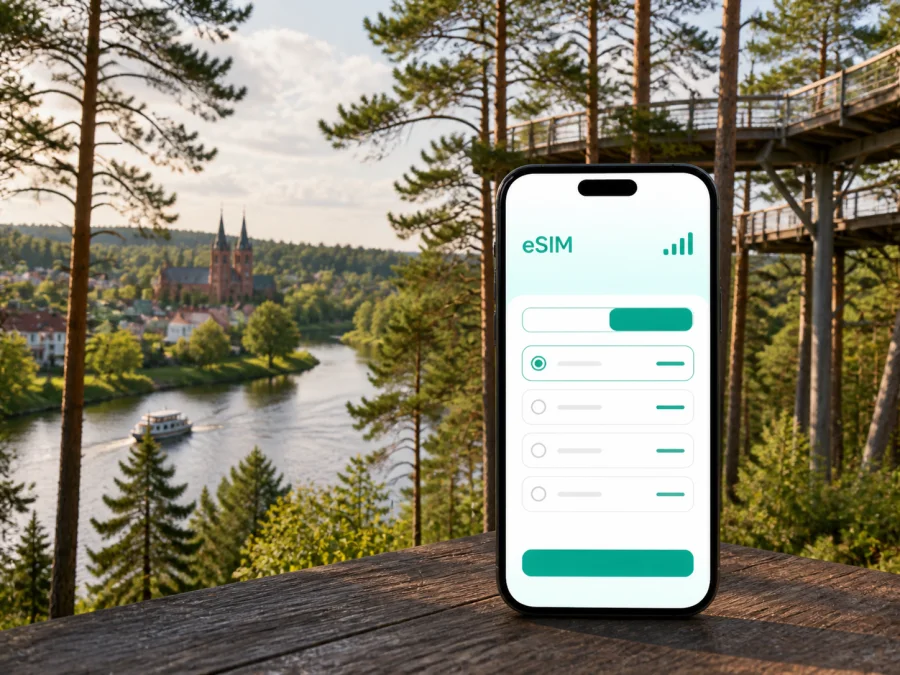
Anyksciai eSIM: mobile connection and internet for your trip
Anyksciai is a small Lithuanian town where a short city break can combine a calm centre, the Šventoji River, pinewood trails and day trips into the surrounding countryside. That combination is pleasant, but it also changes what you expect from mobile data. You may need navigation when a marked trail becomes a forest road, a message to your accommodation after arriving, a digital ticket or booking, a translation tool, and access to maps while moving between the town and attractions outside the centre.
An eSIM, or digital SIM, can help you prepare mobile internet for a trip to Anyksciai without removing your usual physical SIM card. Kaspersky eSIM Store is an app and website where you can choose, arrange and activate an eSIM with a suitable tariff for mobile internet during an overseas trip. The right choice depends on your route, the length of your stay, your data habits and the conditions shown for the selected tariff.
Why mobile data matters in Anyksciai
Anyksciai is easy to underestimate on a first visit. The central streets, cafés, museums and river walks are close enough to form a comfortable walking day. Several well-known sights, however, are in the pinewood or in nearby settlements. The Treetop Walking Path, Puntukas Stone and the Horse Museum are not all part of one compact central block, so an itinerary quickly becomes a mix of walking, local transport, cycling, driving and checking directions.
Mobile data is useful for more than posting photographs. It can help you:
- find an accommodation address after arriving in town;
- compare a walking route with a driving or public-transport option;
- check whether a museum, activity or café is open before crossing town;
- save a map area or review directions while travelling outside the centre;
- contact a host, guide, colleague or travel companion;
- translate a notice, menu or booking message;
- share a location when your group separates on a trail or at an attraction.
Think about how you will use data in Anyksciai: occasional maps and messages require a different allowance from video, large uploads or hotspot use.
Arriving in Anyksciai
Many international visitors reach Lithuania through a larger city and continue to Anyksciai by road or public transport. Leave room in the plan for the whole journey rather than treating the town as the only place where data is needed. You may need to find a platform or stop, confirm a connection, read a change to your accommodation instructions, or contact someone when the arrival time shifts.
Before leaving the arrival city, check that your phone has enough battery and that your travel information is available offline as well as online. A screenshot of the accommodation address, a saved booking reference and an offline map are sensible backups. They do not replace mobile data, but they reduce pressure if the signal is temporarily weak or you need to conserve battery.
On arrival, Anyksciai’s compact centre is a practical orientation point. From there, you can identify the river, locate your accommodation and decide whether the next stop is reachable on foot or requires another mode of transport. Do not assume that a pleasant town-centre walk means every nature attraction is nearby. For each leg, look at the destination pin, the road or trail type, the return route and the time of the last planned connection.
A simple arrival checklist
- Keep your normal number active if you need calls or SMS from home.
- Set the eSIM as the line for mobile data when you are ready to use it.
- Turn off data roaming on your home line if you want to avoid accidental roaming charges.
- Confirm the address and check-in instructions before leaving your arrival connection.
- Download or screenshot essential details for the first few hours.
- Carry a power bank if you plan a long walk through the pinewood.
Choosing an eSIM tariff for an Anyksciai itinerary
An eSIM tariff is a practical match for a city visit when you want a separate data line and do not want to handle a physical SIM card during the journey. In Kaspersky eSIM Store, compare the direction, data allowance, validity period and price displayed for the available option. For Anyksciai, Lithuania is the relevant destination because city travel plans are selected by country.
For a trip focused on Anyksciai, consider these questions before selecting an option:
| Your travel pattern | What to look for | Why it matters in Anyksciai |
|---|---|---|
| One or two days in the centre | A modest data allowance and a validity period covering the visit | Maps, messages and bookings usually matter more than continuous media use |
| A weekend with trails and nearby sights | Enough data for navigation, weather checks and communication | Routes around the pinewood and river may take you away from the central streets |
| A longer stay in a hotel or apartment | A validity period that covers every day, with room for updates | You may use mobile data for planning day trips and working between outings |
| A remote-work visit | A larger allowance and a dependable backup plan | Video calls and file transfers consume more data than ordinary travel tasks |
| A road trip through the region | A plan that fits the wider Lithuania route, not only the town | Anyksciai can be one stop in a route that includes rural roads and nearby communities |
The table is a planning guide, not a promise about a package. Conditions vary, so check the displayed details before payment and match the allowance to your actual use.
You can choose an eSIM tariff for a trip to Anyksciai after deciding how many days and which parts of Lithuania your route includes. Review the tariff’s start conditions, validity and data rules so you know when the allowance begins to be used.
A walkable centre, a river and the pinewood
The best way to plan Anyksciai is to divide it into zones instead of forcing every sight into one walking loop. The centre is suitable for a relaxed orientation walk, a meal, museum visits and a look at the town’s historic character. The Šventoji River adds a natural spine to the visit, with paths and viewpoints that are useful for a slower afternoon. The pinewood and the protected landscapes beyond the central streets call for more deliberate route planning.
The old town is a good first layer of the itinerary. It gives you places to pause, orient yourself and check the next destination. Keep the map open when leaving the central streets, especially if you are following a route with a mixture of pavement, wooden paths, gravel and forest roads. Navigation apps may propose a technically short route that is not the most comfortable one with children, luggage, a stroller or unsuitable footwear.
The Šventoji riverfront works well as a transition between sightseeing and nature. Walking beside the water is less demanding than a longer regional route, and it gives you a chance to review the next leg without rushing. If you plan to continue towards the forest, charge your phone first and save the accommodation address and return instructions.
The Treetop Walking Path is one of the signature experiences associated with the Anyksciai area. It is connected with the Anyksciai pinewood landscape, and the tower provides an elevated view over the forest. Nearby, Puntukas Stone is another prominent stop. These attractions are best treated as a half-day or longer outing rather than as a quick detour between central errands. Use mobile data to check the route, but also follow on-site signs and respect any local access guidance.
Planning the nature outing
- Start with the exact meeting point or car-park location, not only the attraction name.
- Check the route mode before setting out: walking, cycling and driving can produce different results.
- Save the return route and the address of your accommodation.
- Take water, comfortable shoes and a charged phone for the duration of the outing.
- Allow extra time for photographs, viewpoints and slower sections of the path.
- Recheck the final connection or pickup arrangement before leaving the forest area.
Museums, accommodation and movement
The Narrow-Gauge Railway Museum and St. Matthew’s Church suit a central cultural walk. The Horse Museum in Niūronys is outside the centre, so plan it as a separate transport leg. Opening hours, tickets and seasonal programmes can change; check them before setting out.
Walking works well around the centre and river, while the pinewood and nearby sights may call for a bicycle, car, public transport or an arranged transfer. Search for the full destination, pin the entrance, compare modes and check the way back. Save your accommodation address offline and carry a charger.
When choosing a hotel or apartment, check its position relative to the centre, river and planned attractions. Confirm check-in instructions and message the host if your arrival changes. For business, save the meeting details, test the eSIM, pause large backups and check hotspot conditions. For a stopover or day trip, choose one central activity plus one route with a clear return, making the last connection the anchor.
Installing and activating an eSIM
Install the eSIM before travel if your tariff permits it and you have a stable internet connection. Some tariffs begin their validity on activation or when they connect to a supported network, so read the conditions shown with your selection. If you prefer to install after arrival, remember that you need a way to reach the profile or QR code and an internet connection for the setup steps.
Before starting, check that your phone supports eSIM and is not locked to an operator. Some models vary by market or region of sale, so use the device compatibility check before purchase. Keep the QR code or activation details accessible, and do not delete an eSIM profile simply because you are changing the data line temporarily.
The general sequence is:
- Open the mobile-network settings on your phone.
- Choose the option to add a mobile plan or eSIM.
- Scan the QR code from your Kaspersky eSIM Store profile or purchase message.
- Follow the on-screen prompts and wait while the profile is added.
- Label the new line so you can recognise it during the trip.
- Select the eSIM for mobile data when you are ready to use it.
- Check whether data roaming must be enabled for that eSIM according to the tariff instructions.
For the device-specific sequence, use the Android installation instructions or the iOS installation instructions. The menu names differ between operating-system versions, and activation can take several minutes. If the profile does not connect, check the selected data line, restart the phone if the instructions recommend it, and contact support with the relevant purchase details.
What eSIM does and does not include
An eSIM tariff is primarily a mobile-data solution. Unless the selected conditions say otherwise, it does not provide a separate phone number, standard voice calls or SMS. Keep your usual SIM for important calls and use messaging apps over mobile internet when appropriate.
Performance depends on the local network, tariff, device and surroundings. Before purchase, check that your unlocked device supports eSIM, that Lithuania is included, and that the data allowance and validity cover your stay. Activation, hotspot use, transfer and refund conditions depend on the selected option.
Three practical Anyksciai scenarios
- Quiet weekend: use data for maps and messages in the centre, then reserve a separate block for the river and pinewood.
- Family visit: allow for navigation, photographs and possible hotspot use between museums and the Horse Museum.
- Work and travel: test the eSIM, save the meeting route offline and pause large laptop backups.
Your itinerary, rather than the city name alone, determines the suitable data pattern.
FAQ
Is eSIM useful for a trip to Anyksciai?
Yes, if your unlocked device supports eSIM and you want a separate data line for navigation, messages, bookings and travel tasks. Choose a tariff that covers Lithuania and your stay.
Can I keep my regular SIM card?
Yes. An eSIM can usually be added as a second line, subject to the device. Select it for mobile data and review your home line’s roaming settings.
Should I install it before arriving?
Usually, installing before departure is convenient because you have a reliable connection. Read the tariff conditions first: validity may begin at installation, activation or network connection.
What if the eSIM does not connect?
Check the selected data line, device-unlock status and any required data-roaming setting. Give activation a little time, then contact support if the issue remains.
Is Anyksciai suitable for a day trip?
Yes, if you choose a realistic number of stops and keep the return route visible. Combine the centre and river with either the pinewood attractions or Niūronys, not an overfilled schedule.
A calm final check before departure
The practical Anyksciai setup is simple: know where you are arriving, identify attractions needing a transfer, and keep essential information on your phone. Check compatibility, select a Lithuania tariff by data needs and validity, install the eSIM and decide which line will handle mobile data. Save key details offline.
When your route is clear, choose an eSIM tariff for Lithuania and prepare mobile internet for Anyksciai. Kaspersky eSIM Store helps you select and activate an eSIM for an overseas trip; the displayed tariff conditions determine the final choice.


