Travel connectivity guide
Apple iPad mini 2019 cellular 5G eSIM
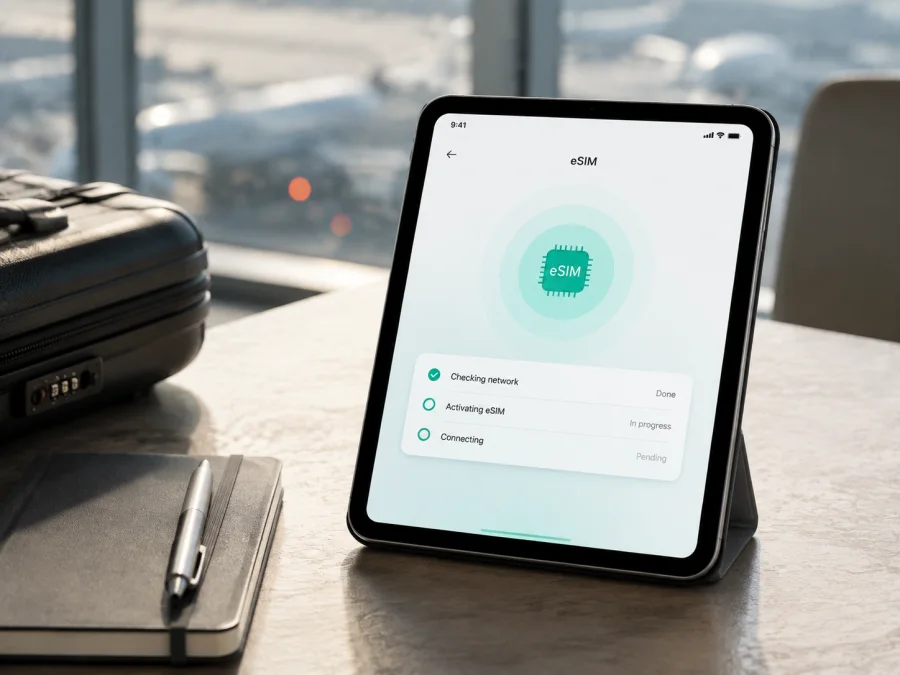
Apple iPad mini 2019 cellular 5G eSIM: compatibility and setup
If you are checking whether the Apple iPad mini 2019 cellular 5G can use an eSIM for mobile data while travelling, the answer is qualified. Apple’s current support information lists the iPad mini (5th generation) Wi‑Fi + Cellular as a model that supports eSIM. The 2019 cellular iPad mini is an LTE-generation device, not a 5G iPad. The 5G part of the search name must therefore be checked against the actual model number rather than treated as a confirmed radio feature.
For the cellular version, eSIM support is real, but service is not guaranteed on every network. Apple says carrier support and cellular availability depend on the market, exact model, carrier and plan. Before buying, identify the iPad, look for EID or an eSIM option, and confirm it is not restricted.
What the exact device name means
Submitted name: Apple iPad mini 2019 cellular 5G. Keep every modifier: 2019 identifies the fifth-generation model, cellular indicates Wi‑Fi + Cellular hardware, and 5G is an added network term. Do not substitute Wi‑Fi-only hardware.
Apple identifies it as iPad mini (5th generation). Common cellular numbers are A2124 and A2126; A2125 is the China-mainland variant. The A-number is more dependable than a listing.
The 5G distinction matters. Apple’s official specifications for this generation describe UMTS/HSPA, GSM/EDGE and Gigabit-class LTE bands, but do not describe 5G NR. A compatible travel eSIM can provide mobile data through the technologies supported by the iPad and the selected local network, but it cannot add 5G capability. If a listing promises 5G specifically for this iPad, ask for the exact A-number and resolve the contradiction before paying.
Verified compatibility at a glance
| Check | What applies to Apple iPad mini 2019 cellular 5G | Why it matters |
|---|---|---|
| Check | Verified position | Practical meaning |
| --- | --- | --- |
| Model | 2019 iPad mini (5th generation) | Confirms generation |
| Hardware | Wi‑Fi + Cellular only | Wi‑Fi-only units cannot use eSIM |
| eSIM | Listed by Apple for cellular models | Supported profiles can be added |
| SIM/network | Nano‑SIM plus Gigabit-class LTE | 5G is not 5G modem support |
| Variants | A2124/A2126; A2125 in China mainland | Region affects activation |
| Plan | Data plan sold separately | Not automatically a phone number |
| Service | Carrier, market and plan dependent | Support is not universal |
Does Apple iPad mini 2019 cellular 5G support eSIM?
Yes, when the name refers to the 2019 iPad mini (5th generation) Wi‑Fi + Cellular hardware in a market where eSIM is available. Apple’s current “Set up eSIM on iPad” guidance includes iPad mini (5th and 6th generation) Wi‑Fi + Cellular, and its technical specifications list eSIM alongside Nano‑SIM/Apple SIM.
That does not mean every region or tariff will activate. A2124 and A2126 are common international cellular variants. A2125 is the China-mainland variant; Apple’s guidance limits eSIM activation there to models that support eSIM in that market, and the cited specifications say eSIM is not available in mainland China for that configuration. Apple also says carrier support is not universal. Confirm this market directly with the carrier.
Apple confirms the feature; a carrier or eSIM service determines profile, network and plan eligibility. Kaspersky eSIM Store is an application and website where you can choose, arrange and activate an eSIM tariff for mobile internet during an international trip. It is not a mobile operator, network owner or internet provider.
What to check on the iPad before purchase
Use the iPad itself rather than relying on a listing, especially for a refurbished or imported tablet.
Find the model number
- Open Settings.
- Tap General, then About.
- Find Model Number and tap it if necessary to show the A-number.
- Compare it with A2124 or A2126, or investigate A2125 as the China-mainland variant.
A2133 is the Wi‑Fi-only fifth-generation iPad mini and is not an eSIM-capable cellular unit. If an iPad advertised as Apple iPad mini 2019 cellular 5G shows A2133, resolve the discrepancy before purchase. The A-number does not guarantee a plan, but it prevents checking the wrong hardware.
Look for EID and eSIM settings
Open Settings > Mobile Data or Settings > Cellular Data. Look for Add eSIM, Add Cellular Plan, Set Up Cellular Data or equivalent wording. In Settings > General > About, look for EID, the embedded-SIM identifier.
EID plus an eSIM option is a strong practical sign. If neither appears, check the A-number, confirm it is not Wi‑Fi-only, update iPadOS if offered, and restart. A management profile, regional configuration or carrier restriction can affect the menu. A physical tray alone proves nothing.
Keep EID private. It is not a password, but it is a device identifier and should be shared only with a trusted carrier or support channel when requested.
Check your device before choosing a travel plan, especially when the iPad was imported, bought used or described with the extra 5G modifier.
Compatibility checklist
- [ ] The iPad is Wi‑Fi + Cellular, not Wi‑Fi-only A2133.
- [ ] The model number matches the fifth-generation cellular family.
- [ ] EID or Add eSIM is visible.
- [ ] iPadOS is current and the iPad is not locked, supervised or restricted.
- [ ] The tariff supports tablet data use where required.
- [ ] Destination, validity, data allowance and network terms fit the trip.
- [ ] Wi‑Fi is available for initial download.
- [ ] You know when validity starts.
- [ ] You know whether the data-only tariff includes no voice, SMS or normal number.
Device and plan compatibility are separate. An iPad may have eSIM hardware while a profile excludes tablets, a market or a network technology. Review the conditions shown at selection.
How to install eSIM on the iPad mini
Connect to Wi‑Fi, charge the iPad, keep the QR code or activation details ready, and do not delete an existing profile. Show a same-device QR code on a second screen or use manual details.
1. Confirm compatibility
Verify EID or the eSIM addition control, destination coverage, tablet eligibility and absence of restrictions.
2. Open mobile-data settings
Open Settings > Mobile Data or Cellular Data and tap Add eSIM, Add Cellular Plan or equivalent. If missing, repeat the model checks.
3. Start setup
Choose the supplied QR-code or other activation method. Follow the in-app steps if offered.
4. Scan the QR code
Point the camera at the code on another device or printed page. Keep it flat and lit. If scanning fails, use manual details; do not create repeated profiles for one purchase.
5. Review and install
Wait for iPadOS to load the profile. Label it “Travel data” or the destination, review details, confirm the addition, and wait for setup to finish.
6. Select the data line
Select the new eSIM for cellular data. If a physical SIM is installed, confirm that the travel profile—not the home line—is selected abroad.
7. Enable required roaming
Enable Data Roaming only for the travel eSIM and only when the tariff requires it; otherwise leave it off.
For more detail, see the iOS eSIM installation instructions. The Android eSIM installation instructions can help when the QR code is prepared on an Android phone; the iPad’s menu names remain those provided by iPadOS.
Activation and first connection
Installation and activation can be separate events. You may install at home over Wi‑Fi and enable the profile after arrival, but some plans begin validity at installation or first network connection. Read the terms to know when the clock starts.
After landing, open Settings > Mobile Data, turn on the travel eSIM and select it for mobile data. Enable roaming for that profile if required, and disable automatic switching to the home line if available. Wait several minutes in an area with coverage; registration can take time after a flight or restart.
The iPad mini cellular edition is intended for data use. FaceTime and messaging apps can work over the internet, but a travel data eSIM is not automatically a phone subscription. Voice, SMS and a number are not included unless the tariff says so. Check home-line roaming charges before enabling it abroad.
eSIM in real travel situations
Short single-country trip
In Kaspersky eSIM Store, review the destination, displayed allowance and validity. The app and website help you choose, arrange and activate an eSIM tariff for mobile internet during an international trip. Pick an allowance for your use, install over Wi‑Fi if permitted, enable the travel line at the intended point, and test a webpage after arrival.
Multi-country itinerary
Check whether one regional tariff covers every country or country-specific plans are needed. A plan valid in the first country is not automatically valid in the next. Confirm destinations, expiry and network conditions. The 5G wording in Apple iPad mini 2019 cellular 5G does not expand its LTE hardware. After a border crossing, allow registration; toggle the line once or restart if needed, but do not delete it.
Home line and data use
You may keep a physical SIM for calls, messages or verification, subject to iPad and carrier terms. Select the travel eSIM for data and disable mobile-data switching if needed. Maps, tickets and messaging use less traffic than video, photo sync or cloud backup. Hotspot availability varies.
Common problems and checks
“Add eSIM” is missing
Recheck the A-number: A2133 is Wi‑Fi-only. On a cellular model, update iPadOS if available, restart, and look for EID under Settings > General > About. A carrier restriction, management profile or regional configuration may hide the menu. Resolve listing discrepancies with the seller or carrier.
The QR code will not scan
Use a second screen, increase brightness, remove glare and hold the code flat. Try supplied manual details. An already-used code may not work again; ask support to confirm its status.
The profile installs but there is no service
Confirm that the travel line is on and selected for mobile data. Check required roaming, destination, signal and network selection; wait a few minutes and restart once. Use automatic network selection unless the plan says otherwise.
The wrong line uses data
Select the travel eSIM explicitly and disable mobile-data switching if it could move traffic to the home line. Check the line before opening data-heavy apps.
Data does not work or the plan is incompatible
Check Airplane Mode, cellular data, app permissions, validity and allowance. Test a simple webpage before changing APN settings. The device may support eSIM while the profile excludes the iPad, region or plan type; verify tablet eligibility, destination, A-number, lock and management status.
The profile was deleted
Do not assume the QR code can be reused: reissue and transfer rules vary. Check the terms and contact support before a factory reset, which can remove profiles and data. Share error text, model number, plan reference and EID only through trusted support.
FAQ
Is the Apple iPad mini 2019 cellular 5G a 5G tablet?
No 5G capability should be assumed. Apple’s specifications list Gigabit-class LTE and earlier technologies, not 5G NR. Preserve the full search name, but verify the A-number and treat it as LTE-capable.
Can the Wi‑Fi-only iPad mini use this eSIM?
No. It lacks the cellular modem and mobile-data eSIM controls. Confirm the model number and EID or eSIM addition option before purchase.
Does the cellular iPad mini have both SIM options?
The fifth-generation cellular model has a nano-SIM tray and is also listed by Apple with eSIM support. Region, carrier and plan rules apply.
Is EID enough to guarantee activation?
No. It indicates embedded-SIM capability; activation also depends on the profile, destination, plan rules, configuration and network.
Can I install before the flight?
Often you can install over Wi‑Fi, but validity may begin at installation or first connection. Follow the terms.
Does a travel eSIM provide a phone number?
Usually it is for mobile internet only. Treat voice, SMS and number support as included only when the plan says so.
Can I use the eSIM in another country?
Yes, when the plan covers that country and can register on a supported network. A single-country tariff is not automatically regional.
Key takeaways
Apple lists the 2019 iPad mini Wi‑Fi + Cellular family as eSIM-capable, but A2133 is Wi‑Fi-only, A2124/A2126 are common cellular variants, A2125 is the China-mainland variant, and carrier rules can change activation. The 5G term in Apple iPad mini 2019 cellular 5G is a naming mismatch because this generation is specified for LTE.
Confirm the A-number, EID or Add eSIM, tablet eligibility and destination. Install over Wi‑Fi and select the travel line for data.
Final device check and eSIM for your trip
Before paying, check the exact Apple iPad mini 2019 cellular 5G: confirm Wi‑Fi + Cellular, verify the model number, locate EID or Add eSIM, and resolve any 5G claim that conflicts with LTE. Then check destination, duration, allowance, tablet eligibility, activation timing and regional or carrier limits. If unclear, ask the seller or carrier.
Once the device and plan match, Kaspersky eSIM Store can help you choose, arrange and activate an eSIM tariff for mobile internet during an international trip through its app or website. Select suitable conditions, install carefully, and test the travel line after arrival. This avoids treating the 2019 iPad mini as a 5G device.


