Travel connectivity guide
Apple iPad Pro 12.9-inch 2020 cellular 512GB 5G eSIM
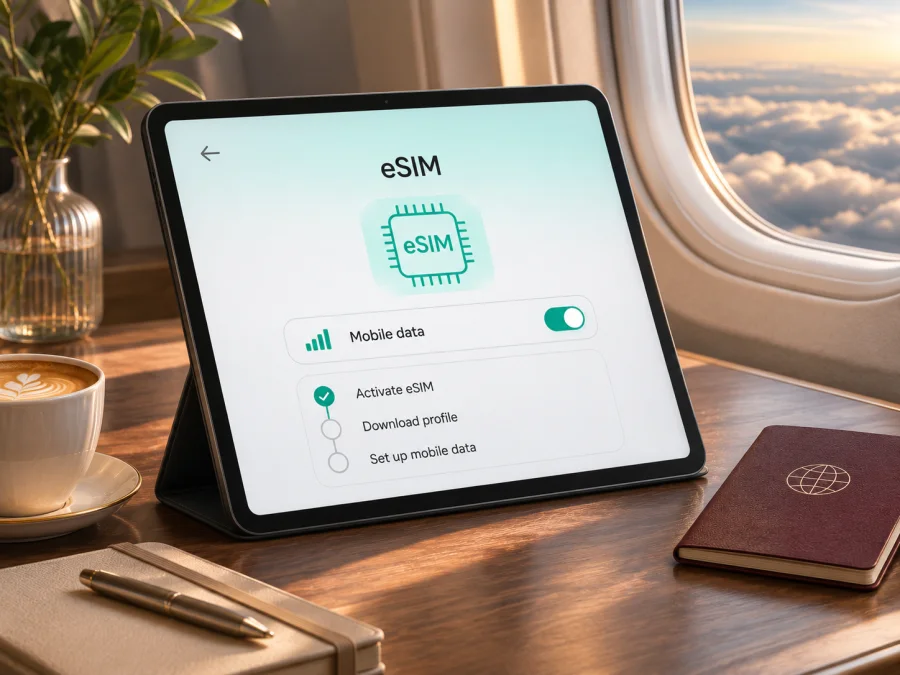
Apple iPad Pro 12.9-inch 2020 cellular 512GB 5G eSIM: compatibility and setup
If you are checking whether Apple iPad Pro 12.9-inch 2020 cellular 512GB 5G can use eSIM, the short answer is: the 2020 12.9-inch iPad Pro Wi-Fi + Cellular generation supports eSIM in many markets, but this exact description mixes a supported cellular model with a 5G claim that does not match the 2020 hardware. Apple’s specifications identify this generation as a Gigabit-class LTE iPad, not a 5G model. The 512GB storage capacity does not change its cellular or eSIM capability.
Apple Support’s current specifications and setup guidance, checked on 5 November 2026, confirm eSIM support for 12.9-inch Wi-Fi + Cellular generations 3–6, list Gigabit-class LTE for the 2020 model, and note regional and carrier limits. Apple identifies A2069/A2232 as 2020 cellular variants and A2233 as China mainland-only. A “5G” listing is not proof of 5G hardware.
At a glance
| Item | What to know |
|---|---|
| Device named in this guide | Apple iPad Pro 12.9-inch 2020 cellular 512GB 5G |
| Corresponding Apple generation | iPad Pro 12.9-inch (4th generation), released in 2020 |
| Cellular version | Wi-Fi + Cellular; Wi-Fi-only units cannot use mobile data or eSIM |
| Storage | 512GB is one of the listed capacities and does not determine eSIM support |
| Radio generation | Gigabit-class LTE on the 2020 model; Apple does not list 5G for it |
| eSIM | Supported on compatible Wi-Fi + Cellular regional versions, subject to carrier and market restrictions |
| Physical SIM | Nano-SIM tray on Wi-Fi + Cellular versions; eSIM capability can coexist with the tray |
| China mainland | The 2020 mainland China version is model A2233; Apple’s current mainland iPad eSIM list does not include it |
| First checks | Settings → General → About; confirm model number, EID if shown, and Cellular Data options |
What the “5G” part means for this iPad
The year and screen size point to Apple’s 2020 fourth-generation 12.9-inch iPad Pro. Apple lists Gigabit-class LTE for its cellular radio, not 5G. “5G” in a marketplace title may be a search term or listing error; it is not proof of 5G hardware. The 5GHz Wi-Fi band is a separate technology.
Apple identifies A2069 and A2232 as 2020 Wi-Fi + Cellular variants and A2233 as the China mainland-only model. Verify the A-number rather than relying on a seller’s wording. A software update cannot add a 5G modem.
Does it support eSIM?
For an unlocked, non-mainland-China Wi-Fi + Cellular 2020 iPad Pro 12.9-inch (4th generation), eSIM is supported according to Apple’s current iPad eSIM compatibility guidance. The 512GB capacity does not change that answer. This model can use a compatible mobile-data plan through a digital SIM profile; it also has a nano-SIM tray. Apple’s specifications note that eSIM and Apple SIM availability depends on the carrier and that eSIM is not available in China mainland for this generation.
That answer is conditional in three important ways:
- It must be the Cellular model. The Wi-Fi-only version has no cellular modem and cannot add a mobile-data plan through eSIM.
- The country variant matters. Apple’s China mainland support page lists only specific, much newer iPad models for local mainland eSIM activation. A 2020 A2233 is not on that list. Do not assume that “supports eSIM” globally means a local China mainland plan can be activated.
- The provider and plan must accept the device. A provider can restrict device types, countries, activation methods, or roaming use. The iPad’s eSIM capability alone does not guarantee that every plan will install or connect.
A carrier lock or account restriction can prevent another provider’s profile from working. Check the exact variant, destination, and tablet eligibility; neither the SIM tray nor an “Add eSIM” control guarantees that a particular plan is accepted.
Check your exact iPad before buying a plan
Use the iPad itself when possible. If buying second-hand, ask the seller to show the model number and cellular settings before purchase.
Confirm the model
- Open Settings → General → About.
- Check Model Name and Capacity: the expected generation is iPad Pro 12.9-inch (4th generation), 512GB.
- Tap the value beside Model Number to reveal the A-number. Apple lists A2069 and A2232 for 2020 Wi-Fi + Cellular variants and A2233 for the China mainland-only cellular version. Compare with Apple’s current model guide.
Look for EID and cellular controls
In About, scroll for an EID. Apple says identifiers can be viewed there, though fields vary by model. EID is a useful sign, but its absence alone is not decisive: confirm the A-number and cellular settings too.
Return to Settings and open Cellular Data or Mobile Data. Depending on iPadOS and market, a supported model may show Add eSIM, Add Cellular Plan, Find a New Plan, or provider activation. If the menu is absent, check the model, software, management restrictions, and regional rules.
Compatibility checklist
- [ ] This is Wi-Fi + Cellular hardware, not Wi-Fi only.
- [ ] About shows the 12.9-inch iPad Pro (4th generation) or a matching A-number.
- [ ] The regional variant is known; check whether it is A2069, A2232, or mainland China-only A2233.
- [ ] EID or cellular plan controls are visible where available.
- [ ] The iPad is unlocked and the provider accepts tablet eSIM use in the destination.
- [ ] If using this 2020 generation in mainland China, local eSIM eligibility has been confirmed separately.
Check your device before selecting a plan. Compatibility depends on the specific model and the provider’s current terms.
eSIM for a trip: what the iPad can and cannot do
A travel eSIM is a practical way to prepare mobile data without swapping a physical SIM card. On a compatible iPad, it can provide data for maps, browsing, work files, video calls, messaging apps, and a hotspot if the plan and iPad settings allow tethering. The large screen is useful for route planning or work, while a phone can remain on its usual number for calls and texts.
Kaspersky eSIM Store is an app and website where travellers can choose, arrange, and activate an eSIM plan for mobile data during an overseas trip. It is not a mobile operator or a network owner. Before checkout, check the plan’s destination, data allowance, validity, activation timing, device eligibility, and any instructions about data roaming. Coverage and connection depend on the local network and the plan’s terms.
For this model, do not buy a plan solely because an iPad family name appears on a compatibility page. Confirm that the specific iPad Pro cellular model and country are accepted. If the tablet was sold in mainland China, verify the exact regional limitations with Apple and the plan provider before spending money. If the destination is mainland China, the Apple-supported iPad list for local eSIM activation does not include the 2020 iPad Pro 12.9-inch generation.
How to install and activate an eSIM
Use the provider’s current instructions; some plans require an app or link instead of a QR code. Keep Wi-Fi available during setup. Do not delete a profile unless the provider confirms it can be installed again, since some activation codes are single-use.
Before installation
- Confirm the A-number, EID if shown, and Cellular Data menu.
- Update iPadOS if the provider requires it, then connect to reliable Wi-Fi.
- Keep the QR code, activation email, provider app, or link accessible. If the QR is displayed on the iPad, use another screen or the provider’s manual method.
- Check when validity begins. Installing a profile and starting a plan are not always the same event.
Add the profile
- Open Settings → Cellular Data (sometimes Mobile Data) and choose the option to add a plan/eSIM. You may also scan the provider’s QR code with Camera.
- Follow the prompts and enter any separate confirmation code. Use the provider’s app or link if that is the supplied method.
- Wait for the profile to appear, then label it “Travel” if offered. Follow the provider’s activation step; installed does not always mean connected.
- At the destination, select the travel profile for Cellular Data. Enable data roaming on that profile only if the provider instructs you to do so.
- Check automatic data switching and disable it if you want to avoid using a home plan unexpectedly.
Apple documents QR, app, provider-assigned, transfer, and in-settings activation methods for supported iPads; availability varies by carrier and market. See the Android eSIM installation instructions or iOS eSIM installation instructions. An iPad runs iPadOS, so use the provider’s iPad-specific prompts if labels differ.
Confirm service on arrival
Turn off Airplane Mode, ensure Cellular Data is enabled, and select the travel line. Follow the plan’s roaming instructions, wait for local registration, then test a webpage or messaging app. If needed, toggle Airplane Mode once or restart. Check the plan balance and use Wi-Fi for large downloads when practical.
A data-only plan generally does not add ordinary voice, SMS, or a phone number. App calls and hotspot use depend on device and plan support.
Browse current destinations and eSIM plans on the Kaspersky eSIM Store website, then check current plan terms and compatibility. This is a general homepage, not a country-specific tariff page.
Practical travel setups
- Keep a home SIM for calls: Select the travel eSIM for Cellular Data and check that the home line is not using data roaming. A data-only plan does not replace the number on your physical SIM.
- Work from the iPad: Install over reliable Wi-Fi, check when validity begins, and limit background sync or automatic downloads if data is scarce. Save bookings and maps offline.
- Cross several countries: Read the plan’s included destinations and validity rules. A regional plan may cover several countries, but do not infer coverage from geography alone.
Choose by destination and trip length; confirm coverage and activation timing before checkout.
Troubleshooting: no eSIM option or no data
No Cellular Data menu: Confirm this is Wi-Fi + Cellular hardware, not Wi-Fi only. Check the A-number, restart, update iPadOS if required, and look for a management profile or regional restriction.
No EID: Verify the model number and cellular plan controls; one missing field is not conclusive. Treat A2233 and mainland China activation as a separate case under Apple’s current rules.
QR code will not scan: Ensure it is an eSIM activation code and has not already been used. Display it on another screen, improve brightness, or use the provider app/manual method. Ask the provider before deleting a profile or retrying a single-use code.
Profile installed, no service: Check Wi-Fi completion, the provider’s activation window, selected data line, destination eligibility, and remaining data. Enable roaming on the travel profile only if instructed. Toggle Airplane Mode once or restart; change APN only with provider guidance.
LTE instead of 5G: Expected for the 2020 4th-generation iPad Pro. Apple lists Gigabit-class LTE, not 5G. A plan cannot add a different modem.
Works in one place but not another: Check the plan’s country list, local network availability, supported bands, and signal conditions. Device compatibility does not guarantee coverage everywhere.
Frequently asked questions
Does 512GB affect eSIM?
No. Storage does not determine cellular hardware. The Wi-Fi + Cellular version, regional model, settings, and provider plan do.
Is this a real 5G iPad?
No. Apple describes the 2020 12.9-inch fourth-generation model as Gigabit-class LTE. The “5G” phrase in the supplied name conflicts with Apple’s specifications; verify the A-number instead of relying on a seller keyword.
Can I use nano-SIM and eSIM?
The 2020 cellular iPad has a nano-SIM tray and supports eSIM in compatible markets. Provider rules and iPadOS determine which plans can be used and how they are selected.
Does it support eSIM in mainland China?
Apple’s current mainland China list for local iPad eSIM activation does not include this generation. A2233 is the mainland China-only cellular variant. Verify local rules and the specific plan before relying on service there.
Does an eSIM include calls or a phone number?
A data-only plan generally provides internet access, not ordinary voice, SMS, or a phone number. Internet calling and messaging apps can work over data.
When should I install it?
Installing over reliable Wi-Fi before travel is convenient, but follow the plan’s validity and activation rules. Profile installation and the start of service may be separate events.
Final check before your trip
For the 2020 12.9-inch cellular iPad Pro, eSIM is supported on compatible regional models, including the international Wi-Fi + Cellular variants Apple identifies as A2069 and A2232. Confirm the model in Settings, check EID or the cellular plan menu, and verify that the tablet is unlocked and accepted by the plan provider. Treat A2233 and mainland China use as a separate case, and do not expect 5G from this 2020 generation: Apple specifies Gigabit-class LTE.
Once the device is confirmed, compare the plan’s destination, data amount, validity, activation timing, and roaming instructions with your itinerary. Kaspersky eSIM Store lets travellers use its app and website to choose, arrange, and activate an eSIM plan for mobile data abroad. Check the exact device and plan compatibility before you proceed, and keep Wi-Fi or offline maps available as a backup for arrival.


