Travel connectivity guide
Apple iPhone 13 512GB eSIM: setup guide
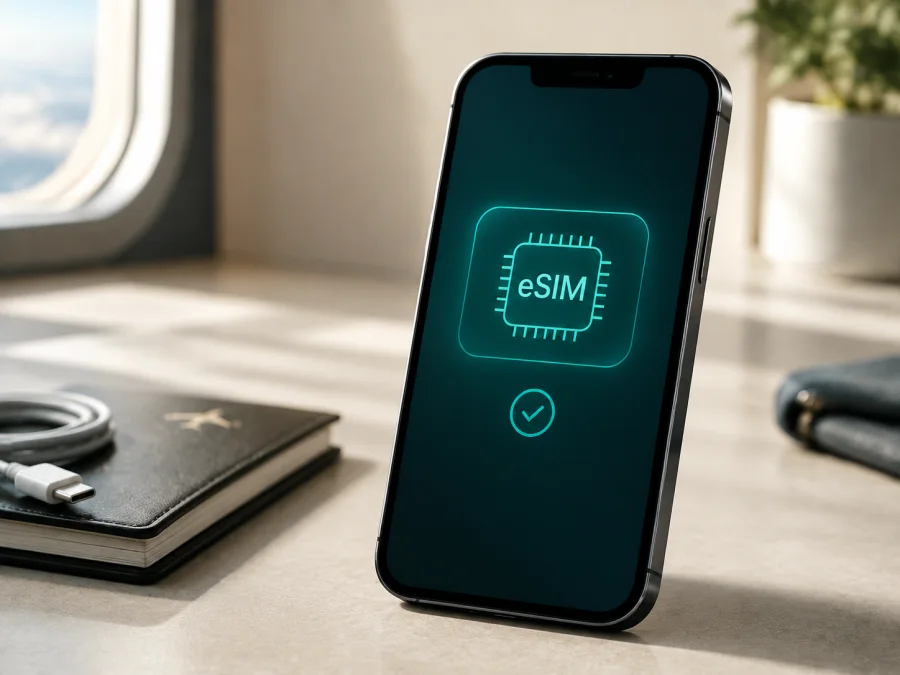
Apple iPhone 13 512GB eSIM
If you have an Apple iPhone 13 512GB and want mobile internet abroad without changing the physical SIM card, eSIM is a practical option to investigate. Apple lists the iPhone 13 family as supporting Dual SIM with a nano-SIM and eSIM, as well as Dual eSIM. That does not mean that every sales region has identical cellular capabilities: the market where the phone was sold, the exact hardware variant, the carrier and the installed iOS version can affect what is available.
The most reliable answer for your own phone is therefore two-part. The Apple iPhone 13 512GB platform is eSIM-capable in the usual international versions, but you should confirm that your particular handset shows an EID and an option to add a cellular plan before you choose an eSIM tariff. Storage capacity does not change the eSIM procedure, and the name supplied here does not include a RAM modifier. Keep the full name Apple iPhone 13 512GB when checking a listing or comparing a device: do not assume that another iPhone 13 variant has exactly the same regional configuration.
Quick answer: does Apple iPhone 13 512GB support eSIM?
Usually, yes. Apple’s current specifications for iPhone 13 include Dual SIM with a nano-SIM and eSIM and Dual eSIM support. In practical terms, a compatible Apple iPhone 13 512GB can keep a main line on a physical SIM or an existing eSIM while using a second eSIM for mobile data during a trip. The phone uses one cellular data line at a time, so you choose which plan supplies internet in Mobile Service settings.
There is an important regional qualification. Apple also states that eSIM is not supported in all regions. iPhone 13 models sold for mainland China, Hong Kong or Macao can differ from the standard international configuration. In particular, some iPhone 13 units sold in mainland China, Hong Kong and Macao are designed for two nano-SIM cards rather than the eSIM arrangement described for many other markets. A 512GB label alone cannot identify the cellular configuration.
For that reason, treat the result as follows:
| Check | What it means for Apple iPhone 13 512GB |
|---|---|
| Apple model family | The iPhone 13 family is listed with nano-SIM plus eSIM and Dual eSIM support. |
| 512GB storage | A storage option; it does not by itself confirm or remove eSIM capability. |
| Market of sale | A decisive detail. Regional hardware can support two physical nano-SIMs instead of eSIM. |
| Carrier | The provider must support eSIM and the selected plan must be allowed for the device and destination. |
| iOS and settings | The phone needs a supported iOS version and must display a cellular-plan or eSIM setup path. |
| Lock status | To use plans from different providers, the iPhone generally needs to be unlocked. |
| Final verification | An EID in Settings > General > About and an Add eSIM option are strong on-device indicators. |
Why eSIM is useful on a trip
An eSIM can help you prepare mobile internet without finding a physical SIM card or a retail shop. Once active on a supported network, it can handle maps, transport, reservations and messengers while your regular line remains available.
Kaspersky eSIM Store is an app and website where you can choose, arrange and activate an eSIM with a suitable tariff for mobile internet during an overseas trip. It helps you review the destination, traffic allowance and validity period shown for the selected plan before installation. The service is not a mobile operator, network owner or mobile-internet provider, and the actual cellular service depends on the plan, its local operator arrangements, the destination and radio conditions.
The travel use case is data-first. Unless a plan says otherwise, a travel eSIM is not a replacement for your ordinary phone number, voice calls or SMS. You can use internet messengers where available, but check which line is assigned to mobile data. Read the plan’s rules for activation, validity, top-up, tethering and refunds before ordering.
Regional and carrier versions: what can change
The phrase “Apple iPhone 13 512GB” identifies the device name and storage option, but not the country of sale or model number. Two phones with the same visible name can expose different SIM features, so check the actual handset.
International versions
Many international iPhone 13 configurations support nano-SIM plus eSIM, and Apple lists Dual eSIM support. The phone must be unlocked for two providers.
Mainland China versions
Apple’s current regional guidance says that, in mainland China, eSIM support is limited to newer models and that iPhone 13 is not included in that eSIM-supported group. Apple’s documentation also lists the iPhone 13 among models purchased in mainland China that can use two nano-SIM cards. Therefore, do not buy an eSIM plan for an Apple iPhone 13 512GB sold for mainland China unless the phone’s own settings and the provider confirm compatibility. In this case, the storage option does not change the regional restriction.
Hong Kong and Macao versions
Some iPhone 13 units sold in Hong Kong or Macao likewise use two nano-SIM cards. Check the EID and Add eSIM controls on the handset and ask the seller for the precise regional model if you are buying used or importing it.
Carrier lock and plan eligibility
An eSIM menu can be present while a carrier lock prevents using a plan from another provider. Open Settings > General > About and look for the carrier-lock status. If the phone is locked, contact the carrier that applied the lock; installing a travel profile will not bypass it.
How to verify the exact phone before purchase
The handset itself is more reliable than a generic listing. Perform this check over Wi-Fi or another trusted connection. Do not share your EID publicly.
- Open Settings.
- Tap General.
- Tap About.
- Scroll through the information and look for EID.
- Return to Settings, open Cellular or Mobile Service and look for Add eSIM or Set Up Cellular.
- In About, check Carrier Lock and confirm that the device is not restricted if you plan to use a separate provider.
An EID indicates an eSIM-capable component, but it does not promise that every plan will activate. Add eSIM confirms that the current regional software exposes the setup flow. If either check fails, pause the purchase and ask Apple, the seller or the provider to identify the issue. An IMEI alone is not enough: EID is the identifier associated with the embedded SIM function.
Before purchase, complete this compact compatibility check:
- [ ] The phone is specifically Apple iPhone 13 512GB, not iPhone 13 mini, iPhone 13 Pro or another storage variant.
- [ ] An EID appears in Settings > General > About.
- [ ] Add eSIM or Set Up Cellular appears in the cellular settings.
- [ ] The iPhone is unlocked, or both lines are supported under the same carrier arrangement.
- [ ] iOS is current enough for the provider’s activation flow.
- [ ] The selected eSIM tariff covers the country, region or full route of the trip.
- [ ] The plan’s data amount, validity, activation moment and roaming requirement suit the itinerary.
- [ ] You have internet for installation and understand whether the plan is data-only.
<a id="kesim-device-compatibility"></a> You can Check your device before committing to a travel plan. If you are buying a second-hand Apple iPhone 13 512GB, ask for this verification on the actual handset rather than accepting a screenshot from a different phone.
Installing an eSIM on Apple iPhone 13 512GB
1. Prepare the phone and the plan
Update iOS if an update is offered. Confirm EID and Add eSIM, connect to Wi-Fi and check that the profile is for the destination. Install close to the intended start time when the plan starts on installation; follow the plan if validity starts on first network use.
2. Open the eSIM setup flow
Go to Settings > Cellular or Settings > Mobile Service. Tap Add eSIM or Set Up Cellular. The label can differ by iOS version, language and region. Follow the option for using a QR code, a carrier link, a provider app or manual activation details.
For setup guidance, see the iOS eSIM installation instructions. The Android eSIM installation instructions may help when the order was prepared on Android; the Apple iPhone 13 512GB itself follows the iOS route.
3. Scan or enter the profile
Choose Use QR Code when supplied. Position the code in the frame and wait. Enter a confirmation code or manual server details only when supplied with the plan. Review the destination and line before confirming.
4. Choose the default data line
When iOS asks for the data line, select the travel eSIM. Keep the home line enabled only after reviewing roaming charges. Turn off Allow Mobile Data Switching to keep data on the chosen line. Only one line supplies cellular data at a time.
5. Configure roaming if the plan requires it
Open the travel line under Settings > Cellular and inspect Data Roaming. Some travel eSIMs require it through a partner network; others do not. Follow the plan. Consider disabling it on the home line to avoid accidental charges.
6. Test the connection
Turn Wi-Fi off briefly and check for a supported network. Open a simple webpage, check Control Center and the mobile-data setting, then turn Wi-Fi back on. No network at home may be normal if activation requires the destination.
Installation downloads the profile; activation and first data use depend on the provider, destination network and plan rules. It may take several minutes, and service may appear only in the covered country or region.
Using the eSIM for mobile internet while travelling
The simplest arrangement is to keep your ordinary line for its number and assign the travel eSIM to mobile data. Save key travel details offline, then after landing turn on the travel line, select it under Cellular Data and enable roaming only if required.
Scenario: short city break
For a short stay, choose validity that covers the period from activation to departure. Use the line for navigation, transport and messengers. Limit photo backup, updates and video autoplay if traffic is limited.
Scenario: work trip
For work, estimate traffic for video calls, document sync and hotspot use, then check whether tethering is allowed. Signal and speed also depend on the local network, location and congestion; eSIM is not a speed guarantee.
Scenario: multi-country route
Match coverage to the full itinerary. A country plan may stop at a border, while a regional plan may cover several destinations. Check whether validity begins at purchase, installation, activation or first connection; these events differ.
Troubleshooting common eSIM problems
“Add eSIM” is missing
Check for EID in Settings > General > About and confirm the market version, especially for a phone purchased in mainland China, Hong Kong or Macao. Update iOS, restart and ask Apple, the seller or the provider to confirm compatibility if both EID and the eSIM control are absent.
The QR code will not scan
Increase the brightness of the screen showing the code, hold the phone steady and use the Add eSIM flow. Confirm that the code belongs to this order and has not been used. Use a second screen or manual entry when available, and never publish the QR code.
The profile installs but shows no service
Turn on the travel line, select it under Cellular Data and check destination coverage, unlock status and the plan’s roaming requirement. Toggle Airplane Mode, restart and test again. No service outside the covered destination may be expected.
Mobile data uses the wrong line
Open Settings > Cellular > Cellular Data and select the travel profile. Disable Allow Mobile Data Switching if you want a fixed data line, and check the home line’s roaming setting.
The phone says the plan is incompatible
Save the exact message, recheck the EID, iOS, model, carrier lock and destination, then contact the provider. Do not publish full identifiers or erase a downloaded profile until support explains whether it can be reissued.
FAQ
Is 512GB enough for eSIM?
Yes. Storage is not the deciding factor. Check EID, Add eSIM, market version, iOS, carrier support and lock status.
Can I use a physical SIM and an eSIM together?
In supported configurations, yes. Apple lists nano-SIM plus eSIM and Dual eSIM for iPhone 13, but some regional models use two nano-SIM cards. Only one cellular data network is used at a time.
Does an eSIM give me a new phone number?
Not necessarily. Travel plans are often data-only and do not include a number, voice calls or SMS unless their terms say otherwise. Internet messengers can work over the data line.
Is Kaspersky eSIM Store a mobile operator?
No. Kaspersky eSIM Store is an app and website that helps you choose, arrange and activate an eSIM with a suitable mobile-data tariff for an overseas trip. It is not the operator, network owner or provider of the underlying internet.
Final device check before choosing a travel eSIM
For an Apple iPhone 13 512GB, confirm the EID in Settings > General > About, find Add eSIM in Settings > Cellular, check unlock status and identify the market version. Pay special attention to units sold in mainland China, Hong Kong or Macao. Then match destination, validity, traffic allowance, activation rules and roaming to the trip.
When the checks are complete, use Kaspersky eSIM Store to choose and arrange a suitable eSIM tariff for mobile internet abroad, install it over Wi-Fi and activate the travel data line at the appropriate time. If EID or Add eSIM is missing, resolve compatibility with the seller, Apple or the provider before paying.


