Travel connectivity guide
Apple iPhone 13 Pro Max 1TB eSIM Guide
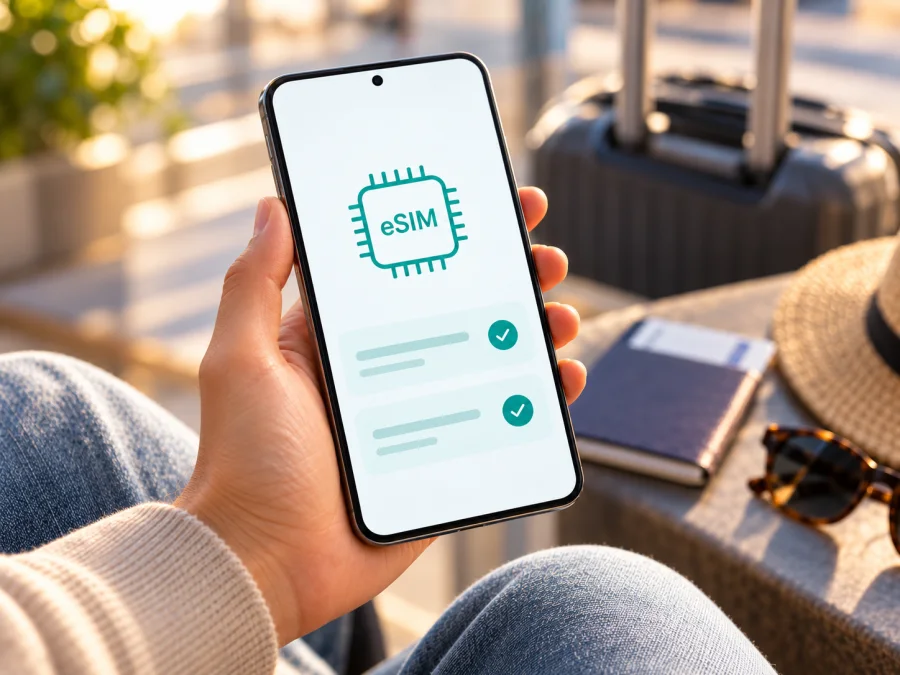
Apple iPhone 13 Pro Max 1TB eSIM: compatibility and travel setup
Short answer: Apple lists eSIM and dual eSIM support for iPhone 13 Pro Max. The 1TB storage option does not determine eSIM capability. The important exception is the sales region: iPhone 13 Pro Max units sold in mainland China, Hong Kong, and Macao use two physical nano-SIM cards rather than eSIM. For other regional versions, eSIM is generally supported, subject to carrier support, device unlock status, and the rules of the market where you intend to use the profile. Check the exact handset in Settings before choosing a travel plan.
A travel eSIM can handle mobile data while your regular line remains available if your carrier allows it. This guide covers regional versions, EID checks, setup, and troubleshooting.
Apple iPhone 13 Pro Max 1TB at a glance
| Item | What to know |
|---|---|
| Device named in this guide | Apple iPhone 13 Pro Max 1TB |
| Storage modifier | 1TB describes storage capacity; it does not change SIM or eSIM support |
| eSIM on supported regional versions | Yes; Apple lists nano-SIM plus eSIM and dual eSIM support for iPhone 13 Pro Max |
| Important regional exception | Mainland China, Hong Kong, and Macao versions of this generation may use two nano-SIM slots and have no eSIM capability |
| Travel data use | Possible when the exact phone supports eSIM, is unlocked for another provider, and the travel plan supports the destination |
| What to verify first | EID, Add eSIM menu, model number, carrier lock, destination and plan terms |
Use the checks below if the phone is used, gifted, or its original sales market is unknown.
Does Apple iPhone 13 Pro Max 1TB support eSIM?
For eSIM-enabled regional versions, yes. Apple lists nano-SIM plus eSIM and dual eSIM support for iPhone 13 Pro Max. A compatible version can use a physical SIM with an eSIM or two eSIMs, but only one cellular data line at a time. The 1TB storage choice does not change this capability.
The regional version matters. Apple identifies the iPhone 13 Pro Max sold in mainland China, Hong Kong, and Macao among dual nano-SIM models. Do not assume it supports eSIM because another regional version does. It is also not on Apple's current list of models able to install a mainland Chinese carrier eSIM.
This is a distinction between the handset's hardware version and the mobile service market. A phone bought in a country where eSIM is supported may be technically eSIM-capable, while a particular carrier, prepaid plan, or country may not offer the eSIM activation method you want. Conversely, an eSIM-capable phone may not accept a second provider's profile if it is carrier-locked. Verify both sides: the exact phone and the exact service intended for the trip.
A carrier or account restriction can also affect setup. eSIM availability varies by region and carrier, so investigate a missing menu by checking iOS, model number, and carrier status.
Regional and carrier versions: what changes?
The same iPhone 13 Pro Max name covers regional configurations. Most eSIM markets support nano-SIM plus eSIM. Versions sold in mainland China, Hong Kong, and Macao use dual nano-SIM and no eSIM. Apple's current mainland-China list does not include iPhone 13 Pro Max for local carrier eSIM.
| Original sales market | Expected configuration for this generation | Check |
|---|---|---|
| Most eSIM markets | nano-SIM plus eSIM; dual eSIM support | Look for EID and Add eSIM |
| Mainland China | Dual nano-SIM; not listed for mainland carrier eSIM | Do not buy a local carrier eSIM for this model |
| Hong Kong or Macao | Certain iPhone 13 Pro Max units use dual nano-SIM | Verify the exact unit; do not assume eSIM |
| Unknown or refurbished | Depends on original regional version | Inspect Settings and ask seller/Apple to identify it |
Carrier lock is a separate issue. Open Settings → General → About and check Carrier Lock. “No SIM restrictions” indicates an unlocked phone. If it is locked, ask the original carrier about unlocking before buying a plan from another provider. A visible Add eSIM option alone does not remove a carrier restriction.
How to check eSIM compatibility on the phone
Use both the device information and Cellular settings. Menu names vary slightly by iOS version and language.
- Connect to Wi-Fi and open Settings → General → About.
- Look for EID. Note the model number; tap the part number if needed to reveal the model identifier.
- Open Settings → Cellular or Mobile Data and look for Add eSIM or Add Cellular Plan.
- Check Carrier Lock on the About screen. For a different provider, “No SIM restrictions” is the expected unlocked status.
- Compare the model identifier and original sales market with Apple's regional guidance, or ask Apple or the seller to confirm the configuration.
An EID is the eSIM system's identifier and is strong evidence of eSIM hardware, but it does not guarantee that a particular provider or plan will activate. If both EID and Add eSIM are absent, restart and update iOS if practical, then check the regional model. Do not treat “1TB” as evidence of cellular configuration.
Before purchase, check whether your device is compatible. Confirm that the exact phone and unlock status meet the plan requirements, and that the destination, data allowance, validity, and activation rules fit your trip.
What to prepare before installing a travel eSIM
Keep your everyday SIM active until the travel profile is installed. Many travel eSIMs provide data only, not a local number, standard calls, or SMS; check the selected plan's terms. Before paying, confirm:
- EID or Add eSIM is present on this exact phone and its regional version supports eSIM.
- The phone is unlocked if the travel plan uses another provider.
- The plan covers every destination on your route, with suitable data and validity.
- You know when validity starts: purchase, installation, first connection, or another stated event.
- You know the activation method and whether Wi-Fi is needed.
- Local installation restrictions and the provider's activation instructions are clear.
Kaspersky eSIM Store is an app and website where you can choose, arrange, and activate an eSIM with a mobile-data plan for an international trip. You can browse current destinations and plan conditions on the Kaspersky eSIM Store website. Confirm compatibility and plan terms before proceeding.
How to install and activate eSIM on Apple iPhone 13 Pro Max 1TB
Follow the instructions supplied with your plan; iOS labels may differ slightly. Before starting, connect to Wi-Fi, have the activation details ready, and check whether a QR code is single-use. A code displayed on the same phone cannot normally be scanned by that phone's camera. Do not delete an installed profile unless the provider instructs you to, since some codes cannot be reused.
QR-code setup
- Open Settings → Cellular or Mobile Data, then tap Add eSIM or Add Cellular Plan. You may also scan the code with Camera and tap the setup notification.
- Choose the QR-code option, scan the code, and enter a confirmation code if requested.
- Follow the prompts and wait for the profile to finish installing.
- Label it Travel and keep your usual line clearly labelled.
- Choose which line to use for calls and messages, then select the travel line for cellular data when appropriate. iPhone uses one data line at a time.
- Follow the plan's timing instructions: leave the line off until arrival if requested; otherwise complete activation as directed.
- At the destination, confirm the line is on. Enable Data Roaming for that line only if the plan requires it, then test a web page with Wi-Fi off.
Some plans use an app, notification, or manual activation details instead of a QR code. Use the method issued for that plan and do not try to reuse another trip's code. See the iOS eSIM installation instructions or Android eSIM installation instructions for additional platform steps.
Using the eSIM for mobile data while travelling
On arrival, open Settings → Cellular and confirm the travel line is on. Under Cellular Data, select it. If the plan requires roaming, enable Data Roaming for the travel line only. Keep the home line's settings as intended and check your home carrier's fees for calls, messages, voicemail, and roaming.
You can often keep the home SIM available for calls while the travel eSIM handles data, subject to both providers' rules. A data-only eSIM does not automatically include a phone number, voice service, or SMS. Internet messaging and calling apps can use its data connection.
For a short trip, estimate data needs for maps, messaging, tickets, browsing, and media; offline maps can reduce usage. For longer trips, compare data allowance and validity with the full schedule. If you need hotspot access, confirm that the plan permits it. For a multi-country route, inspect the included-country list rather than relying on a regional plan name. Local signal depends on network availability and location, so coverage cannot be guaranteed everywhere.
Common eSIM problems and what to check
Add eSIM is missing
Check EID in Settings → General → About. If neither EID nor Add eSIM appears after restart and update, verify the model number and sales region. A dual-nano-SIM version from mainland China, Hong Kong, or Macao may not support eSIM. Ask Apple or the seller to identify the exact handset.
The QR code will not scan
Show the full code on another screen, increase its brightness, clean the camera lens, and hold the phone steady. If the code arrived in an email or browser on the iPhone, check whether iOS offers an add-plan action from a long-press. Otherwise ask the provider for its alternative method or a replacement code. Avoid repeated attempts if it is single-use.
Installation stalls or fails
Keep Wi-Fi connected, wait for the profile download, then restart and check whether it was already installed. Update iOS when practical. Record the error and contact the plan's support channel with the activation reference; do not post EID publicly.
The installed eSIM has no service or data
Confirm the line is on and the destination is included. Toggle Airplane Mode, restart, select the travel line under Cellular Data, and enable its data roaming only if required. Check remaining allowance and validity. If an APN is required, use the value supplied by the provider rather than guessing.
The phone says it is locked
Review Carrier Lock in About. If the device is locked, contact the original carrier about unlocking. Do not assume a separate travel provider's eSIM will work until the lock is resolved.
You are in or travelling to mainland China
Apple does not list iPhone 13 Pro Max as a mainland-China eSIM model. Apple also notes that non-mainland carrier profiles cannot be installed while physically in mainland China. If your handset is a different regional version and the travel provider supports your route, confirm whether installation must happen before arrival. Do not infer local carrier eSIM support from an international travel plan.
Practical travel scenarios
- Keep your home number: Install the travel profile over Wi-Fi if allowed, label both lines, and select travel eSIM for data after landing. Check home roaming charges.
- Install after arrival: Confirm the plan permits it, save instructions offline, and arrange Wi-Fi so activation does not depend on the not-yet-working line.
- Visit several countries: Verify each destination and the plan's validity dates. Label separate profiles clearly and select the right one for data.
- Buy a used phone shortly before departure: Ask to see EID, Add eSIM, model identifier, and Carrier Lock in Settings. Resolve unclear details before paying or purchasing a plan.
Frequently asked questions
Does 1TB storage mean this iPhone has eSIM?
No. Storage is separate from cellular configuration. Check the regional version, EID, Add eSIM, and Carrier Lock on the actual handset.
Can it use two eSIMs?
Apple lists dual eSIM support for eSIM-capable iPhone 13 Pro Max versions. Regional exceptions still apply, and only one cellular data network is used at a time.
Can I keep my physical SIM?
On an eSIM-capable version, iPhone 13 Pro Max supports nano-SIM plus eSIM. The dual-nano-SIM regional version cannot add an eSIM. Carrier and plan support also matter.
Does travel eSIM include calls and SMS? Do I need roaming?
Only if the plan says so; many travel plans are data-only. Some require Data Roaming for the travel profile. Check its instructions and your home carrier's fees separately.
Does EID guarantee activation?
No. It confirms an eSIM identifier is present, not that a specific provider, plan, region, or locked phone will activate. Verify those conditions before purchase.
Final check before choosing an eSIM for your trip
For Apple iPhone 13 Pro Max 1TB, eSIM depends on its regional version. Check EID, Add eSIM, model number, and Carrier Lock on the specific handset. Then choose a plan that covers your destination and fits your data, validity, and activation needs. Kaspersky eSIM Store is an app and website where you can review current destinations and plan conditions, then choose and activate an eSIM for mobile data on an international trip.


