Travel connectivity guide
Apple iPhone 17 Pro Max 1TB eSIM: Compatibility Guide
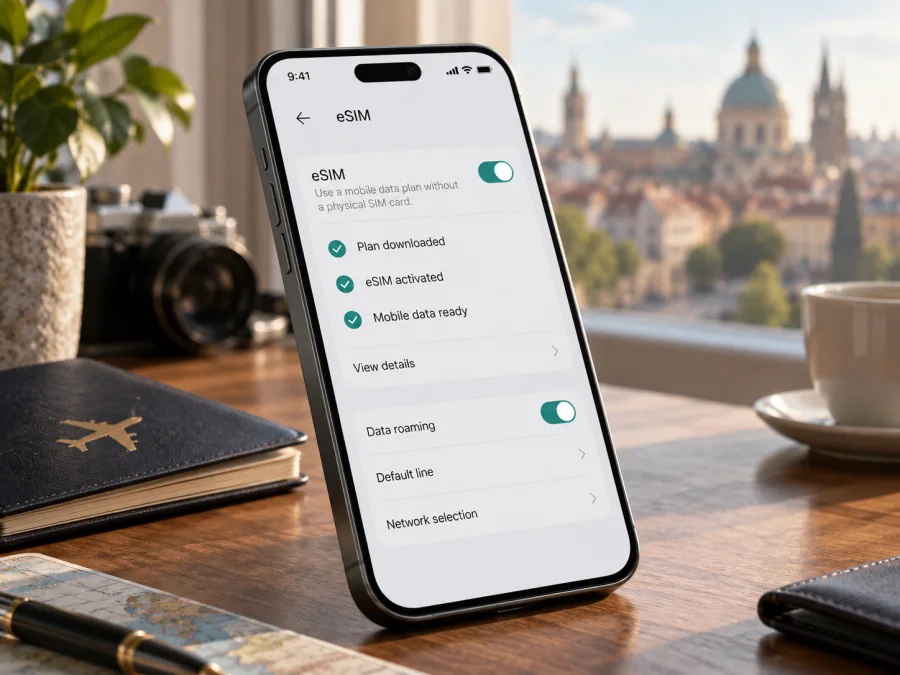
Apple iPhone 17 Pro Max 1TB eSIM: compatibility and setup guide
The Apple iPhone 17 Pro Max 1TB can use eSIM in many markets, but the storage size alone does not tell you which SIM hardware is inside your phone. Apple sells regional versions with different SIM arrangements: some are eSIM-only, some combine eSIM with a nano-SIM tray, and the mainland China variant uses two physical nano-SIM cards and does not support eSIM. Check the exact model and purchase region before choosing a travel plan.
For a compatible, unlocked version, you can add a travel eSIM and use it for mobile data abroad. Apple lists the iPhone 17 Pro Max with support for two active eSIMs and storage for eight or more eSIMs in markets where that configuration applies. A carrier must also support eSIM, and the selected plan must cover your destination. The 1TB label describes storage capacity; it does not change eSIM compatibility.
At a glance
| Detail | What it means for eSIM |
|---|---|
| Exact device variant | Apple iPhone 17 Pro Max 1TB |
| Storage | 1TB; storage does not determine the SIM configuration |
| eSIM support | Yes on eSIM-capable regional versions; confirm the model sold in your market |
| Physical SIM | Depends on region: eSIM-only, nano-SIM plus eSIM, or (mainland China) two nano-SIMs |
| Active lines | Apple specifies two active eSIMs for supported versions; operator and plan support still apply |
| Travel data | A compatible travel eSIM can provide mobile data where its plan and partner network are available |
| Main checks | EID, Add eSIM setting, exact model number, and Carrier Lock status |
For a used or imported phone, confirm eSIM on the handset; the same family name can refer to different regional SIM hardware.
Which regional versions support eSIM?
Apple lists eSIM-only versions for Bahrain, Canada, Guam, Japan, Kuwait, Mexico, Oman, Qatar, Saudi Arabia, the United Arab Emirates, the United States and the U.S. Virgin Islands. These have no physical SIM tray. Many other market versions use nano-SIM plus eSIM and support dual eSIM. A SIM tray alone does not confirm eSIM; check the EID and settings too.
Mainland China is a distinct case. Apple’s current mainland China eSIM list does not include iPhone 17 Pro Max. Apple says other iPhone models, including those bought outside mainland China, cannot install eSIM profiles from mainland Chinese carriers. iPhone 17 Pro Max devices sold for mainland China use two physical nano-SIM cards. This is a local carrier and regional handset restriction; it does not mean eSIM is unavailable throughout the wider region or when using the phone elsewhere.
Hong Kong and Macao are different from mainland China: Apple’s guidance identifies iPhone 17 Pro Max models bought there as supporting Dual SIM with eSIM. Apple’s two-physical-nano-SIM instructions list the iPhone 17 Pro Max for mainland China only. Check the model number and EID on the actual phone; a 1TB label does not identify the purchase market.
The handset’s region determines its SIM hardware; the destination, provider and plan determine where a profile can be activated and used. A compatible international version may use a travel eSIM for mainland China when the plan covers it, but Apple says non-mainland-provider profiles cannot be installed while the user is physically there. Carrier lock is separate: check Settings → General → About → Carrier Lock. “No SIM restrictions” means the phone is unlocked for a different provider.
Check eSIM compatibility on your iPhone
The EID identifies embedded SIM hardware, and Add eSIM is a practical menu check. Confirm both, then check the exact model and lock status. If buying a used phone, ask the seller to show these screens on the handset.
- Open Settings → General → About.
- Find EID and note the Model Name, Model Number and Carrier Lock status.
- Tap Model Number to switch between the part number and hardware model number if needed.
- Return to Settings → Cellular (or Mobile Data) and look for Add eSIM or Set Up Cellular.
- Compare the model information with Apple’s details for the phone’s purchase region.
If neither EID nor Add eSIM appears, confirm the exact model before buying a plan. A software update cannot turn a physical-SIM-only regional variant into an eSIM model.
Compatibility checklist
Before ordering a plan, make sure all of the following are true:
- [ ] The handset is Apple iPhone 17 Pro Max 1TB, and you have checked its actual model number rather than only its retail name.
- [ ] EID appears in Settings → General → About, or Apple’s documentation for that exact regional model confirms eSIM support.
- [ ] Add eSIM or Set Up Cellular appears under Cellular/Mobile Data settings.
- [ ] The phone is unlocked; Carrier Lock says No SIM restrictions if you intend to use a different provider.
- [ ] Your chosen provider supports eSIM activation on iPhone.
- [ ] The plan covers the country or region you will visit, and its terms fit your trip.
- [ ] You understand whether activation, first connection or arrival in the destination starts the plan’s validity period.
If you are buying remotely, ask the seller to confirm the model number and allow you to check EID and Add eSIM before keeping the phone. A box label or invoice may identify storage and color without resolving the SIM variant. These on-device checks help settle that question.
Check these items before you choose a plan: check your device’s eSIM compatibility.
Install and activate an eSIM
Have the provider’s setup details ready and connect to Wi-Fi. Activation may use a QR code, link, app or manual details. Keep a code on another screen or printed page to scan it.
Add the plan with a QR code
- Open Settings → Cellular (or Mobile Data) and tap Add eSIM or Set Up Cellular.
- Choose the QR-code option and scan the code from your provider.
- Follow the prompts and enter a confirmation code if one was supplied.
- Label the line Travel or another name you will recognize.
- Select the travel eSIM for cellular data when you are ready to use it.
- Wait for activation; follow the provider’s instructions if the line remains on “Activating” briefly.
On iOS 17.4 or later, a QR code in a supported email app or browser may also offer Add eSIM when touched and held. Providers may support a link, app or manual entry; use only the supplied details.
See the iOS eSIM installation instructions or, if moving from Android, the Android eSIM installation instructions. An Android eSIM transfer may require a new profile from its carrier.
Choose when the travel line becomes active
Installing a profile and using its data are related but separate steps. Some eSIMs can be installed before departure and connect only after arrival or when you enable the line; other plans may begin their validity at installation or at first network connection. Read the plan’s activation and validity terms before scanning its code. A QR code may be single-use, and some profiles cannot be moved to another phone after installation, so do not install it on a device you may not take on the trip.
When you are ready to use the eSIM, open Settings → Cellular, turn on the travel line and select it under Cellular Data. If the plan instructions require data roaming for that line, turn on Data Roaming for the travel eSIM. Keep data roaming off on your home line if you want to avoid unintended roaming charges, unless your home operator has told you otherwise. Menu labels can vary slightly by iOS version and region.
For dual-SIM use, label each line and choose deliberately which one handles mobile data. iPhone uses one cellular data network at a time. If you want to receive calls or SMS on your home number while travelling, check your home operator’s roaming charges and the phone’s voice-line settings. A data-only travel eSIM does not automatically add a regular phone number, voice service or SMS; those are included only if the plan explicitly says so. Internet calling and messaging apps can work over data, subject to their own requirements.
Using the iPhone 17 Pro Max 1TB on a trip
When supported, a travel eSIM provides data without swapping a physical SIM. Install over Wi-Fi before departure, then enable it and select it for data after arrival. Service depends on plan, network, settings and location.
For a multi-country route, check destinations, data, duration, activation and hotspot terms. A country plan may not cover neighboring countries. Review global plan destinations and compare with home roaming.
The 1TB storage provides room for apps and files; it does not increase data allowance or coverage. Monitor usage in Settings → Cellular and consider downloading maps and documents over Wi-Fi.
Kaspersky eSIM Store is an app and website where you can choose, purchase and activate an eSIM with a mobile-data plan for an international trip. Check the plan’s destination, data, duration and any calling or messaging terms. A data-only plan does not add a regular phone number, voice service or SMS unless its terms explicitly include them.
Troubleshooting: eSIM does not appear or connect
There is no Add eSIM option. Look for EID in Settings → General → About, confirm the model number and purchase market, and install available iOS updates. The mainland China variant uses two physical nano-SIMs and lacks eSIM. Hong Kong and Macao models are listed for Dual SIM with eSIM, so confirm the exact model before buying a plan.
The QR code fails. Increase the brightness of the other screen, show the entire code and check that it has not already been used. If it still fails, contact the issuer for another setup method. Keep the code private.
Installation shows an error. Check Wi-Fi, restart the iPhone and make sure the profile was not already installed. For an invalid or expired code, contact the provider; rescanning may not fix a profile-side problem.
The line is installed but data does not work. Turn on the travel line, select it under Cellular Data, turn off Airplane Mode and allow time to register. Check destination coverage and enable data roaming for that line only if the plan instructions require it. Recheck network selection after moving to an area with reception.
The wrong line uses data. Review Settings → Cellular → Cellular Data and, if needed, turn off Allow Cellular Data Switching. Check the default voice line separately. iPhone uses one cellular data network at a time.
You cannot install a travel eSIM in mainland China. Apple says non-mainland-provider profiles cannot be installed while you are physically there. Follow the provider’s instructions and check Apple’s local requirements before travelling. This location restriction is separate from the mainland China iPhone 17 Pro Max hardware variant, which is not on Apple’s mainland eSIM-supported list.
Data is slow or stops. Check remaining data and validity with the provider, then verify the selected line and roaming setting. Reception varies by location and network conditions. If service still fails, give the provider your model, iOS version, destination and error; never send a password or full QR code.
Do not delete a working profile simply to troubleshoot. Some eSIMs cannot be reinstalled after removal. Ask the provider whether transfer or replacement is possible before changing phones or removing a profile.
Frequently asked questions
Does Apple iPhone 17 Pro Max 1TB support eSIM?
Yes, if it is an eSIM-capable regional version. Apple’s published information covers eSIM-only models and models with a physical nano-SIM plus eSIM, but market versions differ: the mainland China iPhone 17 Pro Max uses two nano-SIMs, while Apple lists Hong Kong and Macao versions for Dual SIM with eSIM. The 1TB capacity does not identify the region. Verify the actual model number, EID and Add eSIM setting.
Can I use a travel eSIM and my normal SIM at the same time?
A supported version can use two active eSIMs; some models also combine a physical SIM with an eSIM. Hardware, carrier and plan matter, and only one line uses cellular data at a time. Check home-line roaming costs before keeping it active.
Does an EID guarantee that any travel plan will work?
No. EID shows eSIM hardware, but the phone must be unlocked, the provider must support iPhone activation, and the plan must cover your destination. Check setup and transfer terms.
Does a data travel eSIM include calls and text messages?
Not necessarily. Many travel plans are data-only; calls and SMS are included only if the plan says so. Messaging and internet-calling apps use data as separate services.
Should I install the eSIM before travelling?
Often, installing over Wi-Fi before departure is convenient. Follow the plan’s instructions: validity may start at installation, first connection or another stated event. Check this before adding a single-use QR code.
Before you choose a travel eSIM
Identify the actual Apple iPhone 17 Pro Max 1TB. Check its model number, EID, Add eSIM setting and Carrier Lock status. The purchase market determines SIM hardware; the destination and provider determine where a plan can be activated and used.
Compare destination, data, duration, validity start, top-ups and calling or SMS terms with your itinerary. Kaspersky eSIM Store is an app and website where you can choose, purchase and activate an eSIM with a mobile-data plan for an international trip. Check device and plan compatibility before purchase.


