Travel connectivity guide
Apple iPhone SE 3rd generation 64GB eSIM
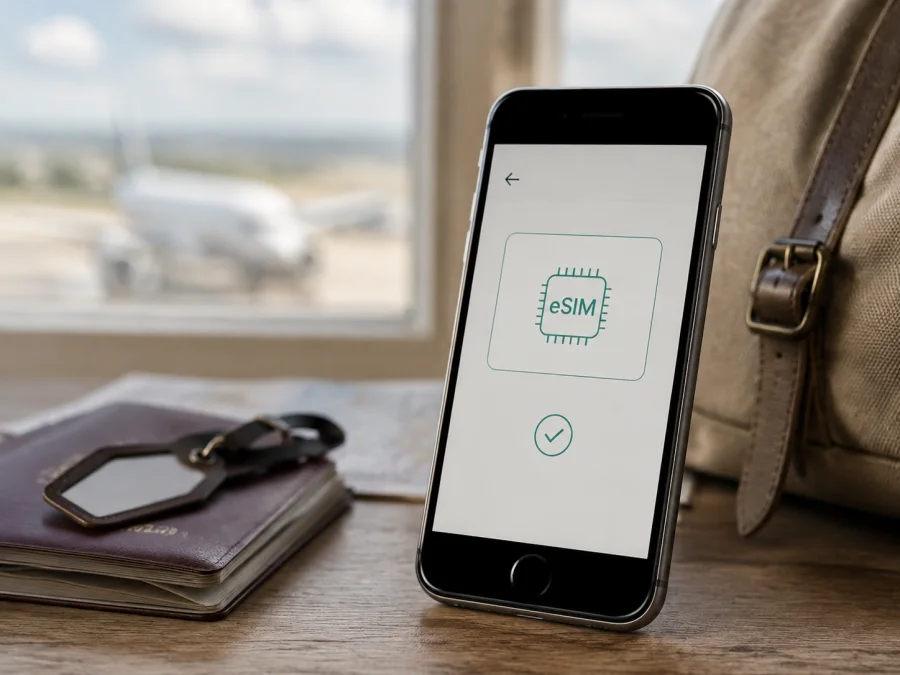
Apple iPhone SE 3rd generation 64GB eSIM compatibility and setup
If you are preparing an Apple iPhone SE 3rd generation 64GB for an overseas trip, the short answer is yes: the iPhone SE (3rd generation) family is designed to support eSIM. Apple’s current technical specifications list Dual SIM with a nano-SIM and eSIM, and they also list Dual eSIM support for this generation. The 64GB storage capacity does not remove that cellular capability.
That answer applies to the supported configuration, not automatically to every phone sold under a similar name. Country or region of sale, the exact model arrangement, carrier policy, an operator lock, and the installed iOS version can affect what the phone can actually do. A refurbished or imported device may have a different SIM arrangement from the international version. The reliable decision comes from the phone in your hand: check its EID, look for the eSIM option in Settings, and confirm that the phone is unlocked before you select a travel plan.
Quick answer for Apple iPhone SE 3rd generation 64GB
On a typical unlocked and eSIM-capable Apple iPhone SE 3rd generation 64GB, you can keep a physical nano-SIM for your usual number and add a travel eSIM for mobile data. iOS lets you select active lines, with one cellular data line used at a time.
Apple’s family specification is a starting point, not a substitute for checking the individual unit. “iPhone SE 3” alone does not resolve imported, repaired, locked, or market-specific configurations.
| Check | What it means for this device |
|---|---|
| Exact variant | Apple iPhone SE 3rd generation 64GB |
| Apple generation | iPhone SE (3rd generation) |
| eSIM capability | Supported by the family specification, subject to market and carrier conditions |
| Physical SIM | Nano-SIM on the relevant Dual SIM configuration |
| Dual SIM options | Nano-SIM plus eSIM; Apple also lists Dual eSIM support for this generation |
| Storage | 64GB; storage capacity does not enable or disable eSIM hardware |
| Data selection | One line is selected for cellular data at a time |
| Travel data | Depends on the eSIM plan, destination, roaming setting, and local network registration |
| Final device proof | An EID and an Add eSIM or comparable cellular setup option should be visible |
An eSIM is a digital SIM profile supplied through a carrier or worldwide service provider, not a second memory area. A data-only travel eSIM normally provides mobile internet rather than a new phone number, ordinary voice service, or SMS. Use your existing line or internet calling apps when needed and read the plan conditions.
Regional and carrier differences
Read the iPhone SE (3rd generation) specification together with the market rules for the exact phone. Apple states that eSIM is not available in every country or region. Versions sold in mainland China, Hong Kong, or Macao can use different Dual SIM arrangements, so two phones with the same generation and 64GB label may expose different cellular menus.
Mainland China needs particular care. Apple’s current regional guidance lists only certain newer models for eSIM use there; the iPhone SE (3rd generation) is not on that list. Do not assume that an Apple iPhone SE 3rd generation 64GB purchased for mainland China can install a local eSIM or a travel profile while in that market. Check the model, EID, destination, and activation conditions.
Hong Kong and Macao can have their own Dual SIM arrangements. Apple documents eSIM-related Dual SIM use on compatible iPhone SE (2nd and 3rd generation) units there, but the model and carrier still matter. “Dual SIM” in a listing may mean two physical nano-SIM cards or nano-SIM plus eSIM, so confirm the hardware.
Carrier locking is a separate issue from eSIM hardware. Open Settings > General > About and find Carrier Lock. The value No SIM restrictions indicates that the phone is unlocked for use with another carrier. If a restriction is shown, a travel eSIM from a different provider may not work even when the phone has an EID and an Add eSIM option. Only the original carrier can explain its unlocking process; a change to the data settings cannot remove a lock.
The provider and plan must also support the destination. A profile can fail because it is for another country, expired, already installed, or tied to a particular activation method. Check destination, validity, data allowance, activation timing, hotspot rules, and refund conditions before committing.
What to check before buying an eSIM plan
Use the following checks on the exact Apple iPhone SE 3rd generation 64GB you will carry. They help distinguish an eSIM-capable phone from a similar-looking regional or locked version.
Device compatibility checklist
- [ ] The phone is the exact Apple iPhone SE 3rd generation 64GB unit intended for the trip.
- [ ] Settings > General > About displays an EID.
- [ ] Settings > Cellular or Settings > Mobile Data displays Add eSIM, Set Up Cellular, or a comparable option.
- [ ] Carrier Lock says No SIM restrictions if you will use a second provider.
- [ ] The phone is connected to Wi-Fi and can install the supplied activation profile.
- [ ] iOS is updated as far as the device supports, with enough battery for setup.
- [ ] The plan covers every country or region on the itinerary.
- [ ] The plan’s data allowance, validity, activation rule, and hotspot conditions fit the trip.
An EID is a long identifier associated with the embedded SIM. You only need to confirm that the field exists; do not share the full number unnecessarily. EID plus an Add eSIM option are strong signs of the required hardware, but they do not override a regional restriction, carrier lock, unsupported destination, or incompatible plan.
If the EID is missing and there is no Add eSIM option, pause before buying. The phone may be a regional variant with a different SIM arrangement, may be misidentified, or may need software or carrier support. Ask the seller or original carrier to confirm the model and region. Do not rely on the 64GB label to resolve a hardware difference.
Check your device before committing to a non-refundable travel plan. A compatible phone still needs a provider and destination that support activation, while a valid travel plan cannot make an incompatible or locked phone accept eSIM.
How to install and activate eSIM on Apple iPhone SE 3rd generation 64GB
Menu names vary by iOS version and activation method. See the iOS installation instructions and the Android installation instructions for platform references. The steps below are for this iPhone.
Before you start
Use reliable Wi-Fi, charge the phone, and install available iOS updates. Check when validity starts. Keep the QR code on a second screen when possible. Do not delete an existing eSIM until the provider confirms that it can be reinstalled; a code may be single-use.
Installation steps
- Open Settings > Cellular or Settings > Mobile Data, then tap Add eSIM, Set Up Cellular, or similar.
- Choose Use QR Code and hold the code inside the frame. If needed, enter the SM-DP+ address, activation code, and confirmation code manually. Some providers use a link or app.
- Label the line Travel data or with the destination name.
- Keep your normal number as the default voice line when intended; a data-only travel eSIM does not replace it.
- Under Cellular Data, select the travel eSIM. Turn off Allow Cellular Data Switching to prevent fallback to the home line.
- Enable Data Roaming for the travel line only when the plan requires it.
- Allow time for registration in the covered destination, then test a small web page or map request.
Using eSIM for mobile internet while travelling
Install the profile on Wi-Fi, label both lines, and select the travel line for data. Match the plan to the trip length, destination, and expected use.
Scenario: short city break
Use the travel line for maps, tickets, translation, messages, and light photo uploads. Install at home, delay it if validity starts on activation, and test navigation after arrival.
Scenario: work trip with a primary number
Keep the home line for calls or verification when its roaming terms are acceptable. Set travel eSIM as data and disable data switching; a data-only plan does not add ordinary calls or SMS.
Scenario: multi-country itinerary
Confirm every country is covered. A country plan may stop at a border while installed, so a regional plan may suit a full itinerary better.
Kaspersky eSIM Store is an app and website where you can choose, arrange, and activate an eSIM with a suitable mobile-data plan for an overseas trip. It is not a mobile operator, network owner, or mobile-internet provider. The selected plan’s service and coverage depend on its conditions and local operator networks. After confirming Apple iPhone SE 3rd generation 64GB, use the app or site to compare destination, data allowance, duration, activation timing, and hotspot conditions.
Common eSIM problems and checks
QR code does not scan
Increase the second screen’s brightness, clean the lens, and keep the full code in view. Confirm the code is for the intended plan and unused. If manual details are supplied, use Enter Details Manually and copy every field exactly.
Add eSIM is missing
Check Settings > General > About for EID, restart, and install an available iOS update. If EID and Add eSIM are absent, investigate the market version with the seller or carrier. A regional dual-nano-SIM arrangement may not show the international menu, and 64GB cannot change that hardware.
The profile is installed but there is no service
Turn on the travel line, select it under Cellular Data, and check Data Roaming if required. Toggle Airplane Mode, restart, and allow time for registration. Confirm destination coverage and plan validity. Use APN values only when the provider supplies them.
Activation fails
Connect to Wi-Fi, use automatic date and time, and check the code’s expiry, device limit, and destination. Record the exact error and contact support before deleting the profile; deletion can make a single-use code difficult to recover.
The wrong line uses data
Open Settings > Cellular > Cellular Data, select the travel line, and turn off Allow Cellular Data Switching. Review line labels and roaming. Installing a profile does not automatically make it the data line.
Data runs out quickly
Review app usage in Settings > Cellular. Pause automatic updates, photo syncing, and video autoplay, and use Wi-Fi for large downloads. Compare the phone’s estimate with the plan balance because counting periods differ.
The phone is locked or regionally different
If Carrier Lock does not say No SIM restrictions, contact the original carrier. An EID and QR code cannot bypass a lock. For an imported phone, check model number, EID, and physical SIM arrangement; ask for confirmation if it was sold for mainland China, Hong Kong, or Macao.
FAQ
Does Apple iPhone SE 3rd generation 64GB support eSIM?
Yes. Apple lists the iPhone SE (3rd generation) with nano-SIM plus eSIM and Dual eSIM support. For the exact Apple iPhone SE 3rd generation 64GB, confirm EID, Add eSIM, region, lock, and destination before purchase.
Does 64GB change compatibility?
No. Storage capacity does not add or remove the embedded-SIM function. Hardware region, EID, iOS, carrier policy, lock status, and plan support matter.
Can I use my normal SIM with a travel eSIM?
On a supported configuration, yes. Keep the home line for calls or messages, select the travel eSIM for data, and review roaming. Combinations depend on the carrier and regional model.
Can two eSIMs be active?
Apple lists Dual eSIM support for this generation, but active-line behavior depends on the device, iOS, and carriers. Check the individual Cellular screen.
Does a travel eSIM provide a phone number?
Usually not. It normally provides mobile internet unless the plan explicitly includes voice or messaging. Use your existing number or internet calling apps.
Should I install it before departure?
Installation on Wi-Fi can simplify arrival. If validity begins on installation or first connection, keep the line off until the stated activation time.
Key takeaways
The Apple iPhone SE 3rd generation 64GB is an eSIM candidate because Apple lists this generation with nano-SIM plus eSIM and Dual eSIM support. The individual result remains conditional on region, model, lock, iOS, provider activation, and local network rules. Apple’s current mainland-China guidance does not list this generation among supported eSIM models there, so verify that market explicitly.
Check EID and Add eSIM, confirm No SIM restrictions, and review destination, data, validity, activation timing, and roaming before purchase. Install over Wi-Fi, label the lines, select travel data, and troubleshoot before removal.
Final device check and trip eSIM
Before departure, check the exact Apple iPhone SE 3rd generation 64GB: EID visible, Add eSIM available, Carrier Lock showing No SIM restrictions, iOS ready, activation details accessible, and the travel line labelled. Compare trip length, destination coverage, data allowance, hotspot conditions, activation timing, and roaming. Once compatibility is confirmed, use Kaspersky eSIM Store as the app or website that helps you choose, arrange, and activate an eSIM plan for mobile internet during your overseas trip.


