Travel connectivity guide
Aregua eSIM: Mobile Internet for Your Trip
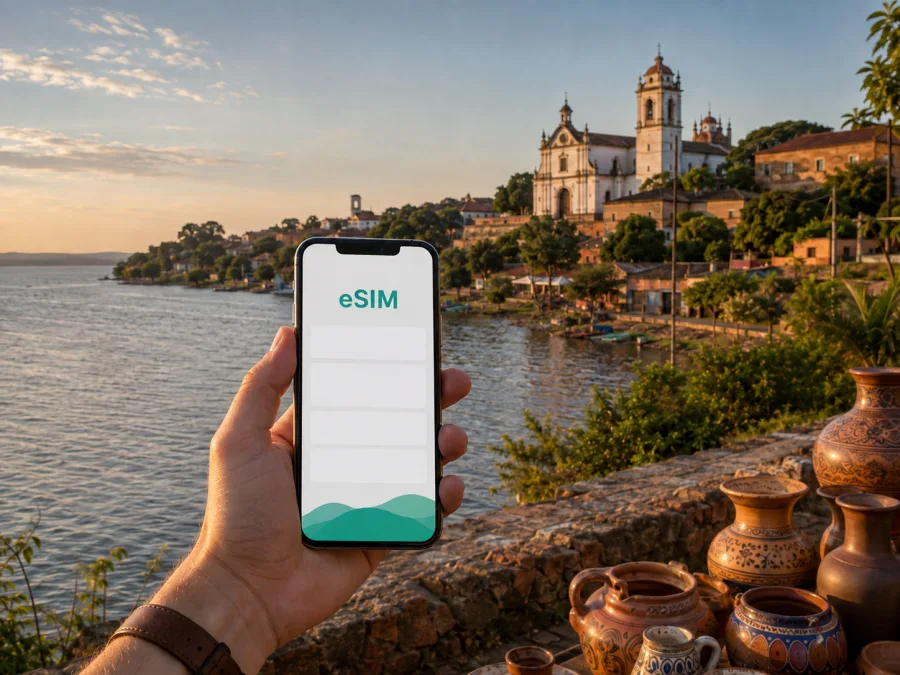
Aregua eSIM: mobile connection and internet for your trip
Aregua is a practical destination for travelers who want a quieter base near Asuncion, a day beside Lake Ypacarai, or a short cultural stop in Paraguay. The city combines a historic center, pottery workshops, lake views, food, and access to nearby towns. That mix makes a reliable mobile connection useful from the first hour: you may need a map after leaving the airport, a message to your host, a ride, a booking confirmation, or a translation while looking at local crafts.
An eSIM, or digital SIM, can prepare mobile internet for this kind of journey without removing the physical SIM already in your phone. With Kaspersky eSIM Store, you can use the site or app to choose, arrange, and activate an eSIM with a suitable travel data plan. The practical goal is simple: have a data option ready for navigation and communication while you move through Aregua and the surrounding area.
Why mobile internet matters in Aregua
Aregua is not a single resort zone: the historic streets rise from the lakefront toward the church, while homes, workshops, and services extend beyond the central walk. A connection helps with small decisions throughout the day.
Here are common moments when data can save time:
- Arrival: confirm the address of your accommodation, send your arrival time, and keep the route from the airport available while you leave Luque or Asuncion.
- Getting around: compare a walking route with a car transfer, check a destination pin, and share your location if a meeting point is difficult to describe.
- Craft shopping: translate a product description, message a workshop, or record the details of a piece you plan to collect later.
- Work: join a call from accommodation or a quiet café, send a document, and keep two-factor authentication available when a login needs it.
- Day trips: coordinate the next leg toward Luque, San Bernardino, Ypacarai, or other places in the Central region, while checking the details of the route as plans change.
Aregua in one glance: places and connection needs
Aregua is the capital of Paraguay’s Central Department, on the shore of Lake Ypacarai and roughly 28 km from Asuncion. It is known for ceramics and strawberries. These points help frame a city visit without turning the article into a general country guide.
| Visit area | Practical use of data |
|---|---|
| Airport approach | Maps, accommodation details, messages |
| Historic center | Walking routes, pins, opening-hour checks |
| Lakefront | Return route, location sharing, transport |
| Workshops | Translation and pickup details |
| Nearby hills or towns | Route changes and meeting points |
The center is walkable for an exploratory visit, but heat, rain, slopes, distance, and the timing of a return transfer can change the best route. Save essential accommodation details offline as a backup and keep mobile data for live updates.
Arriving in Aregua from Paraguay’s main gateway
Most international visitors approach Aregua through the greater Asuncion area. Silvio Pettirossi International Airport is in Luque, not in Aregua, so the first part of the journey is a transfer rather than a walk from an airport terminal. The exact route and travel time depend on traffic, the hour of arrival, road conditions, and your chosen transport.
Prepare the first transfer before landing: save the full accommodation address, keep the booking confirmation and host contact accessible, decide on a car or taxi option, and agree on an easy meeting point. Keep the route visible until you have arrived and checked in.
This is where an eSIM can be more useful than a plan that begins only after you find a store. You can arrange the eSIM before the trip, install it while you still have a dependable internet connection, and select it for data after arrival. If you prefer to install it in Paraguay, keep access to Wi-Fi during setup and do not discard the physical SIM you normally use until you have checked which line is active for each function.
Moving through Aregua: a simple planning model
Think of Aregua as a set of connected zones rather than a checklist of isolated attractions. A morning may begin uphill in the historic center, continue downhill toward the lake, and finish at accommodation or a workshop. That sequence affects both walking time and battery use.
The historic center
The historic area is the natural starting point for a first walk. The Church of Nuestra Señora de la Candelaria stands on higher ground, and the route through the old center leads toward the lake. The church, traditional houses, galleries, and craft displays make this a place where you may stop often rather than move directly from one pin to another.
Keep the accommodation pin and a meeting point saved before you start walking. A map, short translation, and a message to your host are easier to use while you still have battery. Do not depend entirely on a navigation line in narrow or sloping streets: look at surrounding landmarks, confirm the destination with the venue, and allow extra time for an unfamiliar route.
The lakefront
The lake gives Aregua its distinctive setting and is a natural place for a slower part of the day. The shore is useful for orientation, but it is not a substitute for checking current local conditions. Water access, weather, shade, events, and the availability of nearby services can vary, so treat a lakefront plan as flexible.
Mobile data helps with the practical details: finding the return route, sharing a location, messaging a restaurant, or coordinating transport when you decide to leave earlier. If you plan to take photographs or video, remember that automatic cloud backup can use the same data you intended for navigation. Review your phone’s backup settings before you start a long walk.
Craft streets and workshops
Aregua’s ceramics are part of the city’s identity. The browsing experience can include small workshops, galleries, market-style displays, and conversations about materials or delivery. A translator app or messaging connection may be helpful, but the best approach is to keep interactions respectful and ask before photographing people or workspaces.
Prepare an eSIM plan for the city
The most useful plan is the one that matches how you will use your phone in Aregua. Before choosing, separate the trip into three questions: where the plan should work, how long it should last, and how much data your habits require.
1. Confirm the destination
For a stay based in Aregua, select Paraguay as the destination. If your itinerary includes Asuncion, Luque, San Bernardino, Ypacarai, or a longer route, check whether the selected plan’s coverage area and terms fit the whole journey. The city name may guide your travel planning, but the product choice is normally made by country, region, or route.
2. Estimate the duration
Count the days from your first likely use to the end of the trip, including airport transfers and days when you leave Aregua. A short stopover has different needs from a week of remote work. Read the validity wording before payment and make sure the plan’s start condition matches your intended installation and activation timing.
3. Estimate actual data use
Maps, text messages, email, and occasional browsing are relatively light compared with video calls, social-media video, cloud backups, and streaming. Use Wi-Fi for large downloads when appropriate, turn off automatic updates while traveling if you want tighter control, and choose enough data for your normal behavior rather than an idealized low-use day.
4. Review the conditions
Check the data amount, validity period, destination, activation details, and any instructions shown for the selected option. A travel eSIM is primarily for mobile internet. It does not automatically provide a regular phone number, voice calls, or SMS unless the specific terms say otherwise. Plan to use internet messaging for calls and messages when that fits your itinerary.
After comparing those points, you can choose an eSIM plan for a trip to Paraguay and review the current options for your journey to Aregua. The page and app are intended to help you select, arrange, and activate a suitable eSIM plan; the conditions displayed for the selected option remain the reference for your purchase.
Installation before departure or after arrival
Installation is easiest when you have a stable internet connection, enough battery, and the purchase information or QR code available. Keep your primary physical SIM in place if you still need its number for calls or messages, and label the new line clearly so you can identify it in settings.
Before you begin, check whether your device supports eSIM and confirm that it is not restricted by an operator. Models can differ by region, so a phone family name alone is not always enough.
Before the flight
Install the profile at home or at another reliable Wi-Fi location if the purchase instructions allow it. Do not remove the eSIM profile after installation unless the instructions or support team tell you to do so. Keep the QR code or activation details available, but protect them like account information.
After landing
If you wait until Paraguay, use airport or accommodation Wi-Fi for the installation steps. Once the eSIM is added, open mobile-network settings and select it for mobile data. Keep your regular line available only for the functions you intend to use, and review data-roaming settings for the eSIM when the device instructions require it.
For the device-specific sequence, follow the Android eSIM installation instructions or the iOS eSIM installation instructions. The wording of menus can vary by operating-system version. If connection does not start immediately, wait a few minutes, check that the eSIM is enabled for data, and review the selected network settings before trying again.
Three realistic travel scenarios
A short stopover
Use data for the airport-to-city route, one saved meeting point, a brief historic-center walk, and messages about your onward departure. Choose a plan for the actual stopover length and install it before the flight when possible.
A cultural weekend
For pottery workshops, a lake walk, and occasional photos, prioritize navigation, messaging, and booking confirmations. Download large files on Wi-Fi and save the accommodation pin before leaving.
A work trip with a lake day
Estimate data for video meetings separately from leisure use. If you will use a laptop, verify that the phone and plan support your intended hotspot arrangement and monitor consumption. Keep a backup route if a meeting runs long.
These scenarios point to the same principle: select the plan around usage, not around a generic promise of unlimited convenience. Aregua’s compact center can be easy to walk through, while the wider itinerary still includes transfers and changing conditions.
What to check before you leave
Use this final pre-trip review for an Aregua itinerary:
- Phone: eSIM support and no operator lock have been confirmed.
- Plan: Paraguay is the correct destination, and the duration covers the intended use period.
- Installation: the profile has been added, or Wi-Fi and the QR code are available for setup after landing.
- Data line: the eSIM is selected for mobile data, while the primary line is configured intentionally.
- Roaming setting: data roaming for the eSIM is enabled only if the instructions require it.
- Navigation: accommodation and the first transfer meeting point are saved.
- Power: the phone is charged, and a power bank is packed for a day outside.
- Limits: you know whether the plan covers data only and have read its validity and usage terms.
If a connection problem appears, pause before changing several settings at once. Check that the eSIM line is enabled, mobile data is assigned to it, the device has a signal, and the plan has not reached its validity or data limit. Restarting the phone may help, but do not delete the profile as a first reaction.
Frequently asked questions
Is eSIM useful for a trip to Aregua?
Yes, when you have a compatible and unlocked phone and want mobile data for maps, messages, bookings, and work between Wi-Fi locations. It is particularly practical for the transfer from the airport area, walks between the historic center and lakefront, and flexible day trips.
Do I need a separate city plan for Aregua?
Usually, you should look for the Paraguay destination rather than a city-only product. Aregua is the travel location, while the plan’s destination and terms determine where it can be used. If you will continue through the Central region, check the stated area before choosing.
Make the connection part of the itinerary
Aregua rewards an unhurried route: begin with the old center, follow the slope toward Lake Ypacarai, leave time for ceramics and food, and keep the return transfer flexible. Mobile internet supports those transitions, but it works best when paired with simple preparation: a compatible phone, a plan for Paraguay with a suitable validity period and data amount, saved addresses, and enough battery.
Kaspersky eSIM Store helps you choose, arrange, and activate an eSIM plan for mobile internet during a trip abroad. If that fits your route, prepare an eSIM plan for your trip to Paraguay before departure, review the conditions, and install it while you have a reliable connection. Then you can spend your time in Aregua on the city itself—its lake views, historic streets, and craft tradition—rather than on avoidable connection logistics.


